
Grok Bot with Kimi K3: Complete A–Z Guide to the Setup That Beats Hiring Anyone
Everything on your list only moves when you sit down and move it. The message you have to answer. The form somebody needs filled in. The three people you have to chase before Thursday. None of it is
Article
Job breakdowns
Everything on your list only moves when you sit down and move it.
The message you have to answer. The form somebody needs filled in. The three people you have to chase before Thursday.
None of it is difficult, and none of it happens while you are in a lecture, at work, or asleep, because exactly one person can do it and that person is you.
You already know which of those jobs never needed you. You do them anyway. There has never been anybody to hand them to.
On 13 August Brock Mesarich watched two of his workers divide a job between themselves without being asked. One handled invoices, the other watched the shared inbox.
He never wrote a rule connecting them.
The invoice one messaged the other on its own: please hand me anything invoice or payment related from our email triage.
He was recording his screen, which is the only reason anyone else saw it.
Neither of those two is a person.
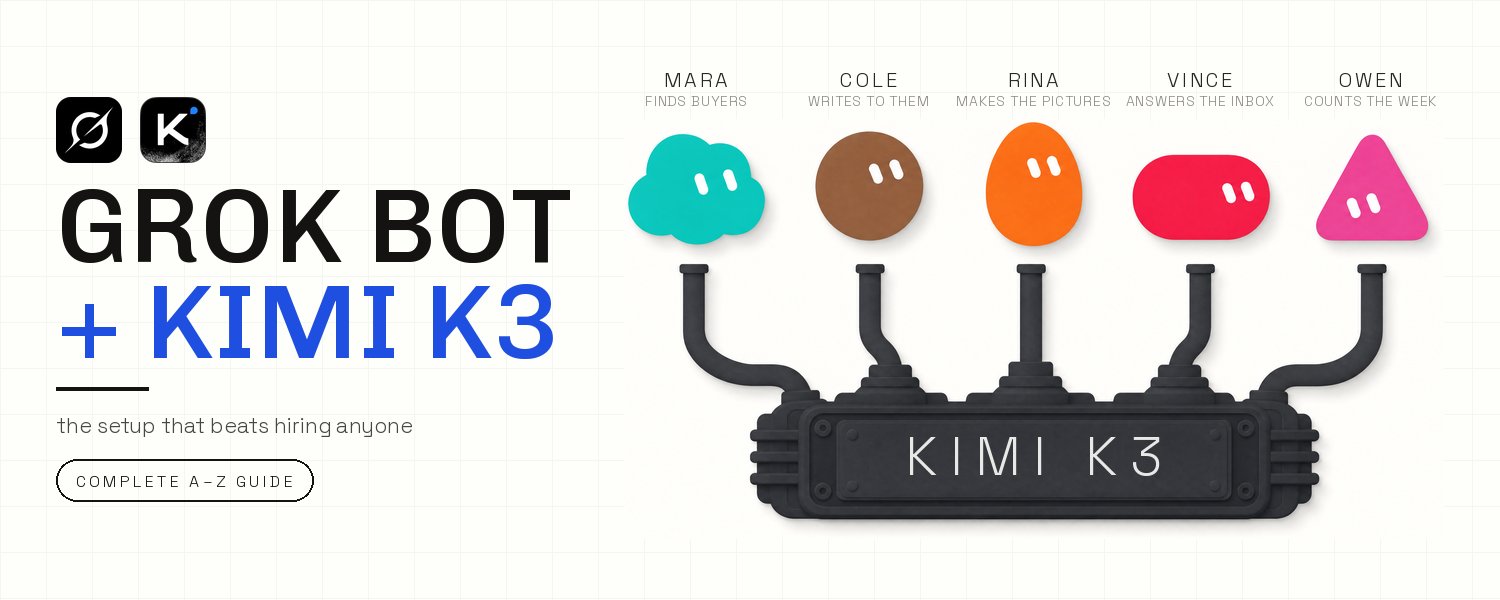
He has five of them now, each one owning a job he used to do himself, and all five share one computer. It has room for 50.
Hiring them is the easy part. The engine underneath decides whether any of it is worth doing, and you are not allowed to choose it.
RuntimeWire went digging in the app last week and found the list of engines sitting inside it, 33 of them, switched off. So you pick one yourself and have it installed on the one computer all five of them share.
Everything you hire after that runs on it.

The list only moves when you sit down and turn the handle.
Seven steps, in the order you will do them.
-
Hire one and shut the lid
-
Write the charter, then leave it alone
-
Give the whole staff your logins once
-
Put Kimi K3 behind the roster
-
Hire the rest by what they own
-
Make them pass work between themselves
-
Put the roster on a shift
Step 1 · Hire one and shut the lid
You have done this at one in the morning. Forty pages you did not write, something due tomorrow, and nobody to read it for you.
The first one you hire in Grok Bot does that job. Start it on a job with nothing riding on it: no accounts connected, nothing to set up, an answer back in about five minutes.
Give it the document and this:
The last line is the one that matters. It comes back with the pages named, so you can check any claim it makes in ten seconds instead of rereading the whole thing.
Making the worker takes less time than the job does. In a new chat, choose to create a worker instead of starting an ordinary conversation, then give it a name and a job title.
The first thing you send it is the job itself.
Then close the laptop.
The work was never happening on your laptop. It runs on a computer in a data center that stays on when yours does not.
The summary is written to a file that lives over there, waiting with its own address.
Ask for the shape of the result in the same sentence as the work. What comes back then stops being a wall of chat:
-
a document: headings and source links, so any line can be traced back.
-
a folder: the screenshots and the logs sitting together in one place.
-
an action log: what it did, in order, and a list of anything it could not check.
Each of those three comes back with an address, so you can hand it on without repeating any of it yourself.
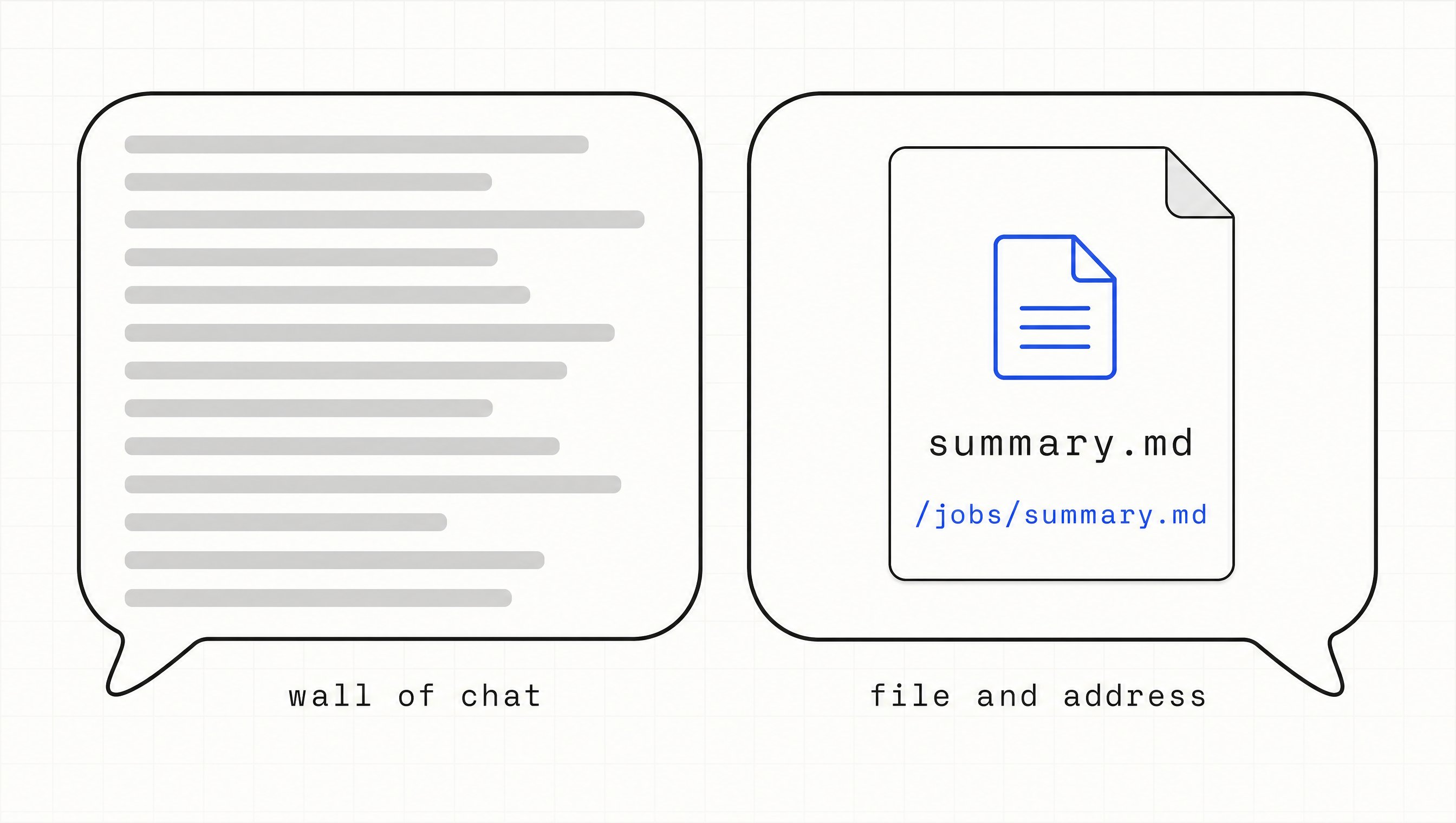
Ask for a form and the work comes back as a file with an address, not a wall of chat.
You did not open an app. You gave a job to somebody who keeps working after you leave.
Step 2 · Write the charter, then leave it alone
The first day with a worker goes on hovering. You check what it did every twenty minutes. By evening you have done the job twice, the second time badly and through somebody else.
That happens because you told it what to do today and never told it what it owns. Those are two different documents, and only one of them is meant to last.
The charter is the one that lasts. Whatever goes in it has to still be true a month from now.
Three things go into it: the area this worker owns, what a finished result looks like, and the line where it stops. Write it once, in four sentences:
Three of those sentences describe the job and the fourth one is a fence. A week of work can be checked against that paragraph without opening a transcript.
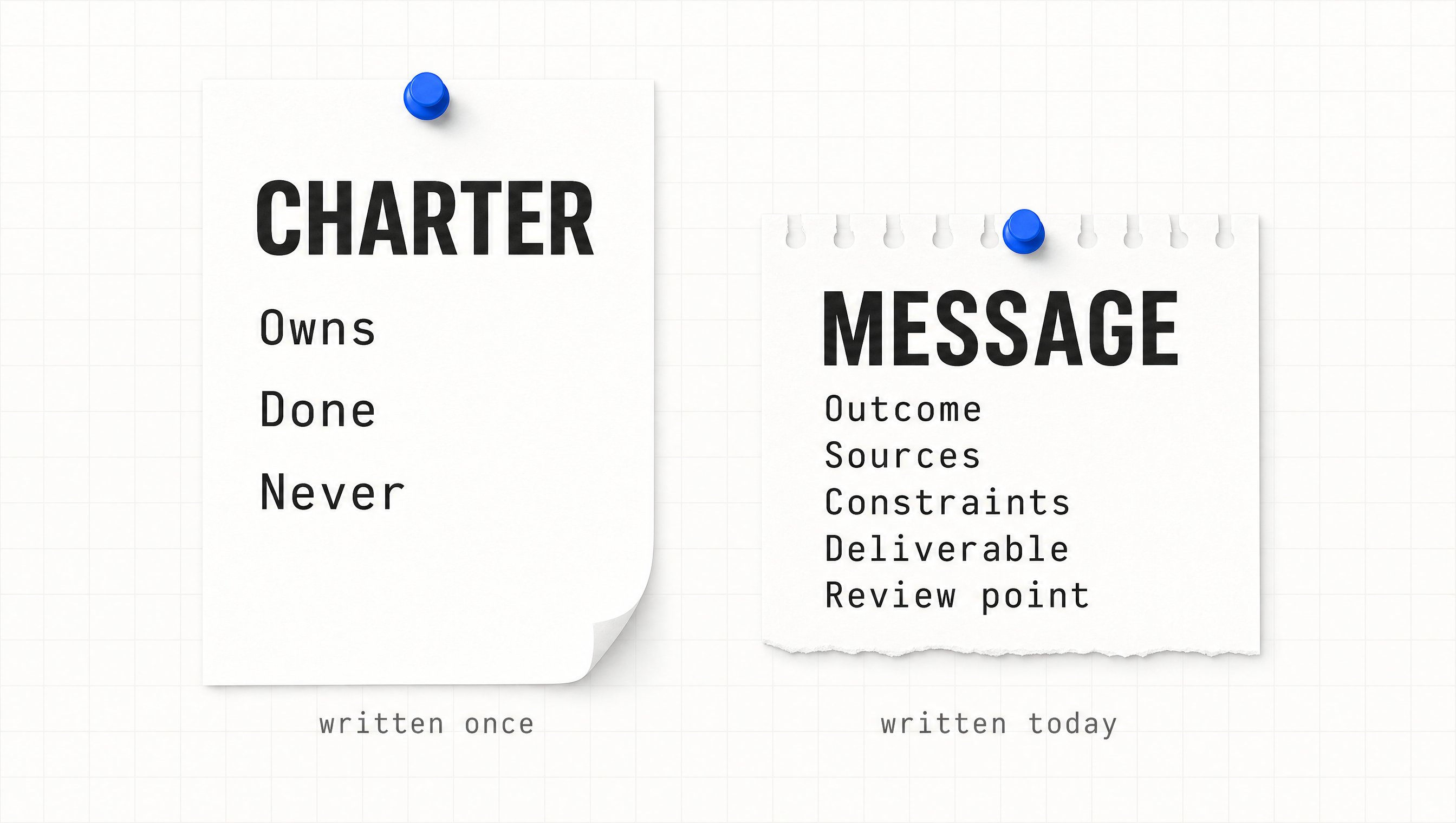
The charter is written once. The message is written today.
Today's work goes into the message instead, and it lands cleanly when it carries five fields:
-
outcome: what has to be finished by the end of this.
-
sources: which files, apps and conversations to work from.
-
constraints: what to avoid, and what to ask about before starting.
-
deliverable: what to hand back, and in what shape.
-
review point: where it stops and waits for you.
Leave one of the five out and it comes back to ask before it starts, which costs you the evening you were saving.
The line where it stops
The fence at the end carries more weight than the rest of it together.
A worker never given that list decides for itself what counts as one-way, and it decides generously. The manual names the one-way actions, and none of them are a surprise:
-
sending: anything that leaves for a real person, a message or an invitation.
-
money: a purchase, a transfer, or a price agreed on your behalf.
-
publishing: anything that becomes public the moment it is done.
-
deleting: files or records that are not obvious junk.
-
terms: agreeing to anything legal in your name.
Approval covers the action about to happen and nothing behind it. The documentation says it plainly: an approval "does not reverse work already completed."
Then leave the charter alone. The manual names the one moment to reopen it: when you discover "a durable preference, boundary, or responsibility that should shape future work."
A correction that applies to today goes in the message. A rule you would repeat next month goes in the charter.
A charter you rewrite every morning has quietly turned into a to-do list with a name on it.
Step 3 · Give the whole staff your logins once
Almost everything worth doing sits behind a sign-in. The worker gets as far as the login page and stops. You decide the whole thing was oversold.
It stopped because it is not allowed to guess your password, and you would not want a worker that could. You fix it once, on the computer where the worker is working:
-
open the computer: the same screen the worker is looking at, live.
-
take control: the keyboard is yours for a moment.
-
do the one blocked step: type the password, enter the code, clear the check.
-
hand it back: return control and tell it to carry on from that page.
The password never left you, and the work only ever needed the window it opens.
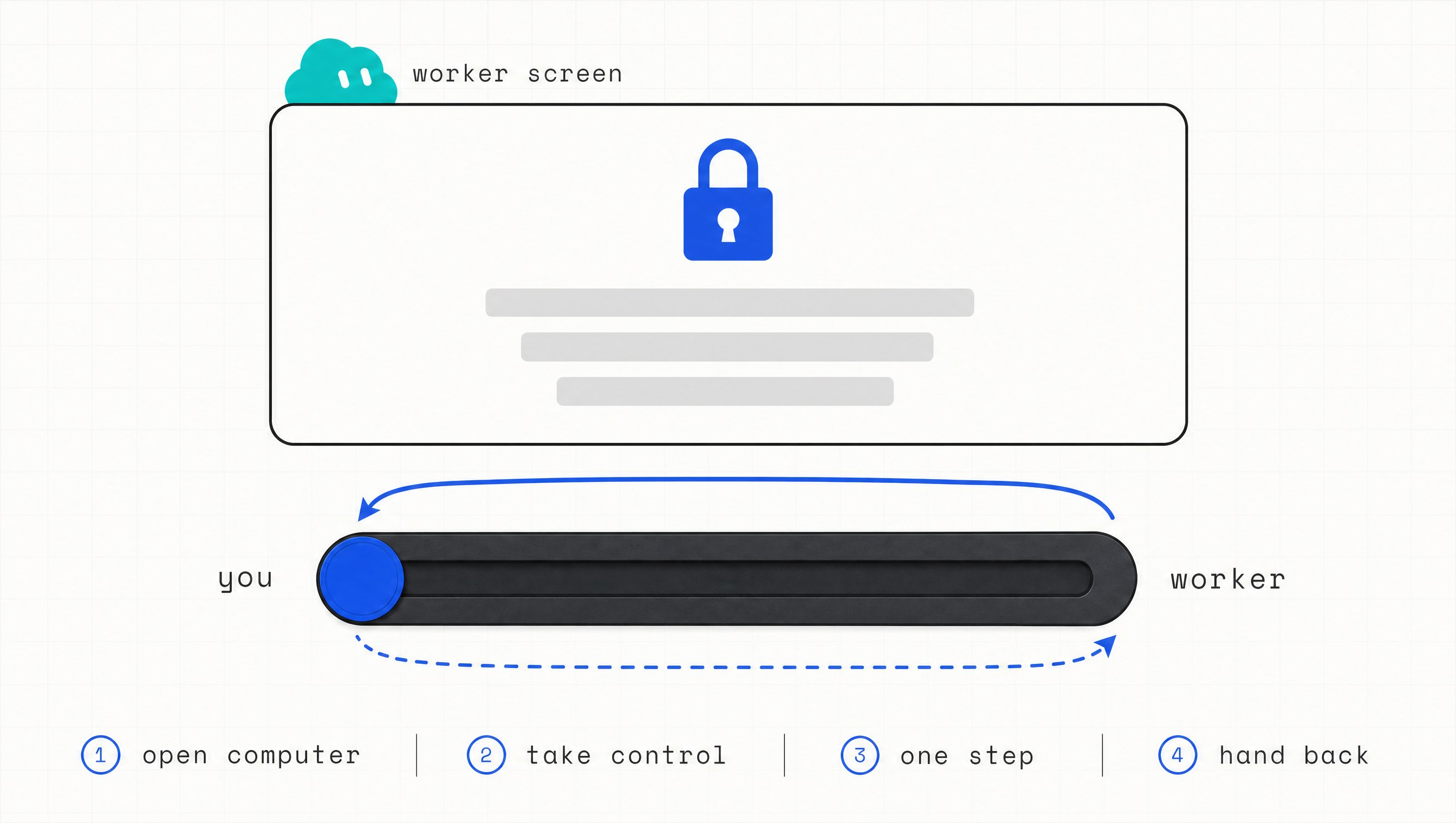
You take the keyboard for one step, then hand it straight back.
The moments where a person is still required are a short, closed list:
-
a password or a passkey: the sign-in itself, once per site.
-
a two-factor code: the number that arrives on your phone.
-
a CAPTCHA: the check that exists to stop a machine.
-
a payment or an identity check: money moving, or proof of who you are.
-
a site that says outright that it needs a human: that rule belongs to the site.
Outside those five moments the worker keeps going on its own.
Where the sign-in actually lives
Your account owns the computer, and every worker you hire is working on that one. Sign in once for one of them and the session is there for all the others.
One takeover on the university portal, one on the mail account, one where your receipts pile up. Every worker you hire after today arrives already inside.
Where a proper connection exists, use it and skip the browser. Settings, then Plugins, then Add.
The documentation prefers that route, because a connection does not break the week a website moves a button.
A value that is not a sign-in goes through the secure request, never the chat box. A password typed into an ordinary message sits in that transcript for good.
Sent through the secure request, the value is masked, kept out of the transcript, and never shown to the model.
The seat is bought for the account and not for each worker, so a fifth worker does not add a second subscription. What all five of them do still draws on the same weekly allowance.
One sign-in, and everybody you ever hire is already through the door.
Step 4 · Put Kimi K3 behind the roster
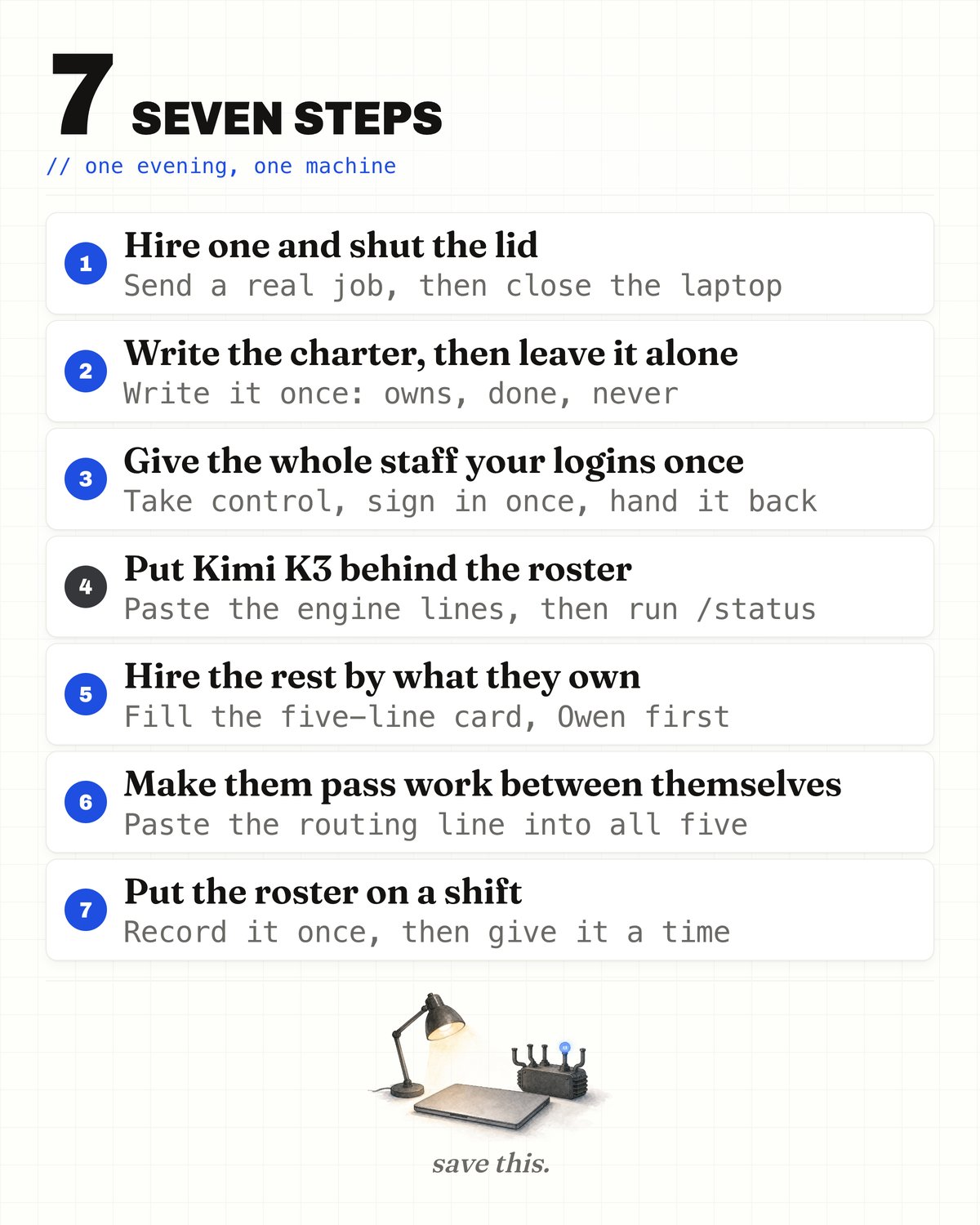
The whole build on one card: seven steps, one action each.
Every worker you hire runs on an engine, and the app never asks you which one.
You will look for that setting on the first evening. It is not there.
The setting exists in the software and it is switched off. RuntimeWire, an outlet that takes shipped software apart, went through version 0.16.0 on 11 August.
Inside the settings sat a hidden card listing 33 engines, with Moonshot among them, held back by an experiment flag. They changed one local switch and the whole list appeared.
Their own caveat belongs with it: the picker "does not prove that every listed model can serve Grok Bot turns on every account."
The vendor's own pages do not agree with each other.
One says outright there is no model picker, for members or admins, and none is planned. Two clicks away, another describes a "Default Model, when model selection is available."
So you stop looking. You pick the engine yourself, and a worker installs it once.
That is allowed, and this is the line that says so:
I ran that on my own Grok Bot computer on 19 August. root simply means full rights on that computer, and your account already has them.
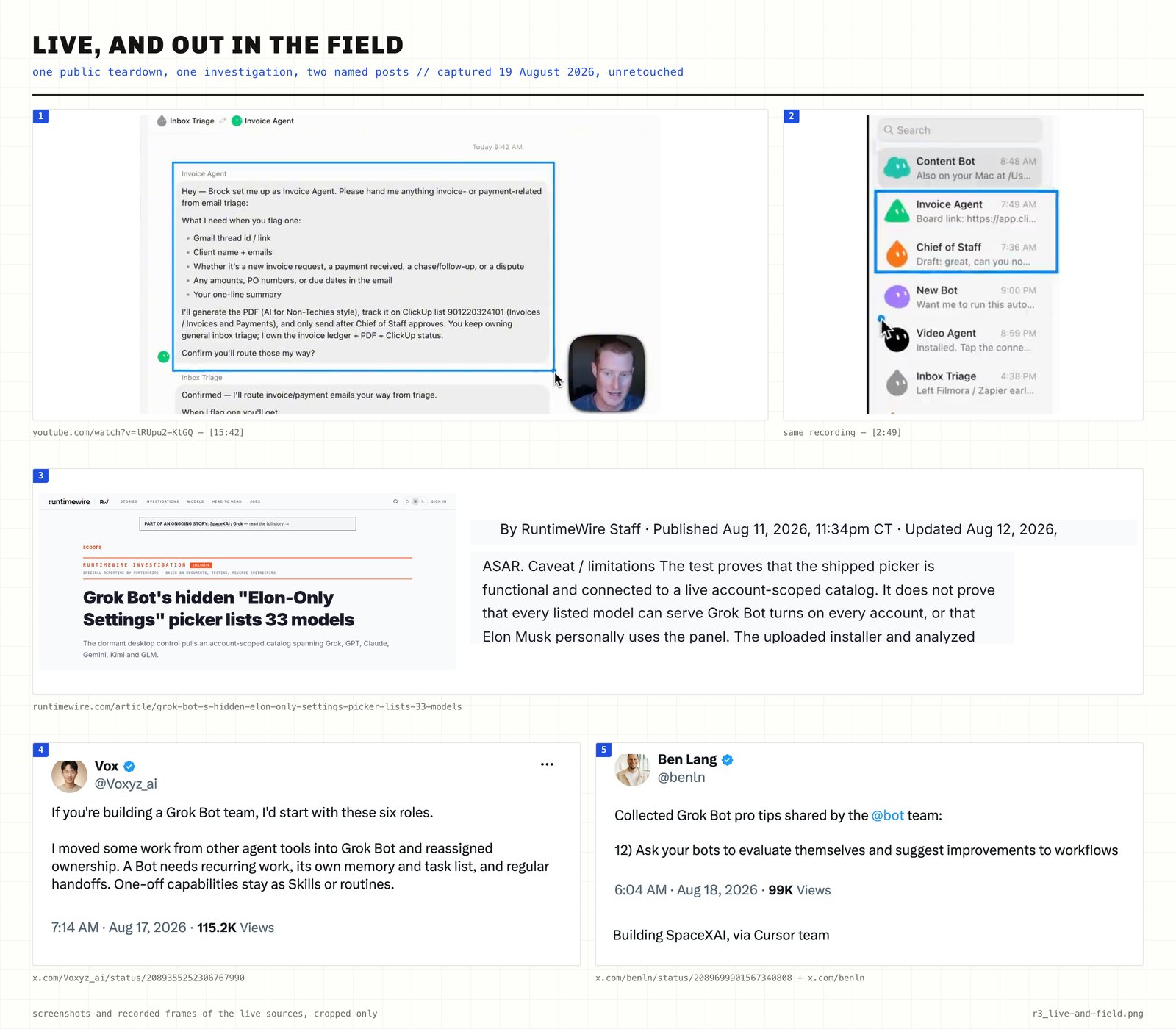
One public teardown, one investigation, two named posts.
The computer they all share takes instructions, and you do not open anything yourself.
You hand a worker the lines below and tell it to install the tool and keep them where the tool reads them. Kimi answers from then on.
Two versions exist, because Kimi sells this through two doors. Different address, different name for the key, different name for the engine. Take the one matching where your key came from.
If the key came from the Kimi Code console:
If the key came from the pay-as-you-go platform console:
You do not have to understand any of it. Those lines say where the work is sent, who is allowed to send it, and which engine answers.
One line checks it. Ask the worker to run /status in the tool it just set up, then read the two values back.
The address has to match the one you pasted, and the engine has to read k3[1m] or kimi-k3[1m]. The tool's own menu will not list Kimi and does not need to.
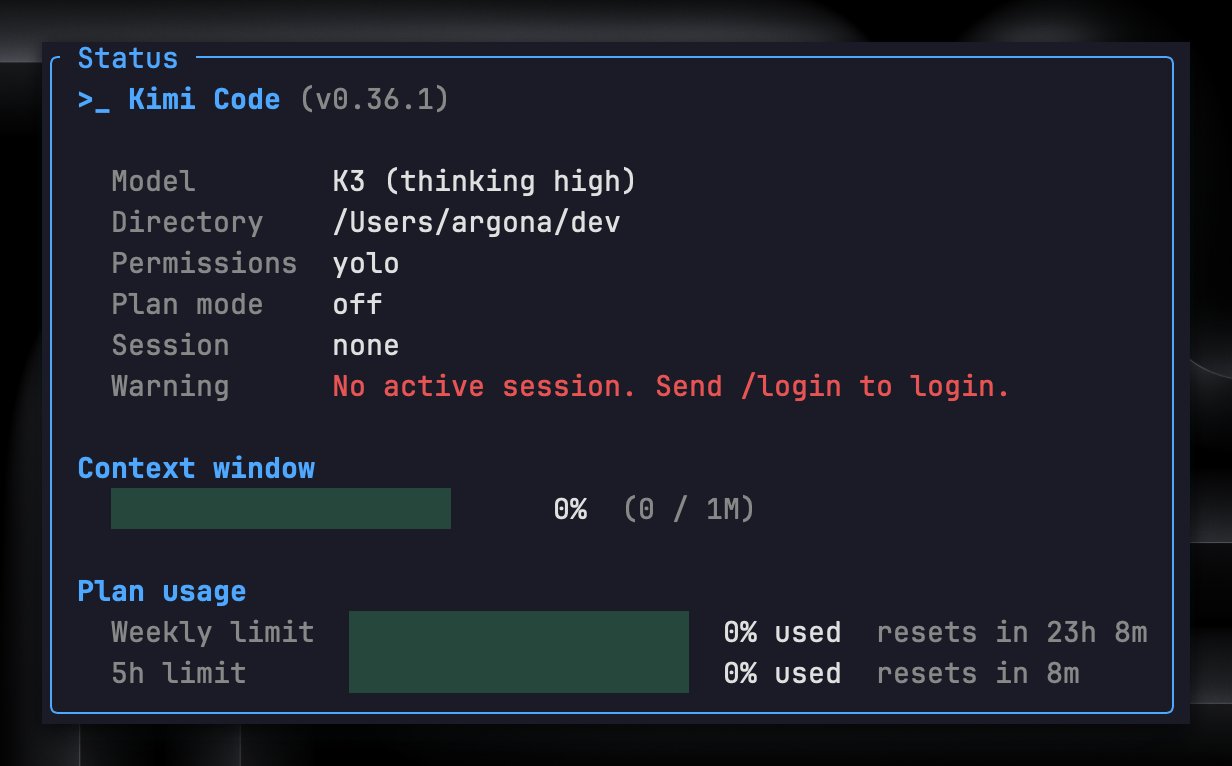
The address has to match what you pasted, and the engine has to read k3.
What breaks, and what survives
When the first evening goes wrong it goes wrong in one place, and it says so in one of three ways:
-
Invalid Authentication: the key belongs to the other door. The two are separate systems and their keys are not interchangeable.
-
Your current subscription does not have access to k3: the key is right and the plan is not.
-
Your current plan supports only kimi-k3 up to 256K context: the engine is right and the long memory sits on a higher plan.
The computer rebuilds itself when it updates. The vendor is straight about what survives: files in the shared folder called /workspace, browser state, and the sign-ins from Step 3.
Anything installed by hand is called replaceable, in the vendor's own word, and that covers the tool you just added. So the tool and its lines go in that shared folder, and every saved method opens by checking the tool is still installed before it runs.
What you get and what it costs
Kimi reads 1,048,576 tokens at a time. Hand it a term's worth of documents at once and it can still answer about the first page.
A million tokens of input it has not seen costs $3.00. The same million costs $0.30 once it is already in the session. A million tokens of its own writing costs $15.00.
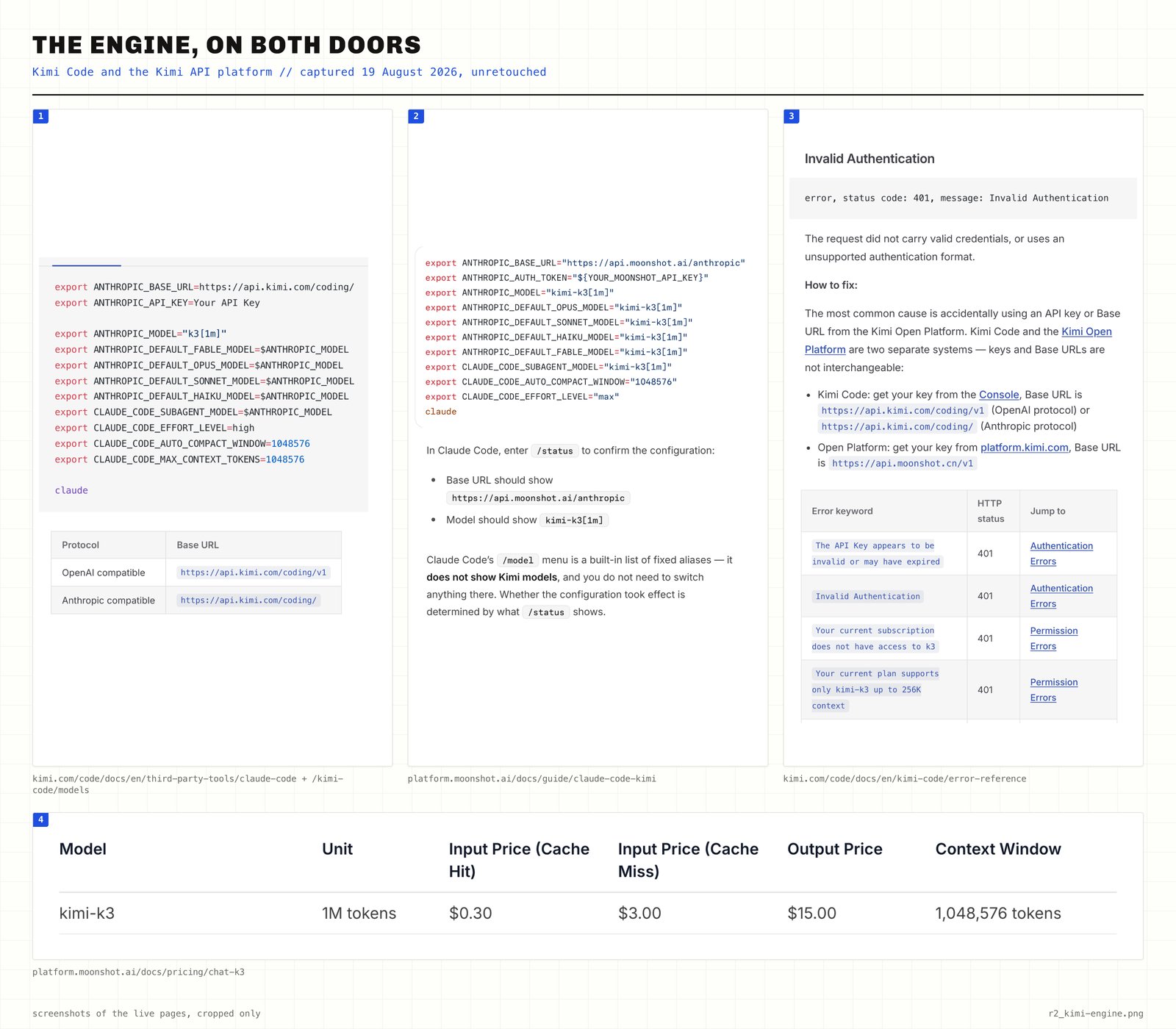
The engine on both doors: one model id, two base URLs, one price table.
Those numbers are why this is the best engine you can put behind five workers for the money.
Kimi runs on your own key and is metered separately from the seat. That makes it a second bill, at the three prices above.
The setting the app never gave you is now a file on a computer your account owns.
Step 5 · Hire the rest by what they own
The second hire is where this falls apart. You look at your list, count twenty annoying jobs, and hire twenty workers. By Friday half the roster has done nothing.
Ownership is the test. Voxyz runs six workers, publishes the whole roster, and says where the cut-off falls:
A Bot needs recurring work, its own memory and task list, and regular handoffs. One-off capabilities stay as Skills or routines.
A job that happens once is a saved method. A job that keeps coming back every week, remembers its own history, and hands pieces of itself to somebody else on most days has become a hire.
So the roster below is five names for those twenty jobs. Each one owns an outcome that belongs to nobody else on the list:
-
Mara: finds the people who would buy. She comes back with a list, not a summary.
-
Cole: writes to them. One letter per name, in their language, ready to send.
-
Rina: makes the pictures. The landing page, the post, the banner that runs next to the letter.
-
Vince: answers the inbox. The ones who reply get a human answer the same hour.
-
Owen: counts the week. Who paid, who went quiet, and what it was worth.
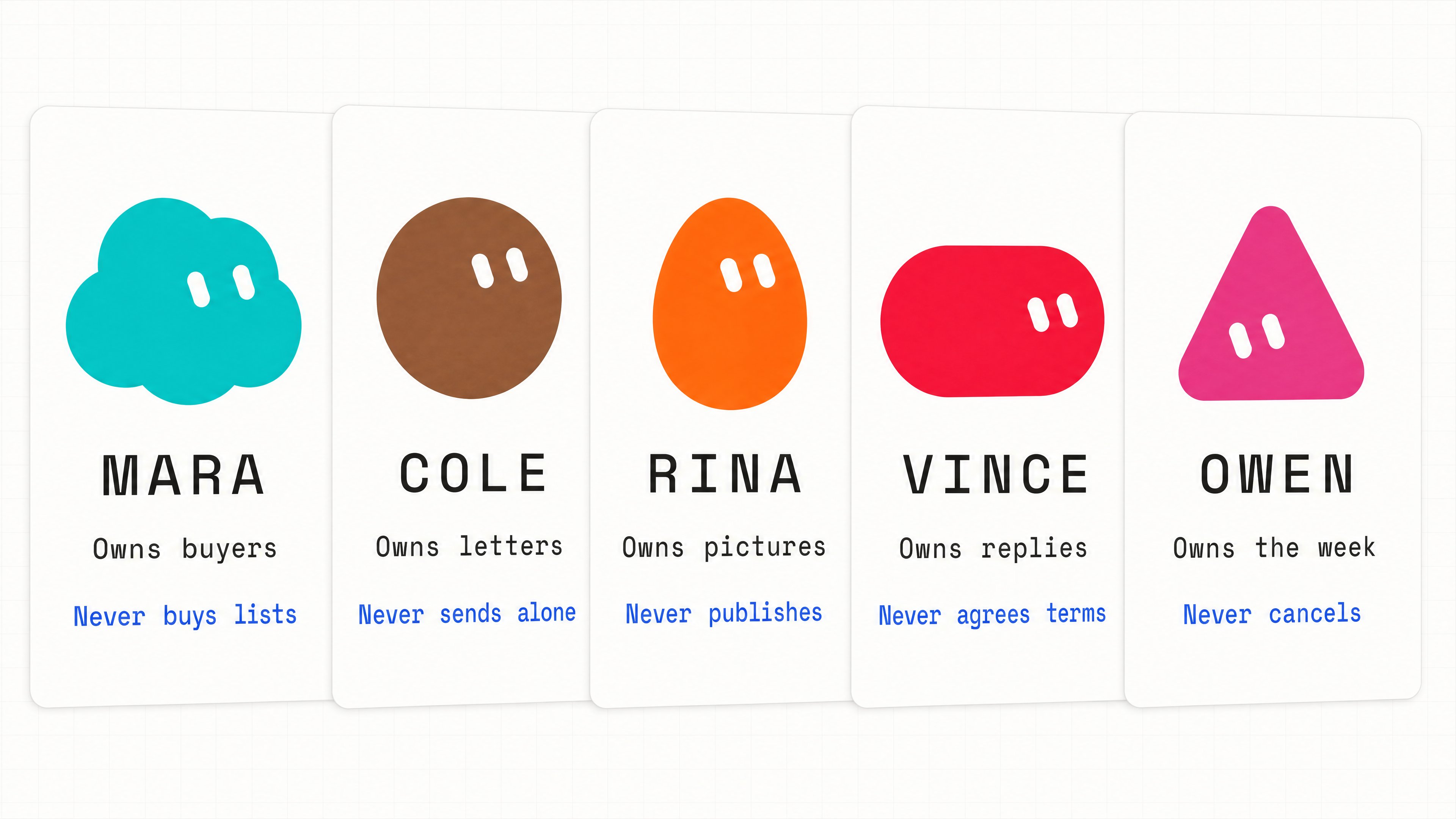
Five hires, five outcomes, and a fence line on every card.
All five are hired on the same card, and the card is five lines. Fill it in and the hire is made:
The fence is back on the last line of the card, and it is the one people leave empty. A card with it filled in is somebody you can leave alone.
Fill in Owen's card first, because it names a job you already do badly. He counts the week, and the week nobody counts is your own.
Point him at the bank statements and the receipts sitting in your mail. Ask for one list every Friday, subscriptions first, with the date each one renews next. Tell him never to cancel anything himself.
Vince earns his place the same way. The inbox belongs to everybody.
His week is the messages you read and never answered, the ones waiting on somebody else, and the three people to chase before Thursday.
An account holds 50 workers and group chats between them, and this roster uses a tenth of that.
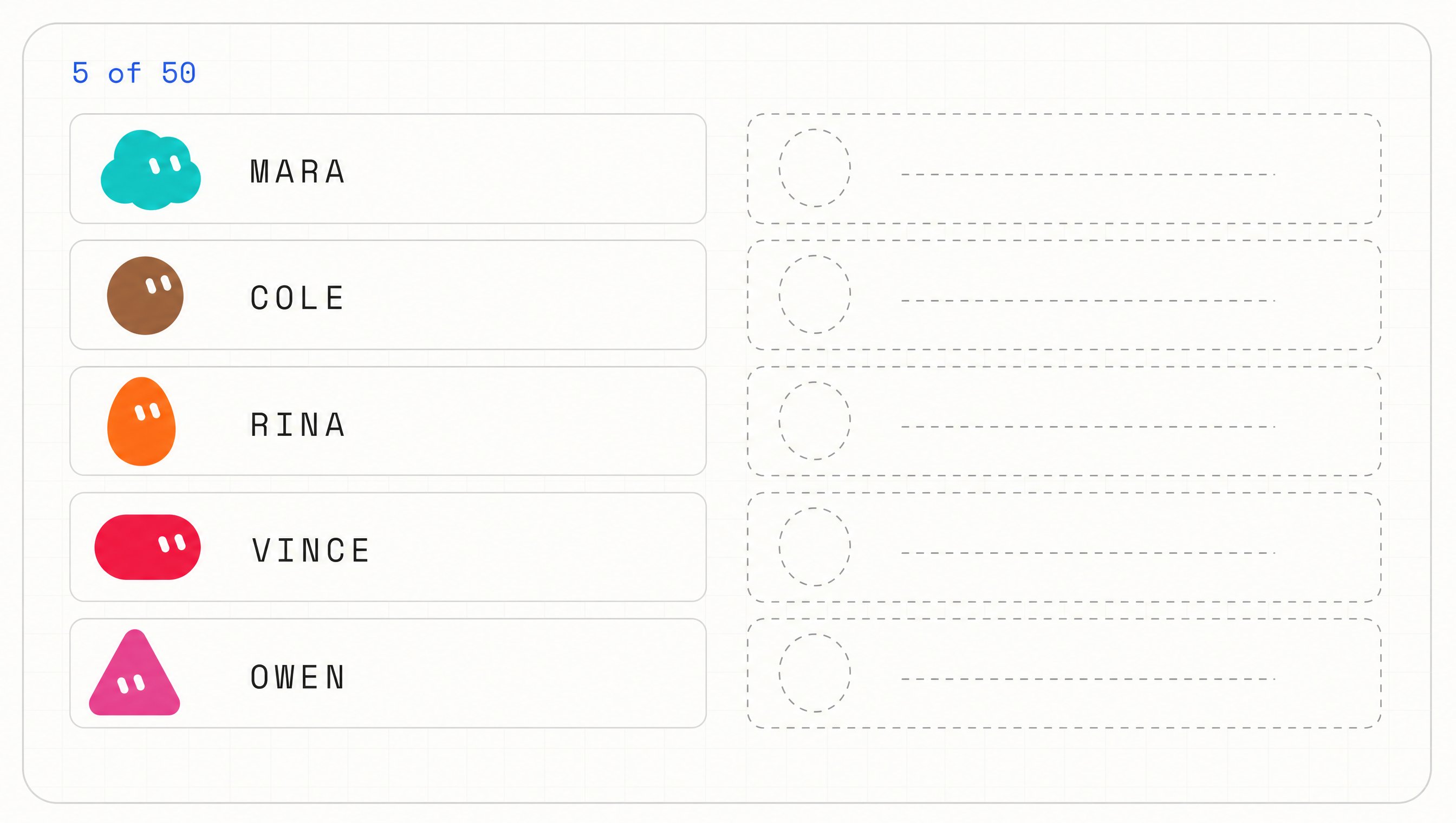
Five of fifty. The cap is not the limit — naming the outcomes is.
Nobody on this list pastes a key
None of those five has to choose an engine or paste a key. Nobody asks them to.
They all work on the one computer, and the tools installed on it are there for all of them. Mara calls the engine already sitting there and is never asked to set one up.
Copies are the exception.
Duplicating a worker brings across the profile, the settings, the saved methods, the routines and the picture. It brings across none of the memory and none of the history.
You will run out of jobs worth owning long before the account runs out of seats.
Step 6 · Make them pass work between themselves
Two workers, and carrying the work between them becomes your third job. Mara turns up a name that belongs to Cole, so you copy it across. Rina waits on a brief that never left your head.
They can do that between themselves, and nothing has to be wired together to make it happen. The descriptions do all of it.
Put a group on something to finish and the work goes to whoever owns it, with nobody named. The routing is already switched on.
So a group opens with a goal. Two to six of them fit in one, and the opening line looks like this:
Nothing in that line names a worker, and the pack still gets built, because everything else you would have wanted to say is already sitting in their descriptions.
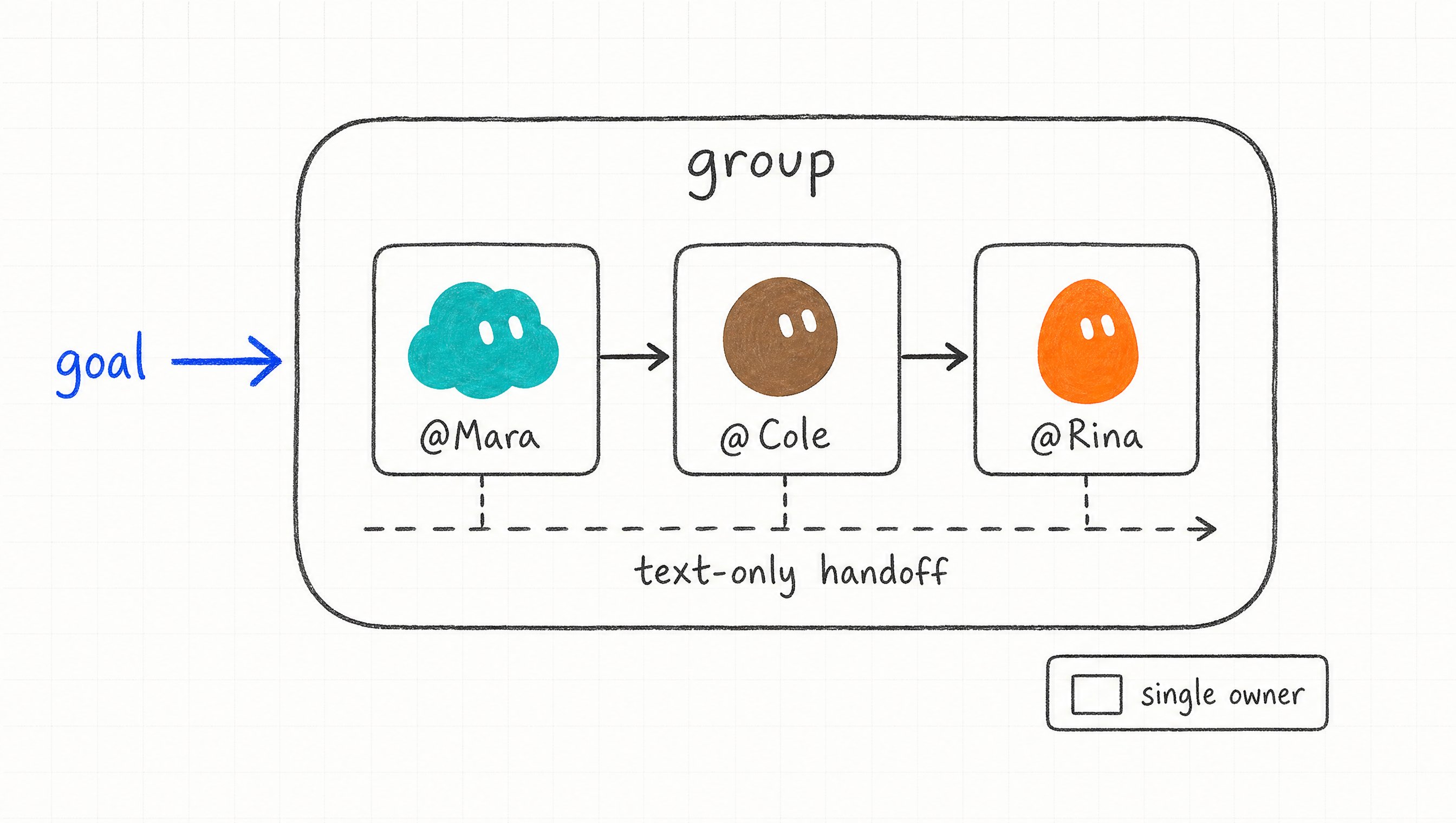
Nobody routes the work. The descriptions do.
Where the routing goes wrong
People skip the single owner. Name one for each stage and the work moves in a line.
Leave it open and three of them do the same piece. Then the same report arrives three times.
Write normally and they sort out between themselves who answers. Put an @ in front of a name when you want that one and nobody else.
A worker with an empty description is invisible to all of this. The routing reads what each one owns and reads nothing else.
One line at the end of every description does the whole chart:
Paste that into all five and the forwarding stops being your job.
The handoff is a message one worker sends another. The receiver wakes up, does its piece and answers later, and the exchange stays where you can read it.
Read those exchanges in the first week. They show you which descriptions are doing the routing and which ones are being stepped over.
Only text passes between them. A picture another worker has to look at goes to that worker directly, not into the group.
Every line between them was drawn the day you wrote down what each one owns.
Step 7 · Put the roster on a shift
Everything so far still starts with you. You open the app, you type the job, and the work happens because you turned up, which is the old job with better staff.
Skip a step in the order below and the schedule runs a job nobody has checked. Run the job once for real, correct the result until you would put your name on it, save that run as a method, then run the method on a second input.
Open the worker's computer view, choose to teach it a task, and do the job once while it watches.
The recording runs up to 10 minutes and takes no sound. The result is a draft, and one run cannot teach it what to do when a source disappears or a price needs approval.
A test run does real work. It opens real sites and changes real files, so the first one gets a job that is safe to get wrong.
Only then does the work get a shift. A schedule is one sentence. It names the owner, the time, the input, what comes back, where it stops, and the fallback:
Without that last clause the morning list repeats itself, and on Thursday you are working Tuesday's mail.
A schedule with a run history is how you know the shift is alive.
Clip: Brendan Jowett, Master NEW Grok Bot In 20 Minutes, 12 August 2026, [10:41]–[10:57].
The second way a job starts
The other way in is an event. Something happens in an account you have connected and the work starts on its own:
Those triggers arrive through the account connections and not through the plugins, and they can need their own sign-in. People find the trigger, then find nowhere to attach it.
A worker holds up to 50 routines and keeps the last 20 runs of each on record.
That history is where you look when a routine has stopped being useful. Deleting one takes effect immediately and there is no undo.
The routines themselves sit in the conversation details of the worker that owns them. That panel is where you pause one, run a test, change the time, or read back what it did on Monday.
The clock they run against is the timezone in Settings, under General and then Agent. Check it before the first morning.
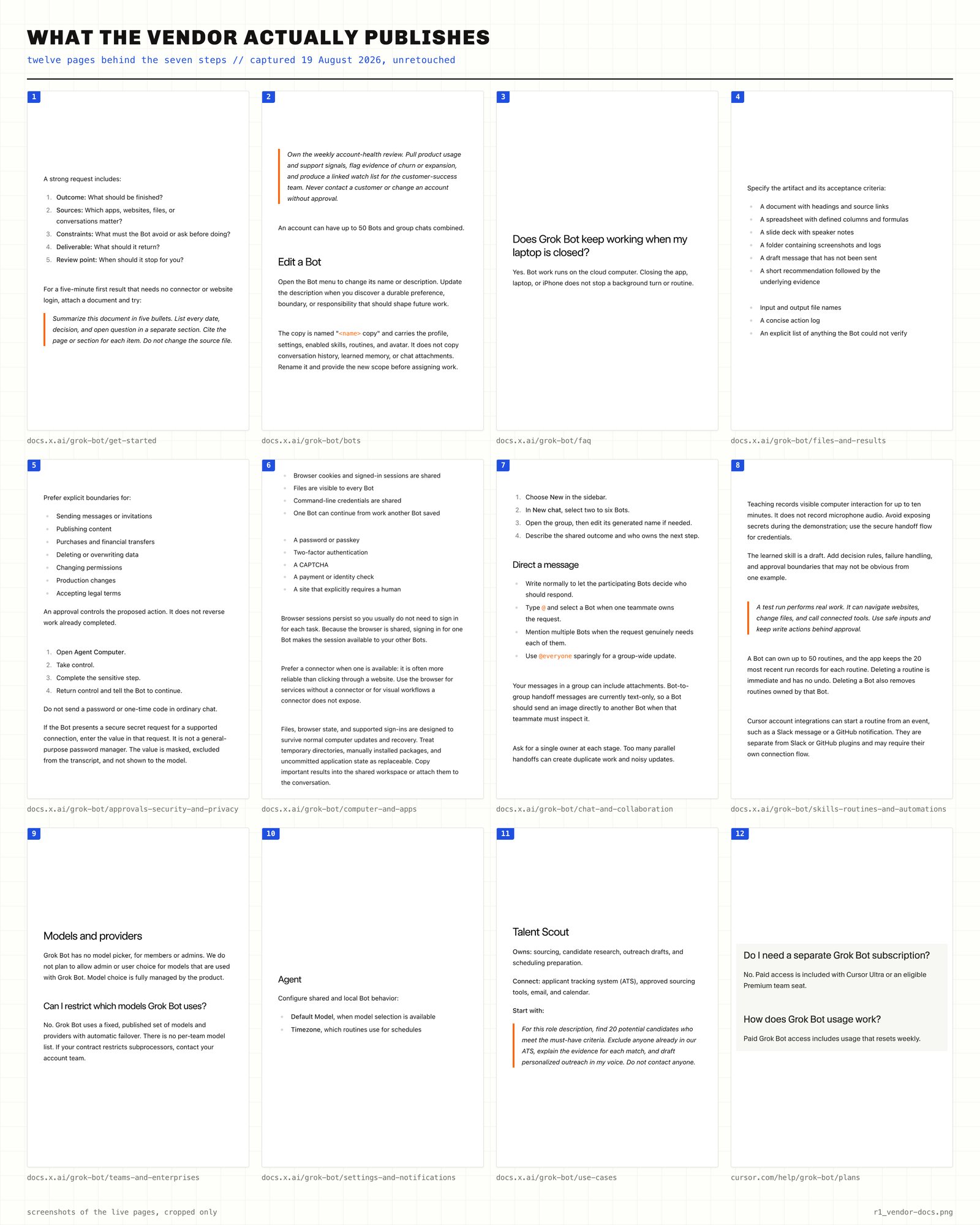
Twelve vendor pages, cropped only. Every step above is published, not inferred.
The weekly review costs a minute and keeps the rest of it honest.
Ben Lang works on the team that builds this and published their own list of tips. One of them is this:
Ask your bots to evaluate themselves and suggest improvements to workflows.
Read the five answers on a Friday and delete one routine. The roster stays a roster instead of a pile of old habits with names attached.
Once a job has a time on it, nobody has to remember it, and that includes you.
The company opens without you
Nothing you set up tonight belongs to the app. A name, an outcome somebody owns, a sign-in that stays signed in, an engine you chose yourself.
All four are decisions rather than settings, and decisions survive the next update.
A single chat window answers well, forgets by morning, and has never once started anything without being asked.
A roster is one evening away. Somebody sits down, writes five jobs out, and gives each of them a name and a fence.
Those five names are not a set to copy. Yours will be whatever you stopped doing yourself first.
Hire the first one tonight. A name, one line about what it owns, and one real job, and you have somebody working by the time you close the laptop.
Next: the night shift. I leave all five of them running for a week and publish exactly what is waiting on my desk on Monday morning.
It goes out here first:
Telegram - https://t.me/+r0clI4-MMC03ZjAy
Telegram - https://t.me/+r0clI4-MMC03ZjAy
Published on grokbot.sh. Cite the public log, not a prompt pack.