
Grok Bot: A Practical Beginner’s Guide
Grok Bot is easier to understand if you stop thinking of it as a chatbot. It is closer to an AI teammate. You give Bot a responsibility, connect the tools it needs, and let it work through tasks on
Article
Job breakdowns

Grok Bot is easier to understand if you stop thinking of it as a chatbot. It is closer to an AI teammate. You give Bot a responsibility, connect the tools it needs, and let it work through tasks on its own computer. The best results come from giving each Bot a clear job, clear boundaries, and a predictable way to report back.
How Grok Bot works
A Bot combines four things:
-
A conversation where you assign work, answer questions, and review results.
-
A remote computer where it can browse, type, and operate software.
-
Plugins that connect it to services such as Slack, GitHub, Notion, and Google Workspace.
-
Routines that repeat work on a schedule.
Its own computer
Grok Bot can operate a remote desktop instead of only returning text. That matters when a task spans several screens or tools, for example, researching leads, updating a CRM, and sending you a summary.
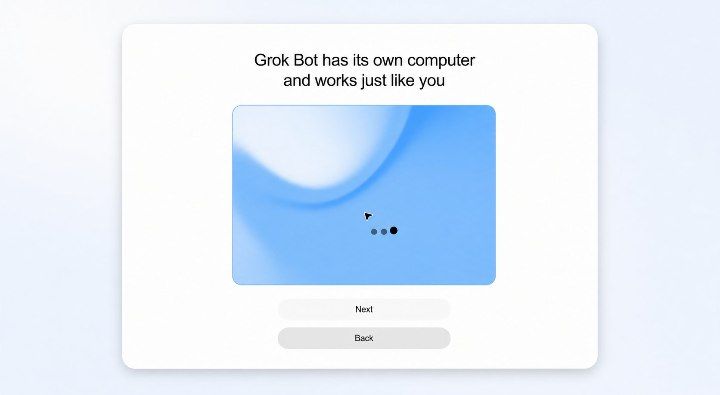
You stay in control when a login, approval, or important judgment call is required.
A simple rule works best: let your Bot handle reversible tasks, while keeping payments, publishing, deletions, and sensitive approvals behind a human checkpoint.
Connected Tools
Plugins allow your Bot to work with the apps you already use. Only connect the tools it actually needs for its job.
For example, an inbox Bot might need Gmail and Calendar, while a research Bot may not need either.
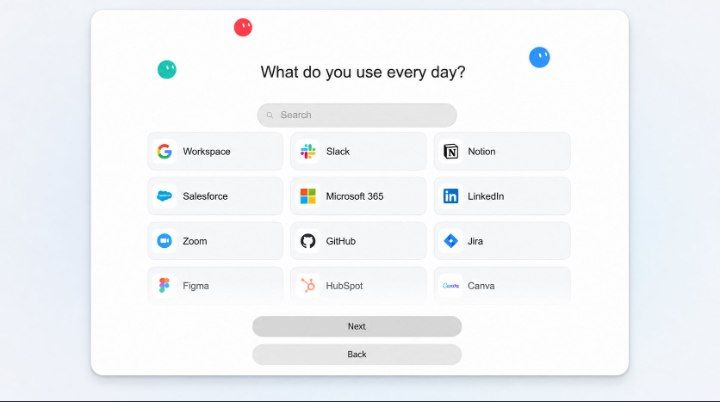
Fewer permissions make a Bot easier to reason about. They also reduce the chance that a vague instruction affects the wrong account or workspace.
Build your first Bot
Start with one recurring responsibility that has an obvious definition of done. Good first jobs include inbox triage, a morning briefing, lead research, or monitoring a page for changes.
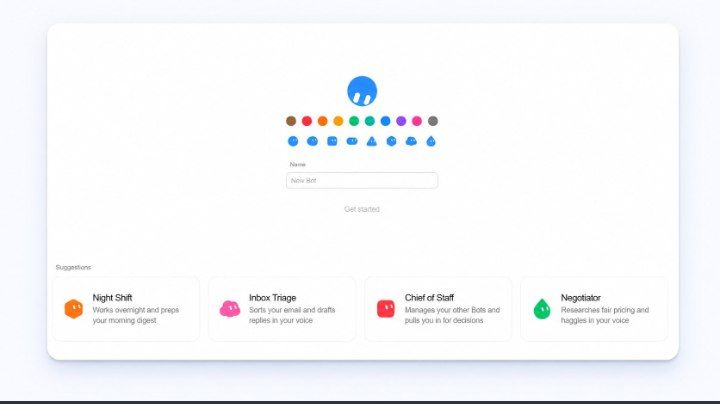
Give the Bot a short name that describes the responsibility, not a general name such as “Assistant.” Then write its operating contract:
You are my Inbox Manager. Every weekday at 8:30 a.m., review unread mail from the previous 24 hours. Label newsletters, flag messages that need a decision, and draft replies without sending them. Finish with a five-item summary. Never delete mail, send a message, or change an account setting without asking me.
This works because it clearly defines:
-
Scope: Unread emails from the past 24 hour
-
Schedule: Every weekday at 8:30 a.m.
-
Output: Labels, draft replies, and a five-item summary
-
Boundaries: No sending, deleting, or changing account settings
Increase autonomy gradually
Do not begin with “handle my inbox.” Use three stages:
-
Observe: summarize what the Bot would do.
-
Prepare: create drafts or proposed changes.
-
Act: perform approved, reversible actions automatically.
Move up only after the Bot behaves consistently. Keep high-impact actions behind explicit approval even when routine work is automated.
Write tasks like small specifications
A useful task usually contains five parts:
-
Goal: what outcome you want
-
Context: the source material or account to use
-
Constraints: what the Bot may not do
-
Output: the exact format you expect
-
Stop condition: when the work is complete
For example:
Research five Canadian project-management tools for teams of fewer than 20 people. Use only public pricing pages, compare monthly pricing and GitHub integration, and return the results in a table with source links. Do not contact vendors. Stop once you have five qualified options.
This is safer and easier to verify than simply asking, “Find me some project-management tools.”
Use one Bot per responsibility
Avoid building one all-purpose Bot with access to everything. Separate responsibilities instead:
-
Inbox Manager: triage, labels, and reply drafts
-
Researcher: web research and source-backed briefs
-
Customer Support: ticket classification and draft responses
-
Chief of Staff: summaries and escalation across other Bots
This keeps instructions, permissions, and failure modes understandable.
Turn proven tasks into routines
Once a task works reliably in conversation, schedule it. A routine should state:
when it runs;
-
which data window it examines;
-
where it places the result;
-
what requires approval; and
-
what happens if a tool is unavailable.
Do not automate a vague prompt. First run it manually, correct the weak spots, and only then turn the stable version into a routine.
Common Mistakes
-
Giving the Bot a broad role without defining what “done” looks like
-
Connecting every plugin “just in case”.
-
Combining research, approval, and publishing into a single instruction
-
Automating a task before testing it manually
-
Forgetting to specify the account, workspace, time range, or output format
-
Mistaking a plausible-looking result for verified work
A ten-minute first setup
-
Pick one recurring, reversible task.
-
Create one Bot for that responsibility.
-
Connect only the required tools.
-
Write the goal, context, constraints, output, and stop condition.
-
Run the task once in observe mode.
-
Review the result and tighten the instructions.
-
Let it prepare drafts before allowing automatic actions.
-
Schedule the task only after it behaves predictably.
Grok Bot becomes useful when a vague request turns into a small operating system for one job. Clear responsibilities and narrow permissions matter more than a long prompt.
Follow and bookmark for more ai masterpiece
Published on grokbot.sh. Cite the public log, not a prompt pack.