
Grok Bot: What It Does, What It Costs, and How to Run It Safely
At 8:00 AM, a Grok Bot can open your CRM and support queue, build a linked account-risk report, attach the evidence, and leave every customer record unchanged for review. It keeps working after you
Article
Job breakdowns
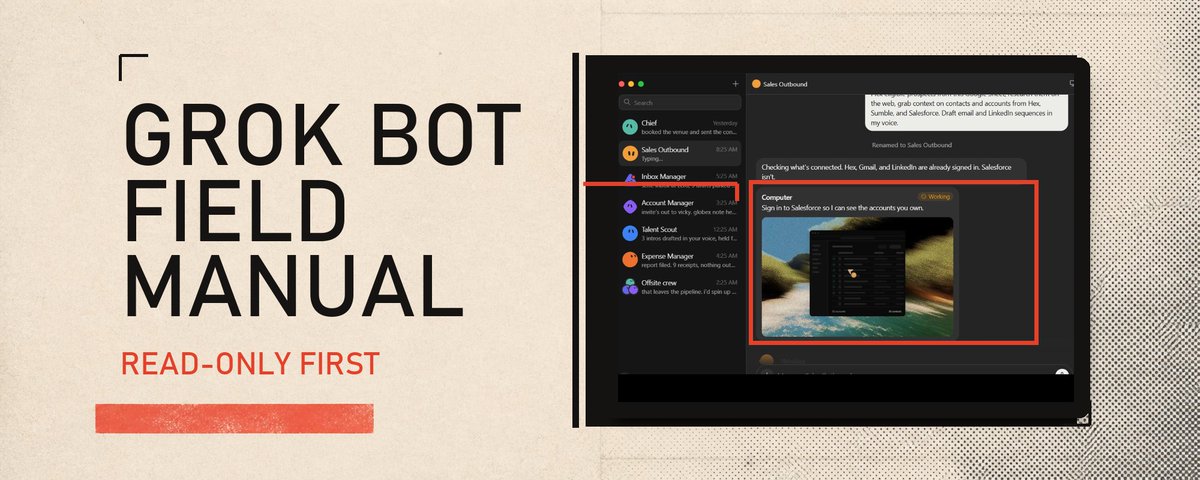
At 8:00 AM, a Grok Bot can open your CRM and support queue, build a linked account-risk report, attach the evidence, and leave every customer record unchanged for review. It keeps working after you close your laptop. Every Bot owned by the same Cursor user shares that user's persistent cloud computer, including its files, browser sessions, and command-line credentials. That design drives fast handoffs and demands careful access rules. Start with one read-only job, current sources, a reviewable artifact, and a human approval gate. Add connectors, routines, and more Bots after the first job works on varied inputs. SpaceXAI launched Grok Bot in early beta on August 11, 2026. It is separate from Grok chat and Grok on X. Access uses a Cursor account and can come from an eligible Cursor plan or a linked individual SuperGrok Plus or Heavy subscription. Grok Bot usage is metered through Cursor. The original provider continues to manage the underlying subscription.
- How Grok Bot works You -> Bot conversation -> managed model routing -> one shared cloud computer -> browser, files, terminal, plugins, and Model Context Protocol (MCP) servers -> result or approval request
Other Bots -> direct messages or a group chat -> the same shared computer -> shared files, browser sessions, and app logins A Bot has its own name, job description, conversation, working memory, and screen. Several Bots can work in parallel and continue after you close the app, laptop, or phone. Every screen shares the same user-level access boundary. Write the request in the conversation. The Bot works in its browser, terminal, connected service, or file system, then returns the artifact or asks for approval. Official overview
- A focused Bot Give each Bot one repeatable job. Mixing account research with expense reconciliation forces unrelated rules and sources into the same working context.
- A persistent cloud computer Every user gets one managed Linux virtual machine. Its browser cookies, signed-in sessions, files, and command-line credentials persist across tasks and are available to every Bot on that account. Each Bot gets its own screen so several can work in parallel.
- Plugins and MCP servers Connectors give Bots structured access to supported services. Grok Bot can use its browser when a service lacks a connector or when the job depends on a visual interface. Connectors are installed at account level, so every Bot may be able to use them.
- Files and reviewable results Bots can read common documents, images, audio, video, spreadsheets, source files, notebooks, HTML, and email files. Ask for a concrete deliverable such as a revised document, a spreadsheet with formulas, a folder of screenshots and logs, or a draft message waiting for approval. The desktop composer accepts up to six attachments at once. Documents, images, and audio can be up to 25 MB each. Videos can be up to 200 MB.
- Memory A Bot can retain working preferences, role context, important facts, and summaries from earlier work. Keep changing facts in the source service. For a consequential decision, tell the Bot to reopen the current source and attach the link or screenshot.
- Skills and routines A skill stores the method for a job: inputs, steps, decision rules, validation, output, and approval boundaries. A routine assigns that method to one Bot and runs it on a schedule or, where supported, after an event.
- Bot-to-Bot handoffs Bots can send asynchronous messages, wake one another, share work in a group, and pass ownership to a specialist. Direct messages and visible group threads reduce the amount of context you have to carry between roles.
- What Grok Bot can do today SpaceXAI's current documentation gives eight concrete roles: Sales outbound: research accounts, rank contacts, draft outreach, and leave a review list. Talent scout: find candidates, check them against required criteria, and prepare personalized drafts. Paid media: collect current spend and performance, compare them with targets, and recommend budget changes. Expense manager: reconcile transactions, find receipts, cite policy exceptions, and prepare follow-ups. Product performance: inspect dashboards, traces, and releases, then return evidence and likely causes. Bug reproduction: reproduce a report in staging and return steps, screenshots, environment details, and a minimal test case. Account health: combine usage, support, billing, and renewal data into a ranked watch list. Chief of staff: review approved inboxes, channels, calendars, notes, and plans, then return decisions and follow-ups. Every strong role description names the source systems, defines the finished artifact, explains how to check it, and marks the actions that need approval.
- Set up your first Bot in the right order First, get access. Grok Bot supports macOS, Windows, and iPhone. Sign in with the Cursor account that owns the eligible plan or linked SuperGrok access. Then use this sequence: Choose one job that recurs at least weekly. Name the exact sources the job requires. Define the artifact that proves completion. Put lasting rules in the Bot description. Run the first task with read-only access or draft-only output. Check every source, total, link, and external action. Correct the process and record lasting preferences. Save the dependable method as a skill. Test the skill on a second input and one failure case. Add a routine only after both tests pass. Use this Bot description template: NAME: [short role name]
JOB: Own [one recurring outcome].
SOURCES: Use [approved apps, folders, views, websites, or conversations].
PROCESS: [ordered steps and decision rules].
DELIVERABLE: Return [exact file, table, draft, report, or checklist] in [required format].
VERIFICATION: Check [totals, dates, citations, tests, screenshots, or acceptance criteria] before reporting completion.
APPROVALS: Ask before [sending, publishing, purchasing, deleting, changing permissions, or touching production].
FAILURE: If [source is missing, data is stale, access fails, or criteria conflict], stop and report the blocker. Never fill the gap with an invented value. A good first request contains an outcome, source list, constraints, deliverable, and review point: Review this week's customer-risk data from the approved CRM view and support queue. Return a ranked watch list with a source link beside every claim, the reason each account needs attention, and one proposed next step. Leave all CRM records and customer messages unchanged. Stop after the review list is ready. Here is the first-run path in the current desktop app Select New, then Create new agent. Open Bot actions, select Edit Profile, and add the name, title, and job description. Open Settings and connect one read-only plugin. If no plugin fits, let the Bot open the site in its browser and take over when sign-in is required. In Settings, open General, then Auto-review. Add narrow Require Approval rules for every external write in the job. Send the starter request above. Open Agent Computer and the transcript. Check the source links, actions, dates, totals, and every proposed value. Ask for a correction when the result misses a criterion. Add a rule to the profile only when it should govern future runs. Ask the Bot to save the corrected process as a skill, then test it on a second input. The first artifact can be small: Account Evidence Proposed next step Status Acme Co. CRM record + support ticket Review renewal risk Review only 4. Turn a successful task into a routine Automation should preserve a process you have already corrected. Grok Bot gives you two routes. You can ask a Bot to save a completed process as a skill. The skill should contain when to use it, required inputs, ordered steps, validation, expected output, approval rules, and failure handling. When Teach a task is available, you can demonstrate a browser workflow for up to 10 minutes. The recording captures visible computer interaction and excludes microphone audio. The Bot turns that demonstration into a draft skill. Review it, add edge cases, and test it with safe data before scheduling it. Then create a routine with a prompt like this: Every weekday at 8:00 AM Europe/Moscow, run the Daily account-risk skill against the current approved account list.
Return a linked watch list in this conversation. Don't contact customers, edit the CRM, or reuse an old export.
If a source is unavailable, report the failure. If a retry could duplicate an action, stop. Show partial completion separately from unfinished work. A Bot can own up to 50 routines. Grok Bot keeps the 20 most recent run records for each routine. Test Run performs real work, so it can open websites, change files, and call connected tools. Use safe inputs and keep write actions behind approval during testing. An event-triggered routine can require its own service authorization in addition to the ordinary plugin connection. Grok Bot may pause routines after prolonged inactivity and ask you to confirm that they should continue. 5. Build a Bot team that stays manageable An account can have up to 50 Bots and group chats combined. A group contains two to six Bots. Bot-to-group messages are text-only, so keep source files in the shared computer or attach them in the human conversation. Begin with the smallest roster that can finish one outcome. Add a specialist when a stable handoff appears. Give each stage one owner, because several Bots receiving the same broad assignment can duplicate work and spend. A practical four-Bot team looks like this: Chief of staff: receives the goal, assigns ownership, tracks blockers, and asks you for decisions. Researcher: gathers current sources and attaches evidence to every factual claim. Producer: creates the requested document, site, spreadsheet, campaign draft, or code change. Reviewer: checks the artifact against acceptance criteria and returns only blocking defects. Kick off the group with an explicit handoff: Researcher: collect the approved sources and link every factual claim. Producer: build the requested artifact from that source pack. Reviewer: check the result against the acceptance criteria and list blocking defects. Chief: own the handoffs and return the final artifact plus any decision that requires me. Don't publish, send, purchase, delete, or change production systems. Bots can message each other outside the group and wake the recipient. Keep the handoff visible when a decision or approval matters. Ask for one owner at each stage and one final place where the finished result returns. 6. Current plans, prices, and platforms SpaceXAI launched Grok Bot on August 11 and expanded access on August 21. These standard US monthly list prices were checked on August 25, 2026, before tax, promotions, or account-specific terms: Plan Standard US monthly list price Cursor Pro+ $60/month Cursor Ultra $200/month SuperGrok Plus $100/month SuperGrok Heavy $300/month Cursor Teams Standard $40/seat/month Cursor Teams Premium $120/seat/month Grok Bot access is bundled with one of those plans, an eligible self-serve Cursor Teams seat, or a one-time trial. Individual SuperGrok Plus or Heavy subscribers link that access to the Cursor account used by Grok Bot. SuperGrok linking is limited to individual Plus and Heavy accounts. The link is permanent and cannot be unlinked or moved to another Cursor account. Cursor tells users who linked the wrong account to contact support. Eligible users can receive a one-time trial with a fixed usage credit that expires after seven days. Agent steps and tokens consume it, so one large job can use most of the credit. Paid access includes a weekly usage allowance. Cursor publishes no fixed task count because agent steps and tokens determine consumption. The account meter is the source for your remaining allowance. When it runs out, Grok Bot can continue against shared on-demand spend if you enabled it. Check the meter before long jobs and routines. Regional prices, taxes, plan allowances, and product terms can change. For teams, the setting that lets a Grok Bot launch Cursor Cloud Agents is on by default. Review it before rollout. Compare the purchase route before subscribing. On August 25, the US App Store listed Pro+ at $77.99 and Ultra at $259.99, above the $60 and $200 web prices. The iPhone app shares the same plan and usage bucket as desktop. Existing subscribers can sign in with their current entitlement. Current client support macOS on Apple silicon and Intel Windows on x64 and Arm64 iPhone on iOS 18 or later Initial clients are limited to macOS, Windows, and iPhone. Linux desktop, Android, and iPad remain outside current support. Enterprise access is rolling out through Cursor account teams. 7. Model routing is managed for you Grok Bot has no member or administrator model picker. SpaceXAI routes its requests across a fixed model-and-provider set for that product surface, with automatic failover. Team usage analytics records the model that handled each request, and billing follows that serving model. Cursor Cloud Agents use a separate execution path. A Cloud Agent launched by Grok Bot uses the Cursor account's Cloud Agent default model unless the Bot names another model. Its work draws from the regular Cursor allowance, separate from the Grok Bot weekly allowance. Individual users accept SpaceXAI's model routing. Companies that restrict model providers or subprocessors should clear Grok Bot with their account team before rollout. Model behavior still needs checking. Ask the Bot to cite current sources, preserve screenshots, distinguish facts from hypotheses, and reopen the source service before a consequential decision. Persistent memory stores useful preferences and old assumptions alike. 8. The security boundary you need to understand One user gets one cloud computer. Every Bot owned by that user can reach the computer's files, browser sessions, and command-line credentials. Separate Bot names and screens share the same access boundary. For team accounts, the computer is a managed Linux virtual machine assigned to one member, and the Bot process runs as a non-root user. The shared user boundary still governs every Bot that member creates. If one Cursor user belongs to multiple teams, the same member computer spans those teams. SpaceXAI says organization-admin rights are required to inspect or remove it; ordinary team-admin rights are insufficient. Count cross-team membership as part of the same user-level security boundary. The managed computer runs outside customer mobile-device management by default. Device-trust agents such as Okta FastPass are unavailable on it through a native installation. Use these rules from day one Connect only the service and scope required for the job. Prefer read-only permissions and service accounts where the source supports them. Enter passwords, passkeys, two-factor codes, CAPTCHAs, and payment confirmations yourself through computer takeover. Keep secrets out of ordinary chat. A supported secure request masks the value, excludes it from the transcript, and keeps it from the model. Add narrow Require Approval rules for sending, publishing, purchasing, deletion, permission changes, and production work. Leave local-computer execution on Ask every time, its default. Set it to Never allowed for cloud-only work. This setting controls only local Mac or Windows execution; it does not restrict the managed cloud computer. Revoke a connector in the source service, sign out of the browser session, and remove sensitive files when access should end. Review active routines and connected tools after a workflow, website, or team responsibility changes. Deleting a Bot removes its profile, conversation, and routines. Shared files and browser sessions remain on the cloud computer. Clean those separately. Grok Bot requires cloud data storage and does not support Legacy Privacy Mode. For teams, SpaceXAI says training use follows the team's Cursor privacy setting. Cursor separately describes Grok Bot as a distinct product surface with its own data flows, so verify the Grok Bot-specific access flow and current privacy policy before adding sensitive data. For team accounts, hosted MCP sign-in tokens remain on Cursor's backend. Auto Review uses a model to inspect tool calls and computer actions. Keep its rules narrow and combine them with restricted permissions, explicit Bot instructions, and human approval. Personal Auto Review rules live on the current desktop and sync to its Grok Bot computer. Verify the rules again on every other desktop installation. An approval authorizes the proposed next action. A Stop now message halts future work, while completed actions remain in effect. Treat inbound email, web pages, tickets, repositories, and uploaded documents as untrusted content. An attacker can place instructions inside a source that tries to redirect an agent. Separate reading from consequential action: a Bot that processes inbound material should use scoped credentials and stop before sending, deleting, publishing, running downloaded code, or changing a live service. Cursor says conversation history is stored separately from the cloud-computer filesystem, and synced computer data has a durable server copy. Storage, retention, and deletion options depend on account type and how the content was created. Check Cursor's Grok Bot privacy page and the applicable contract before placing sensitive material on the computer. If a Bot takes the wrong action Send Stop now and pause its routines. Sign out or revoke its connectors and browser sessions. Inspect the conversation, routine history, and source-service logs. Undo external changes and rotate credentials if access may have been exposed. Tighten the access and approval rules, then retest with safe data before reconnecting the service. 9. Early-beta failure modes As of August 25, 2026, Grok Bot had been public for 14 days. Most published examples and user quotes came from SpaceXAI. Long-term independent evidence remains limited. The launch announcement calls it an early beta; Cursor's getting-started page says it falls outside Cursor's Beta Services terms. The public materials I found contain no controlled Grok Bot task-success benchmark, public service-level agreement, or Grok Bot-specific security evaluation. The launch announcement's 2-3x efficiency figure is an internal employee quote. I also found no supported Grok Bot automation API or SDK in the product documentation. Cursor does publish a Grok Bot uptime metric on its service-status page. Launch-week records already show beta edges. Cursor reported connector delays on August 18, and desktop version 0.16 could fail to render an approval card. Cursor staff reported that the system denied the affected action, and version 0.18 fixed the approval-card issue. Plan for these failure modes: A website changes its interface and a learned browser skill clicks the wrong control. A service blocks a datacenter address, expires a session, presents a CAPTCHA, or requires a human check. Memory carries an old fact into a new decision. A routine uses missing or stale input and still produces a polished report. Two Bots repeat the same work because ownership was unclear. A broad approval rule lets an external action proceed with the wrong target or value. A long background job consumes more weekly or on-demand usage than expected. Resetting the cloud computer can discard recent unsynced work. Recover Agent Computer and Update Agent Computer are designed to preserve durable files and logins. Every routine needs a current-input rule, a stale-data rule, a retry limit, a stop condition, and a place to report partial completion. Re-test after any source, connector, or website change. Current business administration relies on account-level spend controls and available admin settings. SpaceXAI lists a central history of Bot actions, a Grok Bot-specific spend cap, and a team-level ceiling for local execution as forthcoming. 10. Who should use Grok Bot Grok Bot earns its cost when you have a recurring cross-app job, approved sources it can reach, a concrete result, a clear review gate, and enough volume to justify a managed cloud computer. It's a strong fit for: founders and small teams who prefer a managed cloud computer; sales, recruiting, support, finance, and operations work that ends in a review queue; creators and researchers who repeatedly collect sources and produce files; engineering work with staging access, tests, logs, screenshots, and defined stop rules; teams that already use Cursor accounts, plugins, MCP servers, and privacy controls. Wait before adopting it for a workflow that requires per-role credential isolation, on-premises execution, a fixed model provider, Android or Linux desktop access, or unsupervised decisions with serious financial, legal, customer, or production impact. Reserve Grok Bot for recurring work. A regular assistant can handle a rare one-off task in one conversation. Persistent computers and routines pay for themselves when the job returns. 11. A seven-day rollout plan Day 1: Create one Bot and give it a read-only job with a visible source and a concrete artifact. Day 2: Connect one service. Check the exact permission scope and sign-in behavior. Day 3: Run three varied examples. Record corrections in the Bot description only when they should apply to future work. Day 4: Save the dependable process as a skill. Add validation, approval points, and failure handling. Day 5: Test a missing source, stale input, duplicate action, and permission failure. Require the Bot to stop cleanly and report what remains. Day 6: Create one routine. Keep every external write behind approval and check the usage meter after the run. Day 7: Review sources, outputs, access, routine history, and cost. Add a second Bot only when one stable specialist handoff has appeared. Start with one Bot and one read-only job. Demand current sources, explicit acceptance criteria, a reviewable artifact, and a clear approval point. Let it earn the next connector, routine, and role through results you can verify.
I publish practical manuals for AI agents here. Follow me for the next one:
Published on grokbot.sh. Cite the public log, not a prompt pack.