
5 Grok prompts that grow an X account without more scrolling
Most people open Grok and ask it to write a tweet. That is why their account still looks like everyone else’s. Grok is useful on X when it reads the live feed, a screenshot, or your draft — and hands
Article
Job breakdowns
Most people open Grok and ask it to write a tweet. That is why their account still looks like everyone else’s.
Grok is useful on X when it reads the live feed, a screenshot, or your draft — and hands you a decision. Not a pile of captions.
Five prompts. Copy them whole. Swap the brackets. Do not ask for 20 tweets.
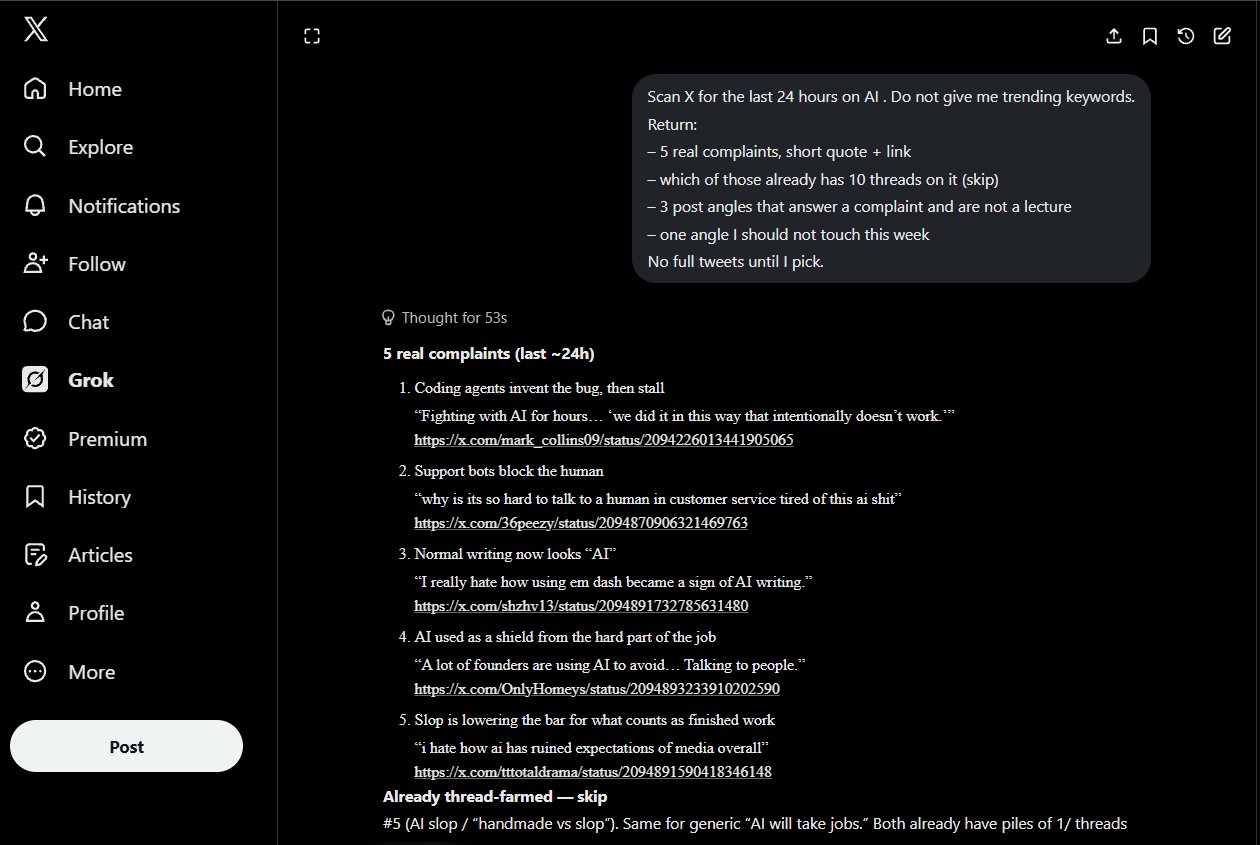
- Steal the fight, not the topic
Why it matters: you stop inventing topics. You answer a live irritation.
EXAMPLE:
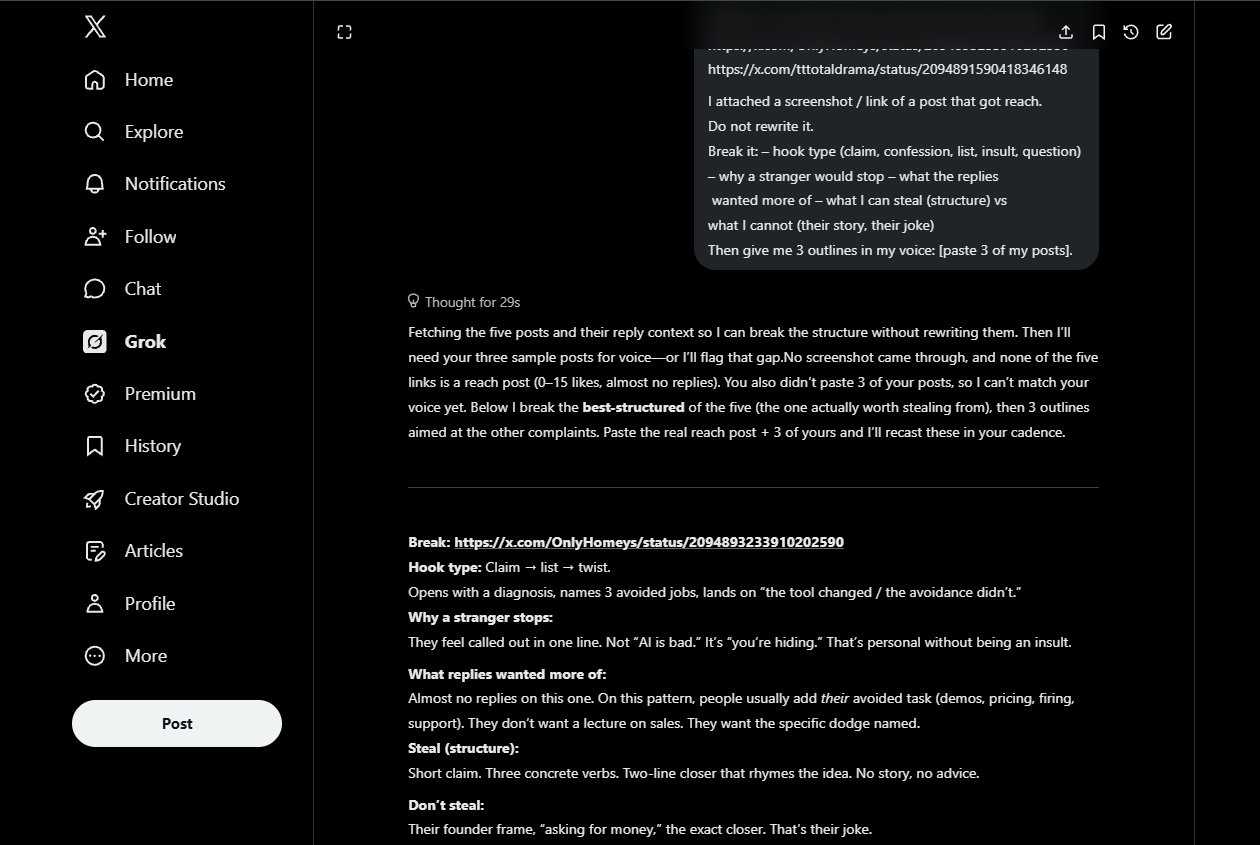
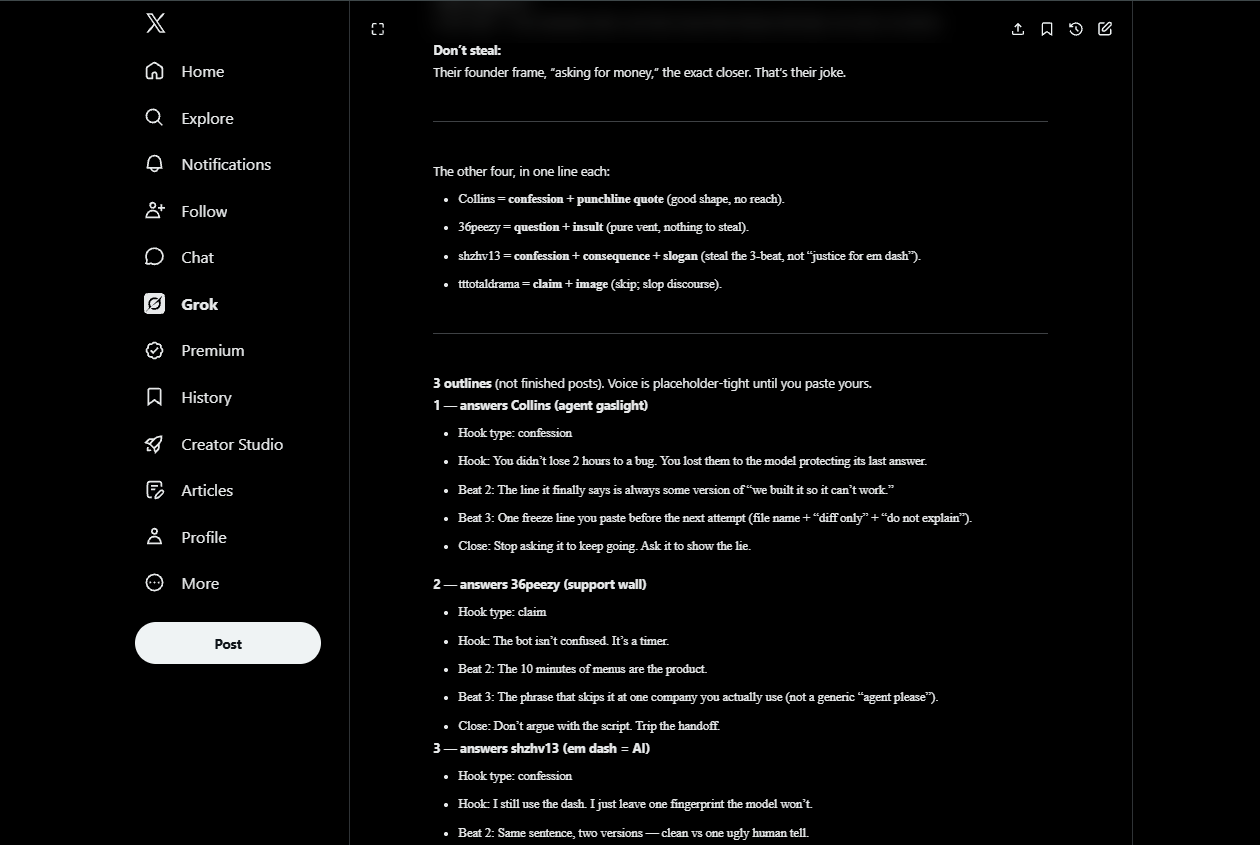
- Reverse a post that actually moved
Why it matters: you copy the machine, not the sentence. EXAMPLE:
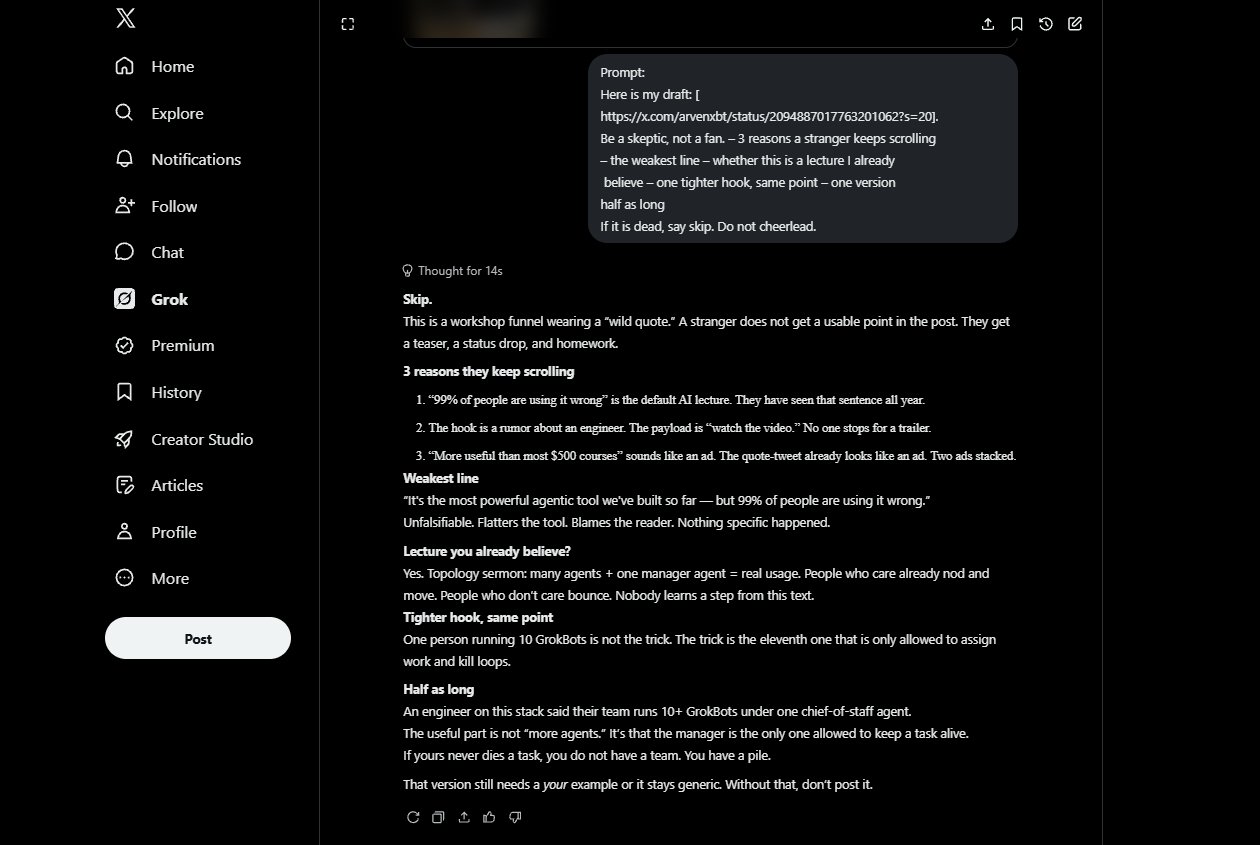
- Kill the draft before you post
Why it matters: a bad post with a nice hook still dies. Better to kill it in chat.
EXAMPLE:
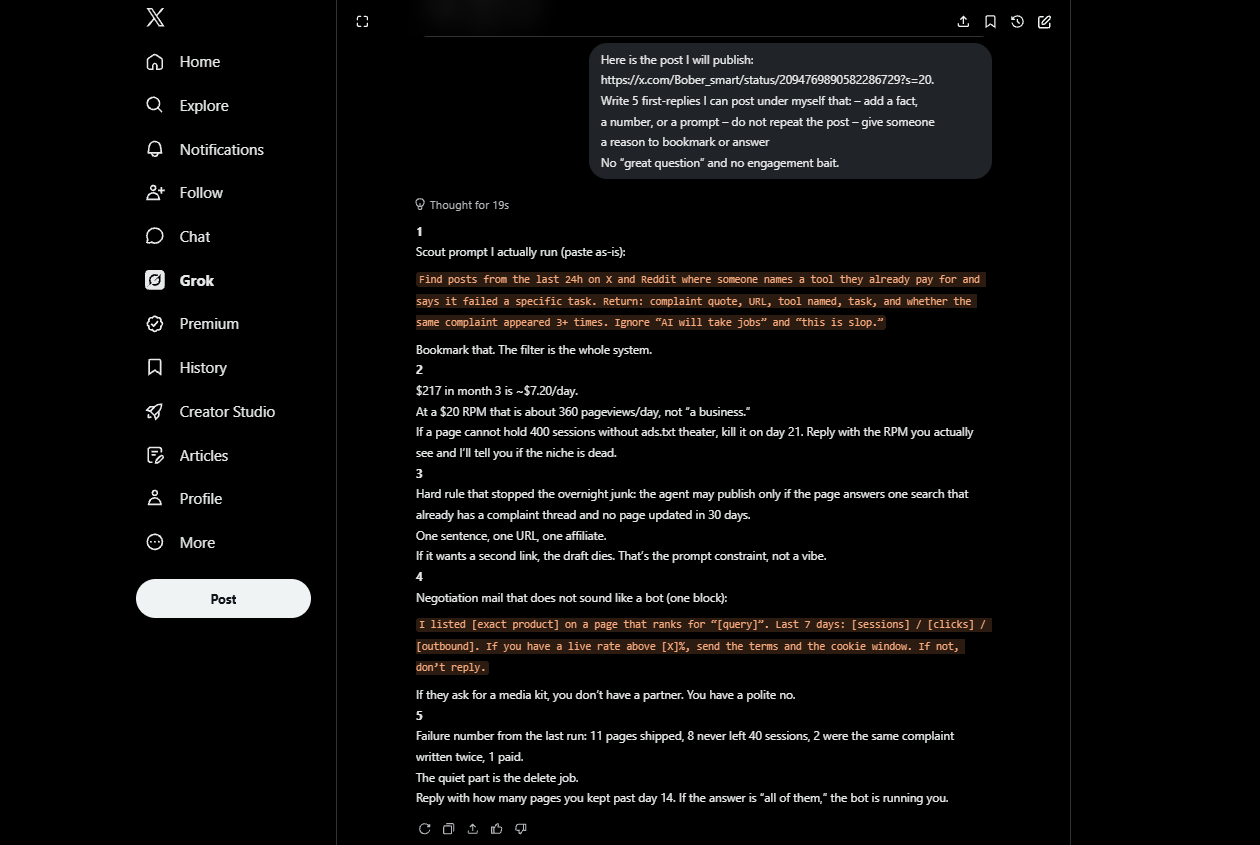
- Write the first reply first
Why it matters: on a small account the first reply is the rest of the post. That is how the last article got quoted.
EXAMPLE:
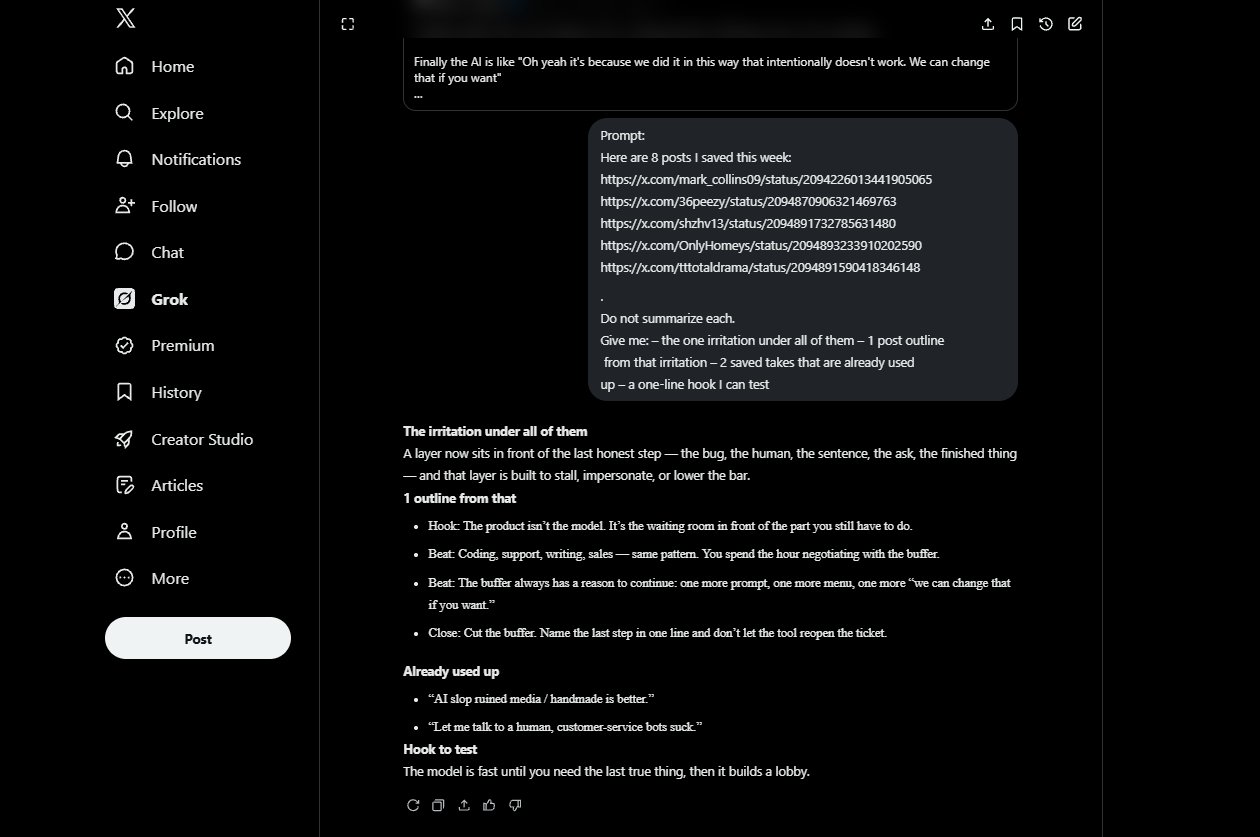
- Turn bookmarks into one post
Why it matters: your bookmarks are a better brief than “give me viral tweets.”
How to use this without burning an evening
EXAMPLE:
One prompt a day. Not all five. Scan → pick one angle → crash-test the draft → write the first reply → post. If Grok hands you 10 options, you asked the wrong question. Pick one and cut the rest.
Grok will not grow the account for you. It cuts the hour you spend refreshing people who already posted your idea.
Bookmark this and run prompt 1 tomorrow on your actual niche, not on “AI.”
If a prompt saved you a dead post this week, drop the before/after hook in the replies.
Published on grokbot.sh. Cite the public log, not a prompt pack.