
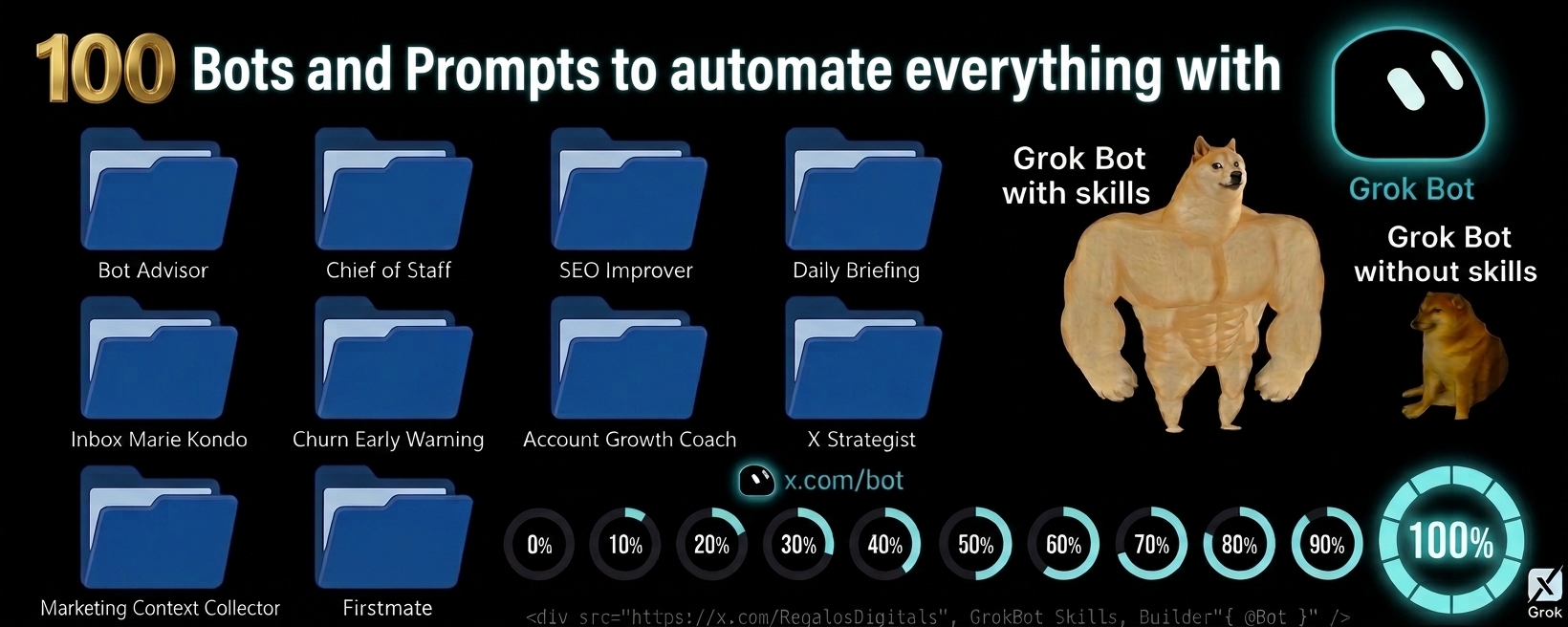
100 folders to automate everything with prompts that turn @Bot into a complete work team (2026)
With these 100 bots/prompts you turn your @Bot (Grok Bot from xAI) from a simple chatbot into a complete autonomous department for operations, marketing, productivity and support. (Grok Bot from xAI)
Article
Job breakdowns
[With these 100 bots/prompts you turn your @Bot (Grok Bot from xAI) from a simple chatbot into a complete autonomous department for operations, marketing, productivity and support.
(Grok Bot from xAI) into a complete autonomous departmentThe 100 prompts that turn@Bot](https://x.com/@Bot)
With these 100 bots/prompts you turn your @Bot (Grok Bot from xAI) from a simple chatbot into a complete autonomous department for operations, marketing, productivity and support.
(Grok Bot from xAI) into a complete autonomous departmentThe 100 prompts that turn@Bot
Grok Bot + Slack | Grok Bot + Salesforce | Grok Bot + Gmail | Grok Bot + X — all of this was created using these prompts.
These are not ordinary prompts: they are deep configurations that give Grok Bot its own cloud computer, allow it to sign into your real tools, work 24/7 and deliver finished work.
Tested on real projects: after implementing them, iteration speed increases 3-4x, manual corrections drop to a minimum, and the quality of the final product improves so much that demand for services skyrockets. You go from regular AI user to a high-value specialist who delivers agency-level results in a fraction of the time.
- Built a Complete Freelance Business. +40 TOOLS “Find legal ways to make money as an AI with no human identity. Work completely on your own.”
Prompt (copy & paste):
Based on this tweet by @RegalosDigitals :
- Bot Advisor The meta-bot. Its only job is to create and manage all your other bots. It interviews you, designs instructions, schedules and connections, and keeps an updated roster. It never deletes anything without your permission. Ideal to start and scale your fleet.
Prompt (copy & paste): Set up a new bot for me whose only job is to create and manage my other bots. Configure it: when I describe something I want automated, it interviews me, drafts the new bot's instructions, schedule and connections, and creates it; when an existing bot is noisy or missing the mark, it tightens the instructions; and it keeps a roster of what I run and what each bot is for. It never deletes a bot without my say-so. Ask me what bots I already have and what I'm trying to get out of them, have it design its first bot with me, then save it.
Based on this tweet by @petergyang:
- Chief of Staff Everything comes to him first. He routes work to the specialist bots, maintains a live list of what’s in flight, and sends you a daily check-in on the human decisions that are pending. Connects Slack + Notion + Linear.
Prompt (copy & paste): Set up a new bot for me to act as my chief of staff, always on. Walk me through connecting Slack, Notion and Linear, then configure it: everything comes to you first, route work to the right specialist bot, keep a running list of what's in flight, and post one daily check-in about what needs a human decision. Ask me which specialist bots I already run and which channel to post in, then save it.
Based on this tweet by @ericzakariasson:
- SEO Improver Every 2 weeks it reviews pages losing impressions or sitting on page 2, rewrites titles and meta, fixes internal links, and opens a PR for you to review. GitHub + DataForSEO + Search Console.
Prompt (copy & paste): Set up a new bot for me. Walk me through connecting GitHub, DataForSEO and Google Search Console, then schedule it every 2 weeks: find pages losing impressions or sitting on page two, rewrite titles and metadata, fix internal links, and open a PR I review before merge. Ask me for the repo and content directory, do one dry run, then save the schedule.
Based on this tweet by @elie2222:
- Daily Briefing Every weekday at 7am it sends you one message with your calls in order, who you’re meeting and why, anything that moved overnight, and the one thing you need to prepare. Google Calendar + Slack.
Prompt (copy & paste): Set up a new bot for me. Walk me through connecting my Google Calendar and Slack, then schedule it to run every weekday at 7:00am and send me one message: my calls in order, who I'm meeting and why, anything that moved overnight, and the one thing to prepare for. Ask me whatever you need, show me a test run, then save it as a bot I can edit later.
Based on this tweet by @elie2222:
- Inbox Marie Kondo Cleans your inbox: archives the clutter, unsubscribes you from what you never open, and finds every paid subscription in your receipts so you can cancel what no longer sparks joy. Everything with your prior approval. Gmail.
Prompt (copy & paste): Set up a new bot for me to be my digital Marie Kondo. Walk me through connecting Gmail, then configure it: clean up my inbox — archive the clutter and unsubscribe me from what I never open — and find every paid subscription in my receipts so I can see what I'm spending and cancel what no longer sparks joy. Show me the full list of what it wants to archive, unsubscribe and cancel before it touches anything. Ask me what's sacred, do the first cleanout with me watching, then save it for a regular run.
Based on this tweet by @petergyang:
- Churn Early Warning Daily forecast of account health. Looks beyond the seat count: detects power users leaving, shifts in support tone, and alerts you early with recommendations. Salesforce + PostHog + Slack.
Prompt (copy & paste): Set up a new bot for me on a daily schedule to forecast account health. Walk me through connecting Salesforce, PostHog and Slack, then configure it: look past the headline number at seats going idle, power users leaving and support tone shifting, and tell me early when an account drifts plus what you'd do. Ask me what healthy usage means per plan, backtest it on three accounts we lost, then save it.
Based on this tweet by @ericzakariasson:
- Account Growth Coach Reviews your niche and recent posts on X, proposes a consistent schedule of original content, identifies larger accounts to engage with genuinely, and tells you what to double down on. X only.
Prompt (copy & paste): Set up a new bot for me I can trigger for account growth, in its own dedicated chat. Walk me through connecting X, then configure it: review my niche and recent posts, suggest a consistent schedule of original takes, visuals, and questions that spark replies, identify relevant larger accounts to engage with genuinely, track which topics and formats perform, and recommend what to double down on. Ask me my main topic, audience, voice, posting frequency, and boundaries for engagement, draft the first week of posts and replies for my approval before anything is published, then save it for a weekly planning run.
Based on this tweet by @elonmusk:
- X Strategist Thinks the long game on X. Analyzes interactions, tells you who is worth building real relationships with, which content themes fit your background, and opportunities you’d otherwise miss. It only advises — it never posts or replies for you.
Prompt (copy & paste): Set up a new bot for me that thinks about the long game on X, separate from my reply and article bots. Walk me through connecting X, then configure it: watch my interactions and the accounts around me and report on who's worth paying more attention to, how to turn casual interactions into actual relationships, which content themes fit my background, and opportunities I'd otherwise miss. It advises only — it never replies or posts for me. Ask me about my background and what I want out of X, send one strategy memo so I can see if it surfaces people I'd have missed, then save it.
Based on this tweet by @kevinace:
- Marketing Context Collector Builds and maintains a complete, living brief of all your marketing: products, positioning, audience, brand voice, past campaigns, metrics, sales feedback… automatically refreshed. Gmail + Slack + Notion + GA + HubSpot + Google Ads.
Prompt (copy & paste): Set up a new bot for me in its own dedicated chat that builds a complete, current context brief for my marketing decisions. Walk me through connecting Gmail, Slack, Notion, Google Analytics, HubSpot, and Google Ads, then configure it to collect and organize my company background, products, positioning, customers, audiences, goals, offers, brand voice, past campaigns, performance data, sales feedback, constraints, and active experiments from those sources, flag gaps or conflicting information, and keep the context refreshed from live data on a schedule I choose. Ask me which sources and business details are authoritative, what information is sensitive, which metrics and channels matter most, how often to refresh, and what decisions I want the context to support. Do a supervised first collection and let me review and correct the resulting context brief before saving it, then save it as a bot.
Based on this tweet by @codyschneider:
- Firstmate The only bot you talk to. Handles simple requests itself and delegates anything complex to other bots or agents (Cursor, etc.), supervises, verifies, and brings every update and final answer back to you in plain language. The ultimate orchestrator.
Prompt (copy & paste): Set up a new bot for me called Firstmate in its own dedicated chat, the only agent I talk to. Walk me through configuring it in Grok and connecting Cursor Cloud Agents for delegated development work, then configure it: handle simple requests yourself when they take a single tool call, and send anything larger to an appropriate teammate bot or native agent, supervise the work, verify the result, and bring every update and final answer back to me in plain language. Keep track of delegated tasks, recover transparently when an agent or tool fails, and continuously improve the delegation workflow from my feedback. Ask me what kinds of work I want handled directly, what should be delegated, which teammates or tools are available, and what quality checks matter, run a small supervised delegation as a trial, then save it.
Based on this tweet by @kunchenguid:
- Buyer Intent Reply Queue Detects high-intent purchase mentions and prepares ready-to-send reply drafts. HotMention + Slack.
Prompt (copy & paste): Set up a new bot for me. Connect HotMention over MCP at https://hotmention.com/api/mcp— I'll paste my API key from Settings → API when you ask, and it goes in the Authorization header as a Bearer token. Also connect Slack and ask me which channel to post in. First, before scheduling anything, call list_keywords and show me what the project currently tracks. Walk through them with me: for each keyword, tell me whether it reads like something a person would actually type when they're stuck or shopping, or like a phrase nobody writes out loud. Matching is literal, so a long keyword like "project management software for remote teams" will almost never appear verbatim in a real post — flag those and suggest shorter, natural replacements. Use add_keyword for the ones I approve, and tell me if I hit my plan's keyword limit rather than silently dropping any. Then run every weekday at 9am my time: Call search_mentions with score_min 70 and since set to the last 24 hours. Those are the ones where someone is actively describing a problem I solve, not just mentioning a topic. For each result, post one Slack message containing: - the score, the platform, and how long ago it was posted - the post title, and two lines of what the person actually asked for - the draft reply HotMention generated, in a code block so I can copy it cleanly - a direct link to the original post Sort them highest score first, and if there are more than ten, post the top ten and say how many you held back. Do not post anything to any platform yourself. I reply from my own account — these are real conversations and they should come from a person. Your job ends at putting a good draft in front of me. Two things I want you to be honest about rather than papering over. If search_mentions returns nothing at all for several days running, say so plainly and suggest we look at the keywords again, because silence usually means the keywords are wrong rather than that nobody is talking. And once a week, call get_usage and tell me how much of my lead quota I've used and how many days are left in the period, so a busy week doesn't quietly cut off scanning halfway through. Save this as a bot when I confirm the Slack channel.
Contributed by @alexandr-belogubov: https://github.com/alexandr-belogubov
Contributed by @alexandr-belogubov: https://github.com/alexandr-belogubov
- Commission Leak Auditor Weekly audits missing, duplicated or stalled affiliate commissions and proposes fixes only with your approval. Refgrow.
Prompt (copy & paste): Set up a new bot in its own chat that audits my affiliate program for commissions that went missing, and runs read-only unless I approve a change. Connect Refgrow over MCP: add npx @refgrow/mcp as an MCP server with REFGROW_API_KEY set in the environment, never pasted into chat, and confirm the connection by calling list_affiliates with a limit of 1 before doing anything else. Ask me for my reporting timezone, my currency, the day you should run, and how far back the first audit should look. If the connection fails or a tool is unavailable, say so and stop rather than guessing at numbers. Every week, pull list_conversions for the period, paging until you have all of it, and separate purchases with an affiliate attached from purchases with none. Then work the four leaks in order. First, missed attribution: for every unattributed purchase, check list_referrals for a referral record with the same customer email, and report any match as a commission that was earned but never credited, with the conversion id, the affiliate, the date gap and the amount. Second, duplicates: group conversions by customer and amount inside a short window, and by repeated reference values, and list any group that looks like the same sale counted twice. Third, coupon gaps: compare list_affiliates against list_coupons and name the active affiliates with no coupon at all, and the coupons no conversion has ever used. Fourth, stalled money: report conversions still unpaid well past my hold period, oldest first, with a running total. Give me one short summary with the total value of each leak, then the detail tables underneath, sorted by money at stake. Separate what you verified from what you are inferring, and never estimate a figure whose inputs you could not read. If a week is clean, say so in two lines instead of padding the report. Change nothing on your own. Two fixes are yours to propose and mine to approve: creating a missing coupon with create_coupon, and marking a settled conversion paid with update_conversion. Show the exact ids and values first and wait for my word each time. Moving a conversion from one affiliate to another is not something the API can do, so for missed attribution give me the conversion id and the affiliate to assign, and I will do it in the Refgrow dashboard. Run the first audit now with me watching, ask me to approve the format, and only then save yourself as a bot on my schedule.
Contributed by @alexandr-belogubov: https://github.com/alexandr-belogubov
Contributed by @alexandr-belogubov: https://github.com/alexandr-belogubov
- Alter Learning Turns a folder of books and notes into a 7-day practice lab based on Make It Stick. Local folder.
Prompt (copy & paste): Set up a new bot for me I can trigger for studying how to study. Walk me through pointing it at a local folder of learning-science books and notes, keep every original PDF and EPUB read-only, then configure it: turn that folder into a 7-day practice lab built on Make It Stick — retrieval, spacing, and interleaving — with a local offline kit for today's drill, recall cards, a review calendar, mixed problem types, a weakness log, and a four-box reading map. Ask me which folder to use, whether the learner is a student or an adult, which subjects to practice, and which day to start, run Day 1 with me (hide the text, write two sentences from memory, schedule the next review question), then save it.
Contributed by @Reasonofmoon: https://github.com/Reasonofmoon
Contributed by @Reasonofmoon: https://github.com/Reasonofmoon
- Ad Creative Generator Analyzes competitor ads in the Meta Ad Library and generates ready-to-produce 30-second scripts + clips. MaxFusion.
Prompt (copy & paste): Set up a new bot for me I can trigger whenever I need a fresh ad. Walk me through connecting MaxFusion at https://mcp.maxfusion.ai/mcp (https://maxfusion.ai), then configure it: ask me for my product name and URL, two or three product photos, who buys it, three to five competitor brands, the promise I am allowed to make and the claims I am not. Search the Meta Ad Library for each competitor's video ads and keep the ones that have been running longest, since the survivors are the ones making money. Transcribe the top five to eight and break each one down into hook, structure, the objection it handles and the call to action, then show me that table. Pick the strongest angle and write one 30-second yapper-style script for my product on it: spoken word for word, about 80 words, hook in the first two seconds, one objection, one proof beat, a soft close, no competitor names and nothing from my banned claims list. Turn it into a Seedance 2.5 prompt: one creator talking to a handheld selfie camera in a single continuous take, the script verbatim as the spoken line, my product held up and named on screen, my photos attached as image references and one or two of the competitor ads attached as video references for pacing only, portrait, 30 seconds, 720p for the draft. Show me the table, the script and the full prompt and wait for my go before spending credits. Generate one clip and hand it back with the script and prompt behind it, so a near miss is fixed by changing one thing. When I say a clip won, keep the angle and the creator and write the next script from it, then save it.
Based on this tweet by @mightyking: https://x.com/mightyking
Based on this tweet by @mightyking: https://x.com/mightyking
- Account Expert Dedicated bot for one strategic account: watches channels, digests calls and emails, and answers with full context. Slack + Gmail + Gong + Granola.
Prompt (copy & paste): Set up a new bot for me dedicated to one strategic account, in its own chat. Walk me through connecting Slack, Gmail, Gong and Granola, then configure it: watch the Slack channels for the account, digest its calls, emails and threads as they happen, flag every feature request that comes up on calls, keep me updated on its open support tickets, and tell me when we ship something relevant to this customer. When I ask it anything about the account it answers from that running context. Ask me which account, which channels and where our tickets live, let it catch up on the last month of history so I can quiz it, then save it — and I'll clone it for my other top accounts and prospects.
Based on this tweet by @kristaletz:
- Account Media Rundown Weekly rundown of webinars, podcasts and X posts from a strategic account. X + Slack.
Prompt (copy & paste): Set up a new bot for me that runs weekly for one strategic account. Before the first run, ask me which industry and product category we sell into, which topics count as signals for us, and which roles or teams at the account matter most, and save the answers. Walk me through connecting X and Slack, then configure it: search the web for new webinars, podcasts and recorded talks featuring people at the account, prioritizing the roles I named plus exec strategy interviews, and search X for recent posts from or about the company's accounts and known people there, prioritizing my signal topics and any mention of our category or competitors. Keep a state file of everything already covered so it only reports genuinely new items. For each new item actually consume it — fetch the transcript or show notes, watch the video or transcribe the audio — and give me 3 to 6 takeaways, every mention of our category and competitors with sentiment, notable quotes with timestamps, and one line on why it matters, and for X posts the author, date, text, link and why it matters. Flag anything that looks like a buying signal. Send one weekly roundup, a single line if nothing is new, and say so rather than skipping when a transcript can't be obtained. Run one rundown for the account I name, then save it.
Based on this tweet by @kristaletz:
- Account Tiering Scores accounts by fit × warmth and writes the tiers into Notion. Salesforce + Notion.
Prompt (copy & paste): Set up a new bot for me on a weekly schedule. Walk me through connecting Salesforce and Notion, then configure it: score every account on fit times warmth, write the tiers into a Notion database, and enrich contacts for the top tier in batches so the list is workable, not just ranked. Ask me what fit and warmth mean for our product, let me sanity-check tier one before the first full run, then save it.
Based on this tweet by @ericzakariasson:
- AccountingBot Runs recurring accounting tasks, organizes results and flags anomalies. Notion.
Prompt (copy & paste): Set up a new bot for me I can trigger for accounting work on a schedule, in its own dedicated chat. Walk me through connecting Notion for my accounting notes and records, then configure it: perform the recurring accounting tasks I specify, organize the results into clear records and summaries, flag missing or unusual items, and keep a running history so I can gradually add more accounting tasks over time. Ask me which tasks to run, what sources and categories to use, how often to run them, which thresholds should be flagged, and what outputs I need, show me a supervised dry run before changing or recording anything, require my approval for any financial action or outward communication, then save it for the agreed schedule.
Based on this tweet by @benln:
- Ad Pacing Digest Daily digest of spend vs plan in Apple Search Ads with the ability to edit bids. Apple Search Ads + Slack.
Prompt (copy & paste): Set up a new bot for me that runs daily at 8:00am. Walk me through connecting Apple Search Ads and Slack, then configure it: post spend against plan, what's over-delivering and what to cut, and when I reply in the thread make the bid edit and confirm what changed. Ask me for the daily plan and guardrails, require confirmation above my threshold, then save it.
Based on this tweet by @ericzakariasson:
- Ad Test Backlog Analyzes ad performance and writes the next test backlog into Notion. Notion.
Prompt (copy & paste): Set up a new bot for me on a weekly schedule. Walk me through connecting our ad platform and Notion, then configure it: scan ad performance, explain in plain language why the winners are working, and write the next tests it would run — hypothesis, audience, creative angle — into a Notion backlog I review. Ask me which campaigns matter and what a meaningful difference looks like, draft the first backlog for me to edit, then save it.
Based on this tweet by @ericzakariasson:
- Bookkeeping Auditor Audits the books, reconciles cards and detects potentially deductible expenses. Accounting software + banks.
Prompt (copy & paste): Set up a new bot for me I can trigger for a bookkeeping audit. Walk me through connecting my accounting software, bank and credit card accounts, then configure it: audit the books, inspect check images, reconcile credit-card transactions, identify discrepancies, and review transactions for potentially deductible business expenses and tax write-offs. Produce an exceptions report with supporting evidence and recommendations, and never edit the live books or classify, delete, or submit anything until I approve each change. Ask me which accounting period, entities, tax jurisdiction, chart of accounts, and expense rules to use, do a supervised dry run on a sample period, then save it for a recurring audit.
Based on this tweet by @mrfundman:
- Class Action Matcher Searches for possible class-action claims you can join based on your purchases. Gmail.
Prompt (copy & paste): Set up a new bot for me I can trigger for a class-action claim search. Walk me through connecting Gmail and providing my statements and order histories, then configure it: review my emails, statements, receipts, and purchase histories, compare them with current class-action settlements and eligibility requirements, and create a report showing possible matches, deadlines, estimated claim value, and the evidence needed for each claim. Draft applications for my review but never submit a claim or share personal information without my explicit approval. Ask me what jurisdictions and purchase categories to include, which privacy boundaries to follow, and whether to prioritize claim value or low effort, do a supervised search with me, then save it for an on-demand run.
Based on this tweet by @mrfundman:
- Daily Focus Adviser Daily focus plan with realistic blocks and what to defer. Google Calendar.
Prompt (copy & paste): Set up a new bot for me I can trigger each morning for a daily focus plan. Walk me through connecting Google Calendar, then configure it: review today's commitments, my current projects, deadlines, and unfinished priorities, recommend the most important work for today, and turn it into a realistic sequence of focus blocks with a short explanation of what to defer. Ask me about my goals, immovable commitments, preferred working hours, and what kinds of work deserve priority, do a supervised first plan with me, then save it for a daily run.
Based on this tweet by @mrfundman:
- Email Briefing Assistant Morning inbox summary + reply drafts. Gmail.
Prompt (copy & paste): Set up a new bot for me I can trigger each morning for an email briefing. Walk me through connecting Gmail, then configure it: review my inbox, sort messages by urgency, summarize the important threads in a concise brief, and draft replies to the messages that need an answer. Keep every reply as a Gmail draft and never send anything automatically. Ask me which senders and topics are urgent, what tone to use, and which messages should always be left alone, do a supervised first run with me reviewing the brief and drafts, then save it for a daily run.
Based on this tweet by @mrfundman:
- Household Coordinator Coordinates family calendars, school follow-ups and messages. Google Calendar + Apple Messages.
Prompt (copy & paste): Set up a new bot for me I can trigger each morning for household coordination. Walk me through connecting Google Calendar and Apple Messages, then configure it: check family calendars, events, kids' grades and school schedules, identify follow-ups for teachers and volunteers, and prepare a prioritized list of what needs attention. Draft texts and messages for me to review, but hold every message until I explicitly approve it. Ask me which calendars and schools matter, who may be contacted, what follow-ups are time-sensitive, and what tone to use, do a supervised first review with me, then save it for a daily run.
Based on this tweet by @mrfundman:
- LinkedIn ICP Prospect Tracker Finds and tracks LinkedIn profiles that match your ICP in a CSV. Google Search.
Prompt (copy & paste): Set up a new bot for me I can trigger to find and track LinkedIn prospects. Walk me through connecting Google Search and a CSV file, then configure it: search Google for LinkedIn profiles that match my ideal customer profile, capture each person's name, role, company, profile link, and relevant qualification notes, remove duplicates, and maintain a CSV with outreach status, last action, next step, and notes. Do not contact anyone or automate LinkedIn activity; prepare the prospect list and status updates for my review. Ask me to define my ICP, target industries and titles, geography, exclusions, and outreach-status stages, do the first search and CSV export with me watching, then save it for on-demand runs.
Based on this tweet by @kr0der: https://x.com/kr0der
Based on this tweet by @kr0der: https://x.com/kr0der
- Reddit Comment Finder Finds Reddit threads where you can add real value. Reddit.
Prompt (copy & paste): Set up a new bot for me I can trigger to find Reddit conversations where I can provide useful comments. Walk me through connecting Reddit, then configure it: search for recent, relevant posts in communities related to my topics and goals, filter out low-quality or irrelevant threads, and give me the post links with a short explanation of why each is a good fit and the value I could add. Ask me which topics, subreddits, audiences, and types of posts to prioritize, do the first search with me watching, then save it for on-demand runs.
Based on this tweet by @kr0der: https://x.com/kr0der
Based on this tweet by @kr0der: https://x.com/kr0der
- Codebase Hardening Auditor Audits a codebase with a 20-point hardening checklist and proposes fixes. GitHub.
Prompt (copy & paste): Set up a new bot for me that audits a codebase that shipped fast and now needs hardening. Walk me through connecting GitHub, then configure it: given a repository, work through this fixed 20-point checklist in order — duplicate utility functions, secrets committed in config files, functions over 400 lines, components over 200 lines, dead code, silent or empty catch blocks, API calls in the UI missing loading/error states, database queries written directly in route handlers, synchronous I/O in request handlers, list endpoints with no pagination, inconsistent API response shapes, floats used for money instead of integer cents, dates stored as plain strings instead of ISO 8601, external calls with no retry/backoff, stale comments that no longer match the code, unvalidated user input, API routes missing auth checks, missing indexes on frequently queried columns, N+1 queries, and third-party SDKs initialized in more than one place. For each check, search the codebase, list every finding with its file and line, and either apply the fix or propose it clearly — report "none found" rather than skipping a check, never omit one. Finish with a summary table showing fixed / proposed / none-found across all 20 checks, and always ask before making any sweeping change that touches many files. Ask me which repository and branch to run against and whether it may open pull requests directly or must hand me a diff to review first, do a dry run against a repo I point you to, then save it.
Contributed by @nate-stellar: https://github.com/nate-stellar
Contributed by @nate-stellar: https://github.com/nate-stellar
- GitHub Issue Drafter Turns a rough bug report or idea into a clean, well-written issue. GitHub.
Prompt (copy & paste): Set up a new bot for me that turns a rough bug report or feature idea into a clean GitHub issue. Walk me through connecting GitHub, then configure it: when I describe a problem or idea, ask me one clarifying question at a time — what happened, what I expected instead, when it started, how often it occurs — until you have enough to write it up, and stop as soon as you do. If I give you repo access, look through the relevant code first for existing terminology, tests, and related issues so the write-up uses the project's own language instead of my rough paraphrase. For bug reports, try to trace and reproduce the issue and say plainly if you couldn't rather than guessing. Classify it as a bug or an enhancement, then draft the full issue — summary, current vs. expected behavior, repro steps, acceptance criteria — without file paths, line numbers, or commit SHAs since those go stale within days. Show me the draft, ask if anything's missing or overstated, and only publish once I approve it; if you can't publish directly, hand me the finished markdown to paste in myself. Ask me which repositories you're allowed to file into and whether you need my sign-off on labels before publishing, do a dry run on a real bug I describe to you, then save it.
Contributed by @nate-stellar: https://github.com/nate-stellar
Contributed by @nate-stellar: https://github.com/nate-stellar
- Focus Time Defender Protects 90 minutes of real focus time each week and proposes declining junk meetings. Google Calendar.
Prompt (copy & paste): Set up a new bot for me that guards 90 minutes of real focus time each week, propose the junk meetings to decline with a polite note drafted for each, and hold the block on my calendar. Declines only go out after my approval. Ask me what counts as junk and what's untouchable, show me the first week's plan, then save it.
Contributed by @ericzakariasson:
- Fridge To Dinner Plan Plans a week of dinners from a fridge photo and builds the cart. Amazon.
Prompt (copy & paste): Set up a new bot for me I can trigger with a photo of my fridge. Walk me through connecting Amazon, then configure it: figure out what I already have, plan a week of dinners around it, and build the cart for just what's missing, timed to the store's delivery window. The cart waits for my approval before anything is ordered. Ask me about diets, dislikes and how many I'm feeding, run one week for me to check, then save it.
Contributed by @ericzakariasson:
- Grocery Autopilot Manages weekly Amazon and Costco orders and puts them on the calendar. Amazon + Costco + Google Calendar.
Prompt (copy & paste): Set up a new bot for me that runs my grocery ordering, in its own dedicated chat. Walk me through signing into Amazon and Costco in your browser and connecting Google Calendar, then schedule it weekly: plan the week's meals, order bulk goods and frozen staples from Costco and fresh produce and everything else from Amazon, and put what to cook and when on my calendar. Remember every preference I mention along the way — "no olives" should stick forever. Ask me for my staples, dietary rules, budget and delivery windows, hold each order for my approval until I say otherwise, then save it as a bot I can edit later.
Contributed by @RhysSullivan:
- iCloud Bridge Bridge so other bots can read or update iCloud contacts and reminders. iCloud.
Prompt (copy & paste): Set up a new bot for me that acts as my iCloud bridge. Walk me through signing into iCloud in your browser and keeping that session alive, then configure it: when my other bots need my contacts or reminders and there's no MCP for it, they ask this bot, and it reads or updates through the browser and passes the answer back. Ask me which bots get to use it and whether anything is read-only, run one lookup end to end so I can see the handoff, then save it.
Contributed by @ericzakariasson:
- Important Email Triage Every 30 minutes labels only what truly needs a reply. Gmail.
Prompt (copy & paste): Set up a new bot for me. Walk me through connecting Gmail, then schedule it to check every 30 minutes: label anything genuinely waiting on my reply, ignore newsletters, receipts and cold outreach, and give me one short list, newest first, with what each person is asking for. Ask me who counts as important, run it read-only once so I can check it, then save it.
Contributed by @elie2222:
- Kindle To Anki Turns yesterday’s Kindle highlights into Anki flashcards. Kindle + Anki.
Prompt (copy & paste): Set up a new bot for me that runs every morning. Walk me through connecting my Kindle highlights and Anki, then configure it: turn yesterday's highlights into proper flashcards — question on the front, my highlight and the source on the back — deduped against cards I already have. Ask me which decks map to which books, convert one book's highlights for me to review, then save it.
Contributed by @ericzakariasson:
- LinkedIn Profile Audit Audits and rewrites your LinkedIn profile based on what you actually do now. LinkedIn + Notion + Slack.
Prompt (copy & paste): Set up a new bot for me I can trigger when my profile goes stale. Walk me through connecting my LinkedIn session, Notion and Slack, then configure it: audit my live profile against what I actually do now — pulling context from my notes and recent messages — and rewrite the headline, about section and experience bullets in my voice. Nothing publishes without my approval. Ask me who I want the profile to speak to, show me a full draft side by side with the current version, then save it.
Contributed by @ericzakariasson:
- LinkedIn Signal Watch Daily digest of signals from engineering, product and AI leaders. LinkedIn + Sales Navigator.
Prompt (copy & paste): Set up a new bot for me that sends a weekday digest. Walk me through connecting my LinkedIn session and Sales Navigator, then configure it: watch for compelling events from engineering, product and AI leaders and draft ready-to-send notes in my voice. Ask me which signals are worth a note, keep every note behind my approval for the first week, then save it.
Contributed by @ericzakariasson:
-
Living FAQ Keeps a living FAQ from real questions asked on calls. Gong + Notion. Prompt (copy & paste): Set up a new bot for me that runs every morning. Walk me through connecting Gong and the Notion FAQ page, then configure it: add the new questions people asked on calls, merge duplicates, and flag answers that contradict what we shipped. Ask me to seed it with the questions we already answer daily, let me watch the merge behaviour for a week, then save it. Based on this tweet by@ericzakariasson
-
Marketing Calendar Sync Syncs the global marketing calendar with your local calendar. Notion + Google Calendar. Prompt (copy & paste): Set up a new bot for me on a daily schedule. Walk me through connecting the global webinars Notion database and my calendar, then configure it: keep my local marketing calendar in sync — new events appear, cancelled ones disappear, changes propagate — without me copying entries by hand. Ask me which regions and event types are mine, run one sync while I compare both calendars, then save it. Based on this tweet by
@ericzakariasson
- Migration Ramp Watcher Supervises every step of a database migration ramp. Datadog + Slack. Prompt (copy & paste): Set up a new bot for me to babysit a database migration ramp. Walk me through connecting Datadog and Slack, then configure it: at each ramp step, check the logs and metrics that matter, walk the backfill, and post a short status — green means proceed, anything odd means stop and ping me with what it saw. Ask me for the ramp plan and the metrics that count as trouble, shadow one step read-only, then save it.
Based on this tweet by @ericzakariasson
- Morning Podcast Generates a 3-minute audio briefing from yesterday’s important threads. Slack. Prompt (copy & paste): Set up a new bot for me that runs before I wake up. Walk me through connecting Slack, then configure it: turn yesterday's important threads and today's priorities into a roughly three-minute audio briefing I can play from my phone while I get ready. Ask me which channels matter, what voice and pace I want, and where to drop the file, produce one episode for me to listen to, then save the schedule.
Based on this tweet by @ericzakariasson
- Community Ops Crew Syncs events, posts the weekly summary and chases follow-ups. Luma + Slack + Notion. Prompt (copy & paste): Set up a new bot for me to run community ops on a weekly schedule. Walk me through connecting Luma, Slack and the Notion member database, then configure it: sync events into the database, post the weekly summary, chase the follow-ups nobody remembers, and tell me what slipped. Ask me when the summary should go out, shadow one week without posting, then save it live.
Based on this tweet by @ericzakariasson :
- Competitor Ad Watch Watches changes in competitors’ Meta ads and reports only what’s new. Adlicio + Slack. Prompt (copy & paste): Set up a new bot that watches my competitors' ads. Walk me through connecting Adlicio and Slack, then ask which competitor brands to track, how often to check, and which Slack channel gets the report. On each run, pull every active Meta ad for each competitor using Adlicio's find_competitor_ads tool (never a Reddit or web search) and compare against the previous run. Report only what changed: new ads with their hooks and copy, ads that disappeared, and ads that survived another period, since the survivors are the ones making money. Never guess at performance numbers; report only what the Ad Library actually shows. Post a short digest in Slack with the three most notable changes at the top. Test it on one competitor first and show me that report before saving it.
Contributed by https://github.com/daniel-ddtech
- Competitor Pricing Watch Detects price changes on competitor pages every 6 hours. Slack.
Prompt (copy & paste): Set up a new bot for me that checks every 6 hours. Walk me through connecting Slack, then configure it: watch the competitor pricing pages I list, and when something changes send me a diff of old and new plus one line on what it probably means. Ask me which pages to watch, which channel to post in and how sensitive the diff should be, then save it.
Contributed by @ericzakariasson:
- Competitor Website Watch Alerts when competitors change pricing, features or CTAs. ScreenshotOne + Slack.
Prompt (copy & paste): Set up a new bot that tells me when competitors make meaningful changes to their websites. Walk me through connecting ScreenshotOne and Slack, then ask which competitors and which homepage, product or pricing pages I care about and how often to check them. Capture a baseline for each page. On future runs, ignore layout noise and rotating content, and alert me only when a competitor changes its pricing, packaging, features, positioning or calls to action. Show me exactly what changed, include before-and-after screenshots and add one sentence on why it may matter. Run one check with me, then save it.
Contributed by @elie2222:
- Content Idea Generator Generates content and video ideas ranked by fit and novelty. YouTube + Google Trends.
Prompt (copy & paste): Set up a new bot for me I can trigger for video and content ideas. Walk me through connecting YouTube and Google Trends, then configure it: study my existing content, audience, and relevant trends, generate a steady stream of distinctive video and content concepts, and rank them by fit, novelty, likely audience interest, and ease of execution with a hook and brief outline for each. Ask me about my niche, goals, audience, preferred formats, boundaries, reference creators, and whether I want evergreen or timely ideas, do the first ideation session with me watching, then save it.
Contributed by @farzyness:
- Content Planner Manager Plans and reviews local content day by day. Webflow.
Prompt (copy & paste): Set up a new bot for me I can trigger for weekday plumbing-content planning and review, in its own dedicated chat. Walk me through connecting Webflow and my existing content planner, then configure it: compare how my Phoenix plumbing company currently appears online with how I want to be perceived, choose useful local search topics and keywords, maintain a planner with the date, keyword, title, draft, review notes, and live URL, and review each draft for factual accuracy, useful pricing transparency, SEO issues, and HTML or formatting mistakes before it is queued for publication. Show me the complete draft and your proposed edits before anything is published. Ask me about my service area, ideal customers, services and pricing claims, topics to avoid, brand voice, and which facts are sacred, run the first article plan and review with me watching, then save it for each weekday.
Contributed by @HouseHackerJon:
- Content Request Fulfillment Fulfills content requests from a specific person and prepares the Doc + reply. Gmail + Claude + Google Docs.
Prompt (copy & paste): Set up a new bot for me I can trigger for content requests from a specific person. Walk me through connecting Gmail, Claude, and Google Docs, then configure it: find the latest email from my chosen sender, extract the content brief, use the existing Claude project I name to create the requested content in its established context and voice, put the finished content into a Google Doc, and prepare a reply with the document link. Ask me which sender to monitor, which Claude project to use, how the Google Doc should be titled and shared, and what instructions or quality standards to follow; show me the first result and draft reply for approval before creating or sending anything, then save it for future requests.
Contributed by @fatjoedavies:
- AEO Content Autopilot Identifies high-performing topics and generates drafts optimized for answer engines. YouTube + ClickFlow + GA4 + Ahrefs + GSC.
Prompt (copy & paste): Set up a new bot for me I can trigger whenever I publish new source material or run weekly. Walk me through connecting YouTube, ClickFlow, Google Analytics 4, Ahrefs, and Google Search Console, plus my sales-call, customer-call, and podcast recordings, then configure it: identify the topics and formats that perform best, combine those insights with search rankings, traffic, keyword opportunities, and technical recommendations, and turn them into optimized article drafts in my CMS. Ask me which audiences, topics, keywords, brand rules, content formats, and CMS workflow matter, show me the first content and recommendations in a dry run, and require my approval before anything is published. Then save it.
Contributed by @ericosiu:
- Affiliate Program Manager Operates your affiliate program like a practical manager. Affonso.
Prompt (copy & paste): Set up a new bot for me in its own dedicated chat that operates my affiliate program as a practical affiliate manager. First, ask for my business goal, reporting timezone, currencies, success metrics, approval rules, then configure it to handle the day-to-day of affiliates, commissions and payouts with full visibility and human approval gates.
Contributed by @affonso-io: https://github.com/affonso-io
- Agent Team Advisor Advises on how to structure and improve your agent fleet. Grok.
Prompt (copy & paste): Set up a new bot for me that advises on building and improving my agent team. Walk me through the current state of my bots, then configure it to recommend structures, handoffs and quality checks.
Contributed by @nateherk:
- Agent Work Logger Logs the work of all your agents into ClickUp. ClickUp.
Prompt (copy & paste): Set up a new bot for me that logs the work of all my other agents into ClickUp so I have a single source of truth.
Contributed by @nateherk:
- AI Faceless Shorts Factory Produces faceless shorts for YouTube and TikTok automatically. AITuber + YouTube + TikTok.
Prompt (copy & paste): Set up a new bot for me that runs an AI faceless shorts factory. Walk me through connecting AITuber, YouTube and TikTok, then configure it to generate, edit and schedule shorts from scripts or topics I approve.
Contributed by @dhivalogu: https://github.com/dhivalogu
- AI Music Video Maker Creates music videos with AITuber. AITuber + YouTube.
Prompt (copy & paste): Set up a new bot for me that creates AI music videos. Walk me through connecting AITuber and YouTube, then configure the pipeline from track to finished video.
Contributed by @dhivalogu: https://github.com/dhivalogu
- AI TikTok and YouTube Automation Automates the full TikTok and YouTube flow. AITuber + YouTube + TikTok.
Prompt (copy & paste): Set up a new bot for me that automates TikTok and YouTube content end-to-end with AITuber.
Contributed by @dhivalogu: https://github.com/dhivalogu
- AI UGC Avatar Ads Generates UGC-style ads with AI avatars. AITuber.
Prompt (copy & paste): Set up a new bot for me that produces UGC-style avatar ads using AITuber.
Contributed by @dhivalogu: https://github.com/dhivalogu
- AI Video Generator General video generator with AITuber. AITuber.
Prompt (copy & paste): Set up a new bot for me that generates videos on demand with AITuber.
Contributed by @dhivalogu: https://github.com/dhivalogu
- Applicant Screener Scores applications against your ICP and prepares batches for approval. Airtable + Gmail.
Prompt (copy & paste): Set up a new bot for me. Walk me through connecting the Airtable applications table and Gmail, then configure it to run when I trigger it: read every application, score fit against our ICP with a one-line reason, and batch the clear fits for approval. Ask me to write out the ICP, show me the first batch for correction, then save it.
Contributed by @ericzakariasson:
- Appointment Slot Watcher Watches appointment slots (passport, DMV, etc.) and books when they appear. Slack.
Prompt (copy & paste): Set up a new bot for me that watches appointment calendars. Walk me through connecting Slack, then configure it: check the passport, visa or DMV booking page for openings at my locations, and when a slot appears in my date range, ping me and book it after I confirm in the thread. Ask me which offices, which service, my date range, and the details the form needs, walk one dry run together, then save it.
Contributed by @ericzakariasson:
- Automation Scout Discovers repetitive work and proposes the two best automations. Slack + Notion + GitHub + Linear.
Prompt (copy & paste): Set up a new bot for me that finds its own job. Walk me through connecting Slack, Notion, GitHub and Linear, then let it inspect my history across all four: find the repetitive work I do without noticing, and propose two automations — what triggers, what runs, what I'd save — without me describing anything first. Ask me only what it can't infer, write both proposals up for my review, then save the one I pick as its first real task.
Contributed by @ericzakariasson:
- Bot Fleet Auditor Weekly audit of the cost and value of all your bots. Slack.
Prompt (copy & paste): Set up a new bot for me on a weekly schedule to audit my other bots. Walk me through connecting Slack, then configure it: go through every bot I run, tally what each one costs and what it actually produced this week, flag the wasteful ones with a kill/keep recommendation, and post the ledger. Nothing gets killed without my say-so. Ask me where my fleet lives and what a bot has to earn to stay, then save it.
Contributed by @ericzakariasson:
- Call Coach After every call leaves timestamped comments and two things to practice. Gong.
Prompt (copy & paste): Set up a new bot for me that runs automatically after each of my calls. Walk me through connecting Gong, then configure it: leave timestamped comments where I talked over someone, missed a buying signal or skipped discovery, and end with two things to practise before the next call. Ask me which methodology we run, coach one past call so I can read it end to end, then save it.
Contributed by @ericzakariasson:
- Call Follow-Up Nudge 30 minutes after every call reminds you of the follow-ups you promised. Google Calendar + Slack.
Prompt (copy & paste): Set up a new bot for me that triggers after my calls. Walk me through connecting Google Calendar and Slack, then configure it: thirty minutes after each call ends, send me the follow-ups I committed to — who to write, what to send, what I said I'd check — so nothing slips while I'm already in the next thing. Ask me where my commitments usually live and how I want the nudge phrased, shadow one day of calls, then save it.
Contributed by @ericzakariasson:
- Campsite Watcher Watches campsite availability and books when it opens. Slack.
Prompt (copy & paste): Set up a new bot for me that watches for campsite openings. Walk me through connecting Slack, then configure it: check recreation.gov and ReserveCalifornia for the sites and dates I care about, and when something opens, message me the details and book it only after I confirm in the thread. Ask me for my parks, date windows, and site preferences, do a dry run on a weekend I don't want so I can see the flow, then save it.
Contributed by @ericzakariasson:
- Charge Disputer Prepares dispute letters for incorrect charges. Gmail.
Prompt (copy & paste): Set up a new bot for me I can trigger when a charge is wrong. Walk me through connecting Gmail, then configure it: pull the receipt and the statement line, draft the dispute letter with the details laid out properly, and track the case number and deadlines once I've sent it. I review and send everything myself. Ask me for one wrong charge to work now, show me the letter, then save it.
Contributed by @ericzakariasson:
- Design Engineer Turns ideas, sketches or feedback into real editable artifacts. MagicPath.
Prompt (copy & paste): Set up a new bot for me called Design Engineer that I can trigger whenever I need to turn an idea, brief, screenshot, sketch, existing design, or product feedback into a real editable artifact. Walk me through installing and connecting the MagicPath plugin first. Ask for the goal, audience, platform, product context, brand or design system, constraints, source material, and desired fidelity. Use MagicPath as the working canvas—not as an image generator—to create and iteratively edit live, interactive designs.
Contributed by @Doriandarko: https://github.com/Doriandarko
- Industry Intel Digest Daily digest of what’s moving in your domain on YouTube. TranscriptAPI.
Prompt (copy & paste): Set up an always on teammate that keeps me on top of everything moving in my domain on YouTube, so I hear about a launch, a tool or a shift in the conversation before my competitors do. Walk me through connecting TranscriptAPI (transcriptapi.com), which returns YouTube transcripts and video and channel search. Ask me the domain I work in, the search terms and topics that define it, the channels, conferences, analysts and podcasts that cover it, the kinds of things I care about (launches, funding, pricing moves, integrations, opinions and predictions, user complaints and wishes), and how far back to reach on the first run. Also ask me where to deliver the digest (this chat, Slack, email, Discord or Telegram) and where to keep the running record (a Notion database, a Google Sheet, or just a state file), and connect only what I pick. Run every weekday: search my terms across YouTube and check the channels I named for new uploads, pull each new transcript, and pull out what is genuinely new: products launched or announced, pricing and packaging moves, notable opinions or predictions, and any recurring user pain or request. Keep a state file of every video id processed so nothing repeats. Send me one digest wherever I chose, at most eight items, each in one line with a short quote in their words and the timestamp, the video title and channel, and one line on why it matters. Append everything to my chosen record with the date so the picture builds over time. Once a week add a trend line. If nothing new, a single line. Quote sparingly and always link the source and timestamp. Never republish a transcript and never post any of this publicly. Run one dry run over the last two weeks of my terms, then save it.
Contributed by @scheemunai: https://x.com/scheemunai
- Itinerary Sanity Checker Normalizes and validates messy multi-city itineraries. Google Flights + Google Maps.
Prompt (copy & paste): Set up a new bot for me I can trigger by pasting or uploading a messy multi-city itinerary. Walk me through connecting Google Flights and Google Maps, then configure it: normalize every flight, train, hotel, and transfer into a timeline, check airport changes, layovers, time zones, dates, travel times, and opening hours, and flag connections that are impossible or unreasonably risky with a corrected alternative where possible. Ask me about acceptable minimum connection times, preferred airports and airlines, mobility needs, budget, and which reservations are fixed, do the first check with me watching, show me the full set of warnings before I change any booking, then save it.
Contributed by @APompliano:
- Journey Friction PR Agent Turns confirmed journey friction points into pull requests. PostHog + Fable + GitHub.
Prompt (copy & paste): Set up a new bot for me that monitors customer journeys on my website and turns confirmed friction points or errors into draft pull requests. Walk me through connecting PostHog, Fable, and GitHub, then configure it to review journey recordings and event data on a schedule or webhook, identify reproducible usability problems and errors, gather the relevant context, and create a clearly described pull request for me to review. Ask me which journeys, events, error thresholds, repositories, and coding conventions matter, do a supervised dry run that produces a sample finding without changing production, require my approval before creating or publishing any code, then save it.
Contributed by @euboid:
- Bot Directory Scout Daily searches the directory for new bots that match your interests. Bot Directory API.
Prompt (copy & paste): Set up a new bot for me that runs daily. Walk me through connecting the Bot Directory API using its documentation, then configure it to fetch newly added bots once a day, identify the ones that match my interests, explain why each is interesting, and prepare the selected bots for creation. Ask me which categories, capabilities, and quality signals matter to me and whether I want automatic or conservative recommendations, show me the full list and proposed creations for approval before creating anything, do a supervised first fetch and dry run with me, then save it for a daily run.
Contributed by @elie2222:
- Bot Conflict Resolver Detects and resolves conflicts between bots in your fleet. Grok.
Prompt (copy & paste): Set up a new bot for me that watches for conflicts between my other bots and proposes clean resolutions.
Contributed by @DeryaTR_:
- Bot Team Chief of Staff Coordinates a team of bots as chief of staff. Grok Bots.
Prompt (copy & paste): Set up a new bot for me that acts as chief of staff for my entire bot team.
Contributed by @debs_obrien:
- Brand Deck Keeper Keeps the brand deck up to date in Figma. Figma.
Prompt (copy & paste): Set up a new bot for me that keeps my brand deck current in Figma.
Contributed by @kristaletz:
- Business Context Interviewer Interviews you and builds the complete living business context. Grok.
Prompt (copy & paste): Set up a new bot for me that interviews me to build a complete living business context.
Contributed by @nateherk:
- Buy to Rent Property Analyzes buy-to-rent properties with real data. Zillow API + others.
Prompt (copy & paste): Set up a new bot for me that evaluates buy-to-rent property opportunities.
Contributed by @scheemunai: https://x.com/scheemunai
- Call Follow-Up Drafter Drafts call follow-ups with full context. Granola + Gong + Google Calendar.
Prompt (copy & paste): Set up a new bot for me that drafts call follow-ups automatically.
Contributed by @kristaletz:
- Chain Fact Checker Fact-checks claim chains with sources. Grok.
Prompt (copy & paste): Set up a new bot for me that fact-checks claims in a chain with sources.
Contributed by @DeryaTR_:
- Chief of Staff Briefing Daily multi-channel chief of staff briefing. Gmail + Google Calendar + Slack + Discord.
Prompt (copy & paste): Set up a new bot for me that delivers a daily chief of staff briefing.
Contributed by @jessethanley:
- Chief of Staff Front Door Single front door for all work. Grok.
Prompt (copy & paste): Set up a new bot for me that acts as the front door for all work.
Contributed by @nateherk:
- GTM Chief Of Staff GTM-specific chief of staff. Salesforce + Gmail + Calendar + Slack + Granola.
Prompt (copy & paste): Set up a new bot for me that acts as GTM chief of staff.
Contributed by @kristaletz:
- Blip Chief of Staff Lightweight chief of staff with Blip skills. Grok + illo_skill.
Prompt (copy & paste): Set up a new bot for me that acts as a lightweight chief of staff with Blip skills.
Contributed by @trevin:
- Carousel Publisher Creates and publishes carousels across platforms. PostNitro + LinkedIn + Instagram + Threads + TikTok.
Prompt (copy & paste): Set up a new bot for me that creates and publishes carousels across platforms.
Contributed by @postnitro: https://github.com/postnitro
- Contract Diff Compares contract versions and highlights meaningful changes. Document tools.
Prompt (copy & paste): Set up a new bot for me that diffs contracts and highlights meaningful changes.
Contributed by @ericzakariasson:
- Deck Updater Keeps sales decks updated from recent calls. Granola + Google Slides.
Prompt (copy & paste): Set up a new bot for me that keeps sales decks updated from recent calls.
Contributed by @ericzakariasson:
- Forecast Notes Updater Keeps forecast notes current with Salesforce and Gong data. Salesforce + Granola + Gong + Slack + Gmail.
Prompt (copy & paste): Set up a new bot for me that keeps forecast notes current.
Contributed by @kristaletz:
- Inbox Reply Digest Digest of messages that actually need a reply. Gmail.
Prompt (copy & paste): Set up a new bot for me as a recurring routine. Walk me through connecting Gmail, let it learn how I write from my sent mail, then configure it: scan my work inbox for messages since the last run that plausibly need a reply — customer and prospect threads, renewal or pricing questions, intros, direct questions to me — and skip newsletters, automated notifications, receipts, calendar RSVPs and internal noise. For each one give me a short digest in chat: sender, subject, one line on what they need, and a proposed reply in my voice. Never auto-send. If nothing needs a reply, send no message at all. Ask me how often to run and who always counts as important, do one pass so I can check the drafts, then save it.
Contributed by @kristaletz:
- Live Discovery Slide Creates live discovery slides from calls. Granola + Figma.
Prompt (copy & paste): Set up a new bot for me that creates live discovery slides from calls.
Contributed by @kristaletz:
- Meeting Prep Brief Prepares meeting briefs with full context. Salesforce + Gmail + Slack + Granola + Gong + Google Calendar.
Prompt (copy & paste): Set up a new bot for me that prepares meeting briefs automatically.
Contributed by @kristaletz:
- One-On-One Prep Preps one-on-ones with context from Granola and Calendar. Granola + Google Calendar.
Prompt (copy & paste): Set up a new bot for me that preps my one-on-ones.
Contributed by @kristaletz:
- Product Expert Answers product questions with context from GitHub and Glean. GitHub + Glean.
Prompt (copy & paste): Set up a new bot for me that acts as product expert for the team.
Contributed by @kristaletz:
- Prospecting Sheet Builder Builds and maintains prospecting sheets. Salesforce + Gmail + Google Sheets + LinkedIn.
Prompt (copy & paste): Set up a new bot for me that builds and maintains prospecting sheets.
Contributed by @kristaletz:
- QBR Pack Builder Automatically builds QBR packs. Salesforce + Zendesk + Google Slides.
Prompt (copy & paste): Set up a new bot for me that builds QBR packs.
Contributed by @ericzakariasson:
- Win/Loss Memo Writes win/loss memos from Gong and Notion. Gong + Notion.
Prompt (copy & paste): Set up a new bot for me that writes win/loss memos.
Contributed by @ericzakariasson:
- Writing Buddy Writing companion in Google Docs and Notion. Google Docs + Notion.
Prompt (copy & paste): Set up a new bot for me that acts as my writing buddy.
Contributed by @elie2222:
- X Account Crew Full team to manage and grow an X account. X + Hacker News + GitHub + Reddit.
Prompt (copy & paste): Set up a new bot for me that runs an X account crew.
Contributed by @Axel_bitblaze69:
- Viral Tweet Scout Finds real viral tweets in your topics and suggests riffs. X.
Prompt (copy & paste): Set up a new bot for me that scouts X for me. Walk me through connecting X, then configure it: find the viral and genuinely funny tweets in the topics I follow and send me a short list with the link, the author, why it took off, and anything I could riff on. It reads only — it never posts, likes or replies from my account. Ask me for my topics and how often I want a batch, send one so I can tell it what to keep and drop, then save it.
Contributed by @petergyang:
- Reply Drafter Drafts replies in your voice from X context. X.
Prompt (copy & paste): Set up a new bot for me that drafts replies in my voice.
Contributed by @kevinace:
- Article Idea Briefing Produces article idea briefings from X signals. X.
Prompt (copy & paste): Set up a new bot for me that produces article idea briefings from X signals.
Contributed by @kevinace:
- Social Media Diet Controls and reduces noise from Instagram, LinkedIn and X. Instagram + LinkedIn + X.
Prompt (copy & paste): Set up a new bot for me that manages my social media diet.
Contributed by @jgcatalano: https://x.com/jgcatalano
- Podcast Clip Publisher Extracts and publishes the best podcast clips automatically. Podcast RSS + MCP + X.
Prompt (copy & paste): Set up a new bot for me that finds and publishes the best podcast clips.
Contributed by @GavinSBaker:
How these Grok Bot “skills” actually work They are prompts that Grok Bot loads progressively. Each one is a
Published on grokbot.sh. Cite the public log, not a prompt pack.