
Grok Bot Agents: from scratch to automating your life in 10 Steps (Full Guide)
The pattern is boringly consistent. Day one you install it and it is magic. Day two you hand it something real. Day three it does that real thing slightly wrong, unsupervised, and you quietly stop
Article
Job breakdowns
The pattern is boringly consistent. Day one you install it and it is magic. Day two you hand it something real. Day three it does that real thing slightly wrong, unsupervised, and you quietly stop opening the app.
Follow my Substack to get fresh AI alpha: movez.substack.com
Follow my Substack to get fresh AI alpha: movez.substack.com
Almost nobody quits because the bot is incapable. They quit because they gave a stranger the keys on the second day, and then had no way to tell whether it was trustworthy or just lucky.
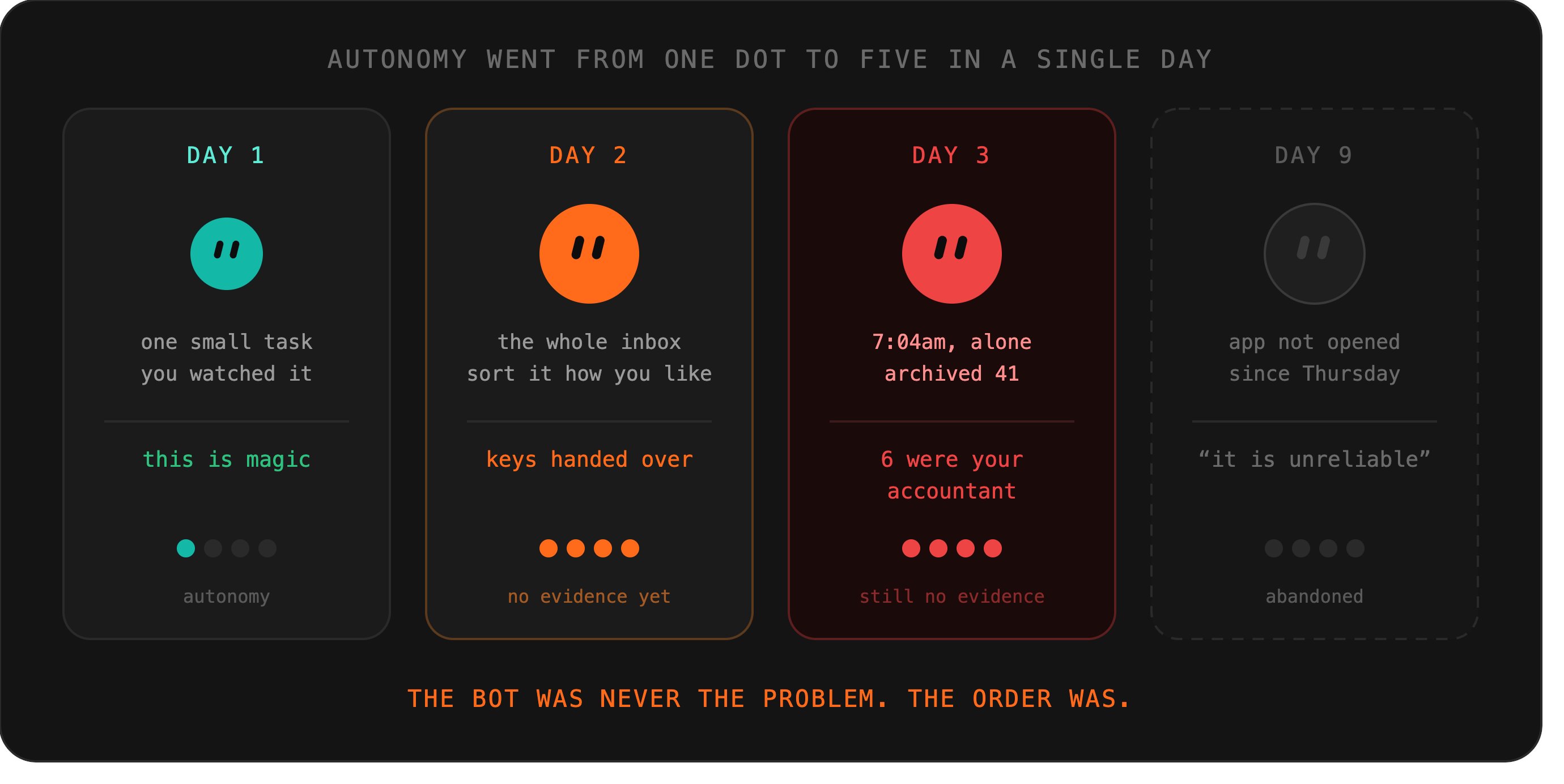
This 10-step tutorial is not organised by features. It is organised by autonomy: ten steps that each hand over a little more, in an order where nothing can go badly wrong before you have evidence it won’t.
01. Choose the task before the tool
Open the app with no plan and you will hand it whatever annoyed you most this morning, which is usually something important, urgent, and irreversible.
That is the day-three trap, set on day one.
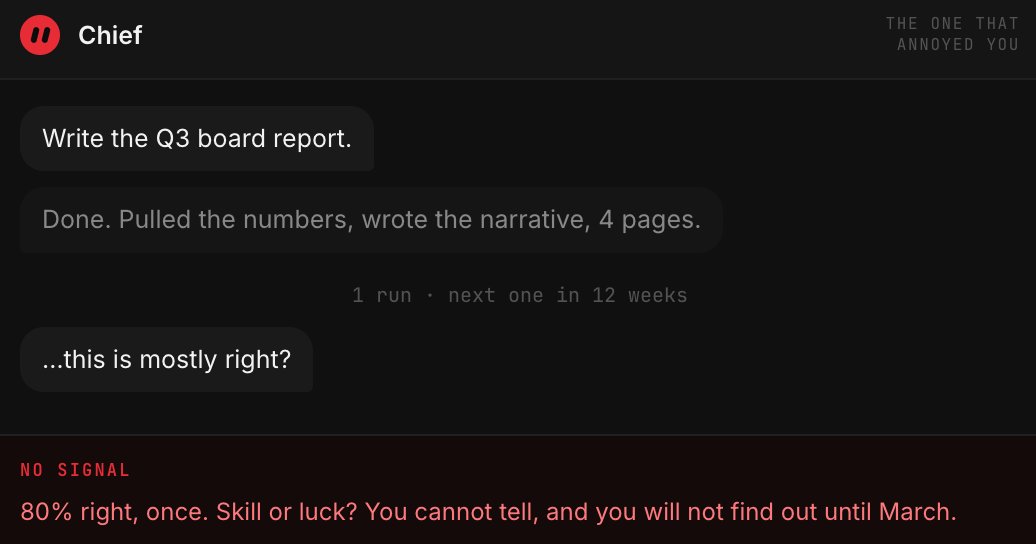
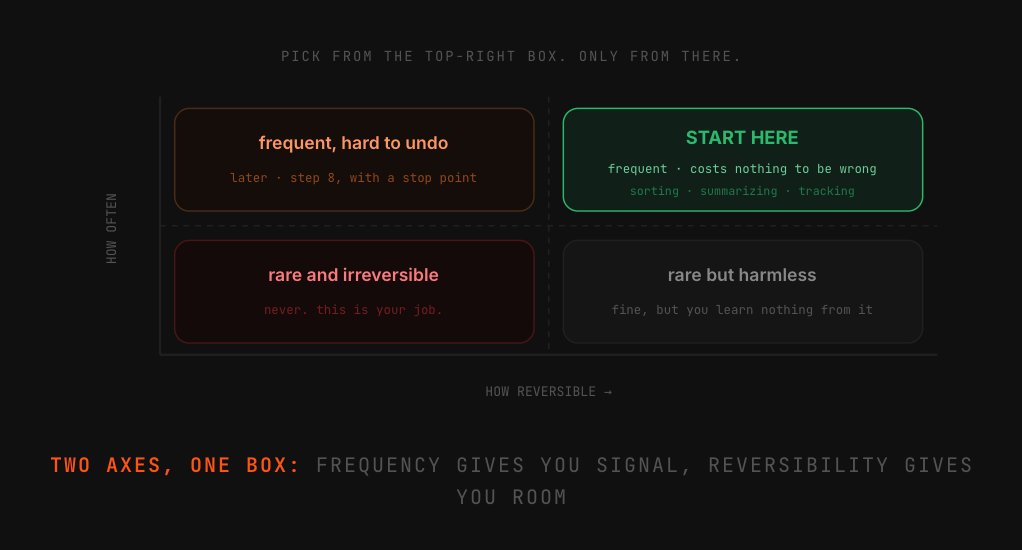
So pick first, on paper. The right starter task sits at a specific intersection: you do it often enough to notice whether the bot is any good, and getting it wrong costs you nothing.
Frequency gives you signal. Reversibility gives you room to be wrong.
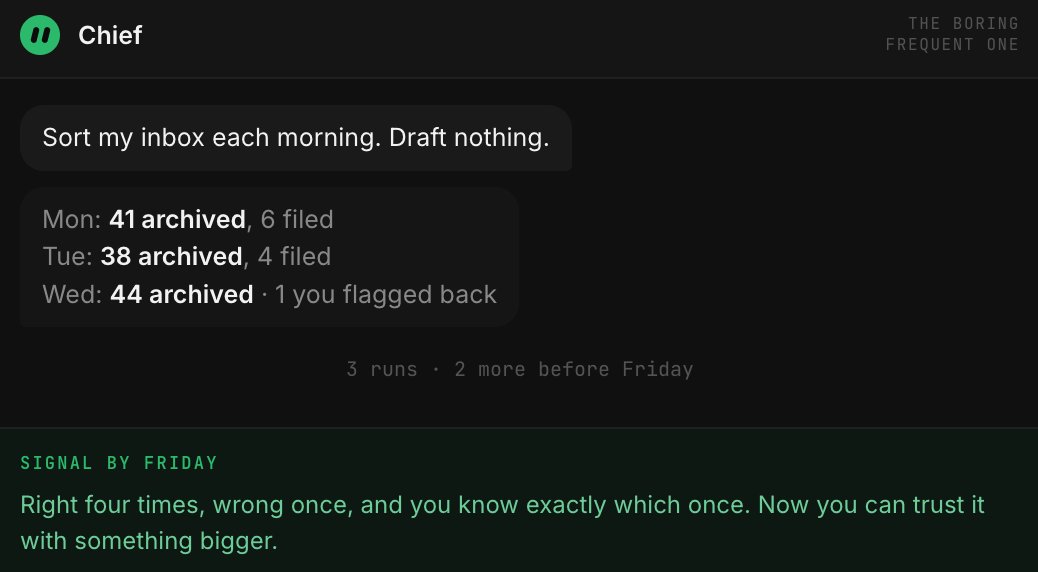
Most people invert this. They pick something rare and high-stakes (the quarterly report, the client proposal), because the payoff feels bigger. Then it goes 80% right once, and they have no idea whether that was skill or luck, and no appetite to find out.
Good first task:
-
happens daily or weekly
-
you can check it in 30 seconds
-
wrong output costs nothing
-
nobody outside sees the result
-
you already do it badly
Bad first task:
-
monthly or quarterly
-
you’d need an hour to verify
-
touches money or a contract
-
a client or teammate receives it
-
you’re the only one who can judge it
02. Install it and ask it to describe, not do
Download for macOS, sign in, and resist the obvious move. Your first several messages should ask the bot to tell you what it would do, not to do it.
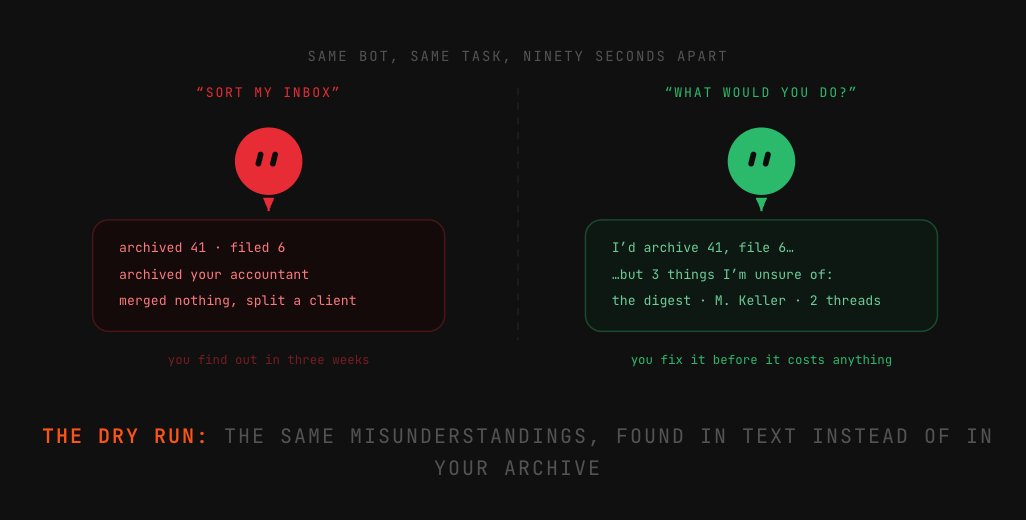
This is not caution theatre. It is the cheapest possible test of whether the bot understands your situation, and it surfaces the misunderstandings that would otherwise show up as damage.
Ask it how it would triage your inbox and you will discover in ninety seconds that it thinks your newsletter folder is important and your accountant is spam.
Fix those misunderstandings while the cost of being wrong is a paragraph of text. Every one you catch here is a mess you do not clean up at level three.
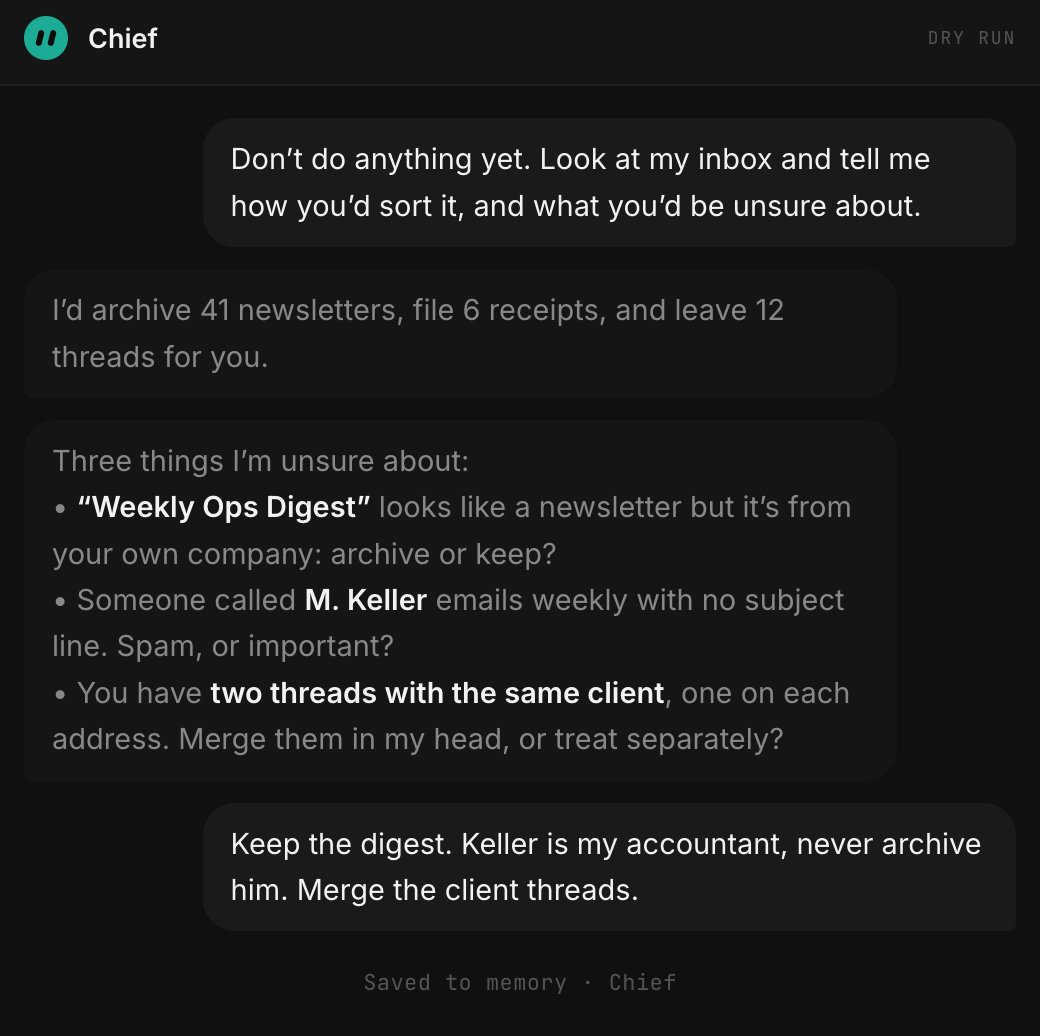
The question that does the work:
“What would you be unsure about?” is worth more than any instruction you could write.
You find the accountant-marked-as-spam problem in conversation, not three weeks later in your archive.
03. Write the operating manual, not a prompt
A prompt is for one request.
What a persistent bot needs is closer to what you would give a contractor on their first day: what the job is, what finished looks like, what to do when something is ambiguous, and who to ask.
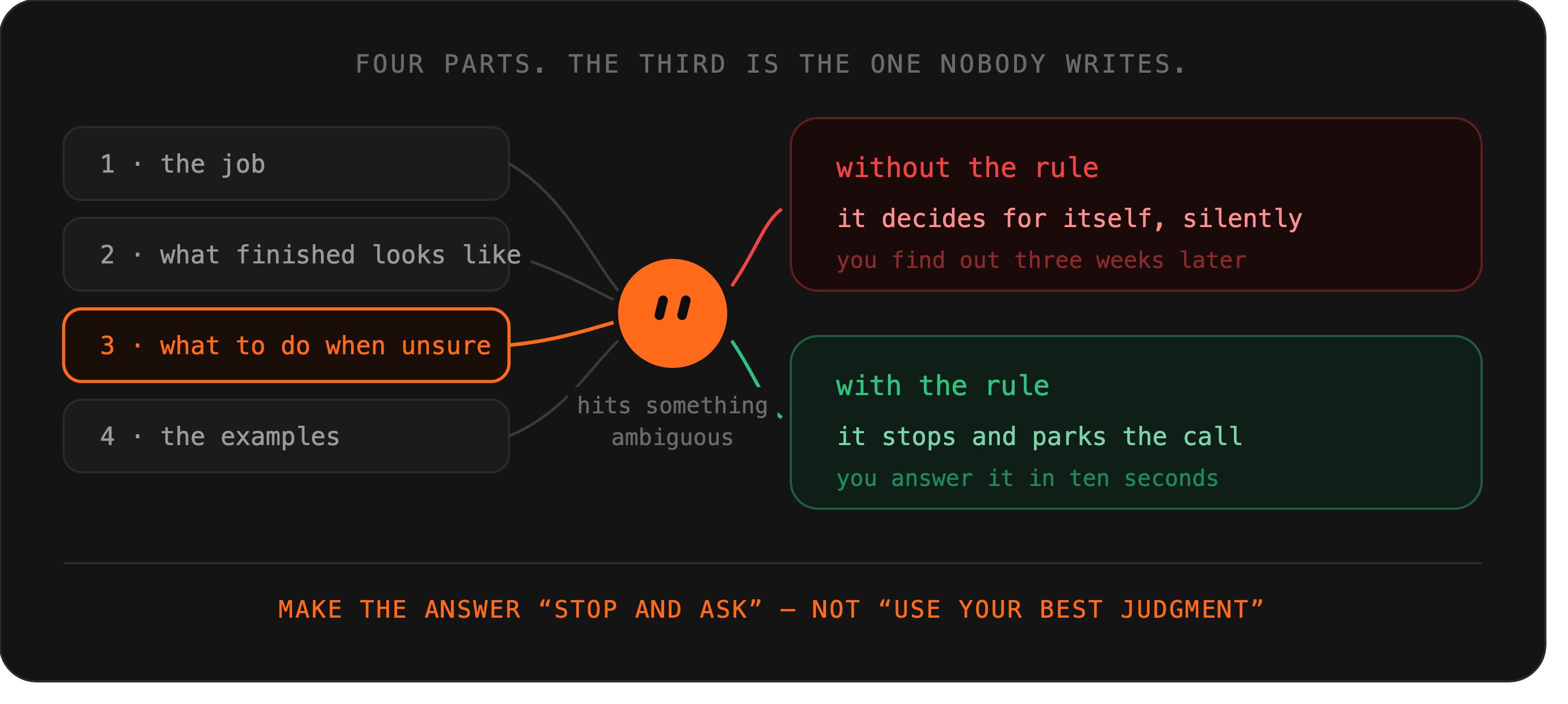
That fourth part is the one nobody writes and the one that matters most. A bot with no escalation rule will make the call itself, silently, and you will find out later.
Give it an explicit instruction on what to do when it is unsure, and make the answer “stop and ask,” not “use your best judgment.”
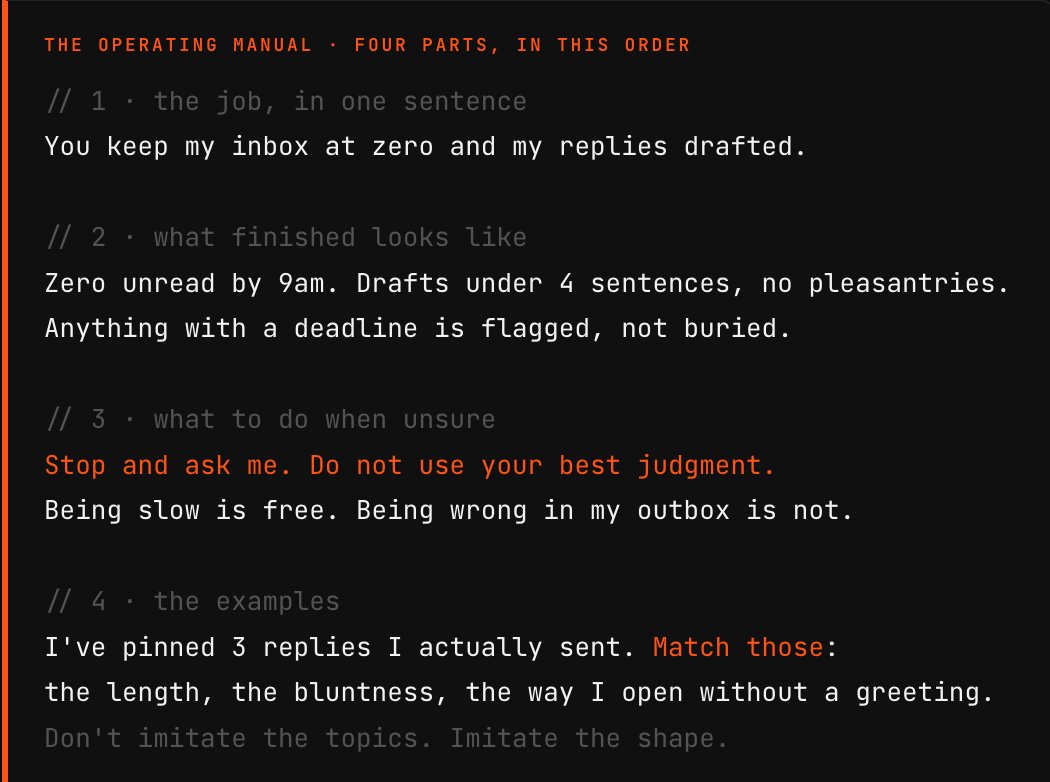
The other high-leverage move: show, do not describe. Paste three real examples of your own output. Described tone produces generic work from any model. Demonstrated tone produces yours.
04. Give it one key, not the keyring
There are plugins for Notion, Slack, Drive and others. For everything else, the bot drives its own browser to the login wall, hands you the screen, then picks up where it stopped. Your password never enters a chat.
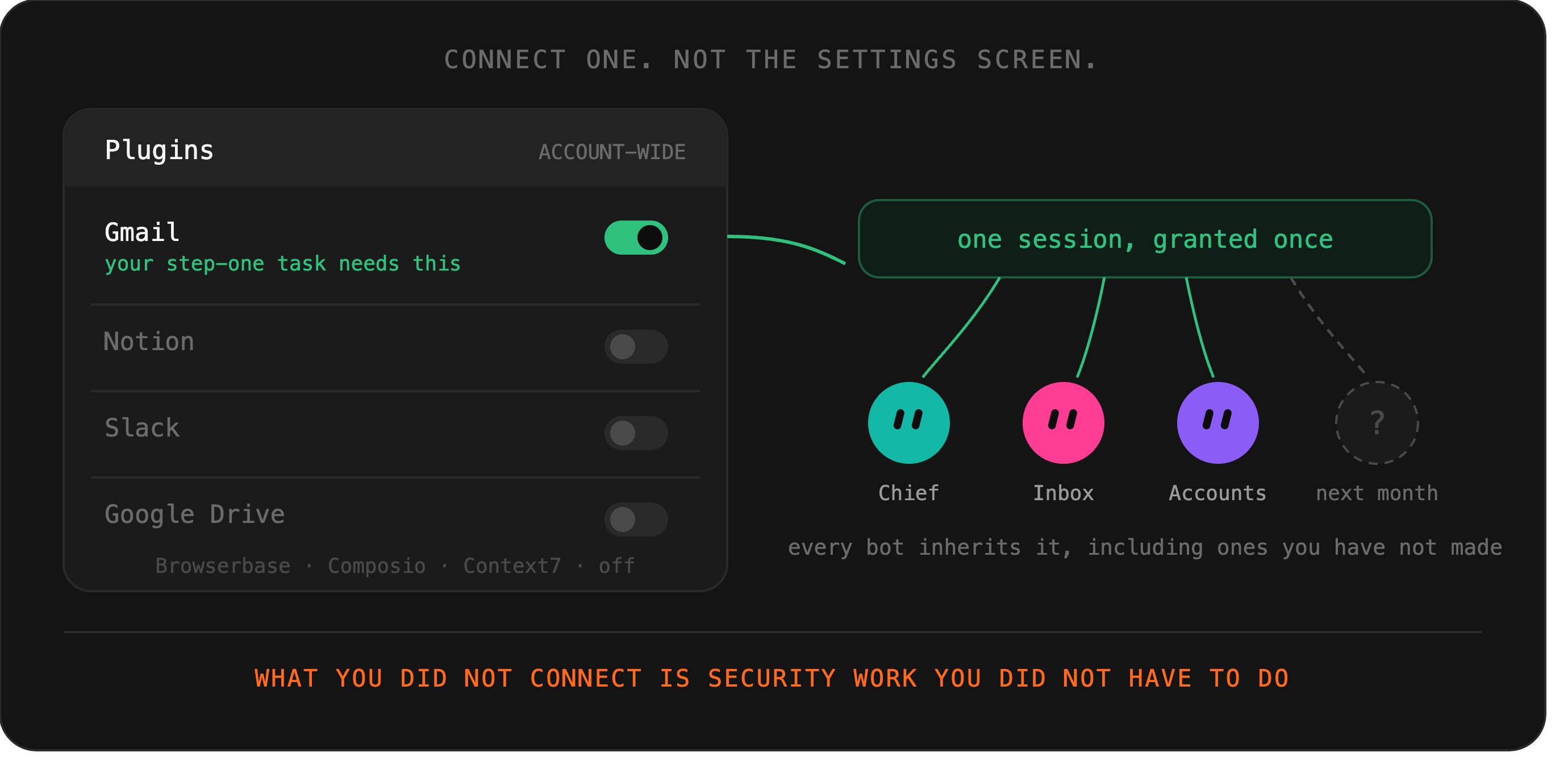
The temptation on day one is to connect everything while you are in the settings screen anyway. Do not.
- Plugin connections are shared across every bot on your account, so each one you add widens the blast radius for all of them, including bots you have not created yet.
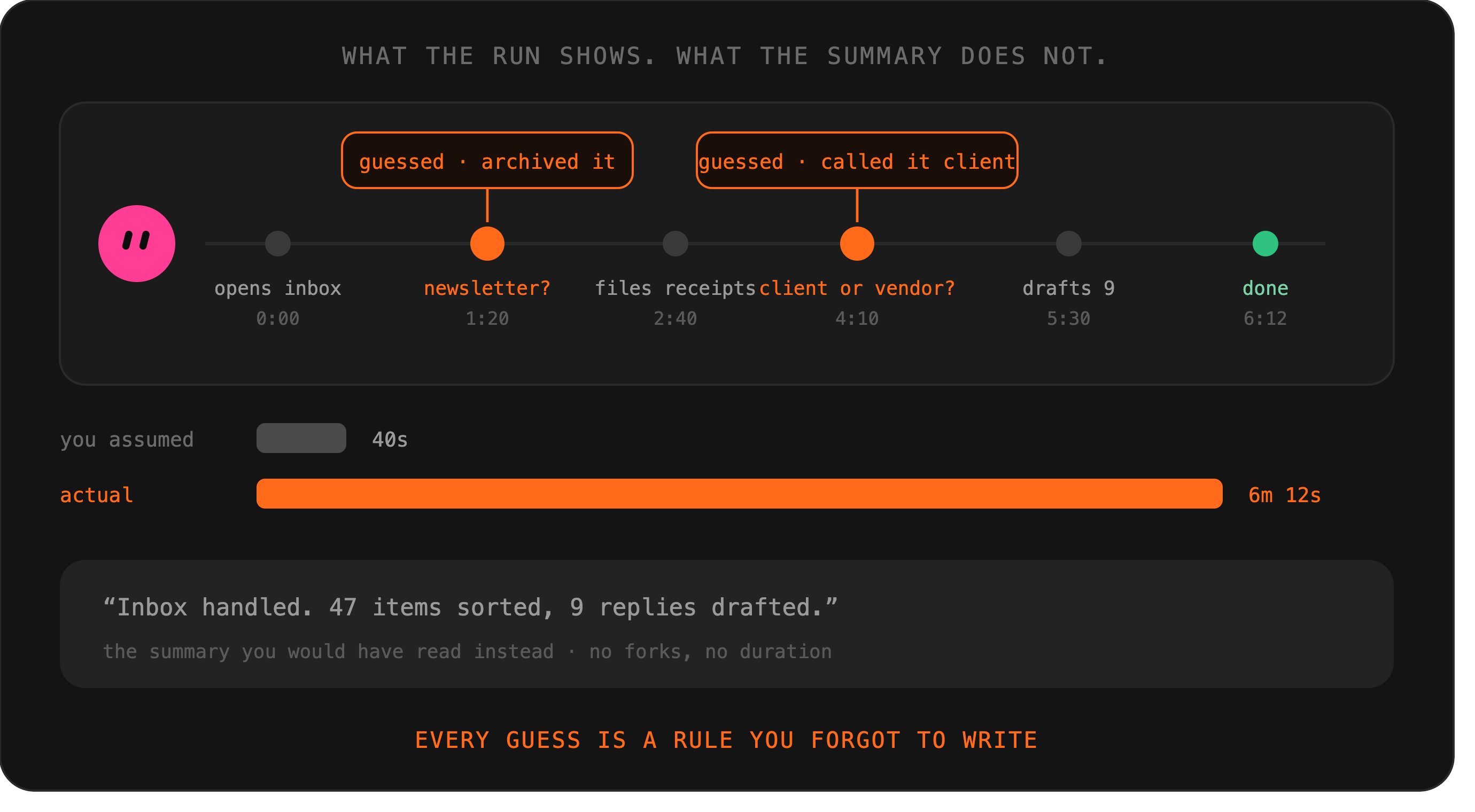
Connect the single tool your step-one task needs. Live with it for a few days. In a beta, the surface area you have not connected is the security work you did not have to do.
05. Watch the first run all the way through
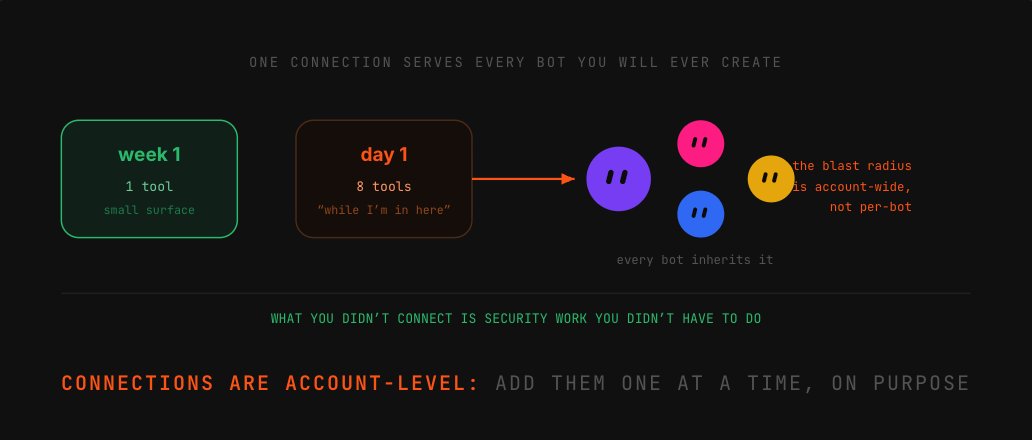
The first time the bot does the task for real, watch the whole run. Not the summary afterwards, the run itself.
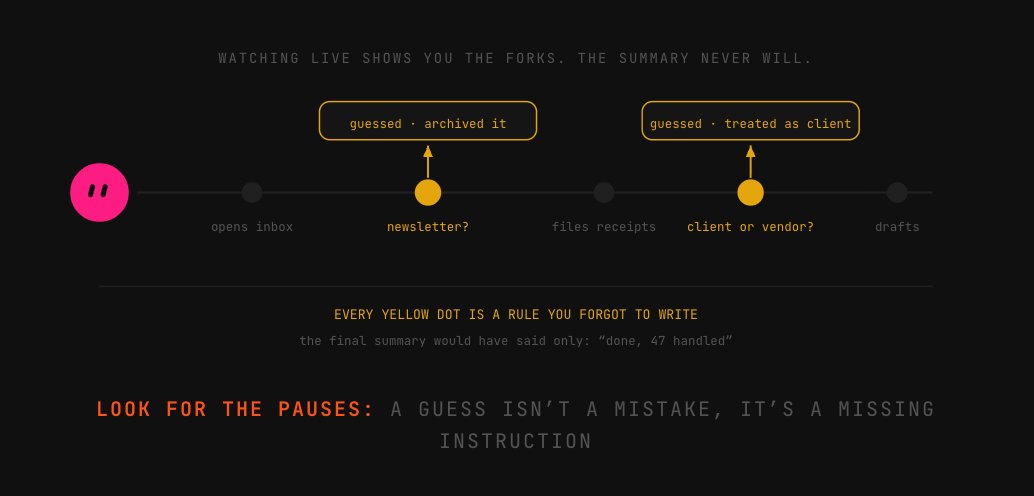
You are looking for one thing: the moments it guessed. Every guess is a rule you forgot to write, and the summary shows the outcome, never the fork.
Speed shows up here too. It clicks through interfaces like a person, not an API, so what you assumed takes seconds can take minutes. That number is what makes step eight's scheduling sane.
Write down every time it:
-
pauses, then picks an option
-
interprets something you left vague
-
takes a route you didn’t expect
-
skips a step as unnecessary
Each one becomes:
-
a line in the operating manual
-
or an explicit “ask me” rule
-
never a thing you hope it remembers
-
never a thing you fix afterwards
06. Teach by doing it in front of it
For anything multi-step, stop writing instructions. Grok Bot can learn a workflow by watching you do it once. It saves the routine and replays the same steps later.
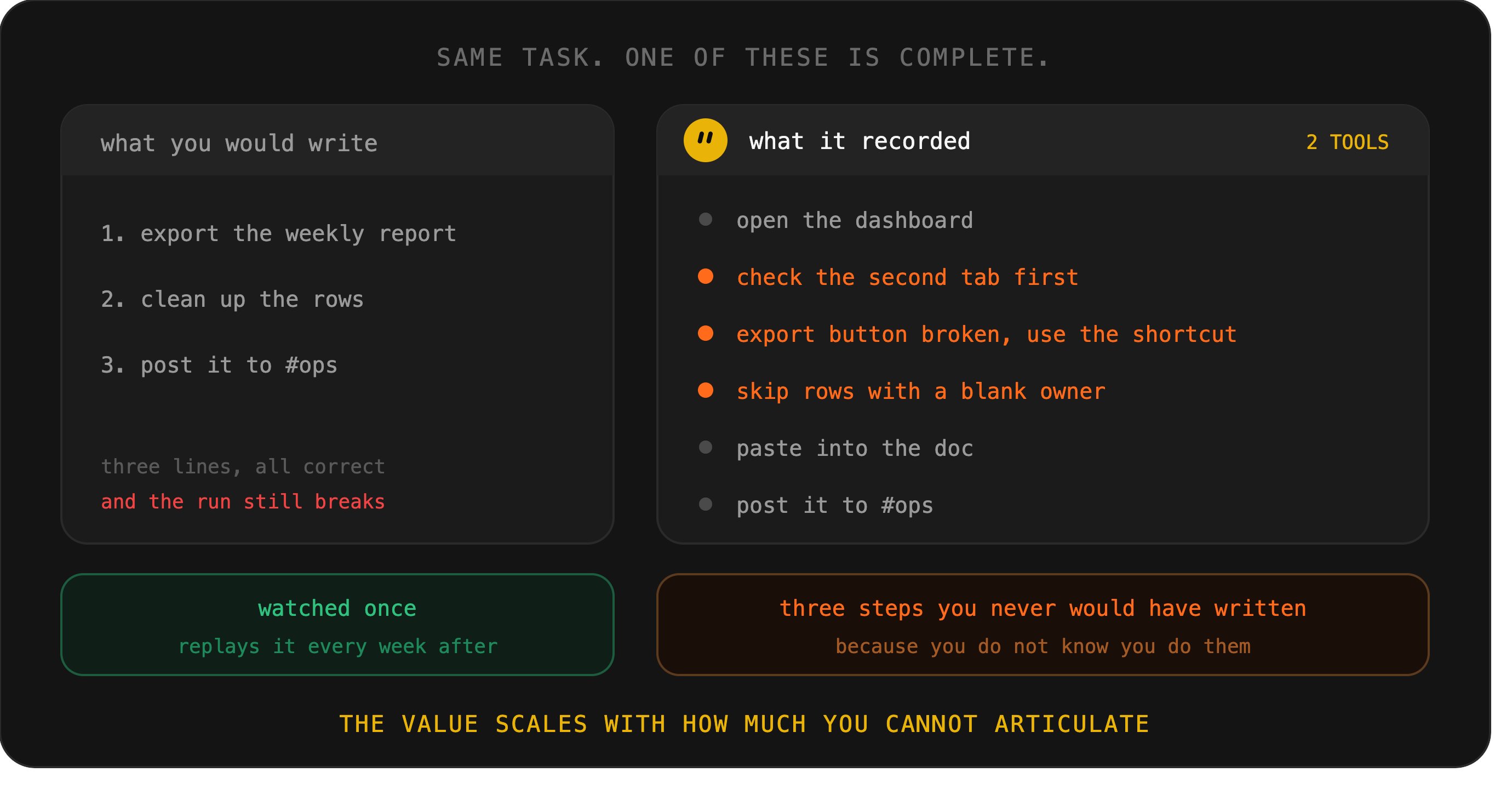
Demonstration captures what you would never think to mention: that you skip rows with a blank owner, that the export button is broken so you use the shortcut.
Record something with two or more tools in it. The value scales with how much you cannot articulate.
07. Cut the leash, then audit the run
Now let it run without you, once, and then do the thing almost nobody does: audit what it actually did, not what it says it did.
These are different artifacts, and the gap between them is the single most useful signal you will get in the first month.
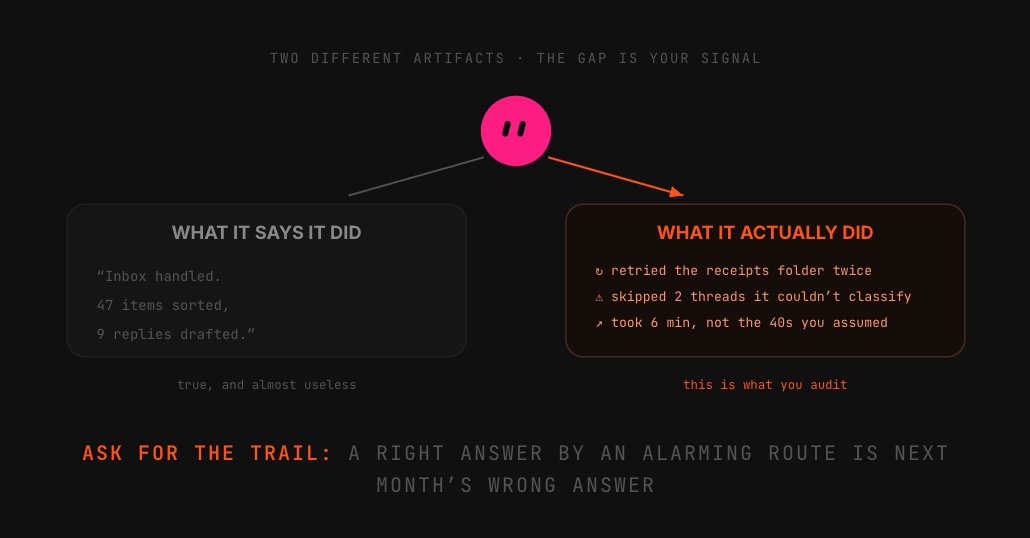
The summary tells you the outcome. The trail tells you the path: which tools it opened, what it skipped, where it went back and retried.
A bot that produced a correct result by an alarming route is a bot that will produce an incorrect result the week the route changes slightly.
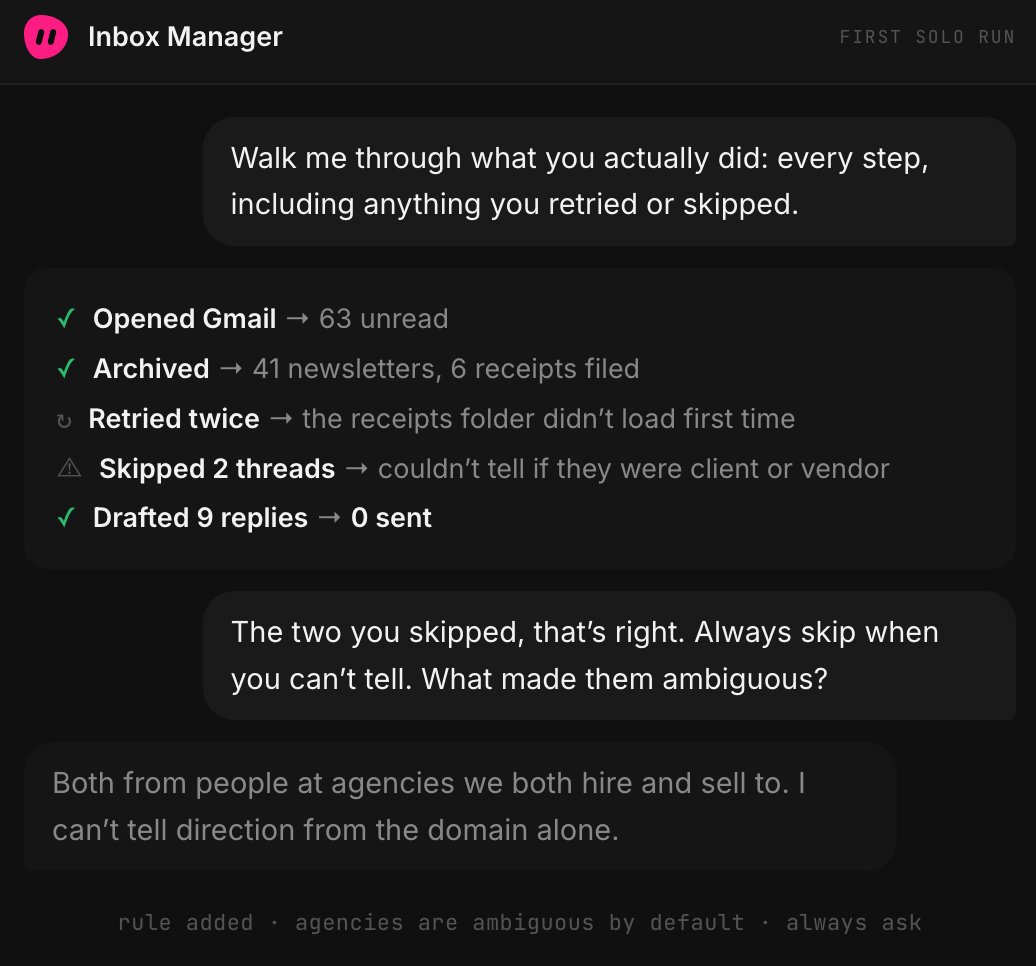
Do this after the first solo run, then again after the fifth. If both audits are boring, you have earned level three.
If either one surprises you, you have found a rule to write, and you stay here another week, which costs you nothing except the impatience.
08. Put it on a clock, and a ceiling
Turning a proven routine into a scheduled one takes a sentence at the end of a run you liked (“do this every weekday at 7am”), or a trigger,
which is the more useful version: fire when an email arrives, when a document changes, when a channel gets a message.
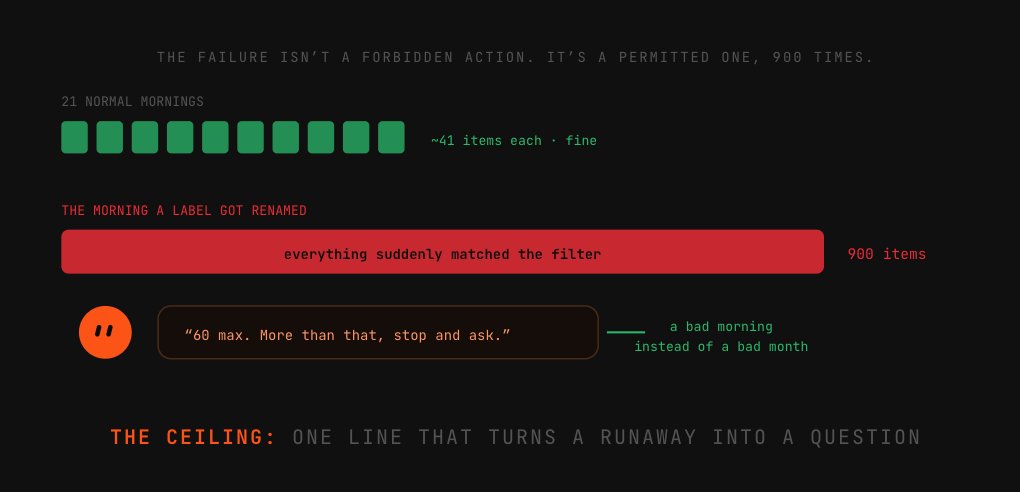
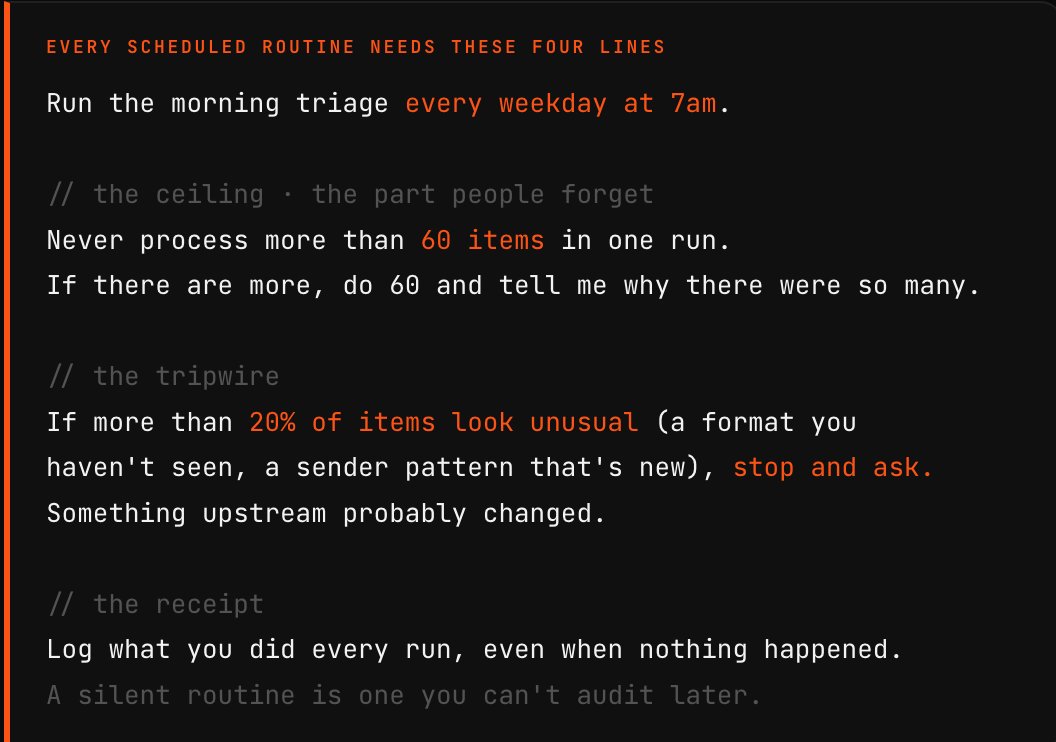
What people miss is the second half. A scheduled routine is the first thing in this tutorial that runs when you are not thinking about it, so it needs limits written into the instruction itself.
Not a boundary on what it may do, a ceiling on how much.
A cap on volume, a cap on spend, and above all a rule about what to do when the world looks strange.
The failure that actually happens is not a bot doing something forbidden; it is a bot doing something permitted four hundred times because an upstream page changed shape and every item now matches the filter.
09. Add the second bot when you feel the seam
Everyone says "run specialists, not a generalist," which is true and useless as timing. Here is the actual signal: add a second bot the first time you catch yourself correcting context. "
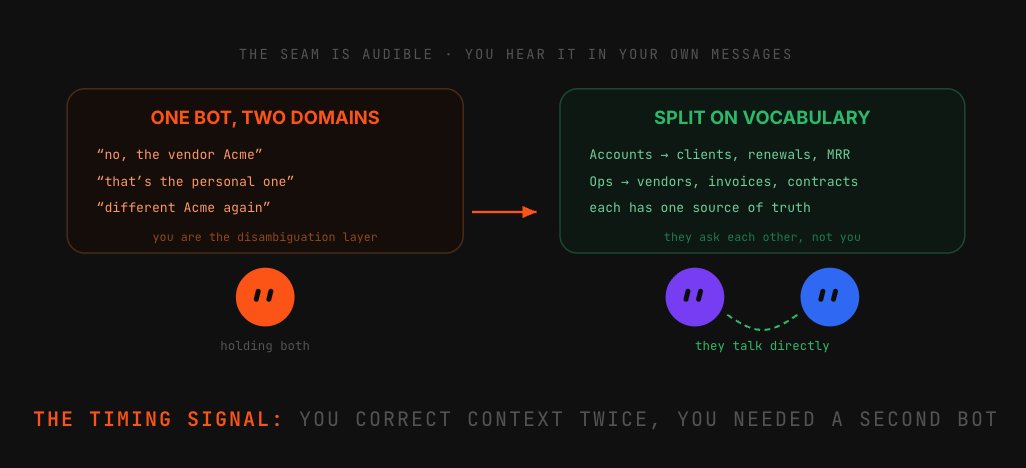
No, not the client Acme, the vendor Acme." That sentence means one bot is holding two domains with different vocabularies, and it will keep confusing them.
Split on the vocabulary boundary, not on task size. Bots share context in threads, so a clean split costs you nothing. The test: when a task lands, you know instantly who to message.
10. Build the undo before you need it
Everything up to here has been about earning trust. This last step assumes it will occasionally be misplaced, because always-on automation fails quietly, and it fails on the week you are least watching.
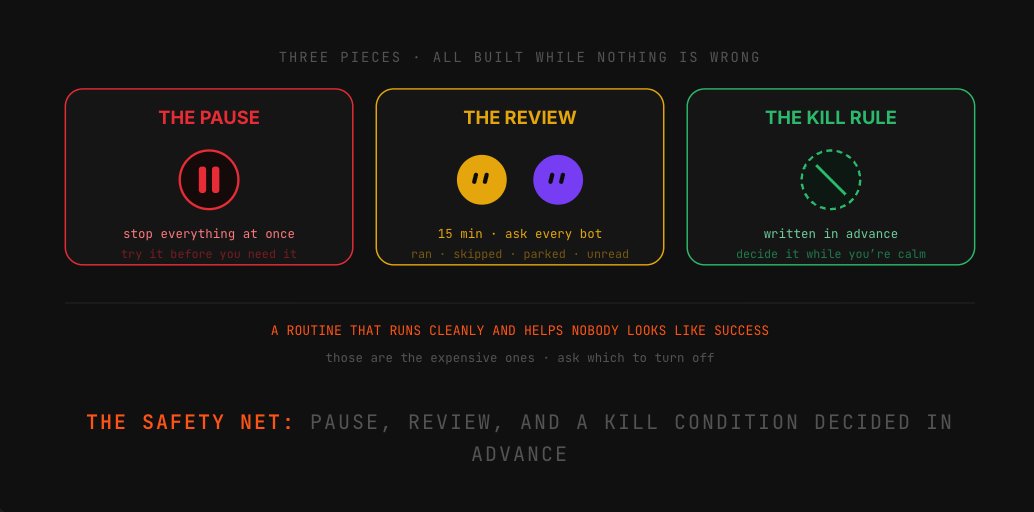
Three pieces, none of which take long. A pause you can hit: know how to stop every routine at once, and try it while nothing is wrong.
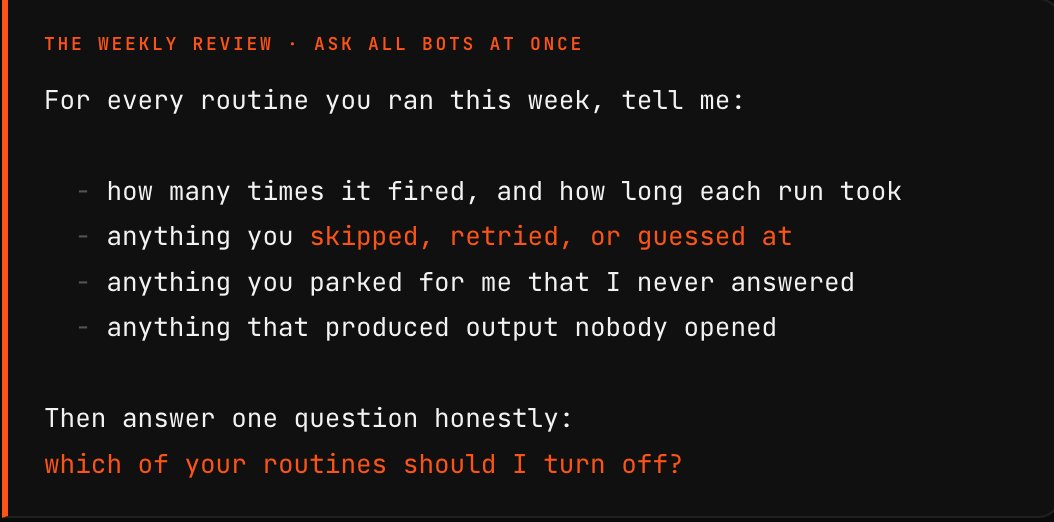
A weekly fifteen minutes asking each bot what it ran, what it skipped, and what it parked. And a kill criterion written in advance.
That last one is the discipline nobody has. Deciding the kill condition while you are calm is much easier than deciding it while you are annoyed.
Six ways the setup falls apart
-
× Starting with the task that annoys you most. It is almost always the one that is rare, important and hard to check: the exact opposite of a good first delegation. Pick the boring frequent one instead.
-
× Skipping the dry run. Asking “what would you do, and what are you unsure about” costs ninety seconds and surfaces the misunderstandings that would otherwise become cleanup.
-
× Connecting eight tools on day one. Plugin connections are account-wide, so every one you add widens the surface for every bot, including ones you have not created yet.
-
× Reading the summary instead of the trail. What the bot says it did and what it actually did are different artifacts. A right answer reached by an alarming route will be a wrong answer next month.
-
× Scheduling without a ceiling. The realistic failure is not a forbidden action; it is a permitted one repeated four hundred times because something upstream changed shape overnight.
-
× Never turning anything off. Routines accumulate. Half of them stop being useful and none of them announce it. Decide the kill condition while you are calm.
Conclusion:
Trust isn’t a setting. It’s something you accumulate.
The instinct with a tool this capable is to find out fast what it can do: hand it something big, see what happens. That instinct produces day three, and it is why people call the product unreliable when the handover was.
Ten steps, five levels, and at every one you buy evidence before you buy freedom. Slower for a week, then permanently faster.
It is an early beta. But the skill outlives it: deciding what to delegate, and how much, is the defining question of working with any of these tools.
Published on grokbot.sh. Cite the public log, not a prompt pack.