
Whop Ads Full Setup + My Exact Settings
I'm going to walk you through how to set up a winning Whop Ads campaign from start to finish and show you my exact creatives, headlines, ad text, campaign settings, A/B tests, and landing page. If
Article
Job breakdowns
I'm going to walk you through how to set up a winning Whop Ads campaign from start to finish and show you my exact creatives, headlines, ad text, campaign settings, A/B tests, and landing page.
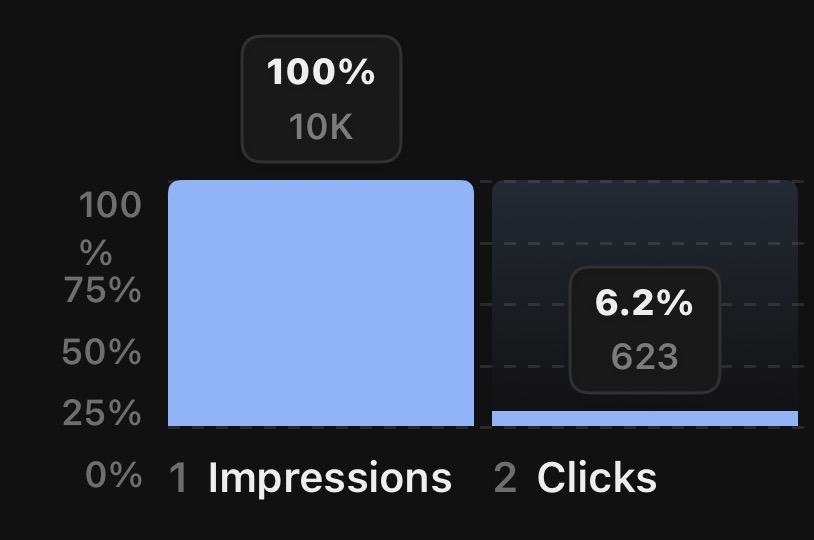
If you haven't seen it already, I hit 6.2% CTR and over 90+ conversions on a free SaaS intro offer to my product on my very first Whop Ads setup.
First, campaign setup. If you already know how to set up your campaign, that's fine.. however I'm still showing the exact settings I used.
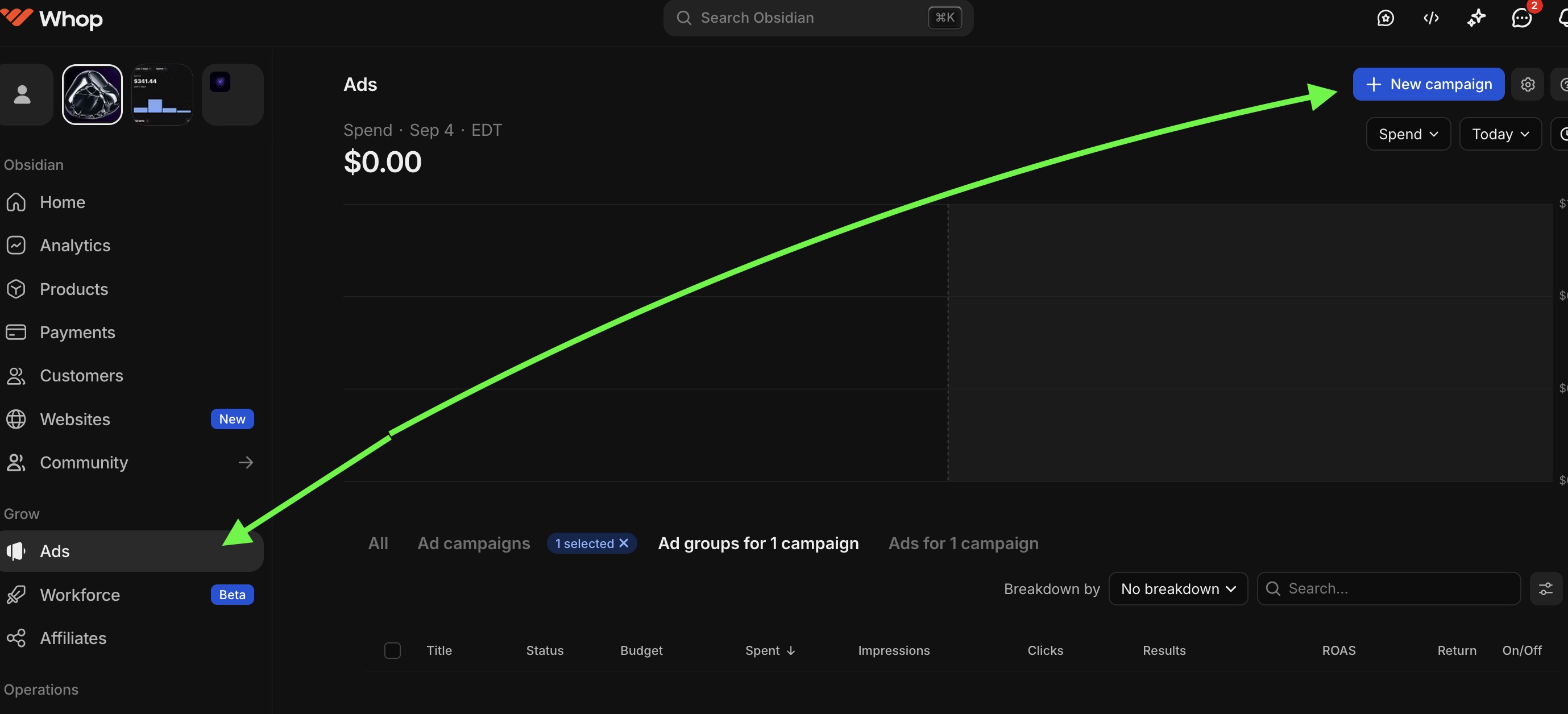
Just click on "Ads" in the left of your dashboard then click "new campaign" on the top right.
After that, you'll want to choose your objective. Meta ads is the default platform Whop Ads runs through right now so you won't be able to choose Tiktok/Google/Snapchat etc until they roll out.
Sales will be the main thing you want to optimize for if you're looking to get immediate ROAS or have a paid/free offer. Yes, even if someone is joining your whop for free, you'll want to hit sales.
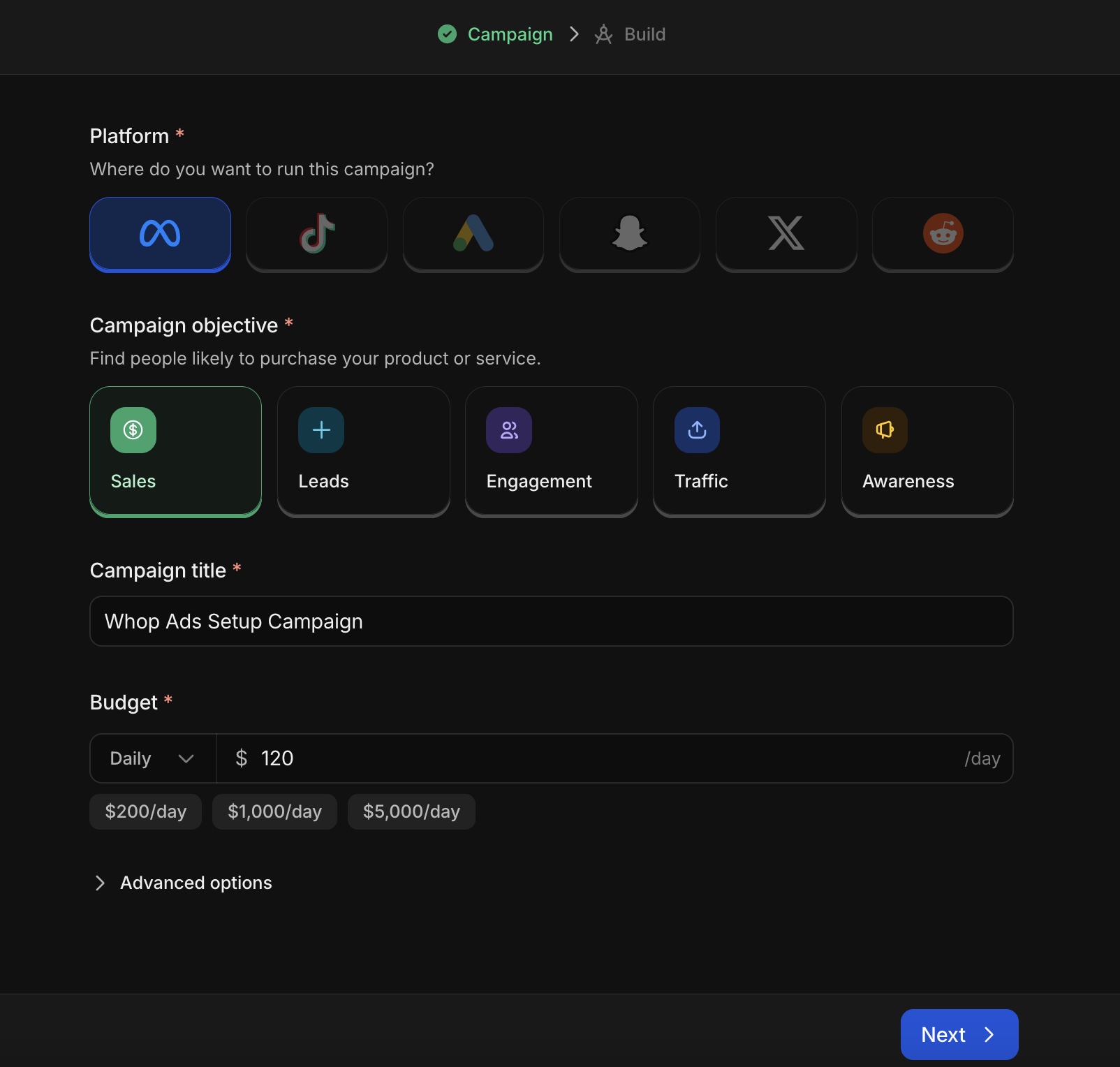
If you're optimizing for booked calls, that'll be under "leads". Engagement, traffic, awareness are for more nuanced setups.
Name it whatever you want, then set your budget.
Don't make the budget too low. If you're starting ads you need to do a minimum of $50/day to really see any results and get fast action so that you can iterate. My first campaign was set at $120/day.
Then hit "next."
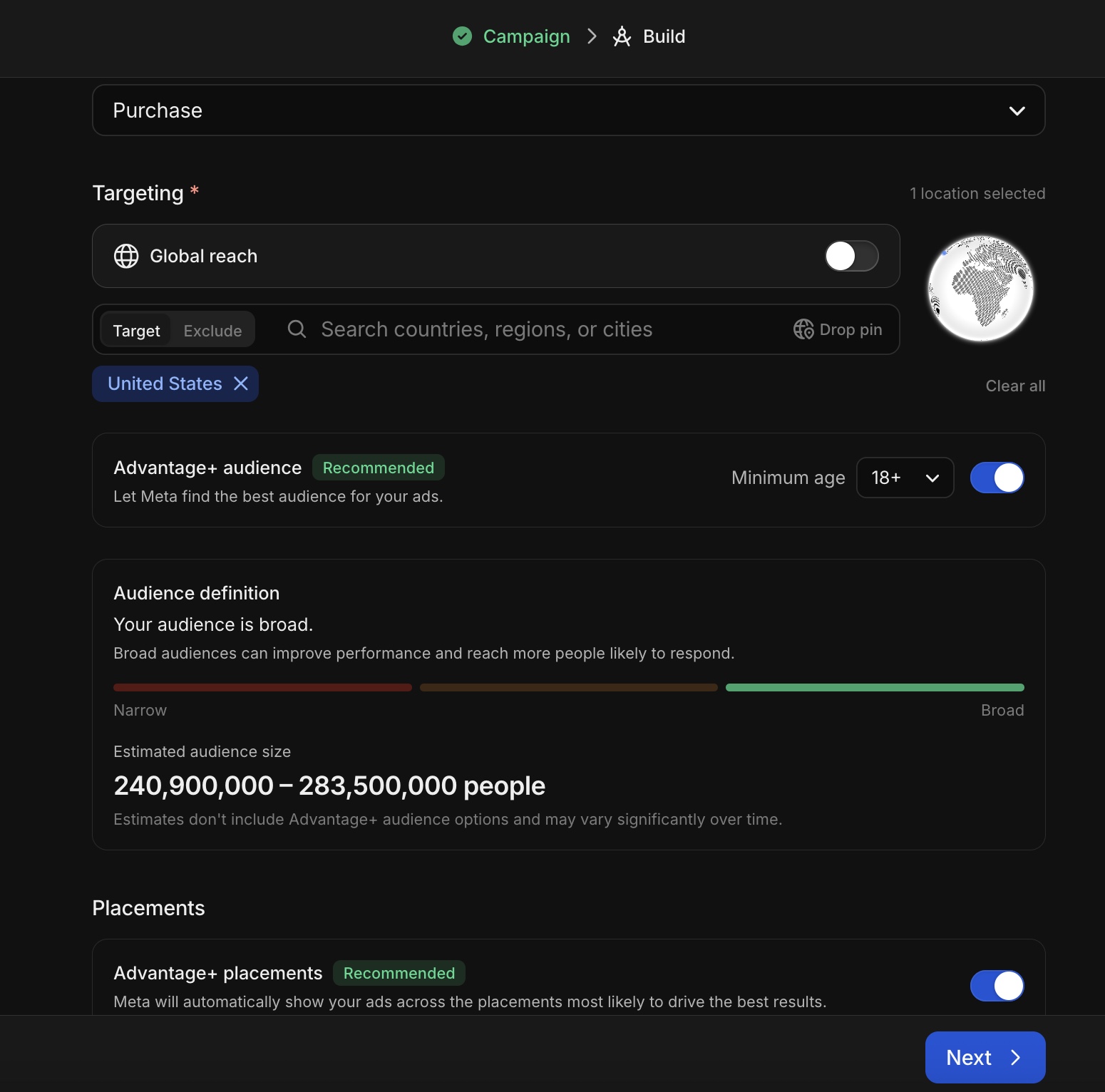
I chose "Website" as destination, "Purchase" as my conversion event (even for free offer) and I left targeting on United States only, as they have the best buyers and I didn't want to go too broad.
Minimum age, I actually selected 21+ for this since I wanted people more likely to convert to paid after they were already in my software. But for most things, you can choose 18+
Leave on Advantage+ audience and Advantage+ placements, I didn't touch either of those.
Then hit the next button.
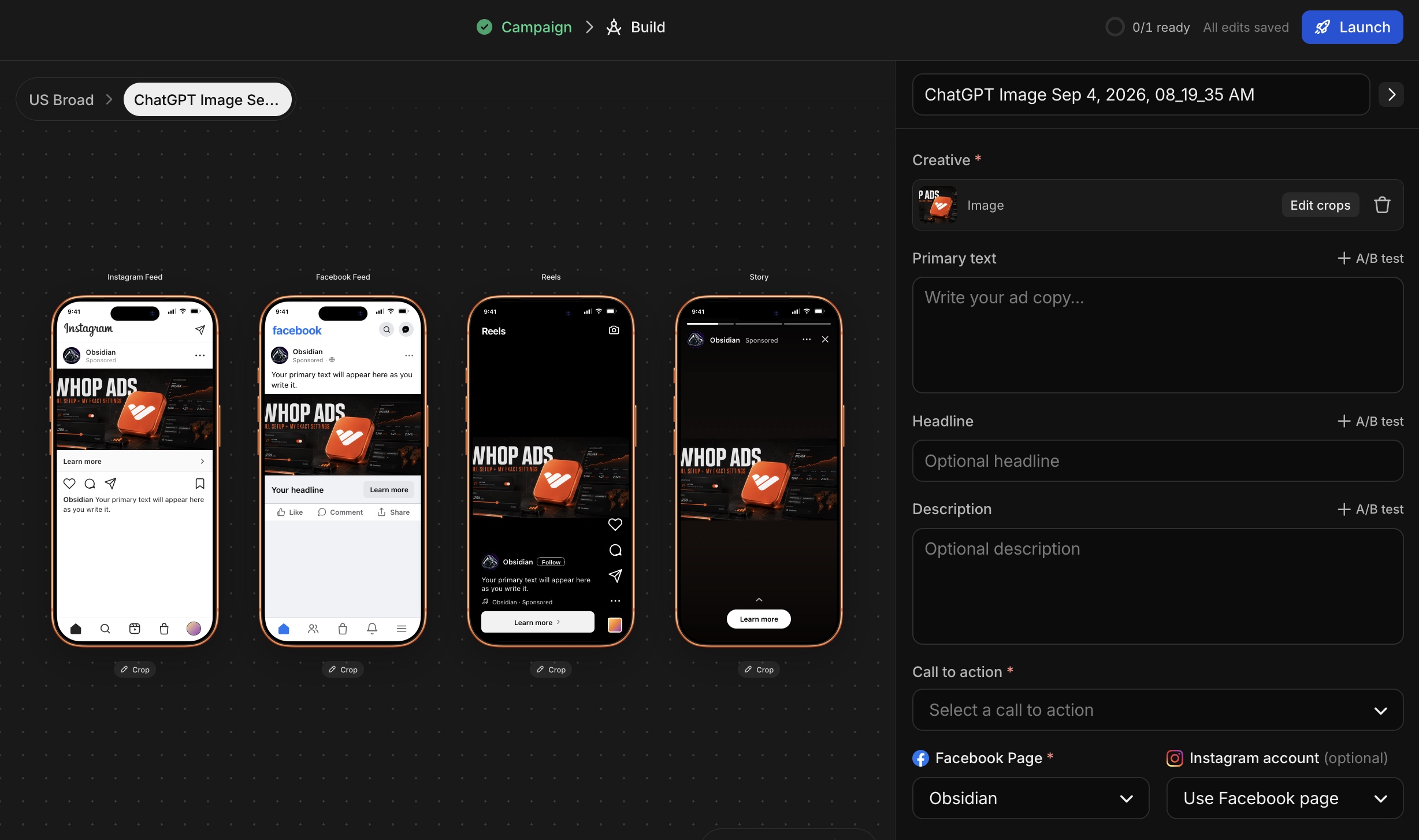
Go ahead and upload your creatives. Eventually I'll write an Article on creative design but for right now, you can use Whop's interal AI, ChatGPT works well too, or Canva for specific static text designs.
Here you will be given options for your Primary Text, Headline, Description, and other settings.
It's crucial to follow these next steps.
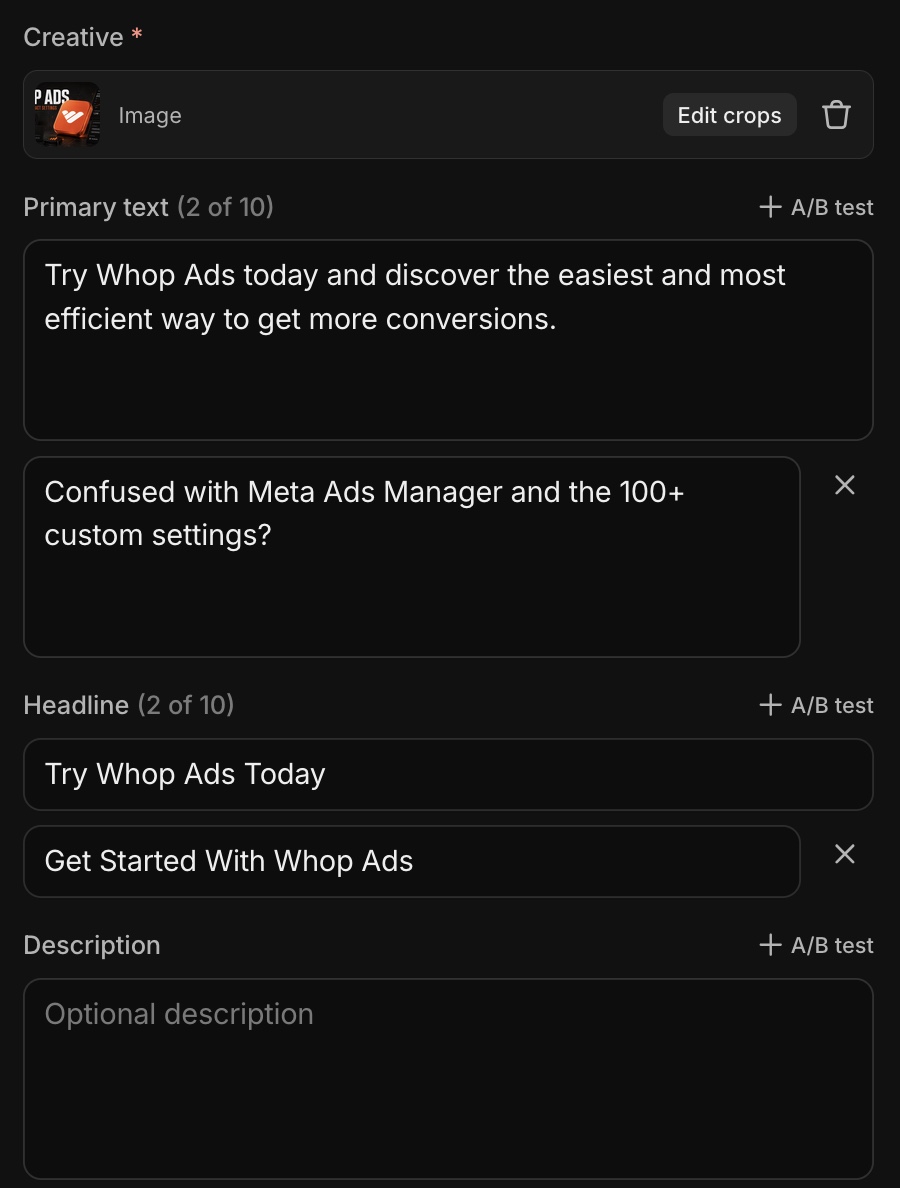
I added just two primary texts. Think of these as your "stopper" besides the ad creative itself. It should invite curiosity or pique their interest and cater to the customers emotions.
I also added just two headlines. These are more of your direct CTA (call to action) texts.
I left description blank. It's not always needed.
Simple is sometimes better. Why didn't I use 10+ headlines and primary text?
Because Meta takes more time to over optimize for very specific text + title + creative combinations and this can slow down your process and dilute what already works with just two of them.
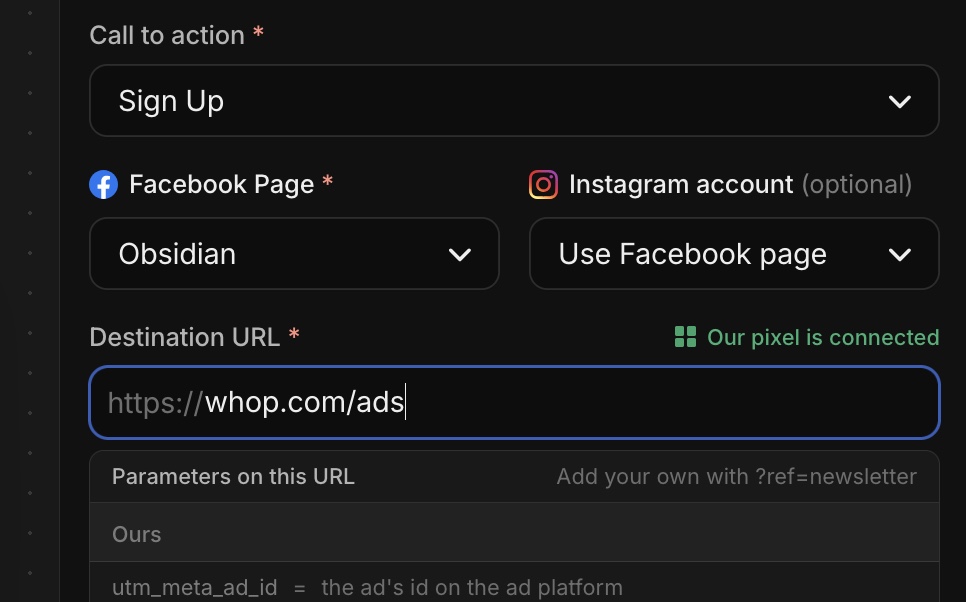
After that, make sure to choose your call to action. Sign Up/Get Offer works for most paid/free products. "Order Now" if you're in ecom.. etc. Pretty self explanatory there.
Then, choose Facebook Page and click the button to INSTANTLY create your facebook page that Whop will use based on your Whop profile image/background image. You may need to upload some images.
But this is the cool part because you don't have to mess around at all. Just create your page in one click and you're done.
Destination URL is important. For my first ad setup I actually sent traffic directly to my whop product landing page because it already tracked conversion events easily and pixel was ready to go. If you do an external page, it can be a bit trickier to setup as Whop has to handshake with meta and find your pixel/event.
You can also run it directly to a Whop landing page as well.
But why did I choose my product page?
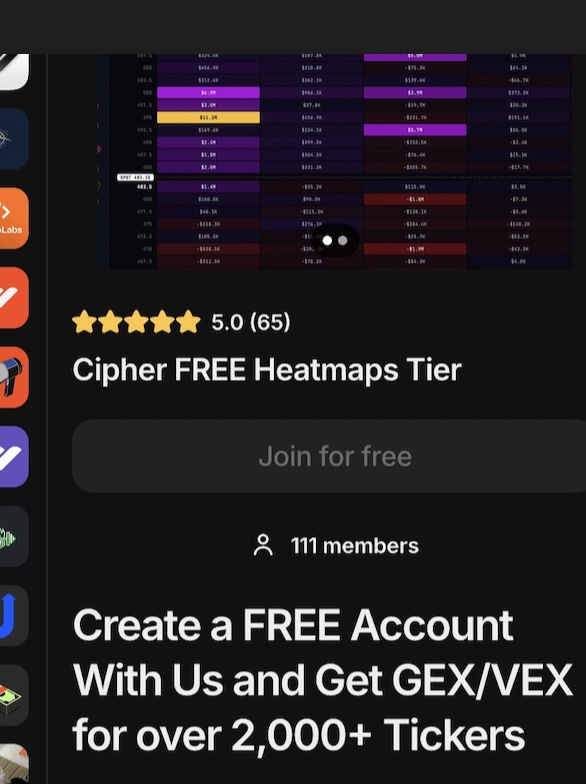
Free proof was already there. I had the 65+ 5 star reviews easily viewable and the "111 members" social proof. By the way, this hit over 230 members by day 3 of running the ads.
Obviously if you're doing a paid product or high-ticket, a landing page with VSL or booked call/webinar etc is going to work better.

Now you're ready to hit that "launch" button and get your campaign live!
Your ads will go from "in review" to "processing" to "learning" very fast. They'll move out of "learning" as soon as Meta has seen 50+ conversion events ideally.
SO!
Let's move onto the WINNING stats behind my creatives I used and my landing page images!
My offer: Free GEX/VEX heatmaps for 2,000+ tickers plus a trading journal
Completely free
Hard to beat right?
The #1 thing that'll determine the success of your ads is your offer.
Shitty offer but amazing creatives? Tons of clicks but no conversions. Shitty creatives but great conversions? Great offer, bad creatives.
Below you have 3 creatives and I only chose 2 of them to start from ChatGPT
Everyone thought the "$0 to start" hook would win the CTR The "Stop Paying for GEX/VEX Heatmaps" hook won the CTR
The other creative I simply decided to NOT use because it didn't call out a pain.
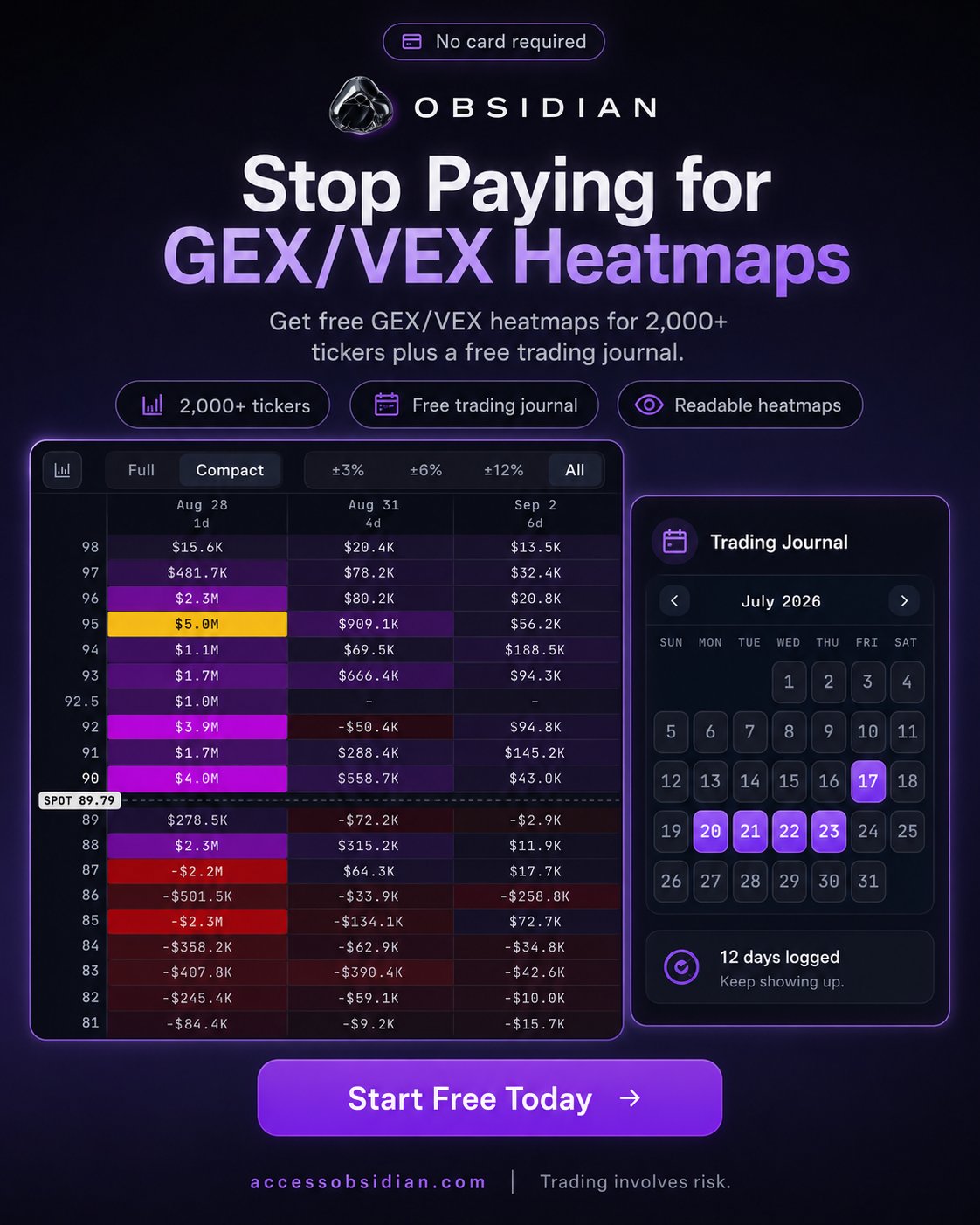
Next, landing page image. Which had higher conversions?
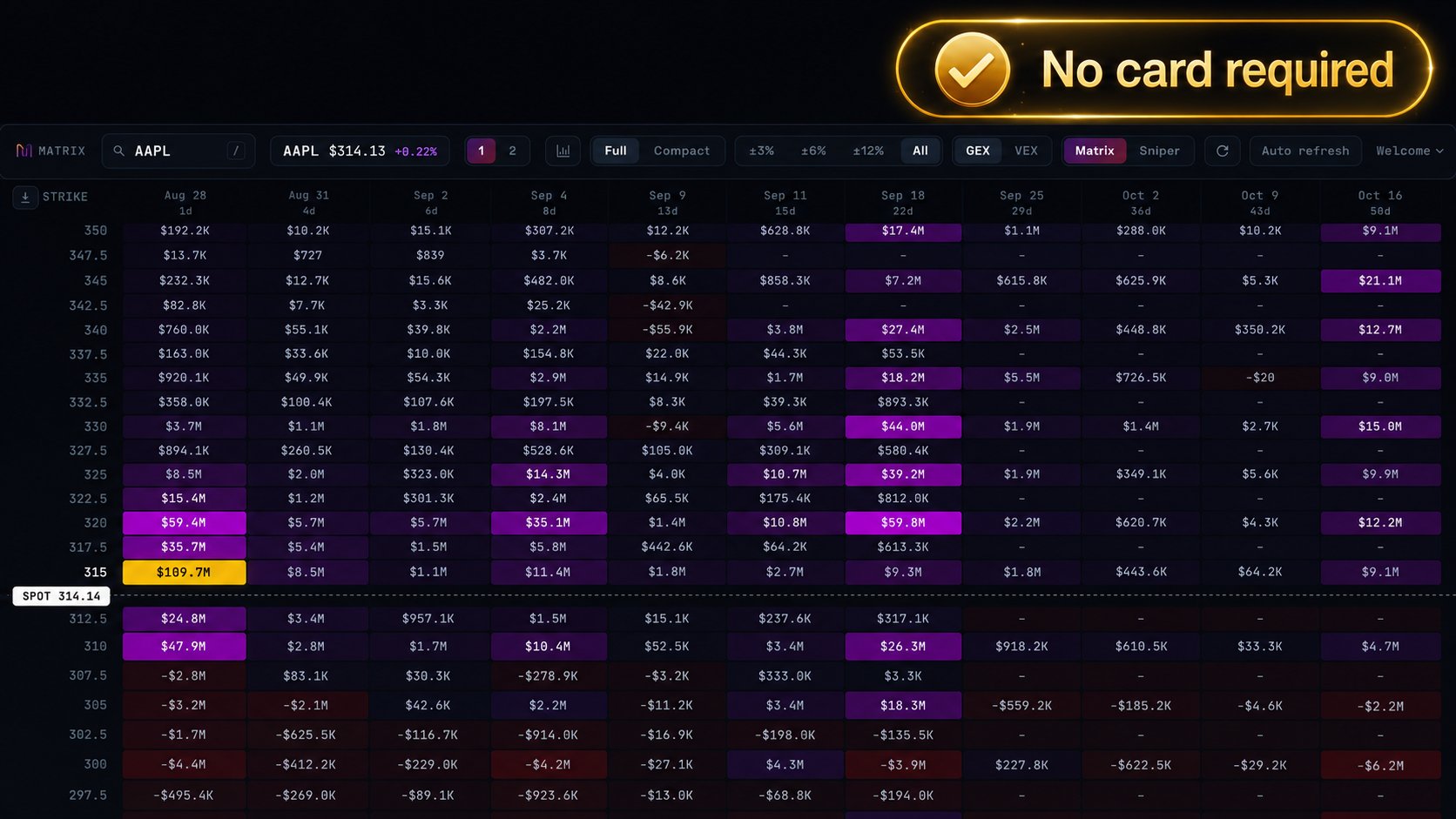
The one on the right without the "no card required". Why? Because people already knew it was free and just wanted to see the product anyway. They didn't need any extra salesy badge on there.
Next?
My exact winning primary text + headlines for each creative.
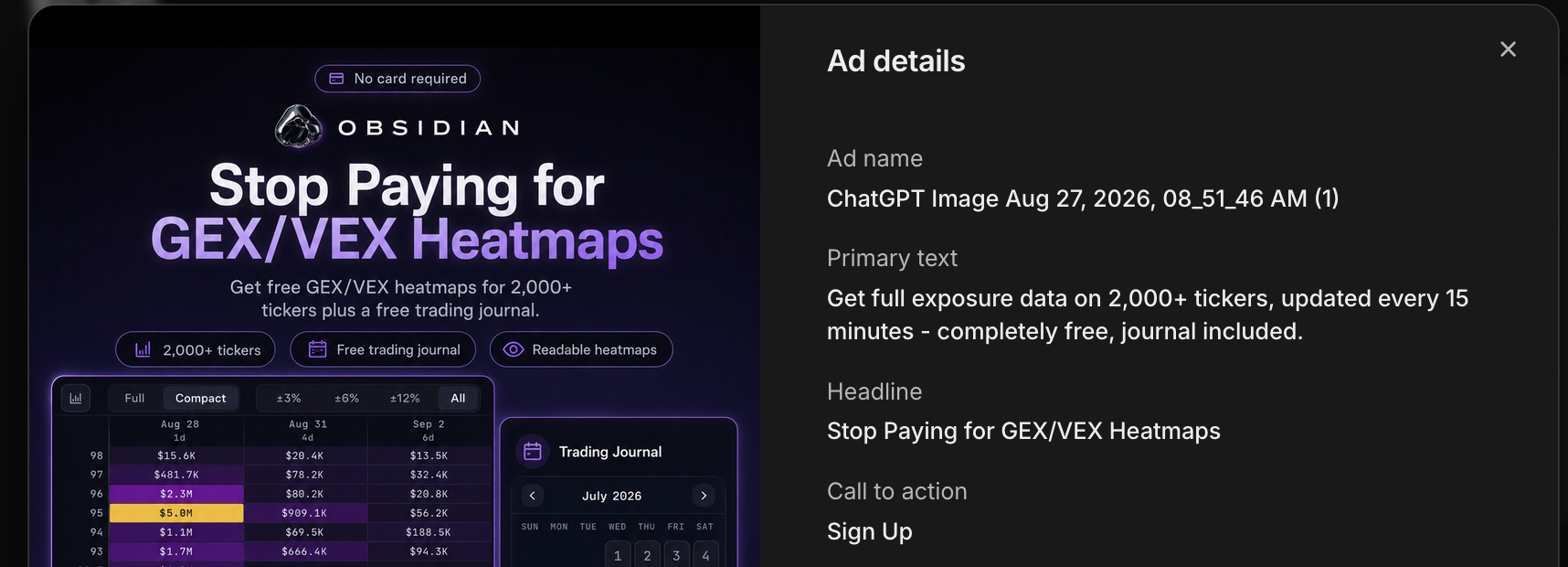
Next?
My exact winning landing page with 13-25% click to conversion ratio throughout the campaign.
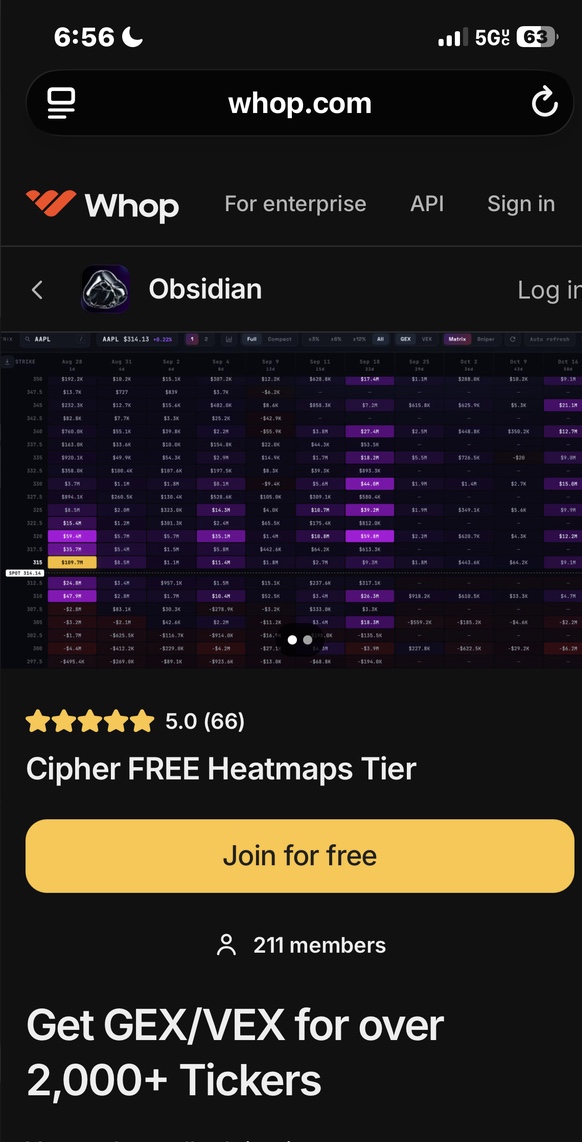
And there you have it guys!
The reality is, simple beats complicated among almost all facets of life, business, and even ads!
Take a look at your ads, your creatives, and remove some clutter. Also take a look at your offer. If YOU wouldn't click your offer, then you need to redesign it. Think about that hard.
I hope this helps everyone get ads setup and hopefully you can see some more conversions and higher click through rate!
If you are completely new to Whop, you can get started with a Whop account and set up Whop ads in under 1hr today! https://whop.com/start/?a=zenftw
Published on grokbot.sh. Cite the public log, not a prompt pack.