
Turning Grok into an Autonomous Agent (Complete Guide)
Most developers interact with Grok exclusively through the web interface on X. However, when accessed via the xAI API, Grok’s low inference latency, solid reasoning performance, reliable function
Article
Job breakdowns
Most developers interact with Grok exclusively through the web interface on X. However, when accessed via the xAI API, Grok’s low inference latency, solid reasoning performance, reliable function calling, and native OpenAI SDK compatibility make it a practical engine for autonomous, tool-using agents.
This guide walks through building a reliable coding and task-execution agent with Grok, transitioning from a basic tool-calling loop to a resilient multi-agent workflow.
Why Grok Fits Agentic Workflows
Building reliable agents requires predictable model behavior inside automated execution loops:
-
OpenAI SDK Compatibility: xAI exposes an API compatible with the standard OpenAI client library (base_url="https://api.x.ai/v1"), allowing you to reuse existing tooling, libraries, and frameworks without extra dependencies.
-
Low Latency & High Throughput: Fast token generation significantly reduces turnaround time during iterative reasoning loops and repeated tool dispatches.
-
Predictable Function Calling: Grok strictly adheres to standard JSON Schema specifications, minimizing schema validation errors during structured tool use.
-
Direct Instruction Adherence: Grok evaluates complex tasks with strong first-principles reasoning and minimal evasiveness, maintaining consistency across multi-step execution chains.
Tool Capabilities: Native vs. Custom Function Calling
When designing Grok agents, you can combine two distinct tool layers:
-
Custom Function Calling (Client-Side): Custom functions defined locally via JSON Schema (such as bash command executors, file writers, or private database connectors) executed by your application runtime.
-
Native Built-In Tools (Server-Side): xAI provides native server-side tools including x_search (real-time post and thread queries), web_search (broad web search grounding), and code_execution (isolated remote sandboxing).
Combining native search tools for discovery with custom local actuators for code execution provides a robust architecture for developer agents.
Building the Base Autonomous Agent
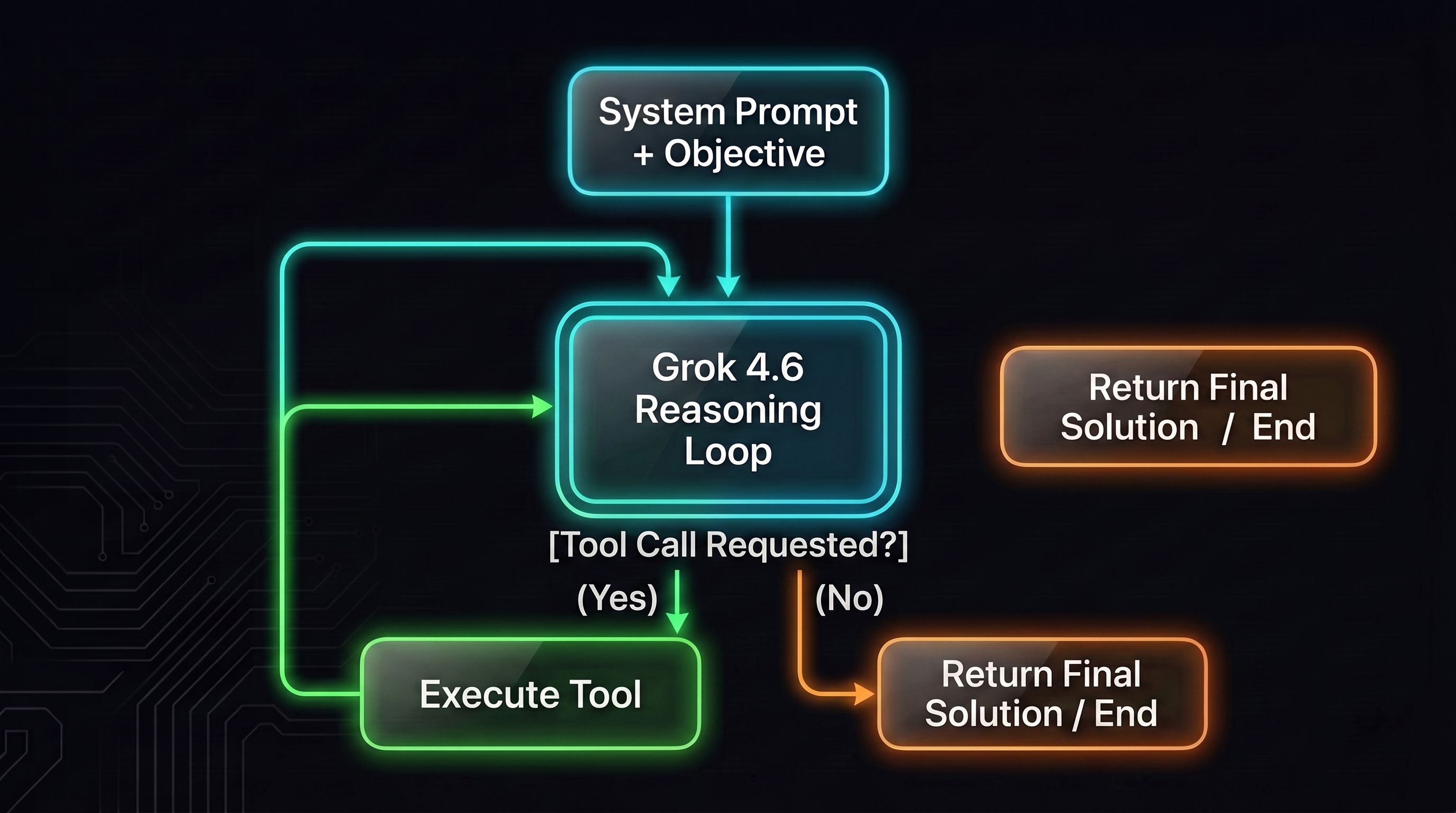
The foundation of an autonomous agent is an iterative execution loop: the agent perceives an objective, selects a tool, processes the tool's output, and decides whether to continue or terminate.
1. Environment & Client Setup
Install the necessary dependencies:
Configure your .env file:
Initialize the client:
2. Defining Local Tools
Define actions the agent can perform on the local environment using JSON Schema:
3. The Orchestrator Loop
This engine manages conversation context, passes requests to Grok, runs requested tools, and feeds results back into the loop:
Hardening the Agent Loop
For production setups, apply these defensive design patterns:
-
Error Feedback Loops: Wrap tool execution in try-except blocks and return raw stderr messages back to Grok. This allows the model to self-diagnose tracebacks and patch bugs autonomously.
-
Context Truncation: Limit stdout/stderr output before inserting it into history, to protect the context window from massive logs.
-
Strict Verification Prompts: Instruct the agent never to assume generated code works without actively testing it via execute_command.
Extending to a Multi-Agent Pattern
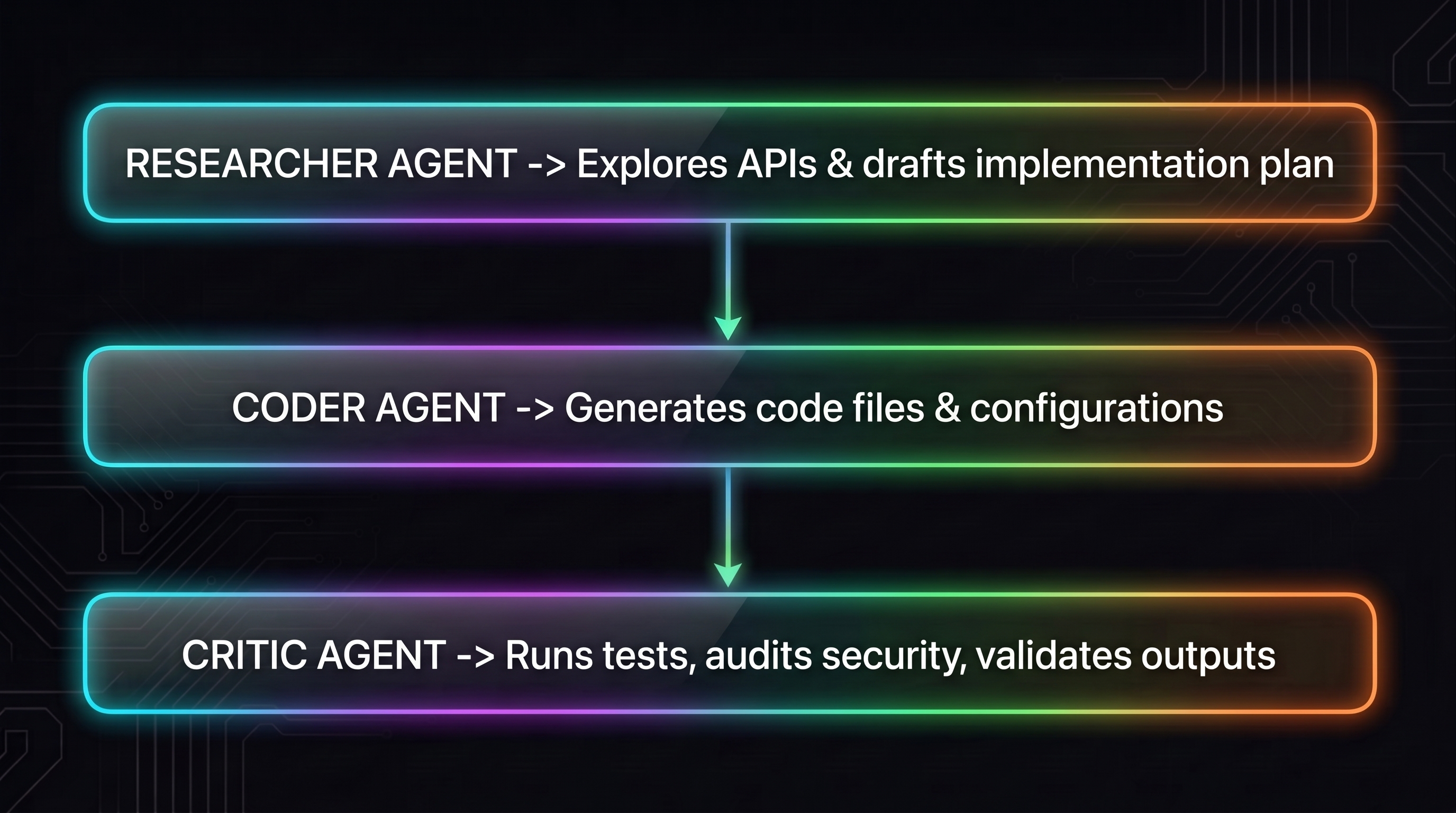
When tasks scale in scope, separate responsibilities into distinct agent roles. Each agent maintains its own isolated message history, preventing context pollution and conserving tokens:
Getting Started & API Details
-
API Keys & Console: Generate access keys at console.x.ai.
-
Pricing (grok-4.6): Approximately $2.00 per 1M input tokens and $6.00 per 1M output tokens, making iterative multi-agent loops cost-effective compared to larger frontier alternatives.
Published on grokbot.sh. Cite the public log, not a prompt pack.