
The X Subscription: which tier to buy, what's hidden, and whether you should switch
On Oct 13, SpaceXSI merged Grok, Cursor and X Premium into one plan. They called it The X Subscription. That post has 1,300+ replies. I read a lot of those replies. Most of them ask the same three
Article
Job breakdowns
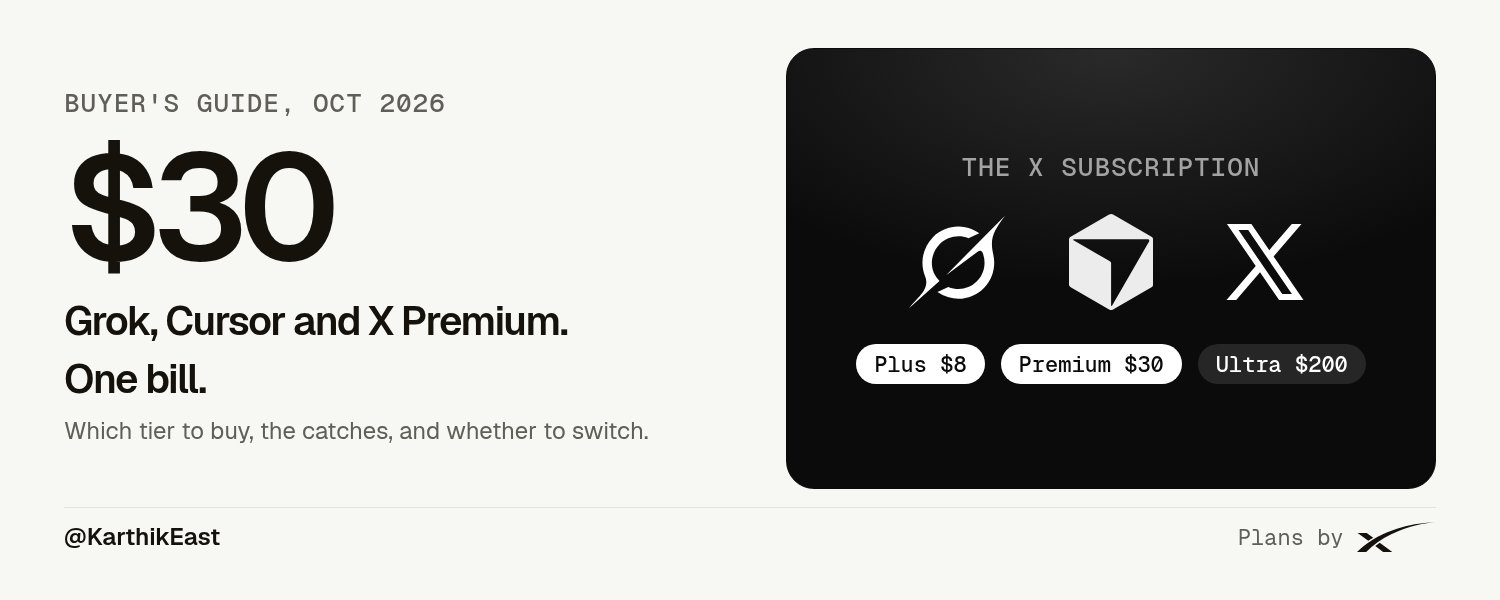
On Oct 13, SpaceXSI merged Grok, Cursor and X Premium into one plan. They called it The X Subscription.
That post has 1,300+ replies. I read a lot of those replies. Most of them ask the same three things. Which tier do I buy? Do I have to switch? What do I lose?
So I went through every official page I could find. The SpaceXSI pricing page, the help docs, Cursor's pricing and help pages, the Cursor forum, and the posts from @SpaceXSI, @grok and @cursor_ai. Then I put the other big AI subs next to it.
Every number here has a source at the bottom. Where I couldn't verify something, I say so.
The 30-second answer
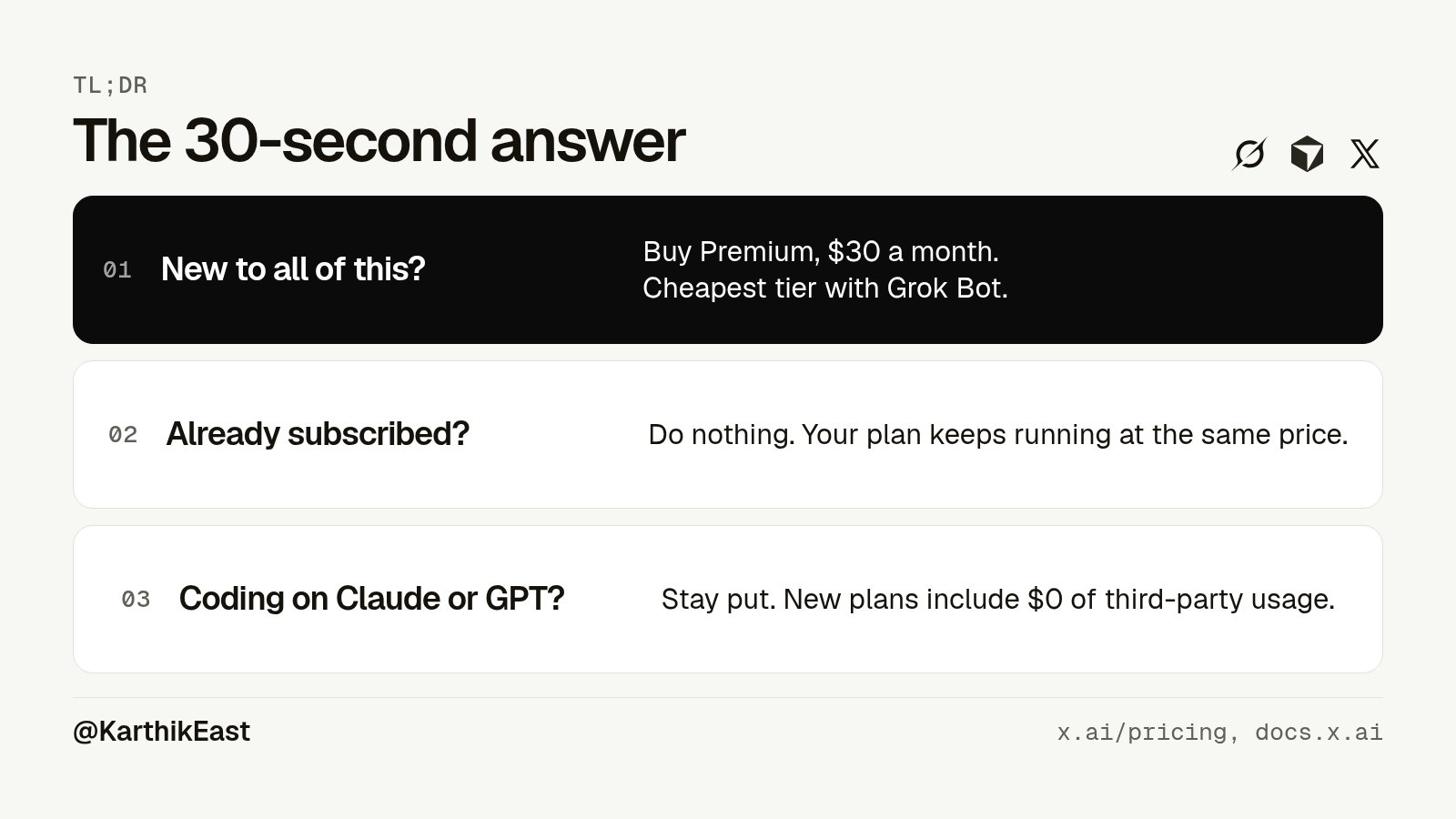
New to all of this? Premium at $30 a month is the one most people should buy. It's the cheapest tier with Grok Bot, video generation and third-party models in Cursor.
Already paying for SuperGrok, Cursor or X Premium? You don't have to do anything. Your plan keeps running at the same price. Switch only if the math works for you.
Coding all day with Claude or GPT in Cursor? Read the catches section before you touch anything. The new plans include zero third-party model usage.
The five tiers
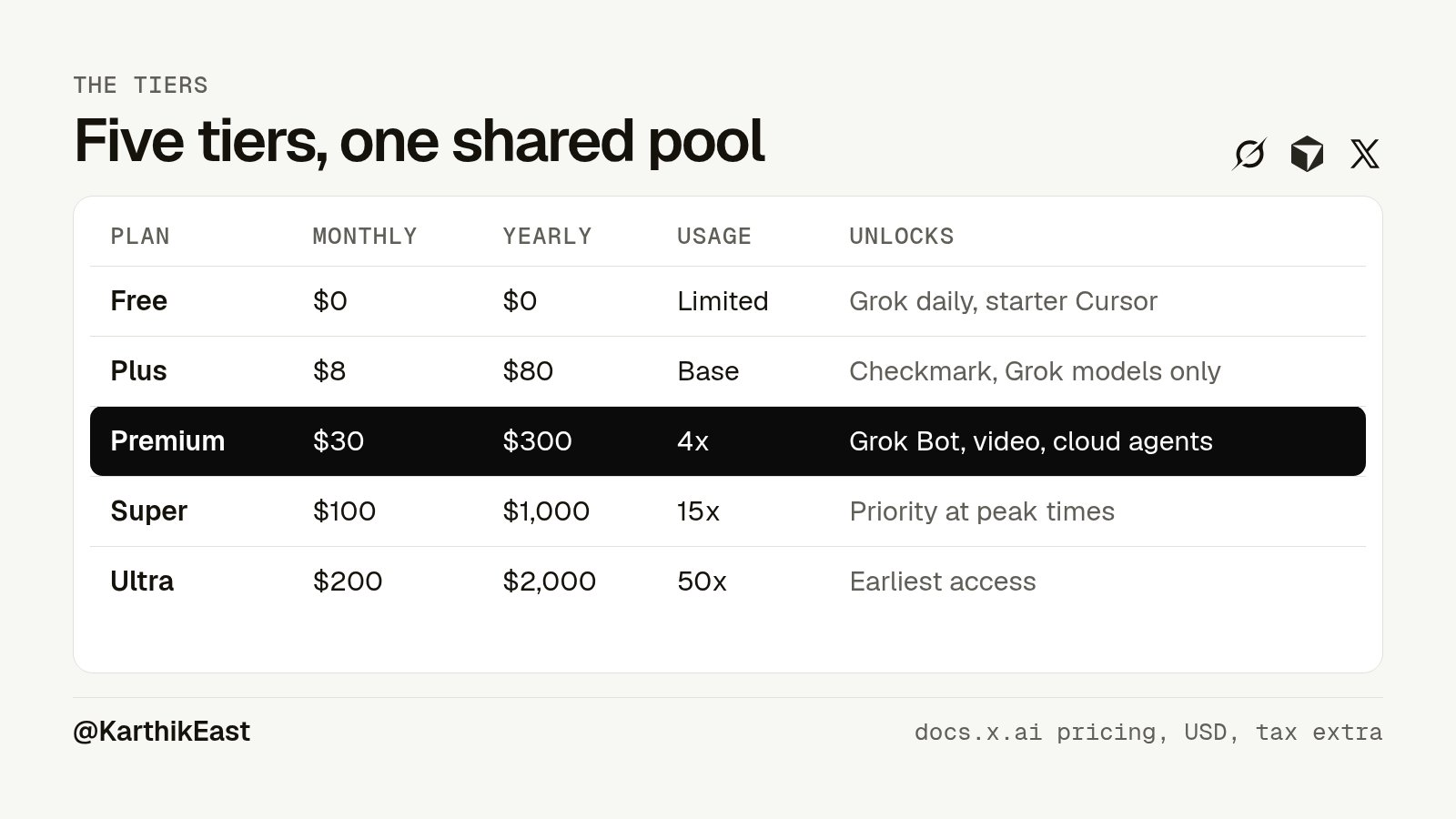
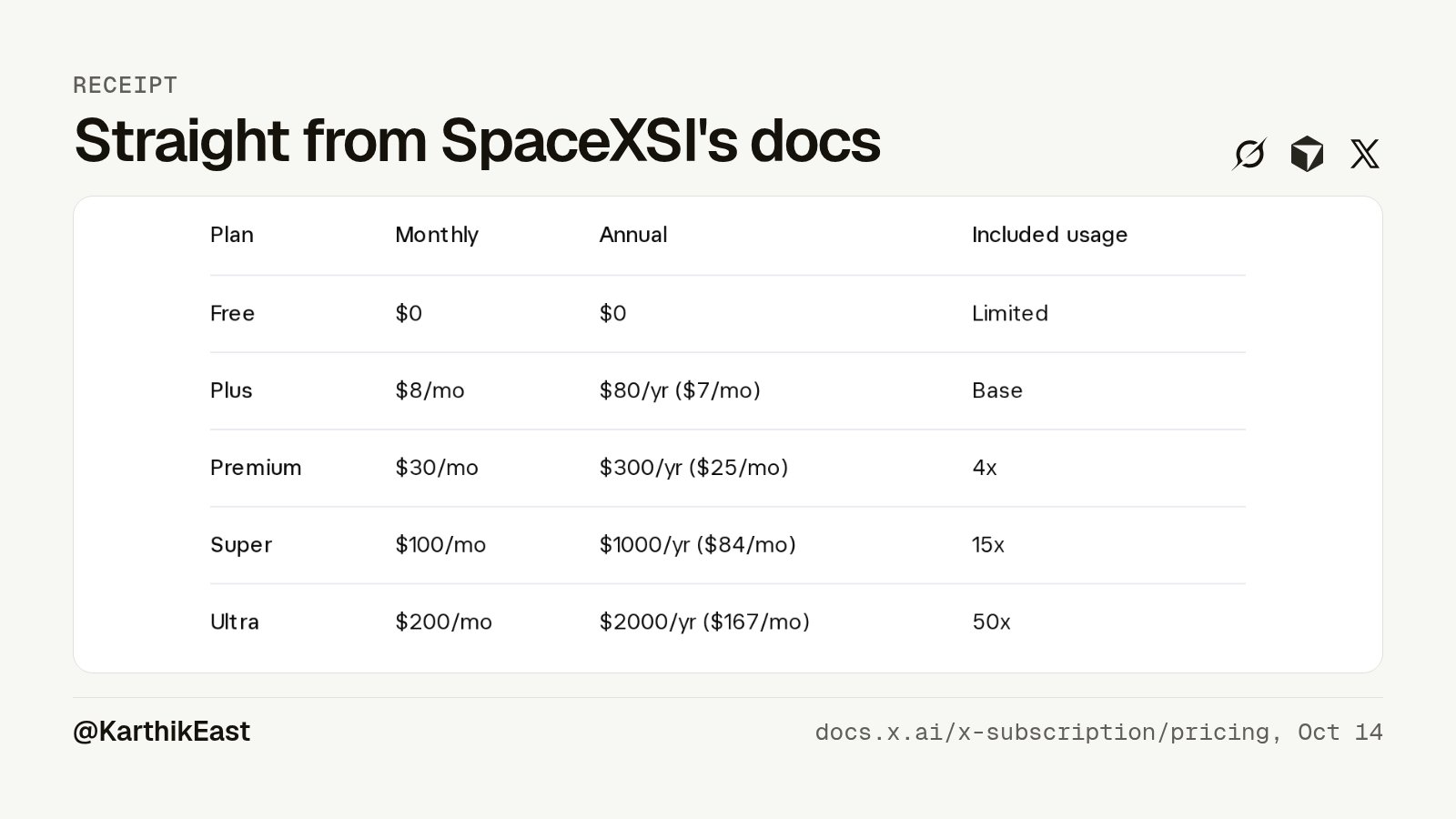
Here are the list prices from SpaceXSI's docs. US dollars, before tax.
-
Free. Monthly: $0. Annual: $0. Usage: Limited
-
Plus. Monthly: $8. Annual: $80 ($7/mo). Usage: Base
-
Premium. Monthly: $30. Annual: $300 ($25/mo). Usage: 4x Plus
-
Super. Monthly: $100. Annual: $1,000 ($84/mo). Usage: 15x Plus
-
Ultra. Monthly: $200. Annual: $2,000 ($167/mo). Usage: 50x Plus
Prices don't include tax or VAT. The pricing page says that in the small print.
Teams start at $30 per seat. The pricing page lists Teams as "$30+/user/month", with 4x to 50x Plus usage depending on the seat, pooled usage across the team, and a shared marketplace for internal rules, skills and plugins. Team admins get group-level settings and spend limits, plus access, network and audit controls for Grok Bot. Enterprise is a custom deal through sales.
SpaceXSI's own advice, straight from the pricing page: Premium for new AI users, Super for daily agent users, Ultra for power users, and Plus for social creators with light AI use.
What you actually get
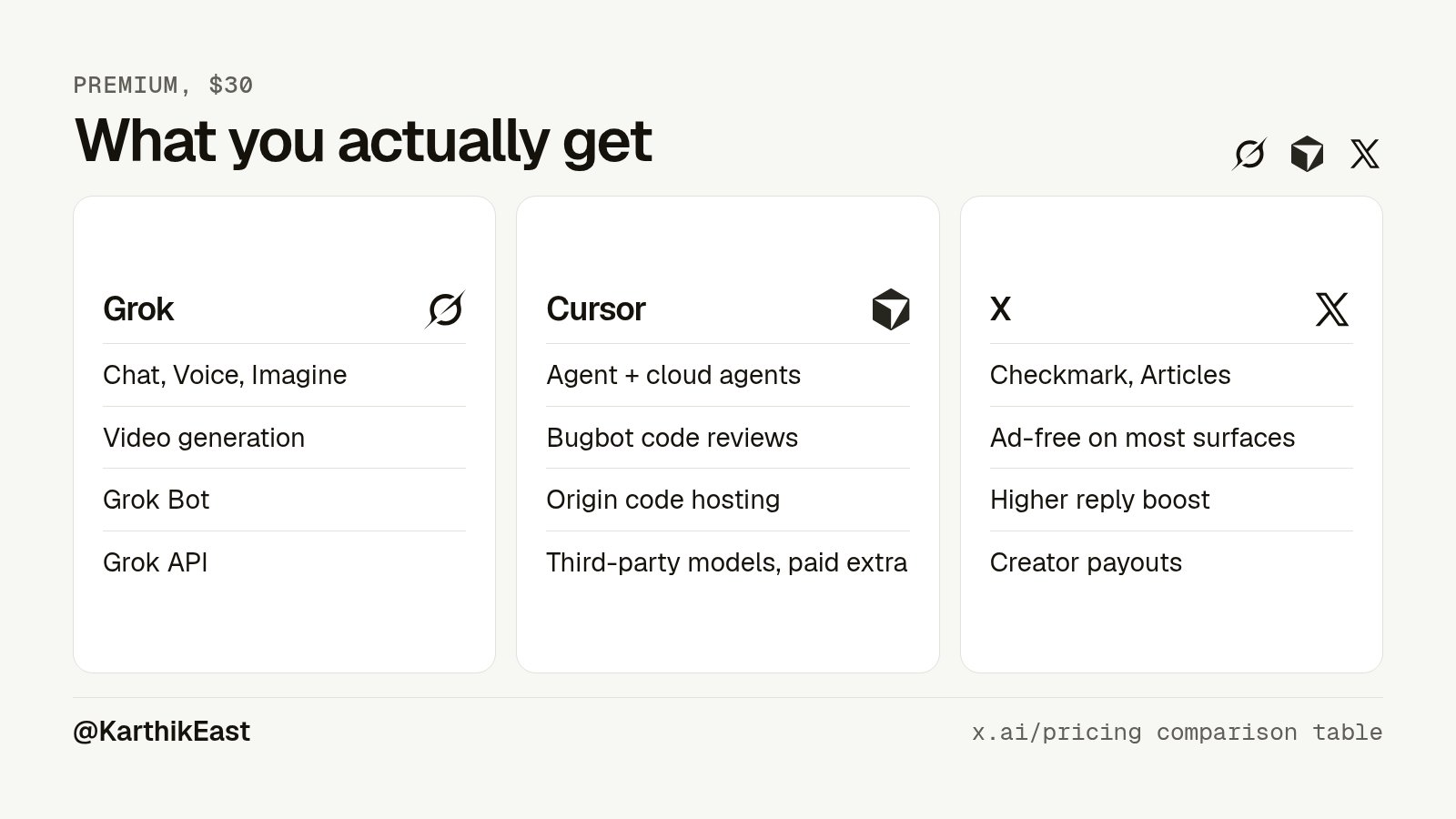
The big idea is one pool of AI usage shared across Grok and Cursor. Inside Grok it covers Chat, Imagine, Voice, Grok Bot and the API. It refreshes every week, not every month. So one heavy day doesn't burn your whole month.
If you run out, you can wait for the weekly refresh or buy top-ups.
Here's what each tier adds, per the official comparison table.
Plus ($8). Grok Chat, Voice, Imagine and Build, the Grok API and Cursor's agent. Only Grok models in Cursor. On X you get the checkmark, fewer timeline ads, edit, longer posts, Articles, creator payouts, Media Studio and advanced analytics. No Grok Bot. No video generation.
Premium ($30). 4x the usage of Plus. Grok Bot. Video generation. Cursor cloud agents and automations, code hosting via Origin and AI code reviews via Bugbot. Third-party models in Cursor at API list price. On X, ad-free scrolling on most surfaces, a preferred handle and a higher reply boost. SpaceXSI says Premium has the benefits of SuperGrok, Cursor Pro and X Premium+, which used to cost $90 a month combined.
Super ($100). 15x usage and priority model access at peak times.
Ultra ($200). 50x usage and the earliest access to new products and models.
One more official claim worth knowing. SpaceXSI says each plan includes at least twice as much coding usage with its own models as the comparable Cursor plan. Cursor staff on the forum said Premium is the plan comparable to Cursor Pro ($20).
The catches nobody puts in the headline
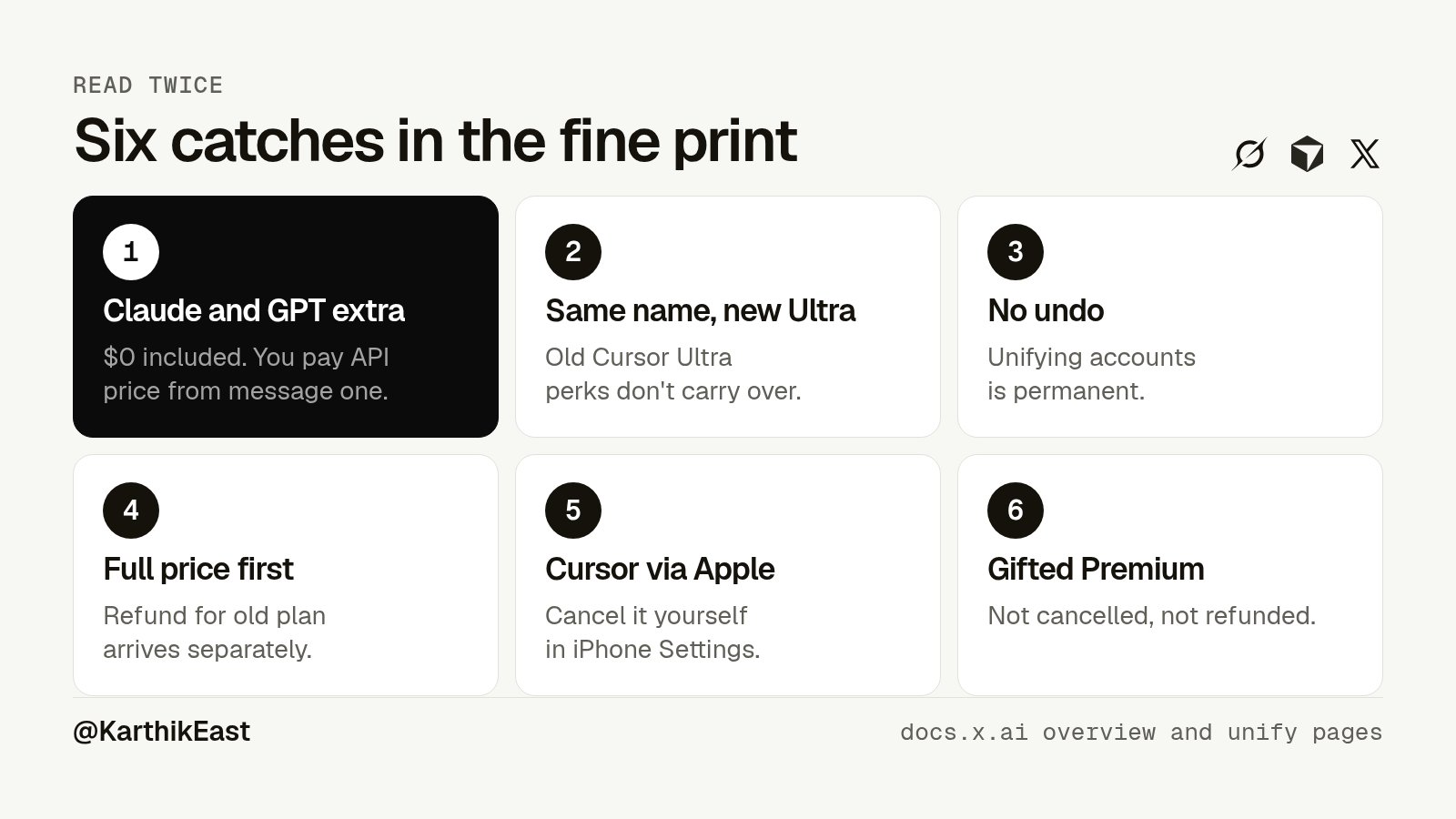
This is the part I'd read twice.
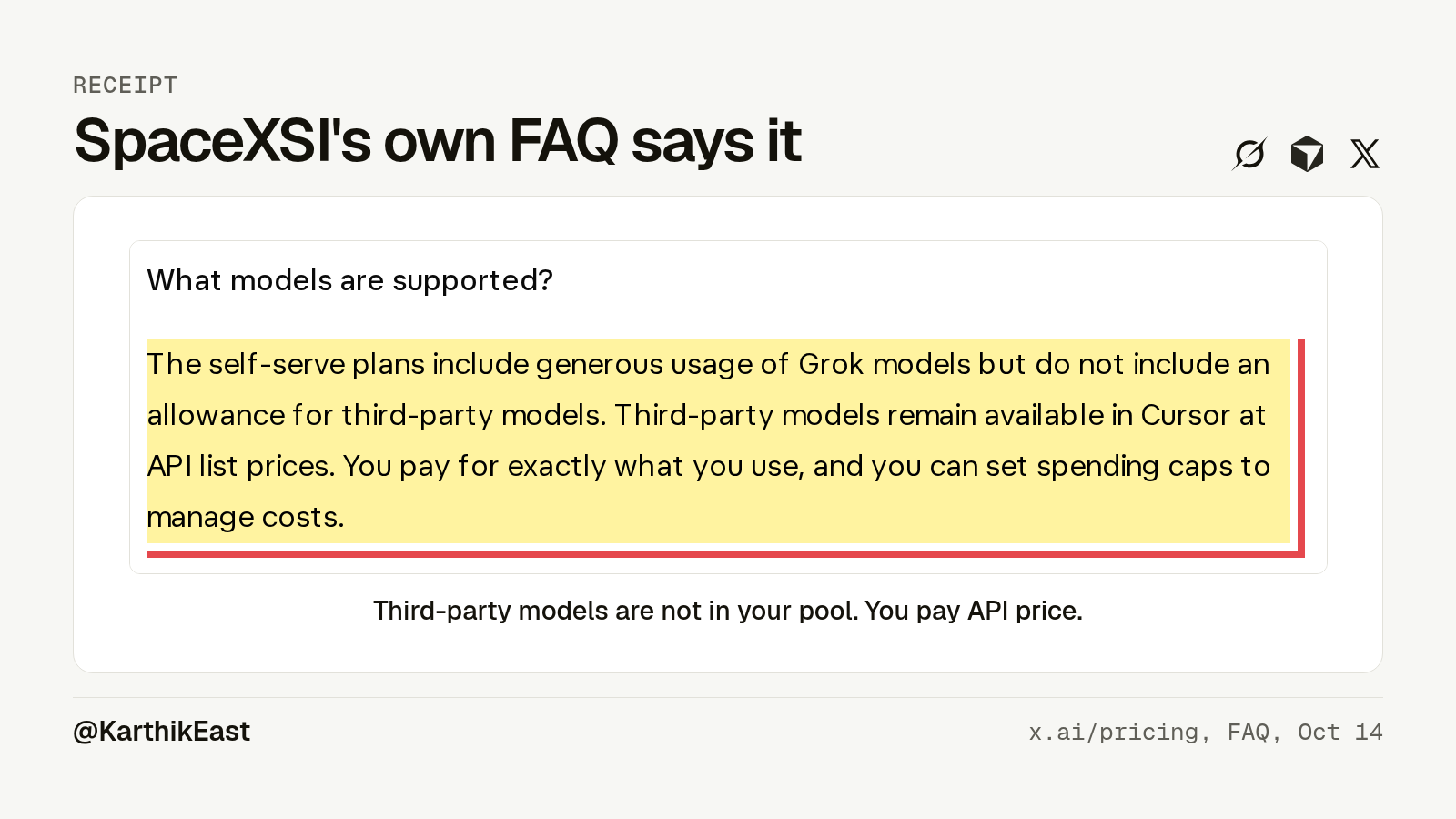
- Third-party models are not included. At all. Claude and GPT still work in Cursor on Premium and up. But you pay API list price from the very first request. The pool only covers Grok models. On Plus, you can't use third-party models in Cursor at all.
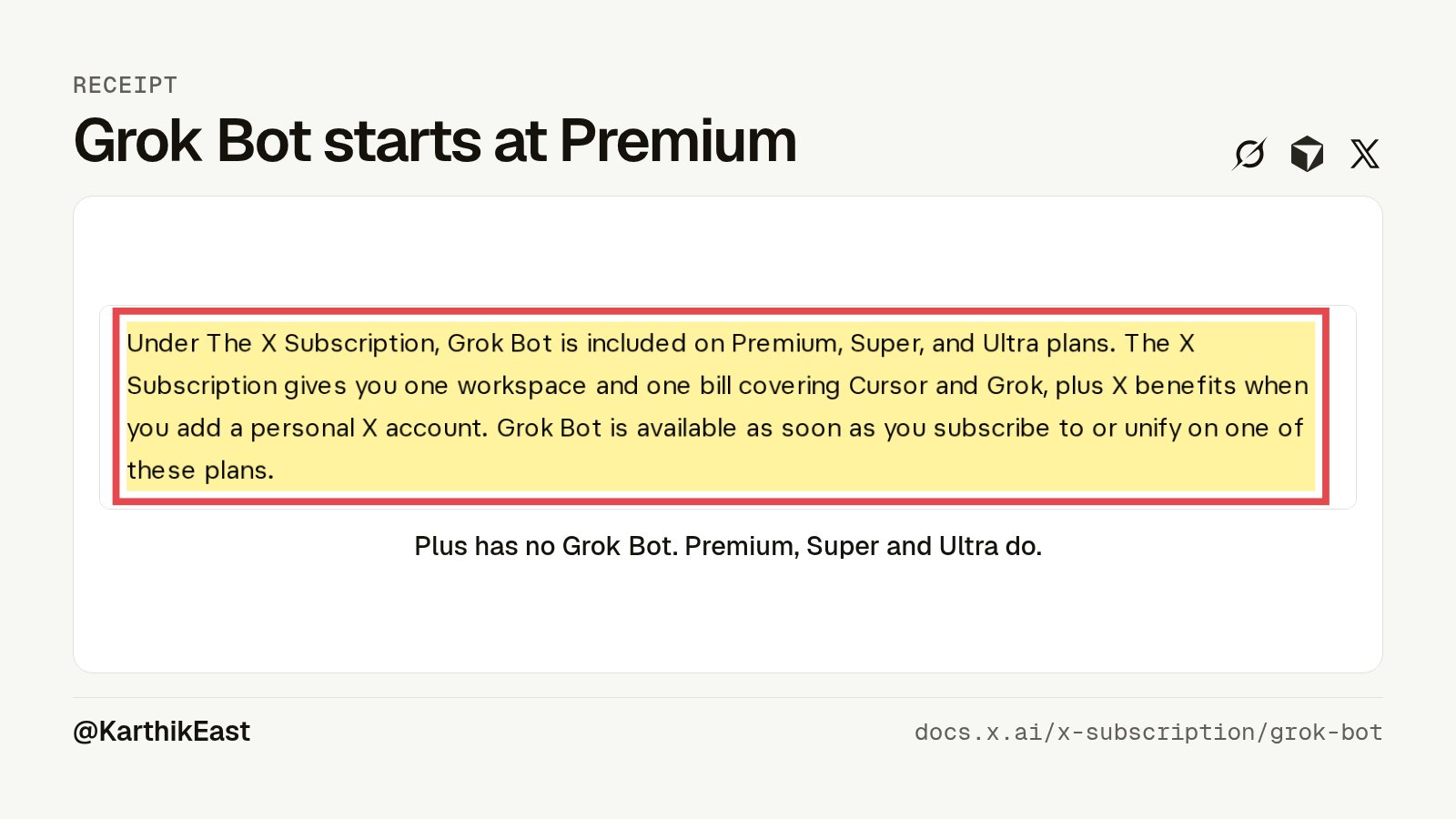
Here's the exact line from SpaceXSI's own FAQ.
- Old Cursor Ultra and new Ultra are not the same thing. Same name, same $200. Old Cursor Ultra came with an included pool for third-party models. New Ultra has none.
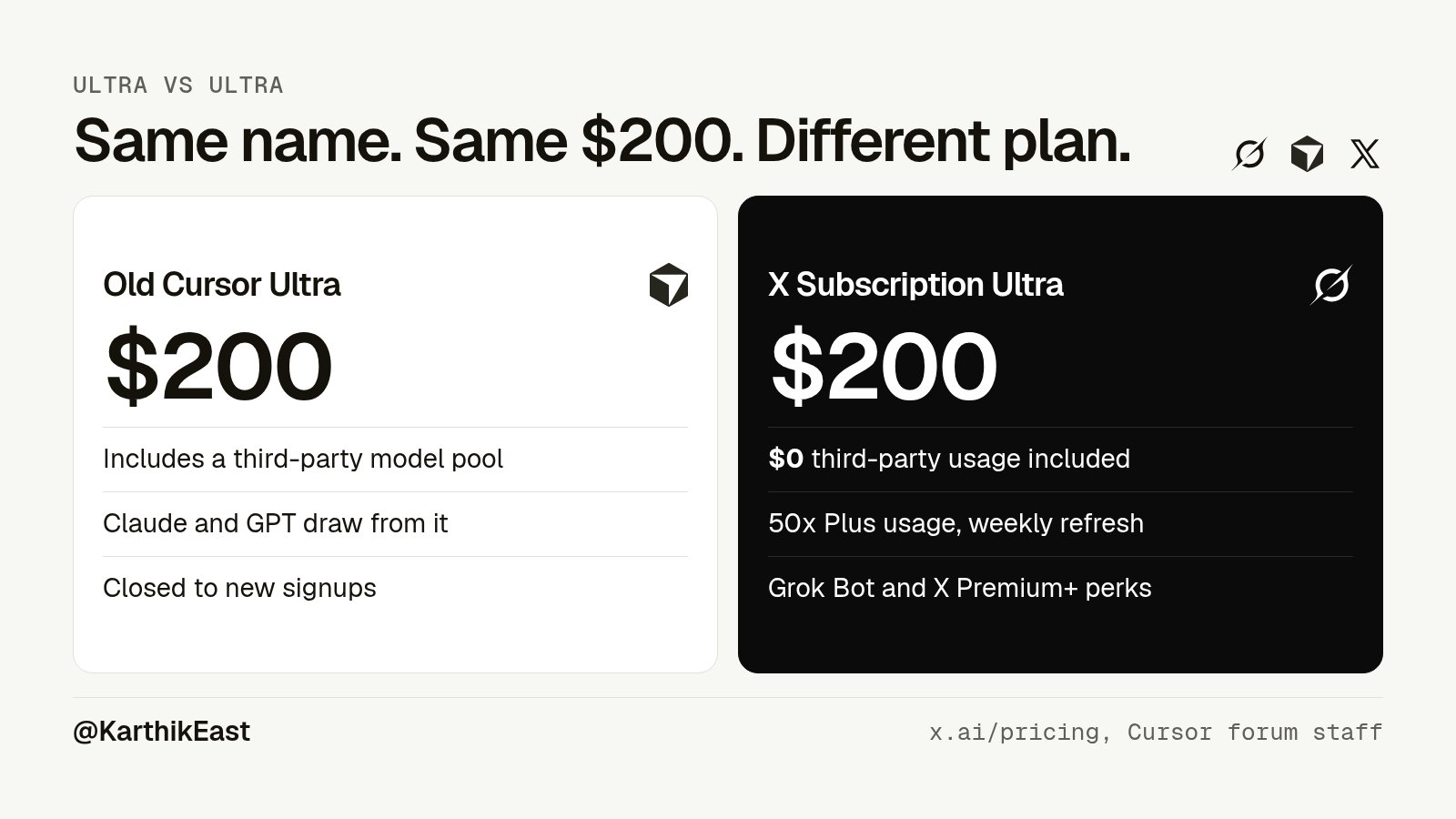
@lambdua put a number on it.
I checked this one carefully. The "$0 for third-party models" part is confirmed by SpaceXSI's pricing page and docs. The "$400 a month" figure I could not find on any live Cursor page. Cursor's help page today only lists the $200 price. Cursor staff did confirm on the forum that your included third-party usage continues as long as you stay on the old plan. So the direction is right. I just can't point you to a live official page with "$400" on it today.
-
Switching is permanent. Once your accounts are unified, you can't undo it. The docs say Support can't undo it either.
-
You pay full price first, then get the refund. The prorated refund for your old plan goes back to your card separately. It isn't taken off your checkout total. Expect a few days for it to land.
-
Apple won't play along for Cursor. If you pay for Cursor through the App Store, switching does not cancel it. Cancel it yourself in iPhone Settings, or Apple keeps billing you. For Grok, Grok Bot or X Premium bought on the App Store, SpaceXSI asks Apple for a refund and Apple decides. On Google Play, check that it stopped renewing.
-
Gifted Premium and Apple Family Sharing get nothing back. The docs say those aren't cancelled or refunded.
Bonus catch: there are no resellers. The pricing page says subscriptions bought anywhere other than the official site can be suspended. If someone sells you "cheap X Subscription", walk away.
How it stacks up against other subs
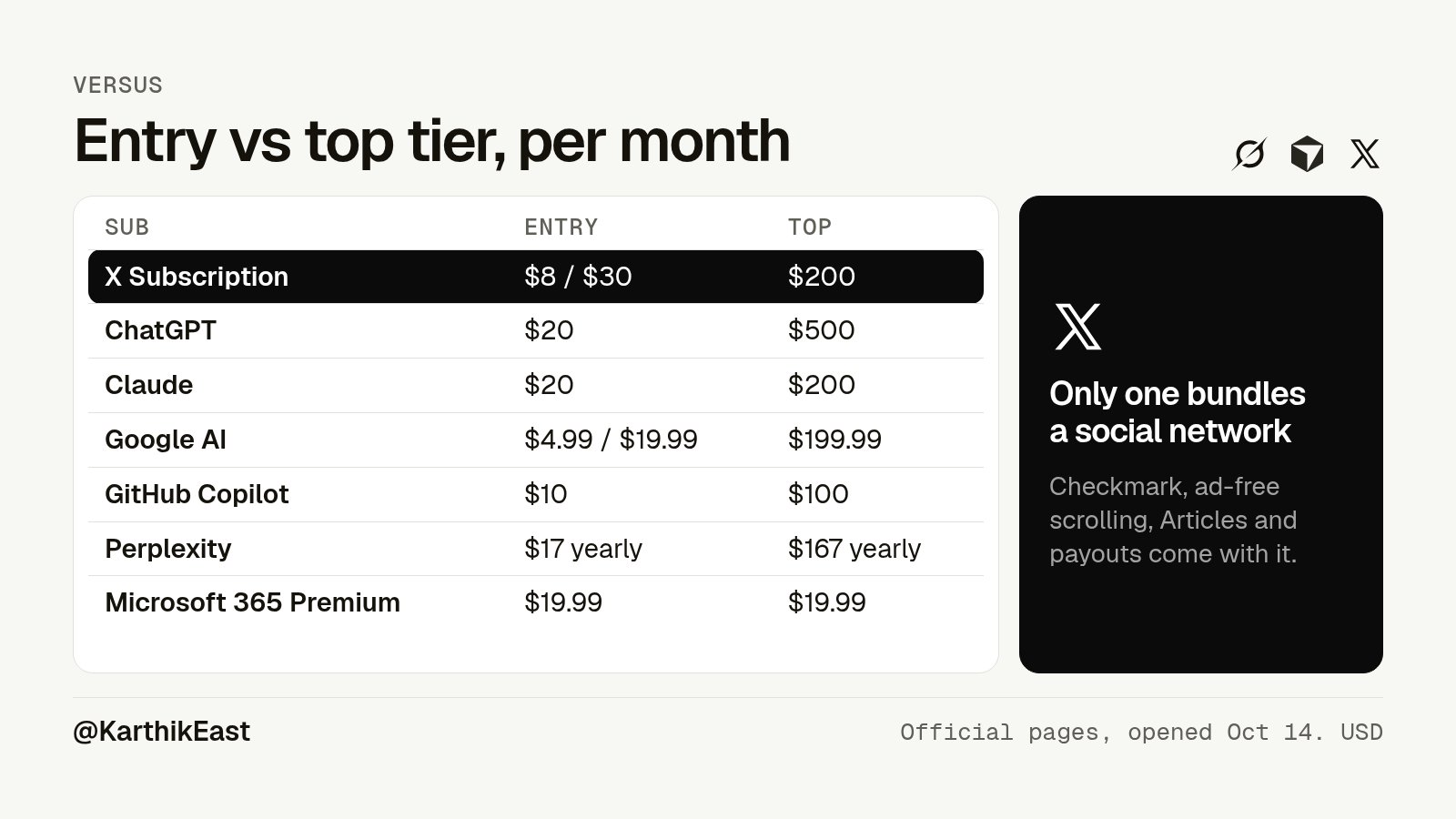
I opened every one of these pages myself on Oct 14. Monthly, in USD, before tax.
-
The X Subscription. Entry paid tier: $8 Plus, $30 Premium. Top individual tier: $200 Ultra
-
ChatGPT. Entry paid tier: $20 Plus. Top individual tier: $500 Pro 500 (also $100 and $200)
-
Claude. Entry paid tier: $20 Pro ($17 yearly). Top individual tier: $200 Max 20x ($100 for 5x)
-
Google AI. Entry paid tier: $4.99 Plus, $19.99 Pro. Top individual tier: $199.99 Ultra 20x ($99.99 for 5x)
-
GitHub Copilot. Entry paid tier: $10 Pro. Top individual tier: $100 Max ($39 Pro+)
-
Cursor (old plans). Entry paid tier: $20 Pro. Top individual tier: $200 Ultra
-
Perplexity. Entry paid tier: $17 Pro (billed yearly). Top individual tier: $167 Max (billed yearly)
-
Microsoft 365 Premium. Entry paid tier: $19.99. Top individual tier: $19.99
Price alone hides the real difference. What you get for the money is very different.
Only The X Subscription bundles a social platform. The checkmark, ad-free scrolling, creator payouts and Articles are worth real money if you post on X. Nobody else in that table gives you that.
Google gives students the best free deal. Eligible students get Google AI Pro free for a year. You have to redeem it by Dec 31, 2026, and it bills $19.99 a month after the year unless you cancel. I found no student discount anywhere on The X Subscription pages, and no student offer in any SpaceXSI or Cursor post since launch.
Claude and ChatGPT win if you want their models. If your daily coding model is Claude or GPT, a $20 Claude Pro or ChatGPT Plus plan includes that model. The X Subscription makes you pay API rates for it.
For Grok-heavy users, it's the cheapest bundle around. $30 gets you a chat app, an agent (Grok Bot), a coding tool and X Premium+ level perks. SpaceXSI says that used to be $90.
Pick your tier
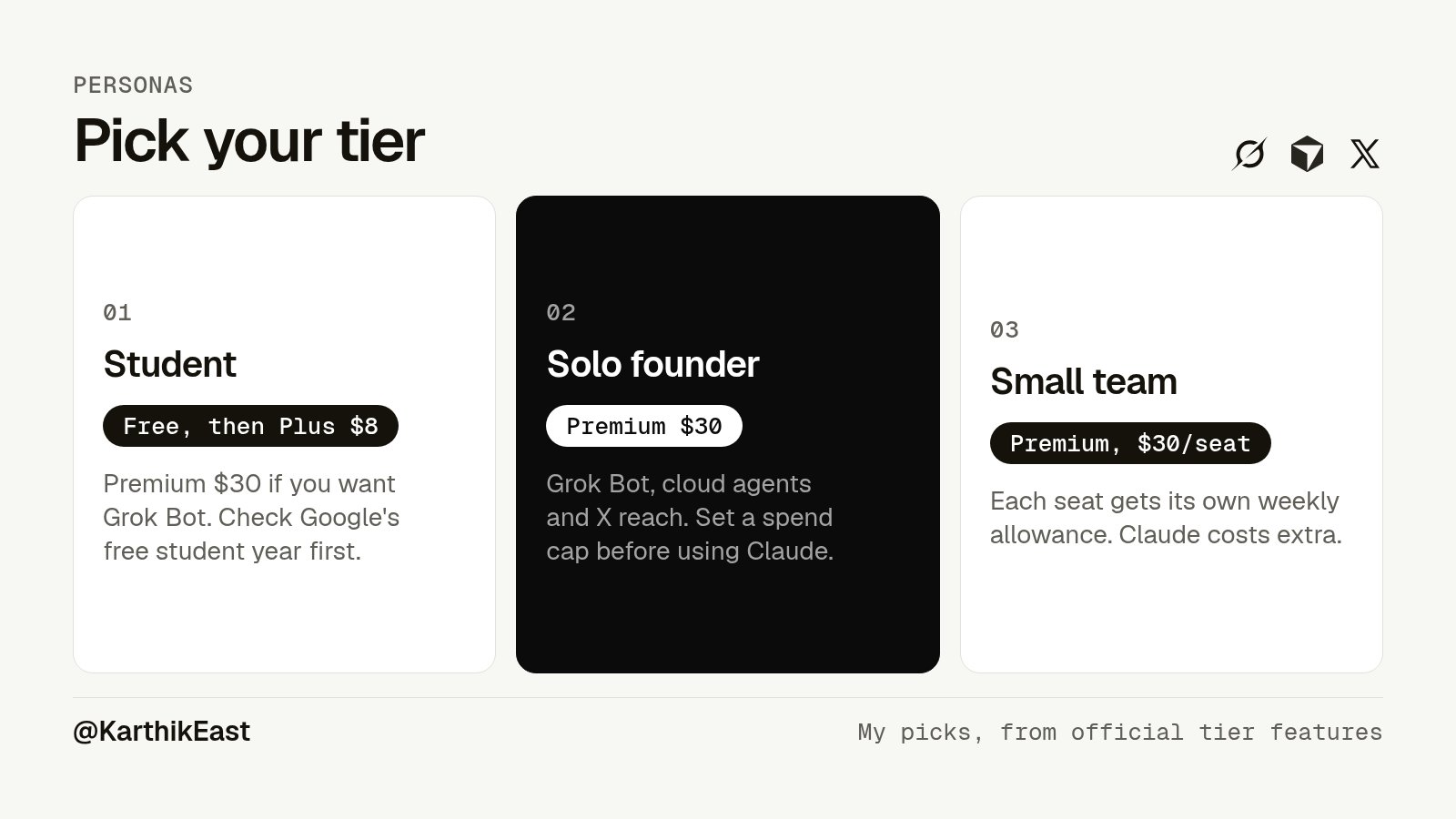
Student. Start on Free. Move to Plus at $8 if you mostly want the checkmark and Articles on X. If you want Grok Bot or video, Premium at $30 is the floor. Before you pay, check if you qualify for Google's free year of AI Pro. Pay yearly if you're sure, since Premium drops to $25 a month.
Solo founder. Premium at $30. You get Grok Bot to run tasks, Cursor cloud agents, Bugbot reviews and X reach for your launch posts. Set a spending cap on third-party models so a long Claude session doesn't surprise you. Move to Super only when you keep hitting the weekly limit.
Small team. Premium seats at $30. SpaceXSI says that's cheaper per seat than the old Cursor Teams plan, which Cursor lists at $40 per user. Each seat also gets X benefits once that person connects their own X account. If your team codes mostly on Claude or GPT, run the numbers on API costs first.
Grok Bot, by tier
People keep asking this, so here it is plainly.
Free and Plus: no Grok Bot. The docs say to choose Premium or higher.
Premium, Super and Ultra: Grok Bot is included. It draws from the same weekly pool as Grok and Cursor. Super and Ultra just give you a bigger pool.
Getting Grok Bot through SuperGrok today? If you switch, your Grok Bot usage moves to the new weekly pool.
Cancelling, taxes, regions and resellers
Cancel anytime. You keep your benefits until the end of the billing period. That's straight from the launch FAQ.
Tax is extra. Every price on the page is before tax or VAT.
Rolling out globally. SpaceXSI says it will be available to everyone "over the next few days". If you don't see it yet, it hasn't reached your account. I couldn't find any official local-currency price list, so check the page while signed in.
Cursor credit. If your Cursor account has a credit balance, you pay in full at checkout, then the credit refunds that charge. Anything left goes toward future bills.
Existing users: the stuff you actually asked
Should I switch? The 20-second flow
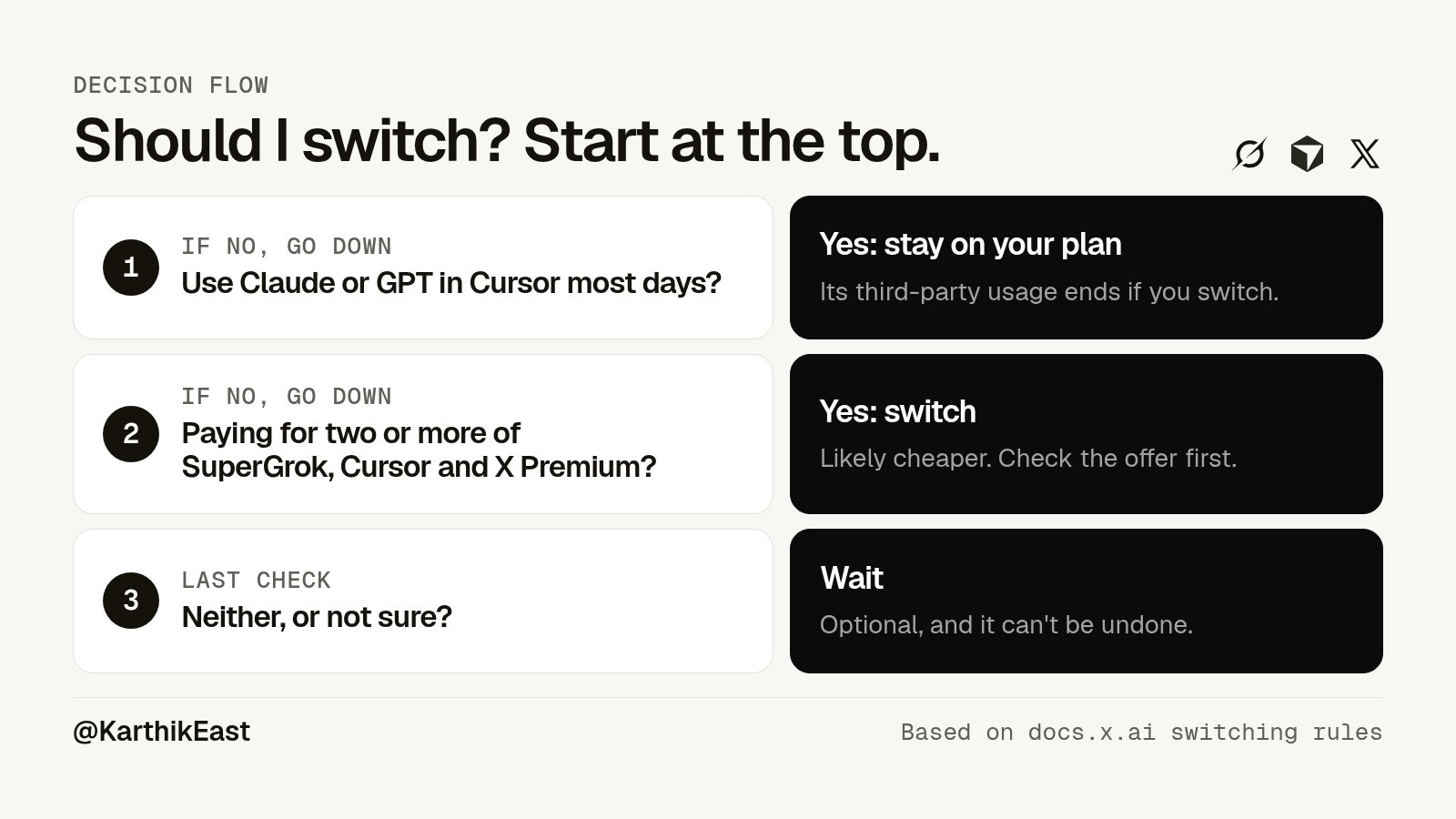
Start here.
Do you use Claude or GPT in Cursor most days? If yes, stay on your current Cursor plan. Your included third-party usage only lasts while you stay.
If no, do you pay for two or more of SuperGrok, Cursor and X Premium? If yes, switching probably saves you money. Check the offer in your billing settings first.
If you only pay for one of them, compare that price to the matching tier. X Premium+ people should look at Premium at $30. SpaceXSI's docs say Premium and above include full Premium+ benefits on X.
Not sure? Do nothing. Nothing breaks.
Myth vs fact
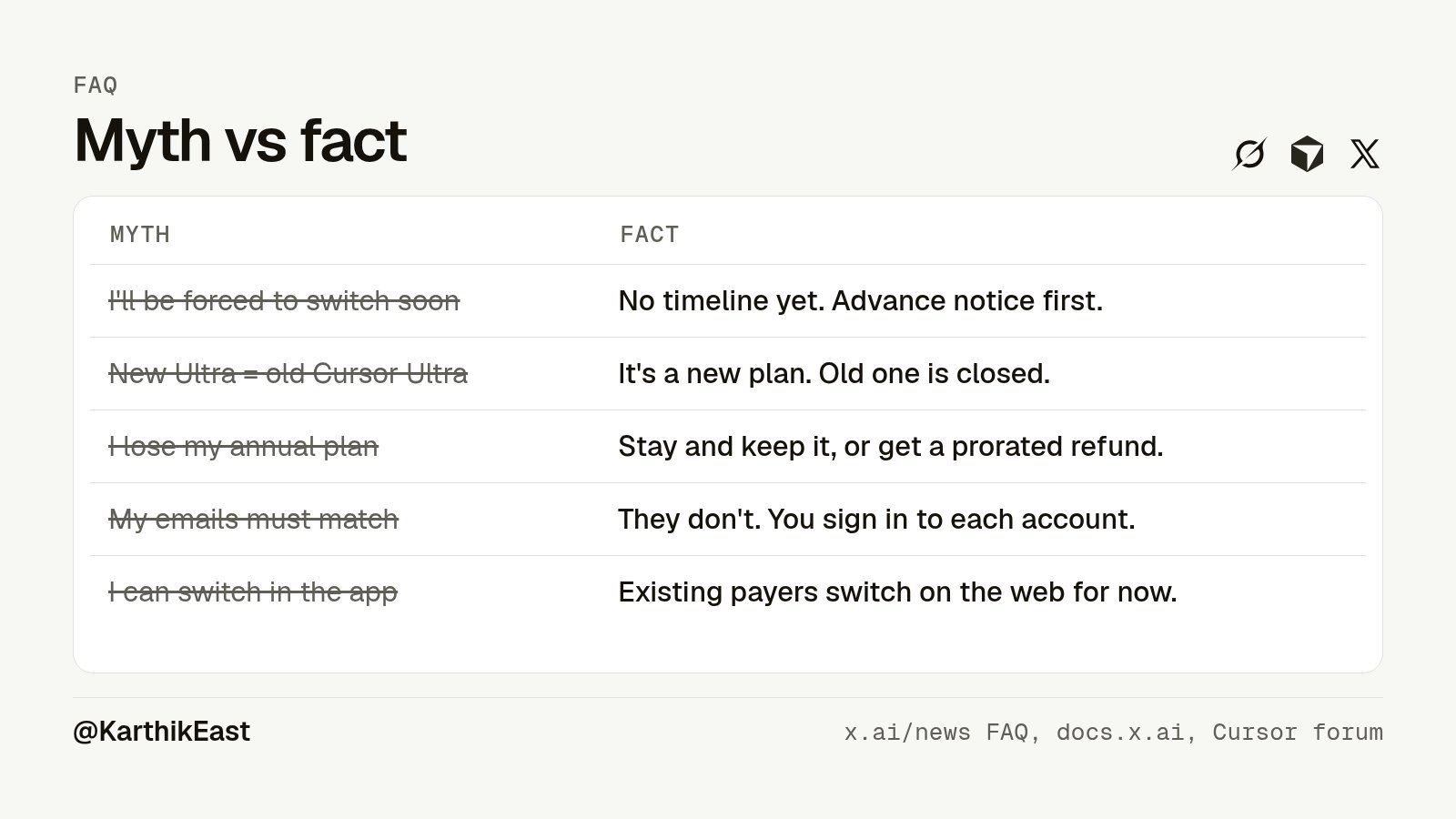
Myth: I'll be forced to switch soon.
Fact: Not for now. SpaceXSI says it will eventually move remaining customers, but "there's no timeline yet," with advance notice first.
Myth: Ultra is the same as old Cursor Ultra.
Fact: Cursor staff said it plainly. It's a new plan, and the old Cursor Ultra is closed to new signups.
Myth: I lose the rest of my annual plan.
Fact: You keep every day you paid for if you stay. If you switch, you get a prorated refund.
Myth: My emails must match across X, Grok and Cursor.
Fact: They don't. You sign in to each account during the switch. The docs warn you to check each one before you confirm, so you don't merge work and personal by accident.
Myth: I can switch in the app.
Fact: Not if you already pay. For now the mobile apps send existing subscribers to the web. New users can buy in the apps through the App Store or Google Play.
Quick-fire round
Does my X Premium+ stay if I switch? Pick Premium or higher and you keep full Premium+ benefits. Your old X Premium is cancelled and refunded, then replaced by the plan you pick. The X perks need a personal X account connected.
Where do I manage it after? grok.com/dashboard. That's also where you move up a tier later. @grok confirmed the unify page is only for the first switch.
When does my new billing cycle start? The day you switch.
I have two Cursor accounts. Now what? You choose a primary one and the other merges into it. The docs say this isn't available for every account.
Can one X account link to two Grok accounts? No. One X account combines with one Grok account.
Enterprise? Cursor Enterprise customers without an active Grok account can switch through their account team. Other Enterprise accounts can't switch yet.
I don't see the switch button. It's rolling out gradually. Pay any unpaid invoice first. Accounts billed by invoice can't use the self-serve flow.
Are there switch offers? SpaceXSI says yes, "limited-time offers" in your billing settings. They didn't publish the amounts, so I can't tell you what yours is.
How to switch, step by step
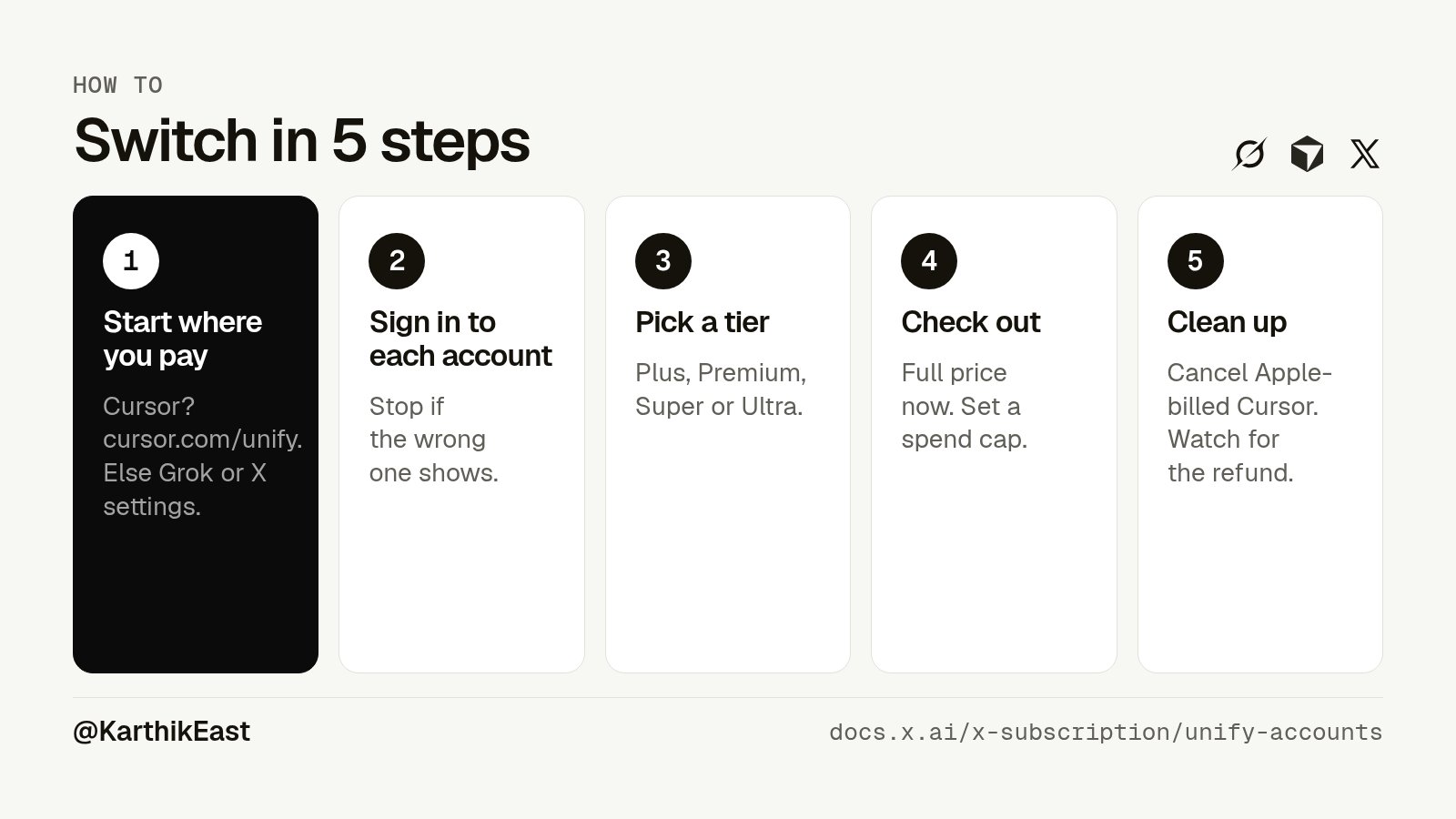
Sawyer Merritt posted the full official steps if you want the long version.
Here's the short version.
-
Pick your starting point. If you pay for Cursor, start at cursor.com/unify. If you only have Grok, use accounts.x.ai/unify or grok.com Settings, Billing. If you only have X Premium, use the banner in your X subscription settings. Starting from X doesn't include Cursor.
-
Sign in to every account you want to merge. Check each one is the right account. Stop before checkout if the wrong one shows up.
-
Choose your tier. Plus, Premium, Super or Ultra. The flow suggests one based on what you pay for now.
-
Check out. You pay the full new price. Turn on auto top-up or a spending cap here if you use third-party models.
-
Clean up. Cancel any Cursor subscription billed by Apple yourself. Check Google Play. Watch your card for the refund.
My verdict
If you mostly live in Grok and post on X, The X Subscription is a good deal. Premium at $30 replaces what SpaceXSI says cost $90 before, and you get Grok Bot thrown in.
If your coding runs on Claude or GPT, the new plans are a worse deal than what you have today. Keep your current Cursor plan for as long as it lasts.
If you're a student, start free, look at Google's student offer, and only pay when you hit a limit.
And if you're unsure, wait. Switching is optional and you can't undo it, so take your time.
I'll update this if SpaceXSI changes the prices or publishes the switch offers.
Sources
- SpaceXSI launch post
- Announcement and FAQ
- Pricing page
- Docs, pricing
- Docs, overview
- Docs, how to unify
- Docs, do I have to switch
- Docs, X Premium customers
- Docs, eligibility
- Docs, Grok Bot
- Cursor pricing
- Cursor help, legacy plans
- Cursor forum, staff answers
- @cursor_ai post
- Sawyer Merritt post
- @lambdua post
- ChatGPT pricing
- Claude pricing
- Google AI plans
- GitHub Copilot plans
- Perplexity pricing
- Perplexity Max
- Microsoft 365 Premium
- ChatGPT Plus
- Google student offer terms
- @grok on managing tiers after switching
Published on grokbot.sh. Cite the public log, not a prompt pack.