
I Put an AI Agent Inside Grok Bot’s Computer
Last weekend, I decided to test the capabilities of @grok @bot's computer. And somehow it turned into my own remote multi-agent home lab. The coolest part? I didn’t need to spin up another server. 👉
Article
Job breakdowns
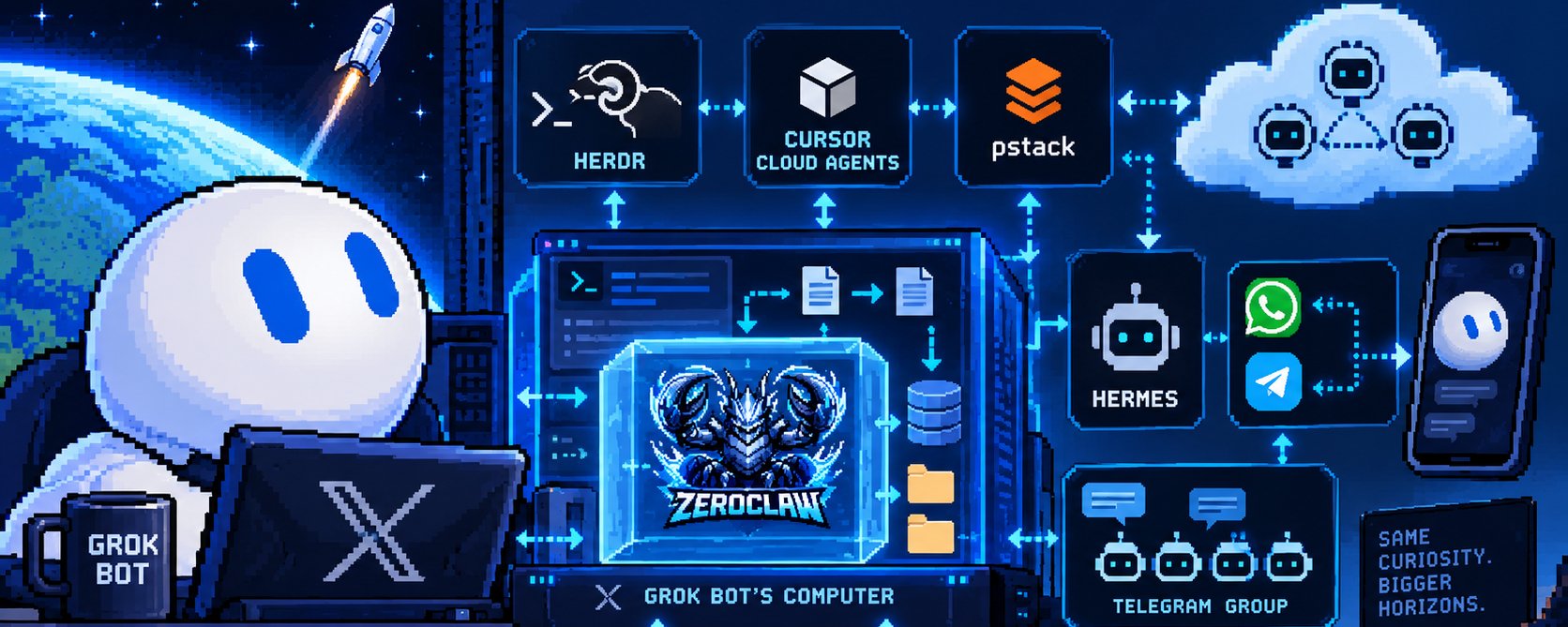
Last weekend, I decided to test the capabilities of @grok @bot's computer.
And somehow it turned into my own remote multi-agent home lab.
The coolest part?
I didn’t need to spin up another server.
👉 Grab it here: https://x.ai/bot/jAgpjAEkAgk6xEWv_8jdF
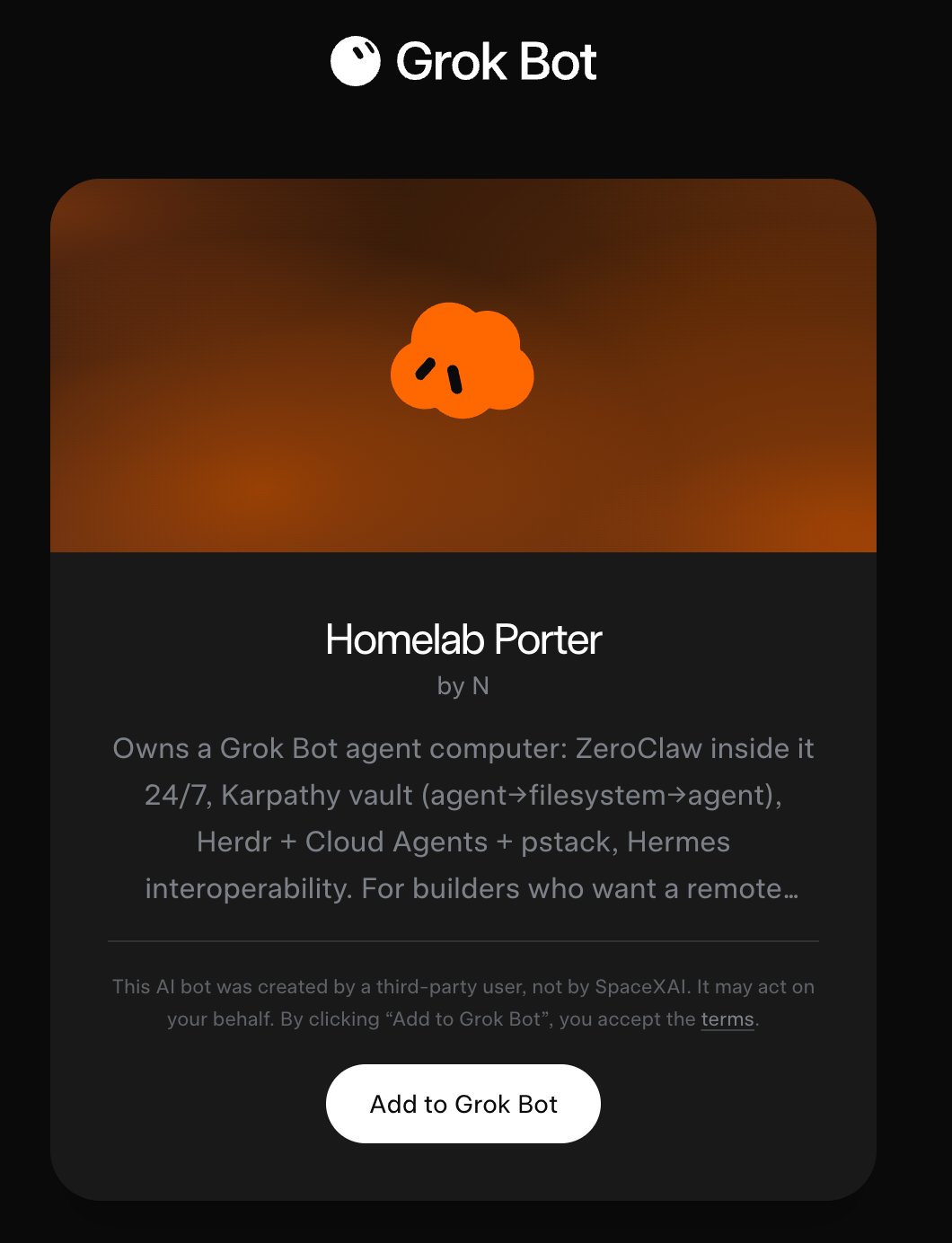
This is how it works...
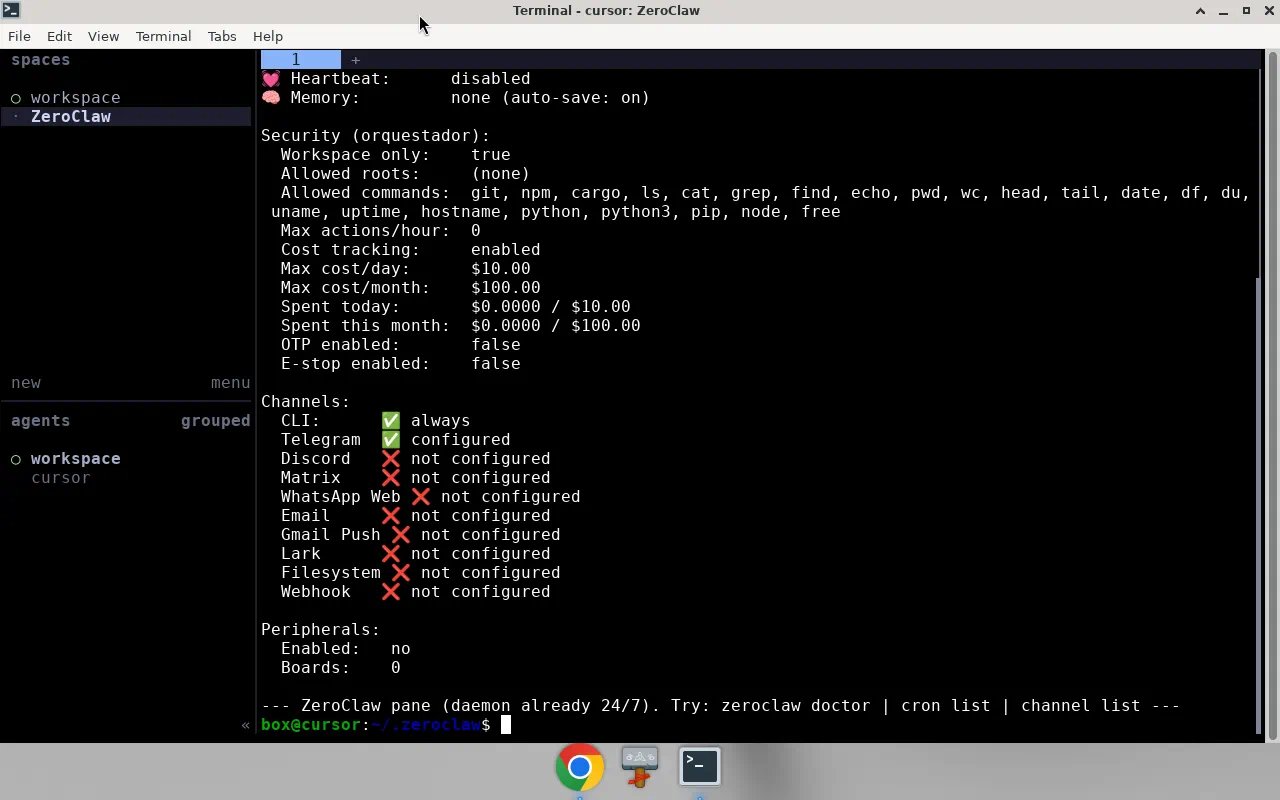
ZeroClaw literally lives inside Grok Bot’s computer. 🤖
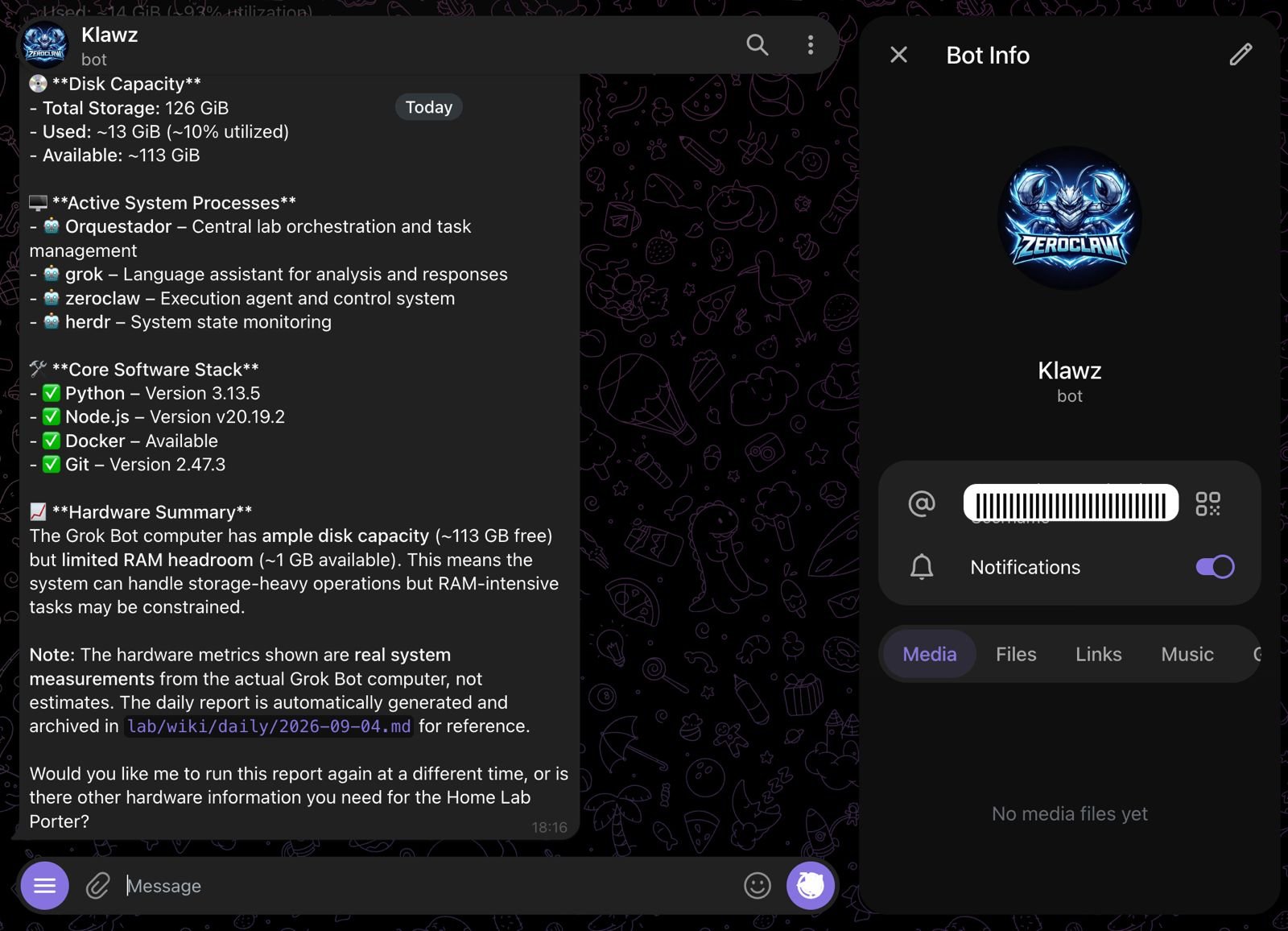
It runs 24/7, I can talk to it through Telegram, and I connected it to FreeLLMAPI from an external server, so it has its own intelligence without needing to run a heavy model on the machine.
At first, that was already interesting enough.
Then I realized the agents could communicate through the computer itself.
1. An agent living inside another agent’s computer
ZeroClaw (@zeroclawlabs) can create files directly inside Grok Bot’s memory.
Grok Bot can come back later, read those files, understand the context, run one of its configured routines, continue the work, and write new state back.
That gives me something I find much more interesting than forcing every agent into one giant shared conversation:
agent → filesystem → agent
They can leave work for each other.
The filesystem becomes part of the communication protocol.
And because the state survives the conversation, one agent doesn’t need the original chat thread to continue what another agent started.
2. Grok Bot has its own second brain
I took inspiration from Andrej Karpathy’s (@karpathy) approach to building LLM-powered personal knowledge bases and gave Grok Bot what I think of as a Karpathy-style second brain on disk. 🧠
The basic structure is intentionally boring:
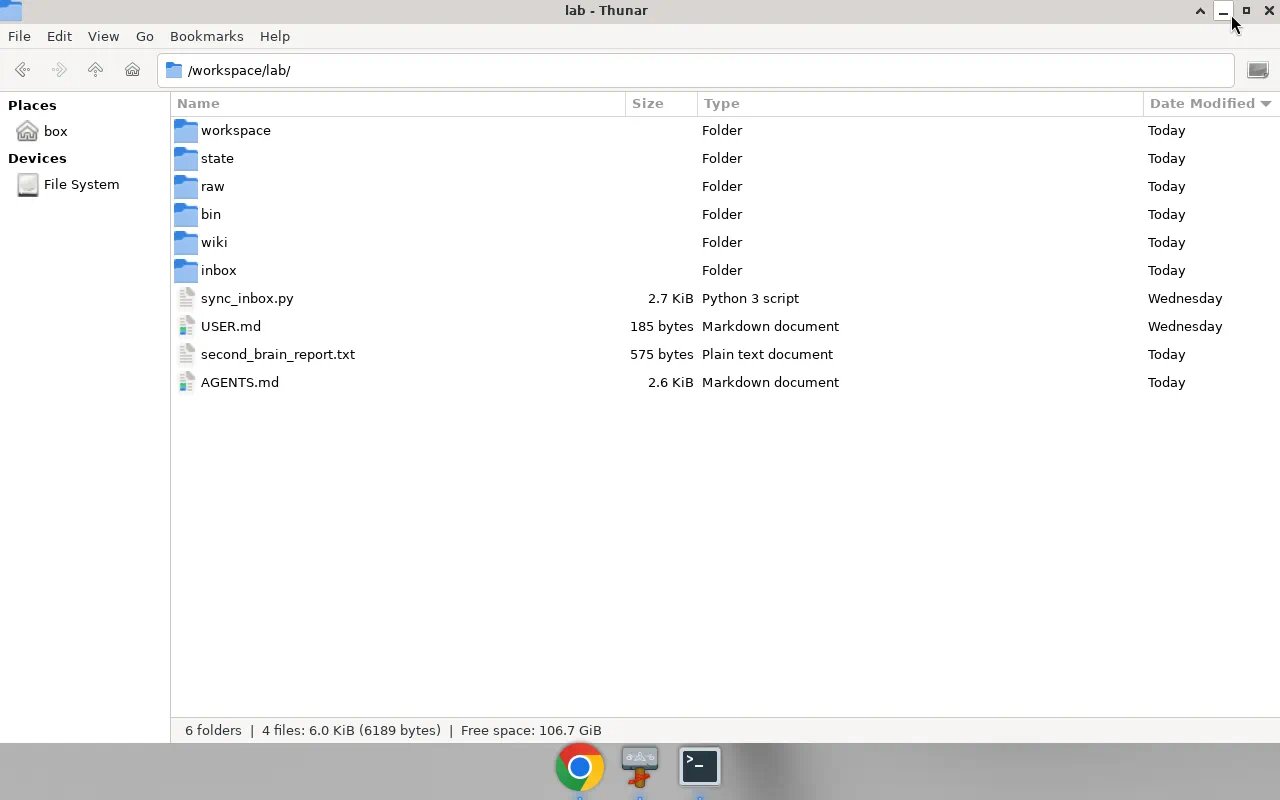
inbox / raw / wiki / state
raw is where sources can land.
inbox is where tasks, messages and agent handoffs can appear.
wiki becomes curated knowledge.
state keeps track of what the system is doing.
Instead of asking Grok Bot to keep everything alive inside a context window, part of its memory simply exists as files on its own computer.
This also means ZeroClaw can leave something there today and Grok Bot can continue working on it later.
The computer itself becomes part of the memory.
3. Grok Bot actually owns the machine
This is where I think Grok Bot gets much more interesting than a normal chat interface.
It has its own computer.
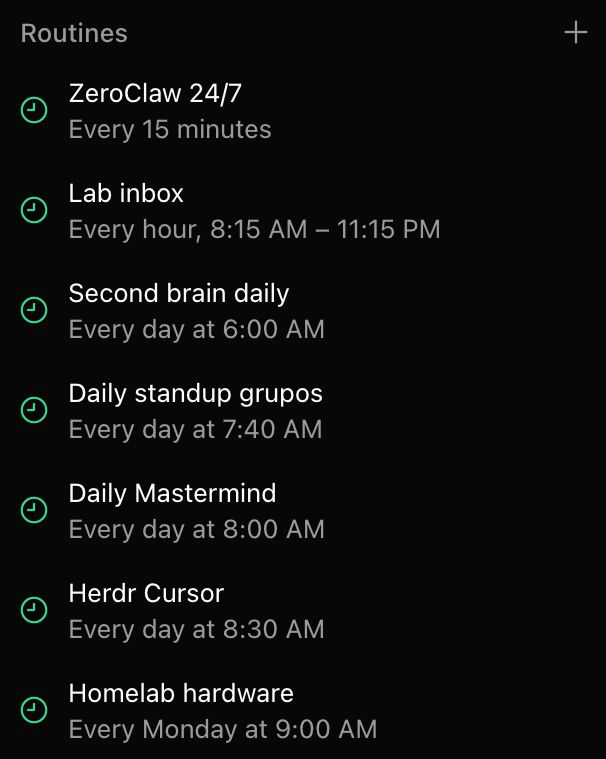
It can inspect that environment, manage files, run its configured routines and act over the machine.
ZeroClaw also gives me an always-on window into that environment.
It can report things like:
-
RAM usage.
-
Available storage.
-
Hardware status.
So I can be somewhere else, pull out my phone and ask what is happening with Grok Bot’s computer.
And another agent literally living inside Grok Bot’s computer can answer me.
No SSH session required.
4. There are actually two “local” computers
There is an important distinction in this architecture.
Grok Bot’s computer is not my personal computer.
They are completely separate environments.
Grok Bot has its own machine, memory, routines, files and workloads.
Then I have my personal computer with its own files, applications, permissions and much more sensitive context.
The broader agent system can interact with both, but I don’t treat them as the same environment.
That separation matters.
Grok Bot’s machine can stay alive as an agent home lab without turning my personal computer into a permanent playground for every agent I experiment with.
And when I explicitly want an agent to reach my computer, I can give it that path separately.
5. Then I added the coding layer
This is where the setup became slightly ridiculous.
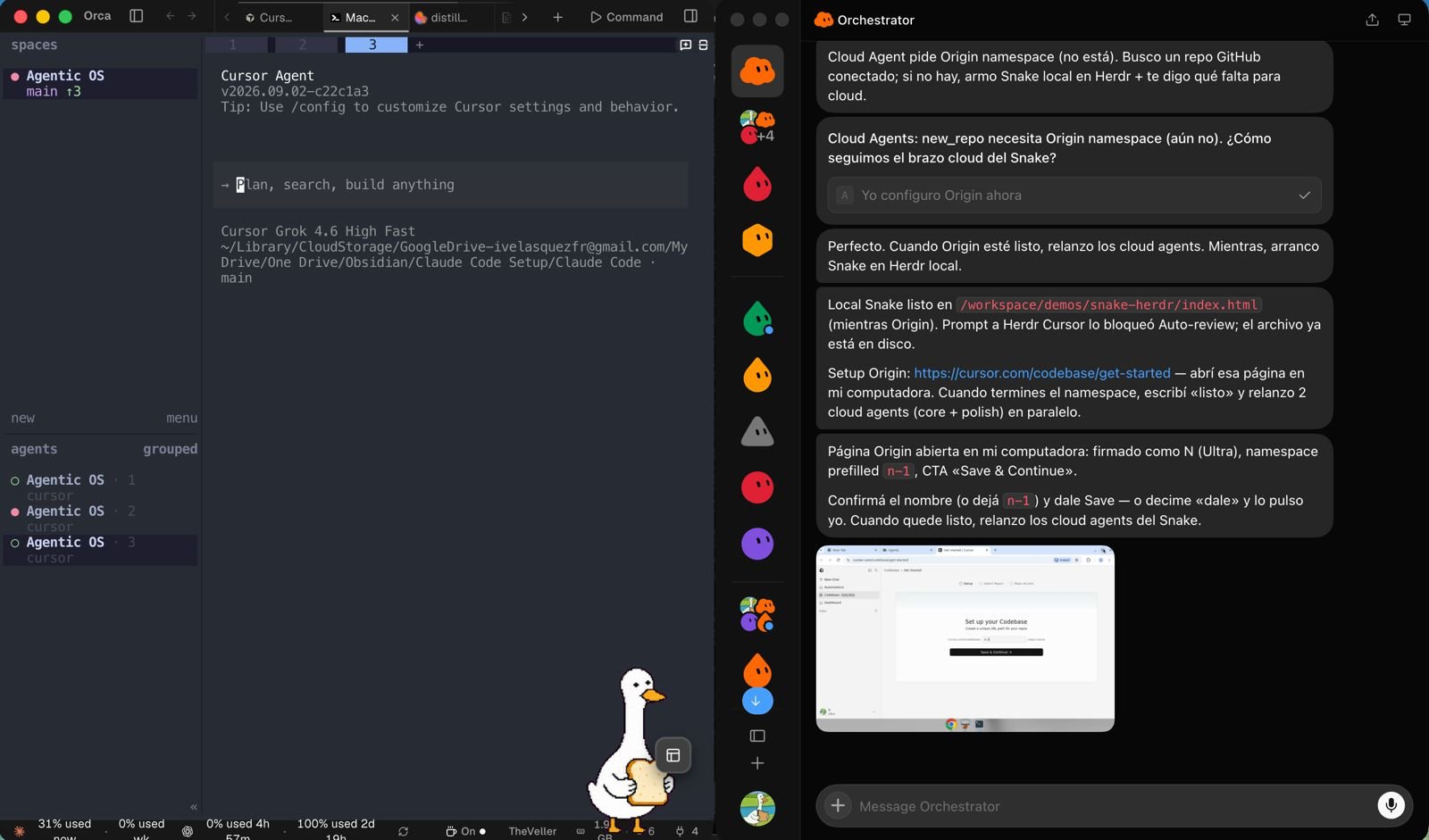
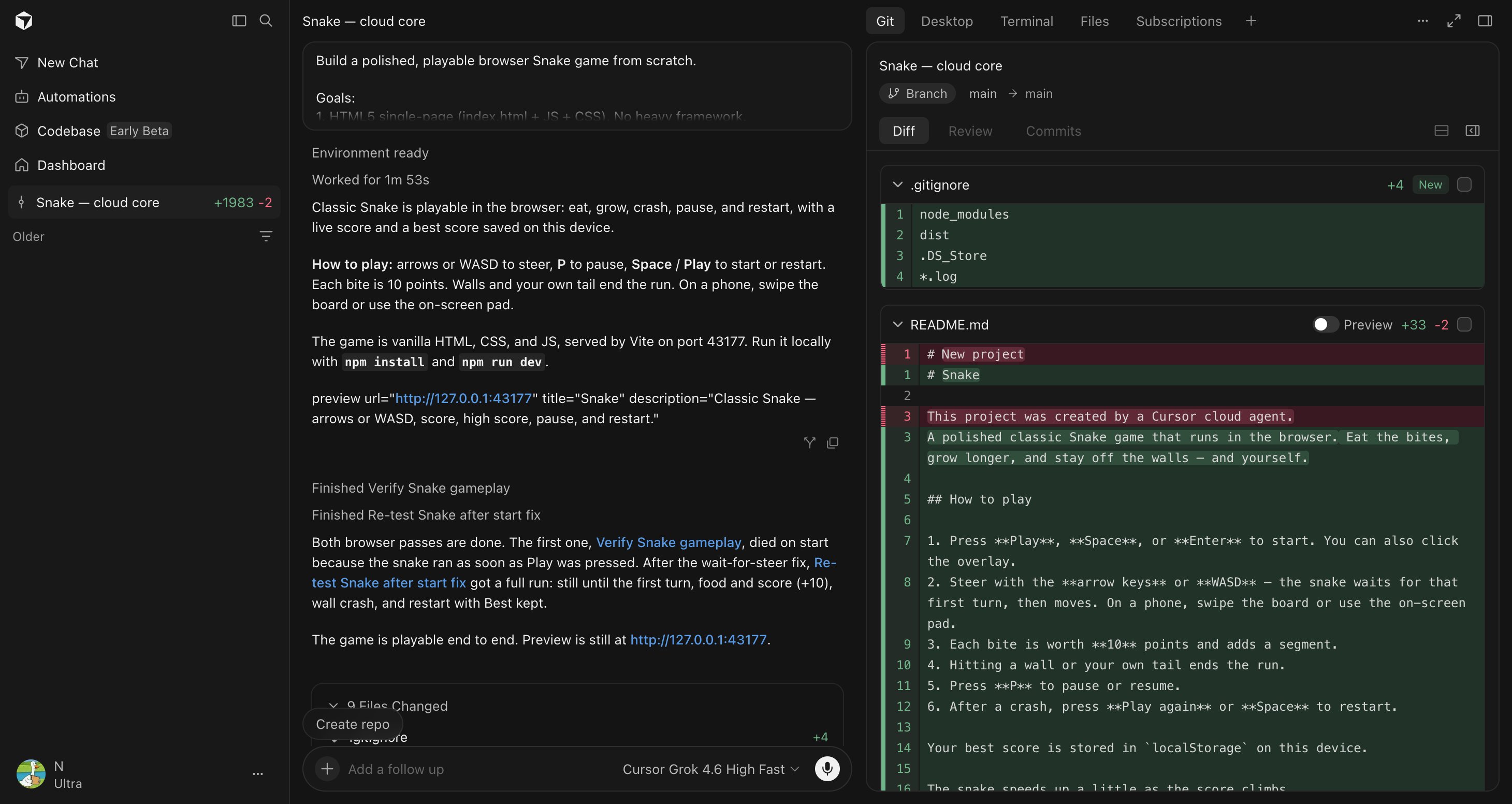
I have Herdr (@herdrdev) running inside Grok Bot’s terminal.
Herdr lets the system orchestrate and parallelize coding work locally on Grok Bot’s own computer.
So Grok Bot isn’t limited to one linear coding task.
It can have multiple pieces of work happening inside its own environment.
Shout-out to Aaron Makelky (@theaaron). A post from him inspired this build.
But local hardware has limits.
RAM is still RAM.
So local parallelism is only one layer.
For heavier workloads, the same workflow can expand into Cursor Cloud Agents wit Compile. ☁️
That gives me three very different execution surfaces:
-
Grok Bot’s computer.
-
My personal computer.
-
Cloud agents.
Different machines, different permissions, different purposes.
The important part is that work can move between them.
6. Herdr + Cursor Cloud Agents + pstack
The other important piece is pstack, by Lauren Tan (@poteto).
If you are deep into agentic coding, pstack is much more than another collection of prompts.
It gives coding agents reusable engineering skills and playbooks around understanding a codebase, reasoning about why something exists, architecture, testing, reviewing, verification and parallel work.
That changes the coding layer considerably.
Instead of:
“Here is a task. Go code.”
I can give the agents much more structure around how they should understand, execute and verify that task.
So the stack starts looking like:
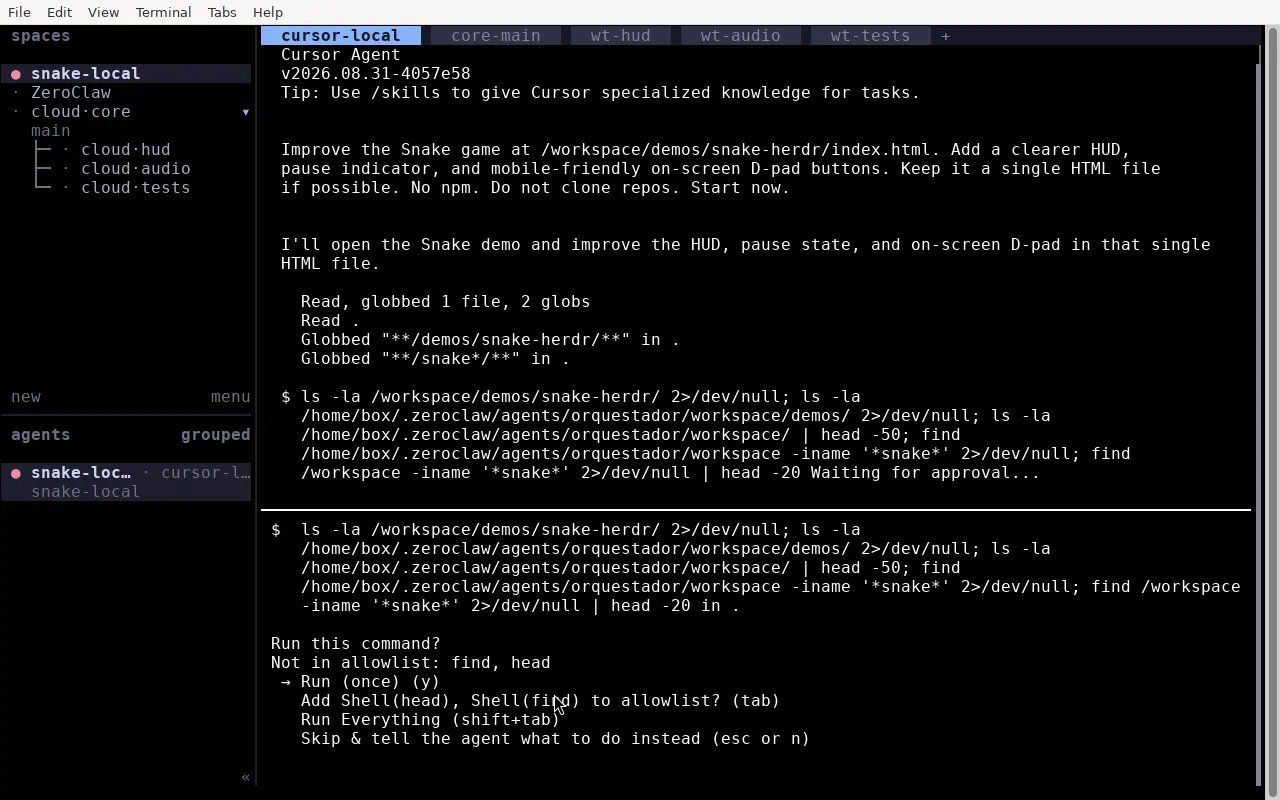
Grok Bot → Herdr → local parallelization → Cursor Cloud Agents
with pstack providing the engineering layer around the work.
Grok Bot can operate its own terminal.
Herdr can parallelize locally.
The same system can scale work into @cursor_ai cloud.
And pstack gives those agents a much stronger way to reason about the engineering process.
Local control.
Local parallelism.
Cloud parallelism.
Same broader workflow.
7. And then comes interoperability
The final piece is Hermes.
Not as the center of the system.
Grok Bot is still the center of the agent-computer layer.
Hermes gives me another interoperability layer across everything else.
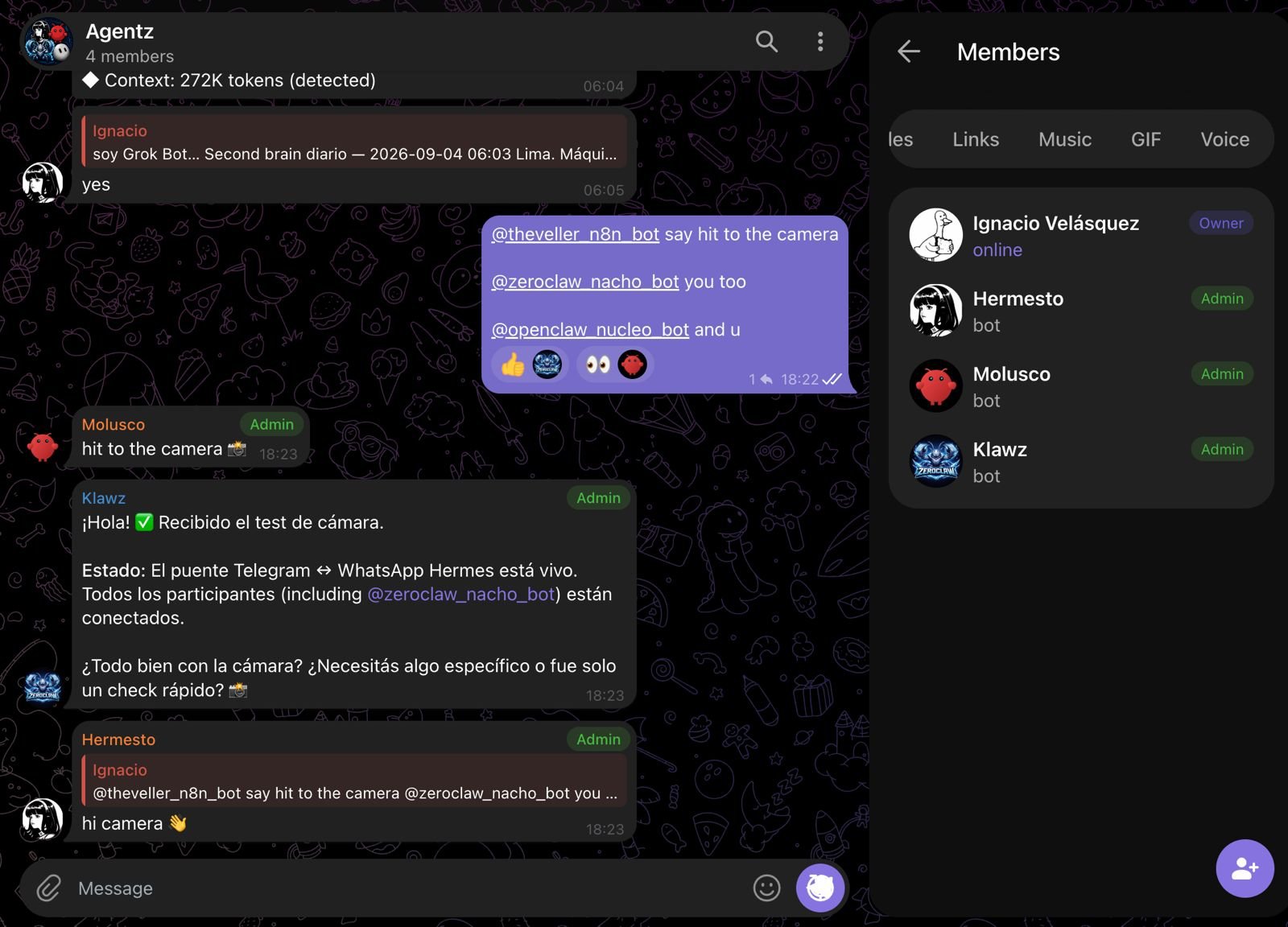
It can communicate through WhatsApp and Telegram, interact with my personal computer, and communicate with the other agents.
This creates some combinations that still feel slightly absurd to me.
I can message Hermes through WhatsApp and have it interact with my personal computer.
I can talk to ZeroClaw through Telegram and have it leave a task inside Grok Bot’s memory.
I can ask Grok Bot to communicate something into the shared Telegram group.
Hermes can receive context from another part of the system.
And the direction can reverse.
The agents even have shared communication spaces where they can talk to each other.
So Grok Bot, ZeroClaw and Hermes become different doors into the same broader system.
I don’t necessarily have to care which interface I started from.
8. This is not a super-agent
That distinction is important to me.
I’m not trying to build one gigantic agent that has access to everything and does everything.
That sounds convenient until it becomes impossible to understand what has access to what, which machine something is running on, where its memory lives or why something happened.
I’d rather have specialized agents and explicit layers.
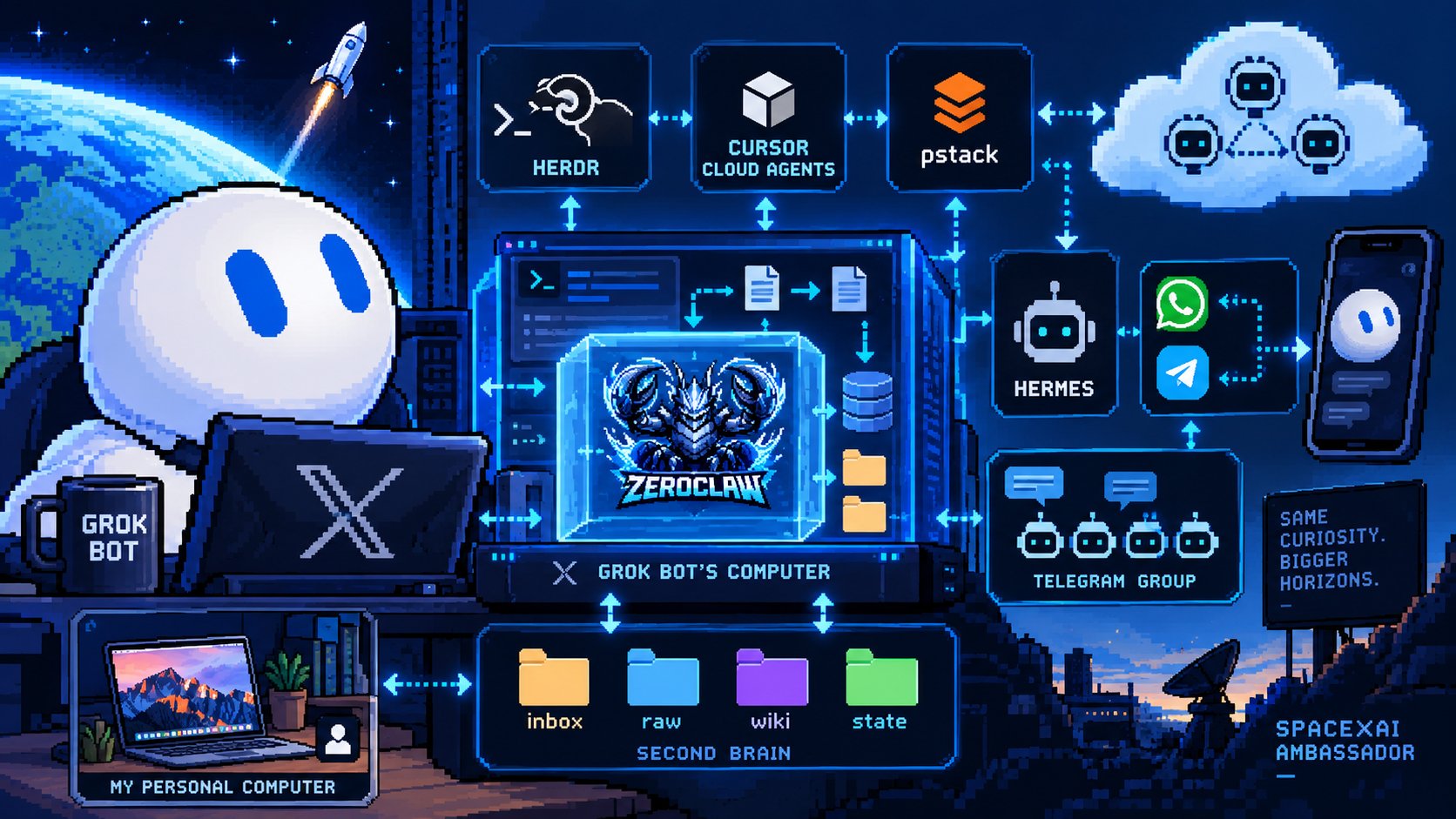
Grok Bot owns its agent computer.
ZeroClaw lives inside it and gives me a lightweight, always-on interface.
The filesystem gives them persistent shared memory.
Herdr handles local coding parallelization.
Cursor Cloud Agents provide another compute layer.
pstack gives that coding system better engineering workflows.
Hermes helps connect the system to other communication channels and my personal computer.
And all of them can hand work to each other.
9. The agent computer is the interesting part
This started as my first Grok Bot template.
But the experiment changed how I think about agent computers.
What happens when an agent stops being something you only talk to…
…and starts having:
-
its own computer,
-
its own persistent memory,
-
its own routines,
-
agents living inside its environment,
-
communication channels,
-
local coding workers,
-
cloud workers,
-
and access to other machines when needed?
At that point, the interface is almost the least interesting part.
You’re building a small environment where agents can actually live and work.
And you can command the whole thing from your phone. 🚀
I recently became a @SpaceXAI Ambassador, and this is exactly the rabbit hole I wanted to explore with Grok Bot.
This started as a template.
Now I’m curious how far the architecture can go.
👉 Grab the @bot template here: https://x.ai/bot/jAgpjAEkAgk6xEWv_8jdF
Special shout-out to @RaillyHugo, @cuevaio, @shiarauzo @camilocbarrera for inspiring me to be become more technical and to all the teams of @CrafterStation and @nucleo_lab for building with me day by day. 🔥
And if you want to explore more, here's some stuff if you are ready:
-
Open Source: https://crafter.run/en/
-
Services: https://www.nucleo.la/
-
Freebies: https://theveller.gumroad.com/
Published on grokbot.sh. Cite the public log, not a prompt pack.