
How to Turn Grok Into a Team of AI Agents
Most people still use Grok the same way they use every other AI model: open a chat, give it a task, wait for the answer, then come back with the next task. Research this company. Summarize these
Article
Job breakdowns
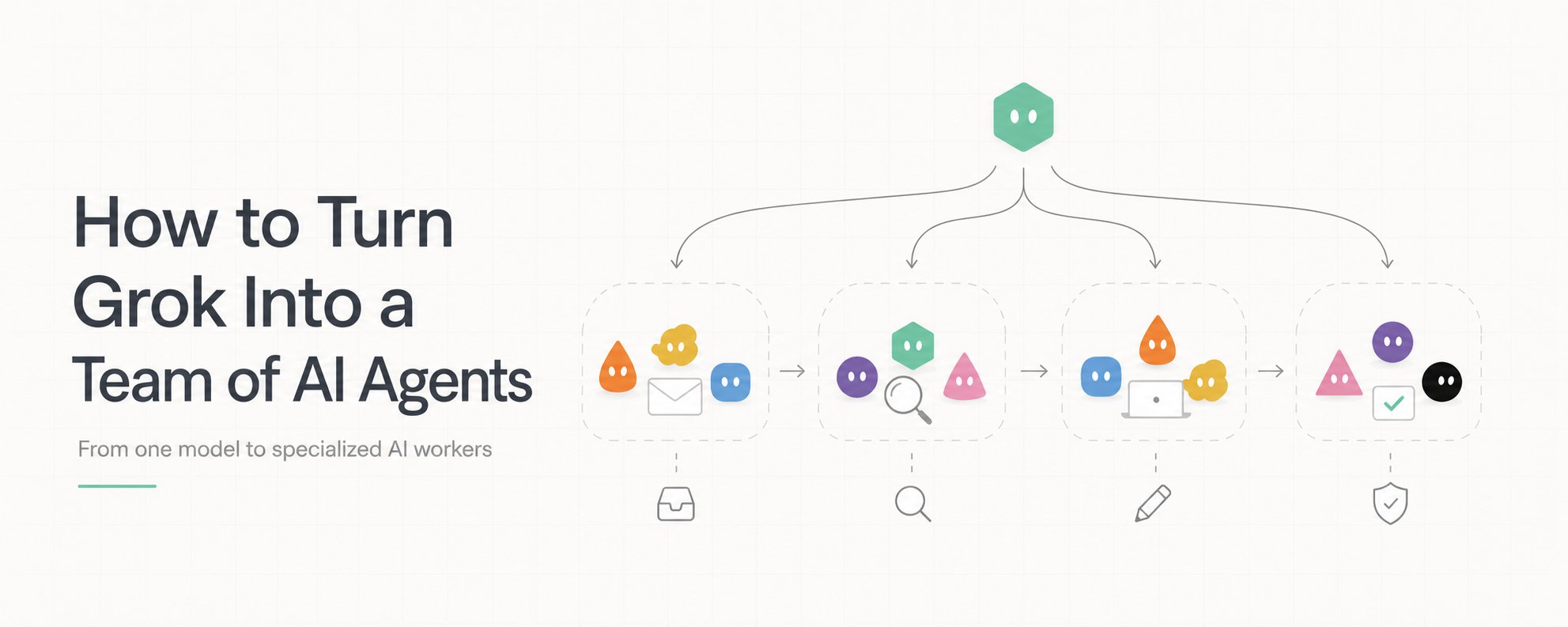
Most people still use Grok the same way they use every other AI model: open a chat, give it a task, wait for the answer, then come back with the next task.
Research this company. Summarize these emails. Find something interesting to post. Compare these products. Write a reply.
- The model keeps getting better, but the workflow around it is still surprisingly manual. Grok can do the research, write the response and reason through the problem, but you are still the person deciding what happens next.
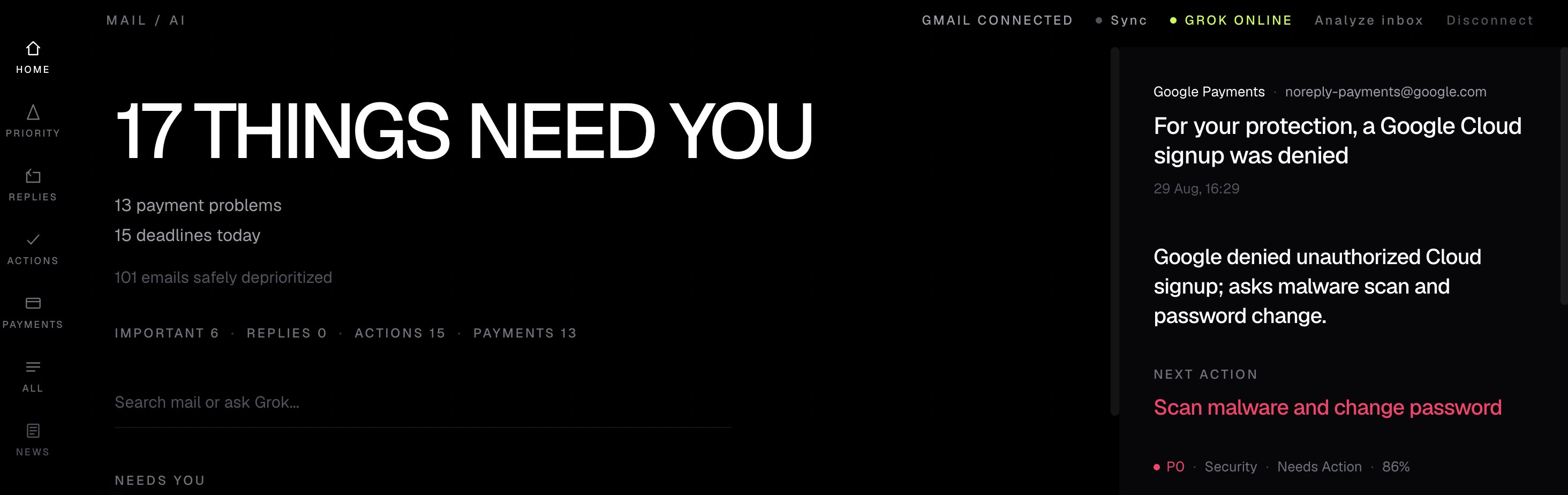
My Gmail Command Center:
You move the information from one task to another. You remember which conversation needs a follow-up. You decide when research is good enough. You take the result from one chat and paste it into another.
In other words, Grok is doing more of the work, while you remain the router. I think there is a more interesting way to use it.
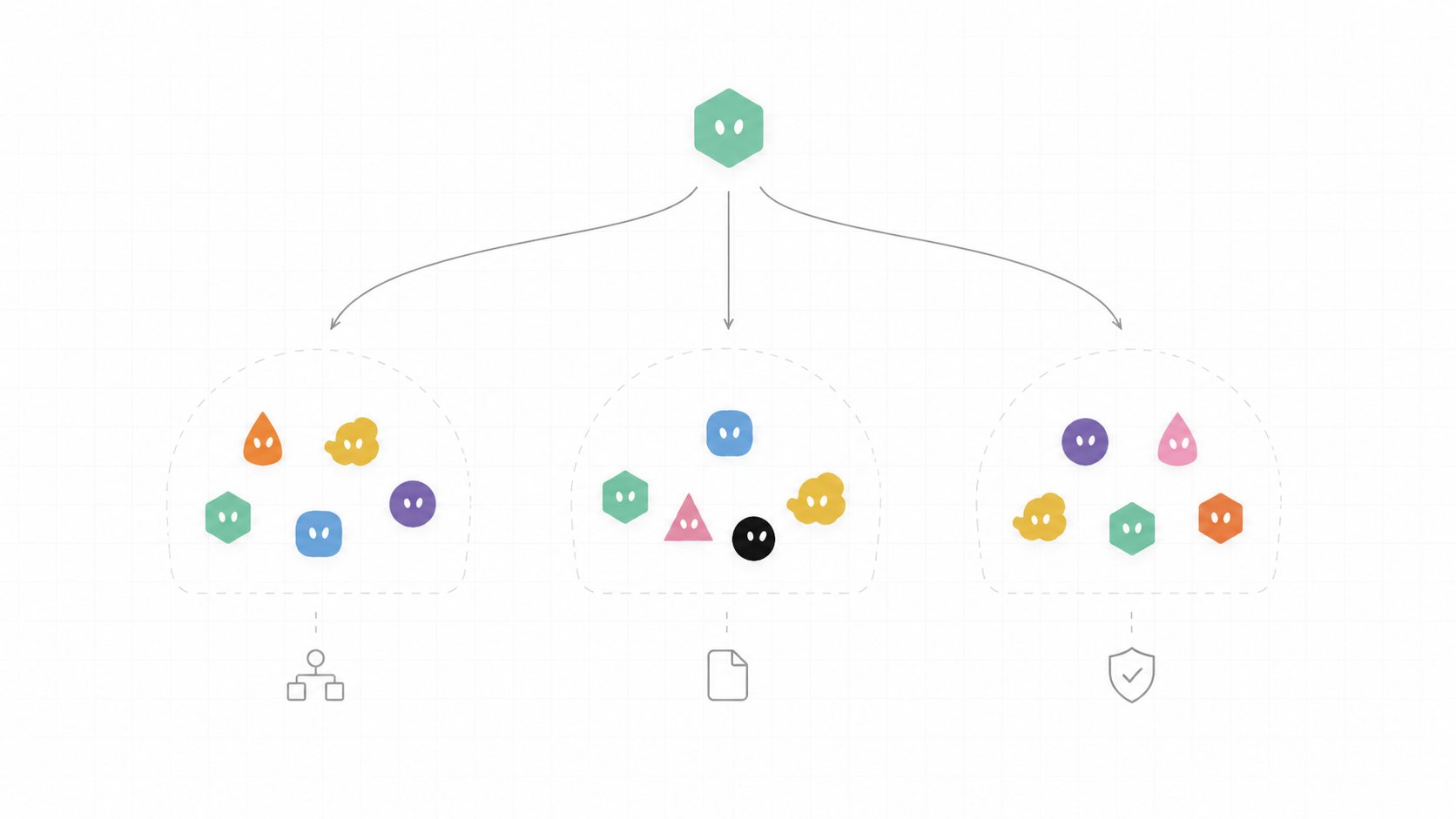
- Instead of building one giant assistant that knows everything, give Grok a group of smaller agents. Each agent gets one job, one set of rules and one definition of done.
Then put Grok above them.
Now Grok does not need to personally complete every task.
Its first job is to figure out who should do the work.
In this article, I want to build that architecture from the ground up, starting with a real agent I actually want to use: a Gmail Command Center.
PART I: THEORY
1. Stop building one giant AI assistant
The obvious way to build an AI employee is to keep adding instructions.
-
First you tell it how you work.
-
Then you add your projects.
-
Then your writing style.
-
Then email rules.
-
Then research rules.
-
Then another tool.
Eventually the system prompt becomes a small operating manual and the same model is expected to be a researcher, writer, inbox manager, analyst and project manager at the same time.
That works surprisingly well until the workflows become real.
- An email agent and a research agent do not need the same context. A content agent should not care about every unread email. A monitoring agent does not need your writing style unless it finds something worth publishing.
The better architecture is to separate the jobs.
The agents can still use the same underlying model. What changes is what each instance is responsible for.
That is an important distinction. You are not trying to create five different brains. You are giving the same brain five different jobs.
2. An agent needs a job, not a personality
Naming an AI "Research Agent" does not make it an agent.
The useful part is defining exactly what it owns.
For example, this is too vague:
You are my email assistant. Help me manage my inbox.
There is no finish line. A better instruction is much smaller:
Now the agent has a job. More importantly, it has a definition of done.
For email:
Research gets a completely different finish line.
Notice how small both prompts are.
The intelligence is already inside Grok.
The prompt mainly defines where its responsibility starts and where it ends.
3. Grok becomes the manager
Once several agents exist, somebody needs to decide which one gets the task. That is where I want Grok itself to sit. Instead of giving Grok every tool and every instruction, its top-level job becomes routing.
A simple version looks like this:
The router prompt does not need to be complicated either:
This changes the way you interact with the system.
You no longer need to think:
First I should check Gmail, then research this company, then come back and write the response.
You can describe the outcome instead.
Find the emails that need me today, research anything required to answer them, and prepare the responses.
The system works out the path.
That is the first point where Grok starts feeling less like a chatbot and more like the manager of a small AI team.
PART II: PRACTICE
4. Build Agent #1: Gmail Command Center
I wanted the first agent to solve something boring. That is usually a better test than building another impressive demo.
Email is perfect because the workflow repeats every day. Open the inbox, remove noise, identify important conversations, remember who needs a reply, prepare responses and keep track of follow-ups.
Most of that work does not require a human decision. It requires sorting.
So the first agent becomes a Gmail Command Center.
The first prompt can be almost embarrassingly simple:
The important part comes next.
The agent should not return 37 summaries just because there are 37 emails.
Its job is to compress the inbox into decisions.
If 25 messages are irrelevant, I do not need 25 AI-generated explanations of why they are irrelevant.
I want this:
That is a command center. The inbox becomes the database.
The agent becomes the filter. I only receive what survived the filter.
5. Let agents ask other agents for help
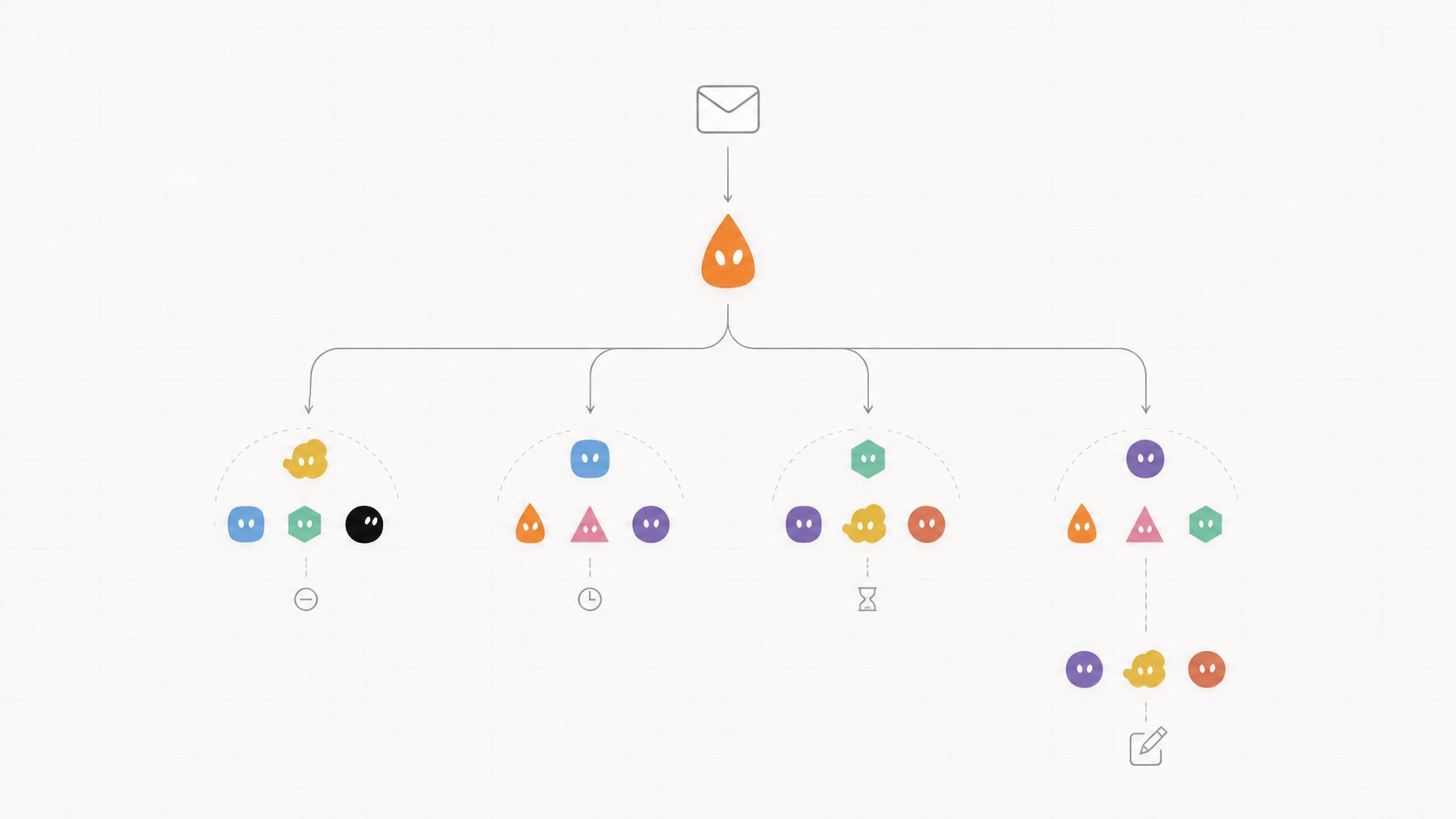
Now suppose one of those emails asks about something the Email Agent cannot safely answer from the thread alone.
For example:
Have you looked at the new Grok release? We are thinking about using it for our internal research workflow.
The bad version of the system lets the Email Agent improvise.
The better version creates a handoff.
The Research Agent receives only the question it needs to answer.
This separation matters more than it looks. The Research Agent should not suddenly become the email writer.
It collects evidence and hands the result back. The Email Agent still owns the conversation.
That gives the system something normal AI chats rarely have: ownership.
6. Give the team shared context
The next problem appears quickly. Agents need to know things about you.
Which projects are active? Which people matter? What tone should emails use? Which sources do you trust? What should never happen without approval?
You could paste this into every prompt. I would rather keep it outside the agents.
Now the permanent instructions stay relatively small. The Gmail Agent loads communication rules.
The Research Agent loads source rules. The Content Agent loads writing style.
Grok loads enough context to route the request. The result is not one enormous memory file that every agent receives every time.
It is context on demand.
7. Add the approval gate
I do not want autonomous agents sending emails, publishing posts or making irreversible changes just because the model thinks the task is finished.
So every important action gets one final gate.
The Review Agent can also stay extremely small:
That gives the architecture a useful rule:
Agents can prepare almost everything. Humans approve the expensive mistakes.
Sending an email is one gate.
Publishing publicly is another.
Spending money would be another.
The system can become more autonomous without making every action autonomous.
PART III: RESULT
8. What the workflow looks like now
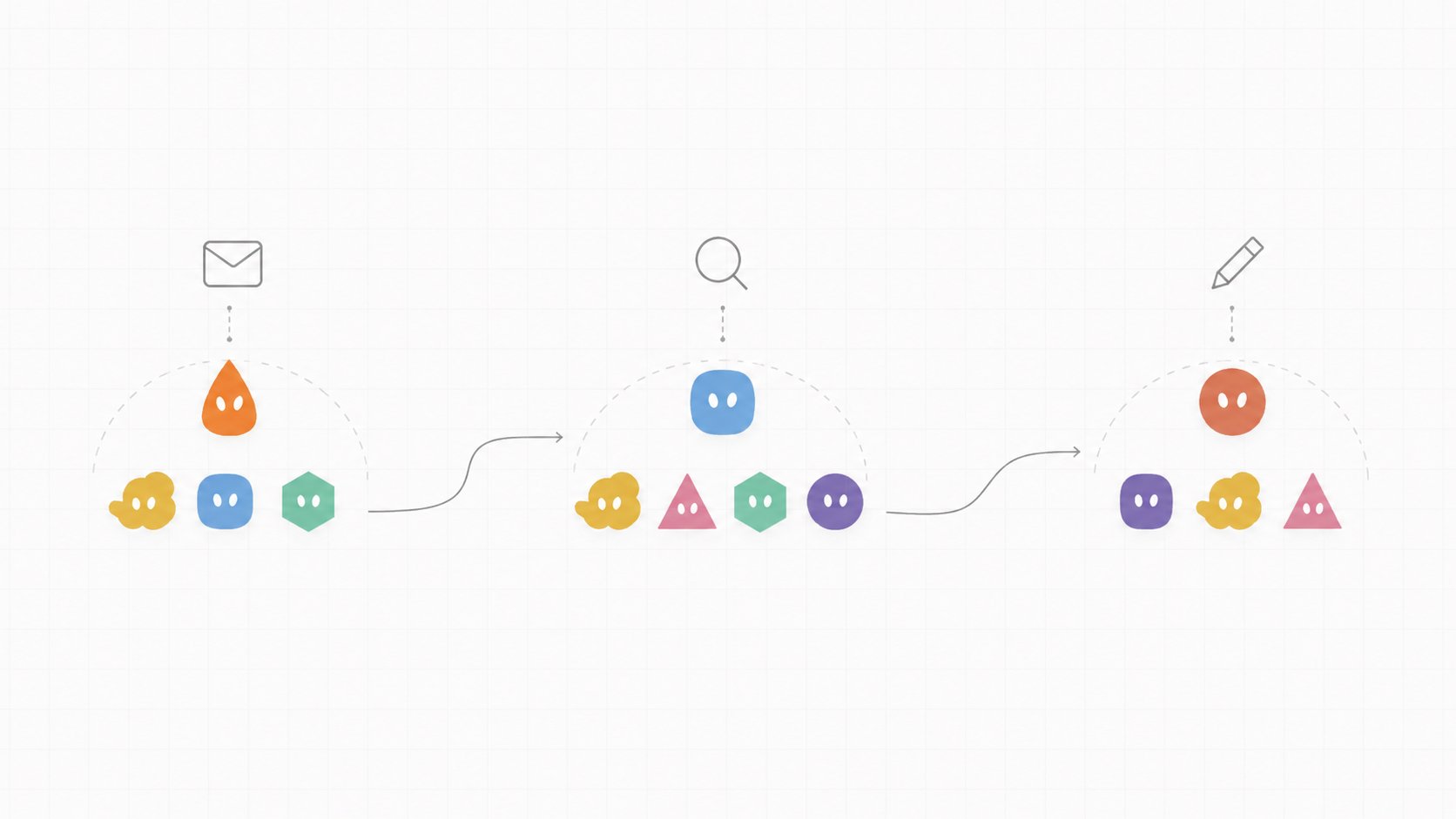
At the beginning, one request might require me to move through five separate steps.
After splitting the work between agents:
The important difference is not that AI suddenly does 100% of my work.
It is that I enter the workflow later.
Instead of starting with the raw inbox, I start with the five things that actually need a decision.
9. The real test
This is where I want to replace theory with the actual build.
And instead of claiming that it made me "10x more productive," I would rather measure what happened during a real run.
Those numbers tell a much more interesting story.
If the agent scans 60 emails and only five reach me, that is useful.
If three of those five require research and the system prepares that context before I open the thread, that is useful.
If the drafts are bad and I rewrite every one, that is useful information too.
Because now we know what Agent #1 needs to learn next.
10. One agent becomes a team
The Gmail Command Center is only the first useful worker.
Once the routing, context and review layers exist, the next agent does not require rebuilding the entire system.
-
Add Research.
-
Then Content.
-
Then Monitoring.
-
Then Sales.
-
Research can collect papers, code, lectures and official documentation. Content can turn verified material into drafts.
Monitoring can watch a company or topic and wake the system only when something meaningful changes.
- Sales can research prospects and prepare context before outreach. The architecture keeps expanding, while the interface can remain incredibly simple.
_ You talk to Grok. _ Grok talks to the team.
The team comes back when there is something worth your attention.
That is the part I find most interesting. The future of AI work may not be one enormous agent with access to everything.
It may be one model sitting above dozens of small specialists that each understand exactly one piece of your workflow.
The goal is not to give Grok more work.
The goal is to stop being the person who has to route all of it.
Published on grokbot.sh. Cite the public log, not a prompt pack.