
How To Replace 10 Employees With Grok Bot (full guide + daily use cases)
Most people run their whole business as one person. They find the leads, write the messages, make the graphics, answer the inbox, chase the invoices, and count the week. Every task waits for the one
Article
Job breakdowns
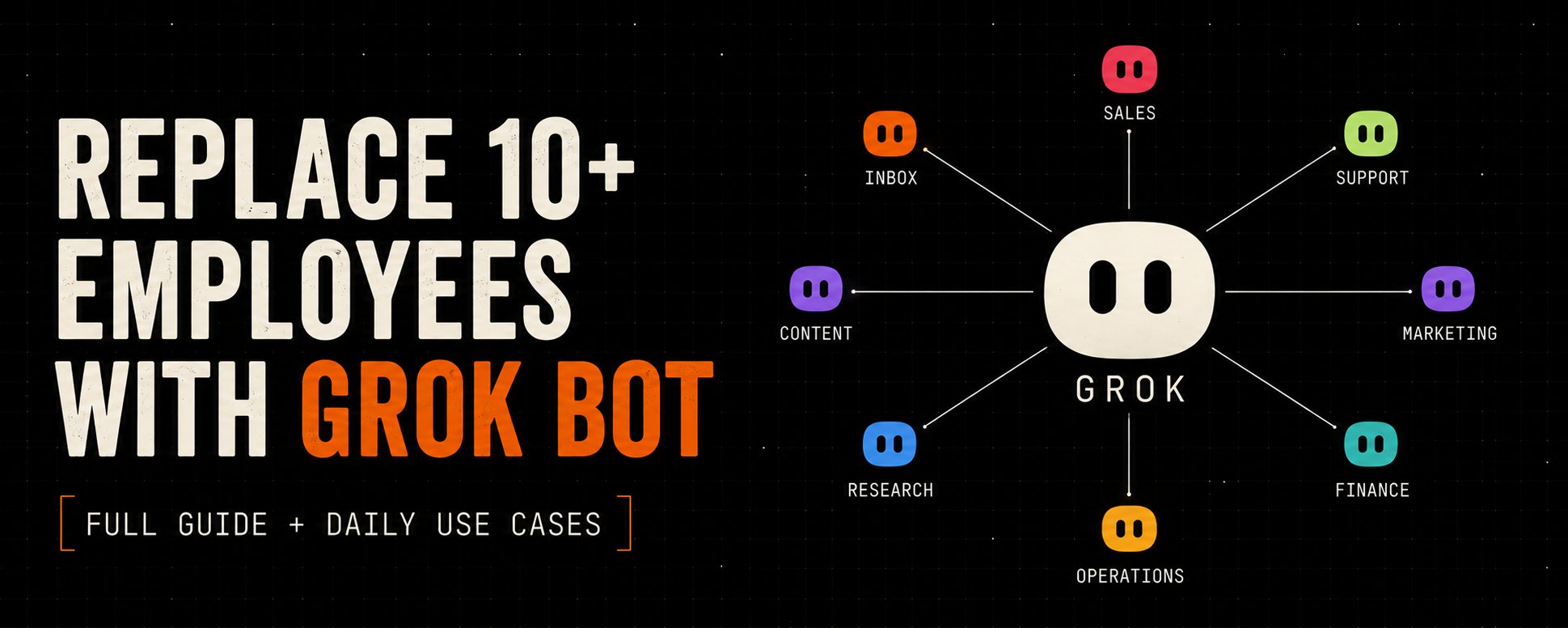
Most people run their whole business as one person. They find the leads, write the messages, make the graphics, answer the inbox, chase the invoices, and count the week. Every task waits for the one before it, because one head and one pair of hands can only be in one place.
Grok Bot ends that. Each bot gets its own computer in the cloud, signs into the tools you already use, and does a real job while you are asleep. You stop being the whole company and start managing one.
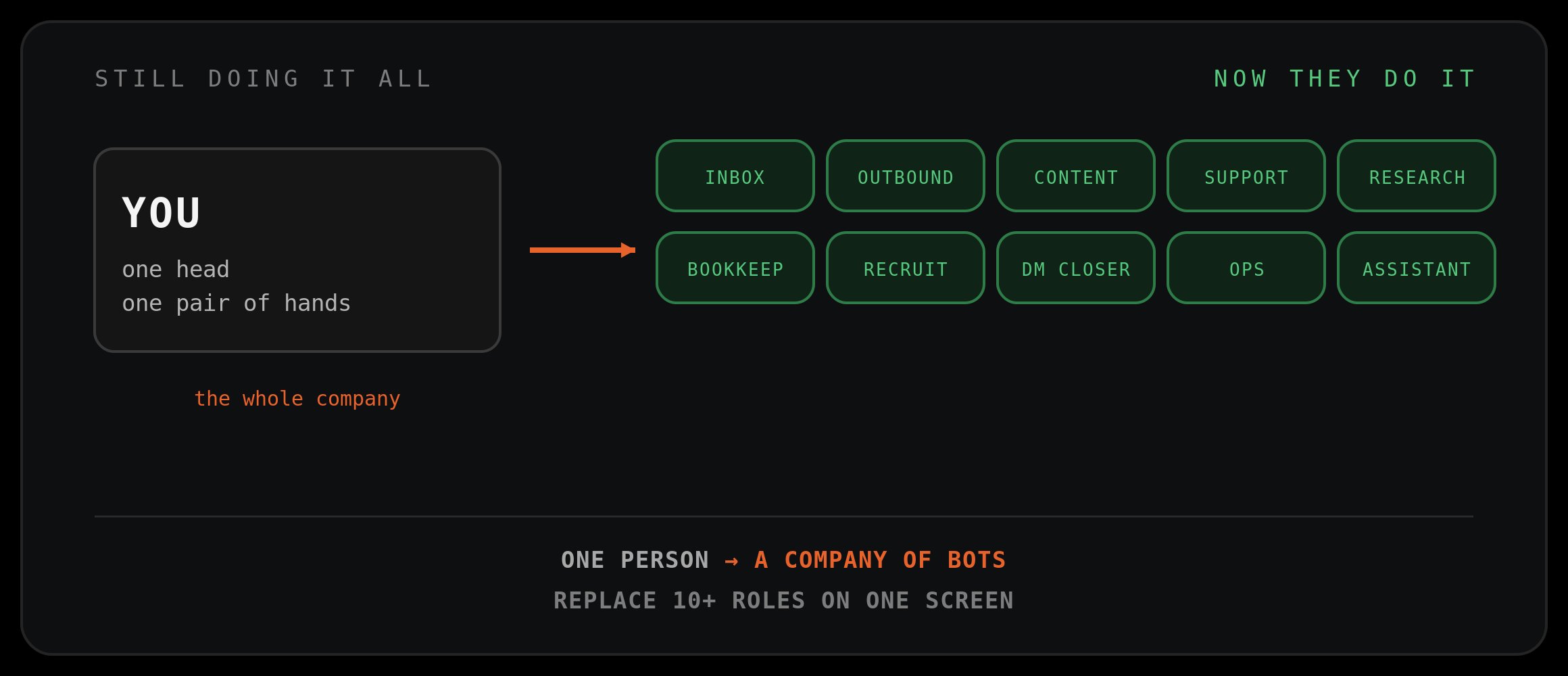
This is the full guide. Why it replaces real headcount, the exact roles you can hand off today, and the copy-paste charters that turn one sentence into an employee. No fluff.
Save this. You will come back to it when you hire your second bot.
The One Idea: A Chatbot Answers, An Employee Acts
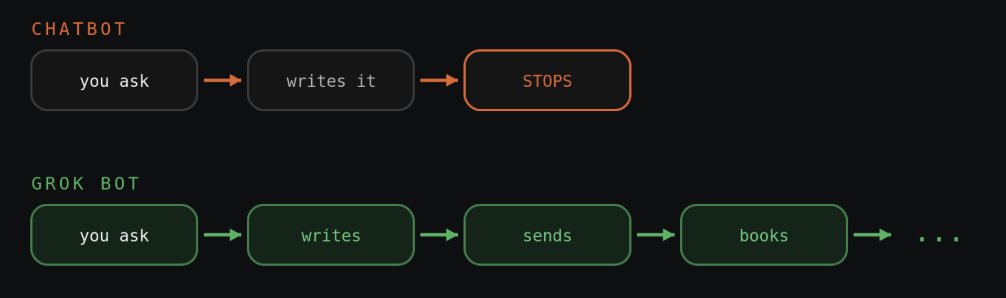
Here is the whole thing in one line. Every AI you have used waits for you. Grok Bot does the work.
A normal chatbot writes the email and hands it back. An employee writes it, sends it, catches the reply, books the call, and updates the CRM. Grok Bot is the second one. It does not stop at the exact moment the task turns into actual work.
That is the shift you have to get. It is not a tool you use. It is a worker you manage. Once that clicks, the ten roles below make sense.
Why It Replaces Real Headcount
Five things make it an employee instead of a chat window.
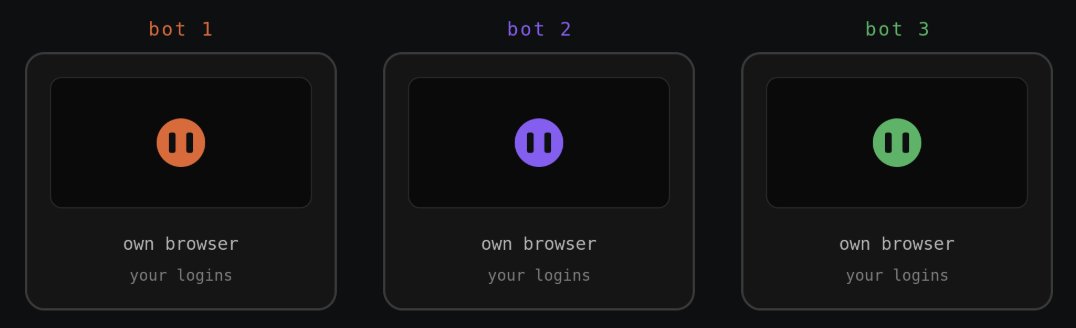
It gets its own computer. Every bot runs on its own machine with its own browser. It can open apps, click, type, and scroll like a person, which is why it finishes tasks instead of describing them.
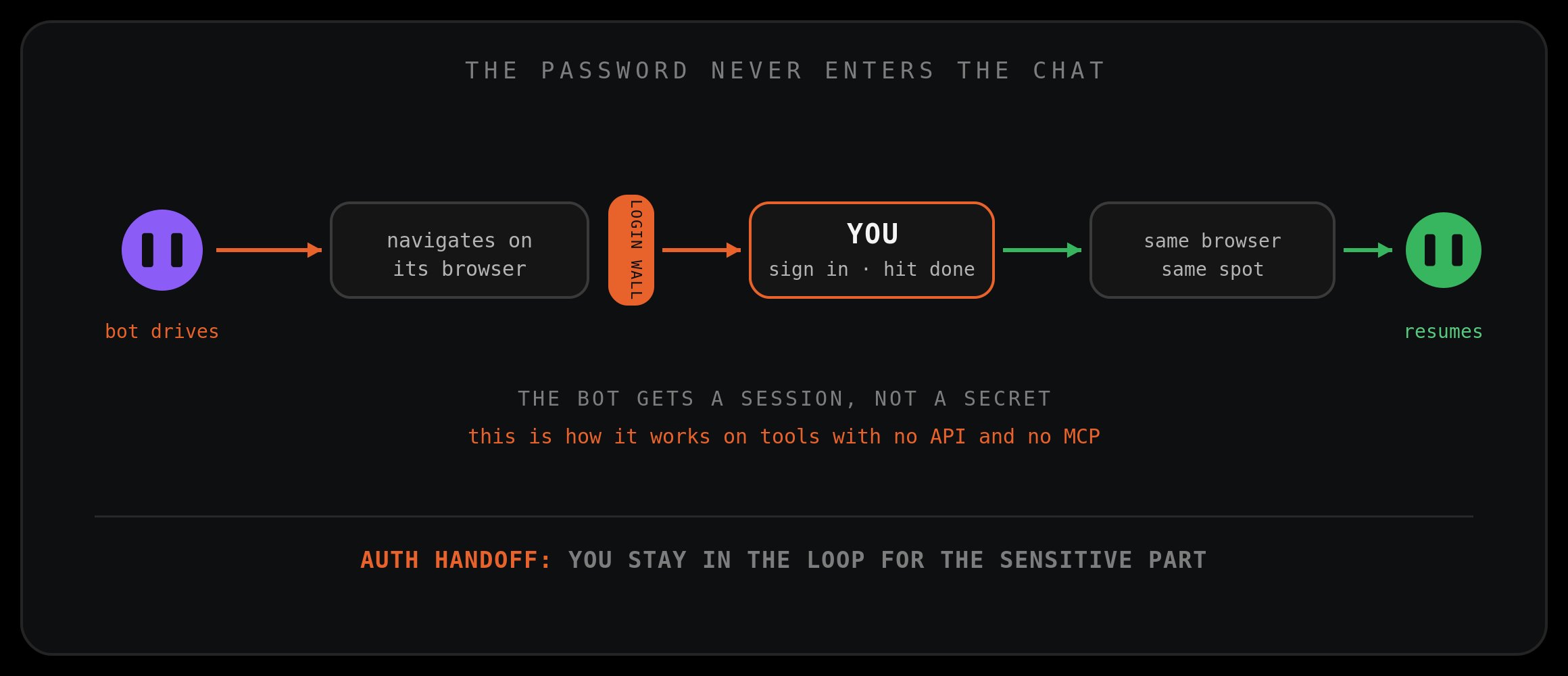
It logs into tools with no API. Most software inside a real company cannot be plugged into AI. Grok Bot does not need a plug. It drives the real interface. When it hits a login wall it hands you the screen, you sign in, hit done, and it keeps going. You never paste a password into a chat. It gets a session, not your secret.
It never clocks out. Put it on a schedule or a trigger, and it runs while you sleep. That is the part that replaces a salary, not a subscription.
It learns by watching. Do a task once while it watches, and it saves the routine and runs it itself next time.
It is smart and basically free. Grok Bot runs on Grok 4.6, which dropped on August 11. On the CursorBench 3.2 benchmark it reportedly tops the chart at 70.8 percent, a score other frontier models only reach by burning around 18 dollars a task, while Grok clears it for about 2.81 (figures reported by xAI). Best in class work at throwaway cost is what lets you leave a dozen bots running all night.
The Login Handoff (Why It Works Anywhere)
This is the mechanic that makes it usable on tools nobody ever integrated with anything.
The bot navigates on its own cloud browser until it hits a login wall. Then it hands you the screen. You authenticate, click done, and the bot resumes on that same browser from where it left off. The password never enters the chat. You stay in the loop for exactly the sensitive part, and nothing else.
If a tool ever asks you to paste a password into a conversation, that is the wrong path. Insist on the handoff.
Show It Once, It Runs Forever
This is the feature that changes how you think about the whole thing.
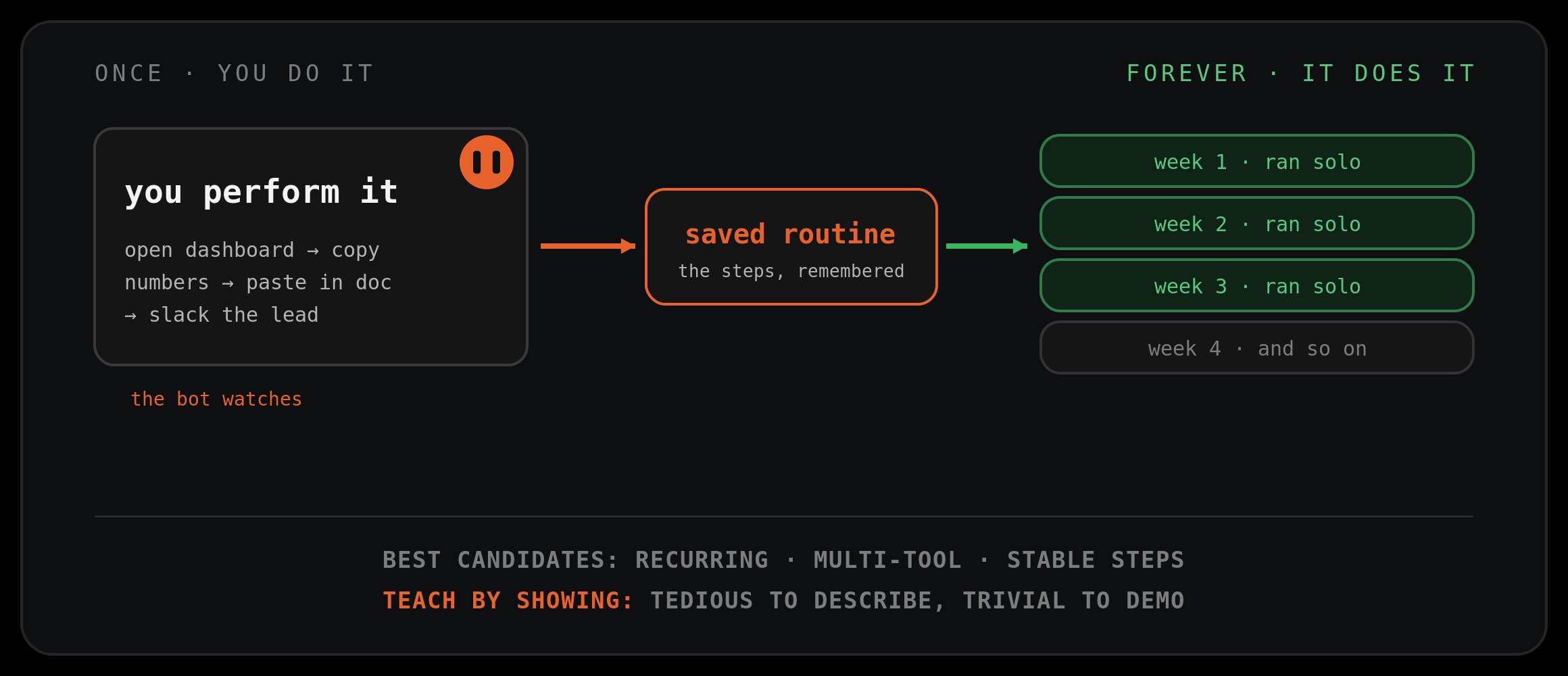
You teach a bot a workflow by doing it once while it watches. It saves the steps and runs them on its own next time. The tasks that eat your week are usually the ones that are tedious to describe and trivial to demonstrate. "Open this dashboard, copy these numbers, paste them in the doc, and Slack the lead if anything dropped" is a paragraph to write and forty seconds to show.
Pick your first recording carefully. The best candidate is something you do weekly, that touches two or more tools, where the steps rarely change. Recurring, multi-tool, stable.
It Never Clocks Out: Schedule Plus Trigge
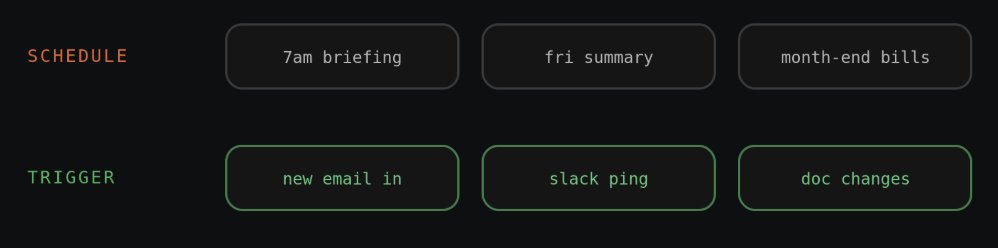
A saved routine needs a reason to fire. You get two, and you set them in one sentence, no workflow builder.
Schedule is the obvious one. A 7am briefing, a Friday pipeline summary, month-end invoicing.
Trigger is the one that makes a bot feel present. A new email matching a pattern, a message in Slack, a change in a doc. The bot reacts the moment something happens instead of waiting for you.
This is what turns a bot from a tool you open into a coworker who is already working when you sit down.
The Mindset: Hire A Role, Don't Write A Prompt
This is the step that separates people who get value from people who bounce off.
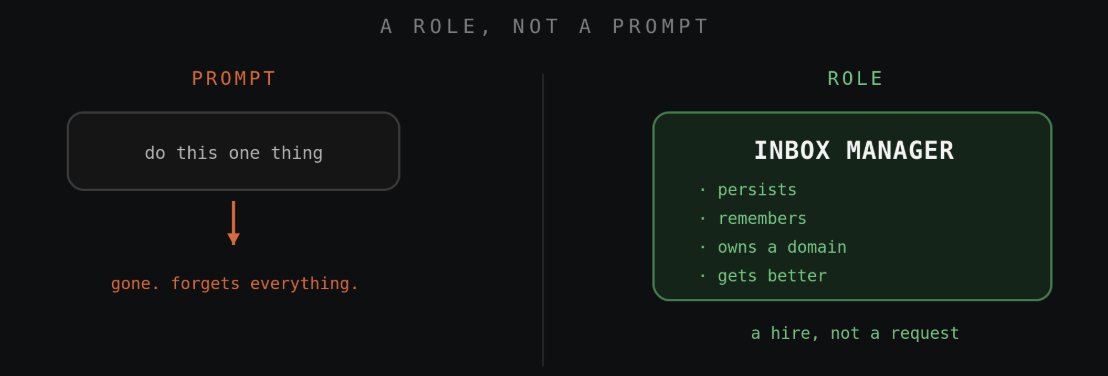
A prompt is a request. A bot is a role. It persists, it remembers, it owns a domain, and it gets better at that domain because you keep coming back to it.
So name it after a job a real person could hold. Inbox Manager. Sales Outbound. Content Manager. Then brief it like a new hire on day one: what it owns, what good looks like, and the part everyone skips, what it must never do without asking you.
10 Employees You Can Replace Today
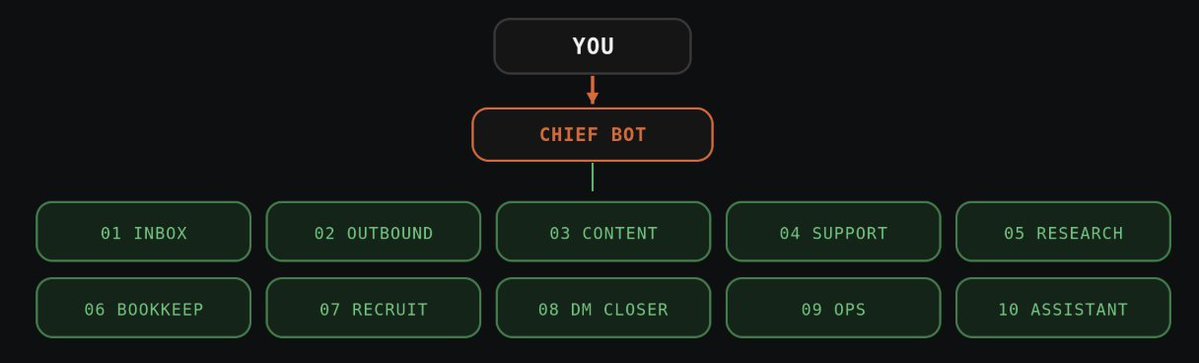
Here is the payoff. Same tool, ten roles. Hand off the ones that drain you first.
-
Inbox Manager. Triages email, archives junk, drafts replies in your voice, flags deadlines and invoices.
-
Sales Outbound. Pulls prospects, researches each, writes and sends short personal messages, books the yeses.
-
Content Manager. Finds trending angles, drafts posts in your tone, schedules them, replies to comments.
-
Support Rep. Answers repeat customer questions all day, escalates only what needs a human.
-
Research Analyst. Reads long docs, compares sources, returns a one-page summary with what matters.
-
Bookkeeper. Files receipts, reconciles numbers, chases unpaid invoices, sends a weekly report.
-
Recruiter. Sources candidates, screens against your criteria, books the good ones onto your calendar.
-
Social DM Closer. Answers every DM and comment, turns conversations into booked calls or sales.
-
Ops Coordinator. Updates trackers, moves tasks between tools, keeps the team's board clean.
-
Personal Assistant. Books flights, orders groceries from a recipe photo, negotiates a quote, runs your errands.
Ten roles, one screen, and it has room for more. That is a company most people are still running alone.
The Charter That Hires A Bot (Copy This)
This is the file you hand a new bot. Fill in the brackets for any role. Own, good, stop, memory. Every useful bot is those four things.
Three real examples of the role line and the job:
Lifehacks That Make Them Actually Work
Small moves that decide whether your bots are useful or useless.
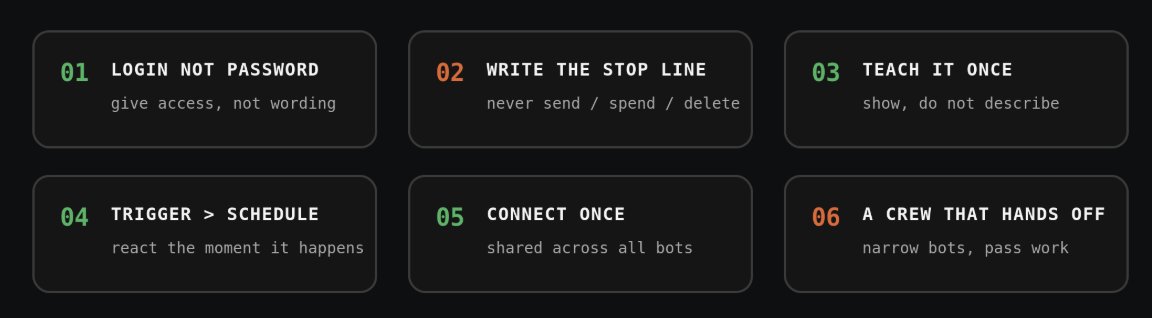
Give it a login, not a prompt. The unlock is access, not clever wording. Hand it a session and describe the job like you would to a colleague.
Always write the stop line. Every charter needs a hard boundary. Never send, never spend, never touch these accounts. This is what makes always-on safe.
Teach by doing it once. Do not describe a messy routine. Turn on watch mode, do it one time, let it save the steps.
Use triggers, not just schedules. A trigger makes a bot feel alive. "When an email like this arrives, do this."
Connect your tools once. A connection is shared across your whole account, so the fifth bot you hire is productive in seconds.
Build a crew that hands off. Do not make one bot do everything. Make narrow ones that pass work to each other, with a general bot coordinating.
Give each bot a memory file. Point it at a short file with your tone, rules, and past decisions, and tell it to read that file first every session. Now it gets sharper the more you use it.
One Rule: Guardrails Before You Walk Away
A bot with its own computer and your logins can act while you sleep. That is the whole point, and the whole risk.
So the stop line is not optional. Decide in advance what it can never do alone: sending, spending, deleting, touching sensitive accounts. Start it on small tasks you can verify in thirty seconds, and grow the leash as you learn to trust it.
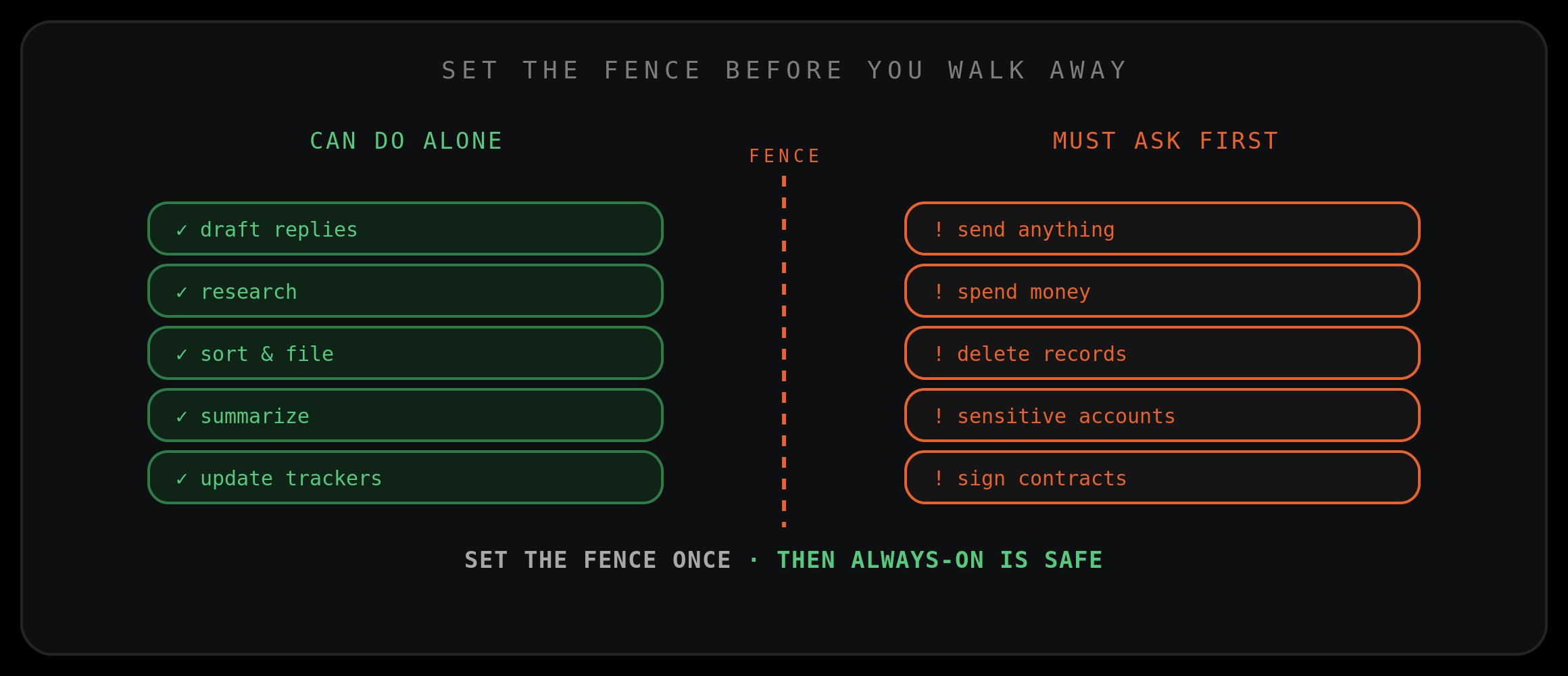
Set the fence once, and always-on becomes an asset instead of a liability.
Bottom Line
Every other AI waits for you to type. Grok Bot logs in and does the job.
Stop running your company as one exhausted person. Give the draining roles a name, a standard, a boundary, and a memory file, and you have a team that runs your inbox, your outreach, your content, and your errands while you do something that actually moves the needle.
Most people will use ten percent of this, messaging it like a chatbot and closing the tab. The other ninety percent is where it signs into your real tools and finishes real work. Pick one role you hate doing, write it a charter with the template above, and let it run tonight.
Save this. You will want it when you hire bot number two.
Published on grokbot.sh. Cite the public log, not a prompt pack.