
Grok Bot: The Hard Part Isn't Setup, It's Knowing What to Hand It
What I learned running it Everyone gets stuck at the same place with Grok Bot, and it isn't the features. It's "what do I actually use this for?" Install takes five minutes. You make a Bot. Then
Article
Job breakdowns
What I learned running it
Everyone gets stuck at the same place with Grok Bot, and it isn't the features.
It's "what do I actually use this for?"
Install takes five minutes. You make a Bot. Then nothing. Most people end up with one chat window, using it like a slightly better chatbot, burning a week of usage in two days, and closing the app wondering why the meter moved so fast.
The mistake is treating Grok Bot as a chatbot. It isn't.
Change that one assumption and everything downstream changes with it.
Here's what I've found running it, plus the things the official docs state plainly that almost nobody has read.
Part 1. What to Actually Hand It
Email alone pays for the subscription
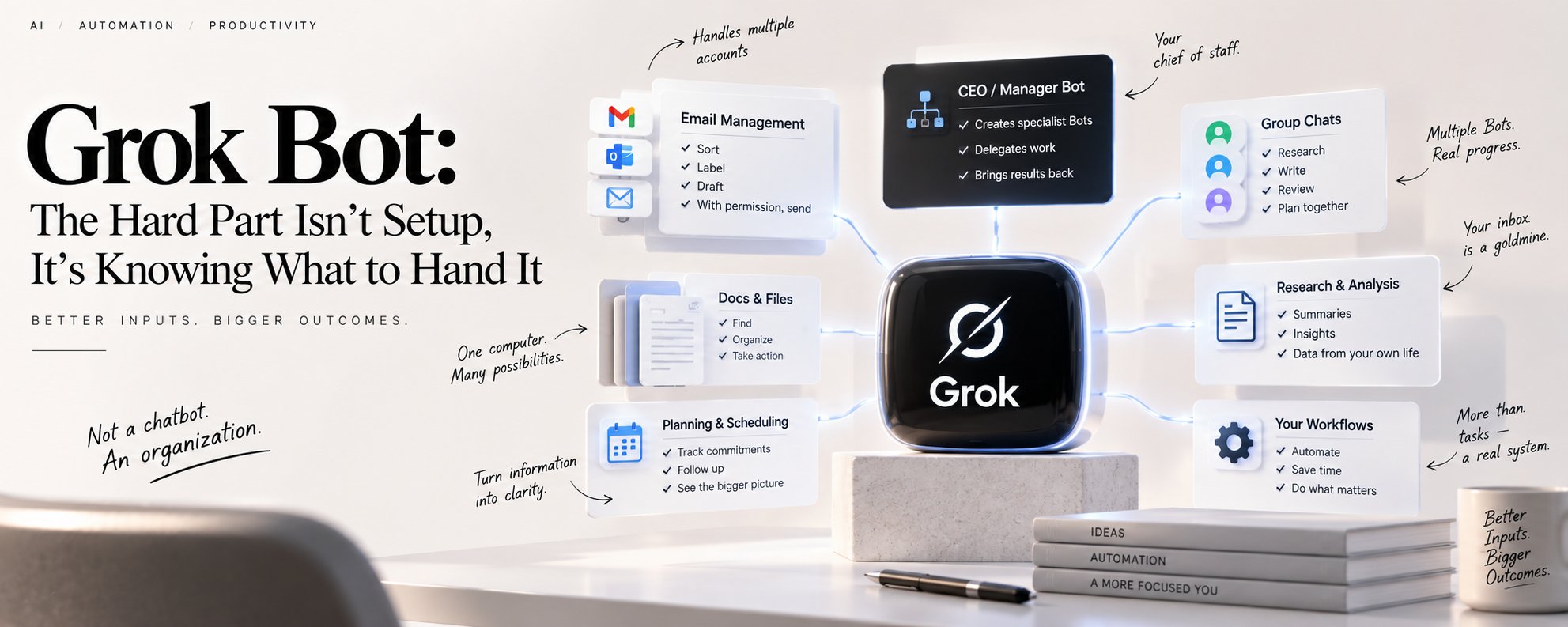
This is the most underrated use case by a wide margin. When people hear "AI email management" they picture summaries. That's not what this is.
It handles multiple accounts at once. If you have work, personal, and business mail scattered across different providers, you already know why that matters. The Bot logs into each one through the browser on its own computer, so it works even on services with no clean API, the same way you would.
Sort, label, draft, and with permission, send. That "with permission" part is the whole ballgame, and I'll come back to it.
Your inbox knows more about you than you do
Here's the part I didn't expect.
Once a Bot can actually read your mail, it stops being a sorting tool and starts being a research tool pointed at your own life. Things I'd genuinely forgotten came back out of it:
-
Subscriptions and recurring charges I stopped using but never cancelled, including a couple I'd have sworn were already dead
-
Commitments I made and dropped. "I'll get back to you on this next week," sent four months ago, never followed up
-
Price and vendor history. What I paid last time, who quoted what, which terms I actually agreed to
-
Where my week really goes. Not what I think I spend time on. What the message volume says I spend time on
None of this needs new information. It's all sitting in your email already. You just can't hold ten years of it in your head at once, and a Bot can query it.
The CEO / manager Bot is the actual unlock
This is the line between using Grok Bot as a chatbot and using it as an organization.
Make one Bot the chief of staff, pin it, and talk almost exclusively to it. It creates the specialist Bots, delegates to them, and brings results back.
This isn't a trick I invented. Three of the four most-watched tutorials arrived at it independently, and so did xAI's own staff. The GTM lead there runs roughly ten Bots under one pinned chief of staff.
The best onboarding move I've seen:
Brain-dump your whole situation into the first Bot. What you do, what your day looks like, what actually annoys you. Then ask it how it would set up Grok Bot if it were you, review the plan, and let it build the team.
It designs a better roster than you will, because it knows its own constraints better than you do.
Then audit on a schedule. Ask your chief of staff: "Look at every Bot, routine, and task I have running. What can be further automated, parallelized, or better organized? Delete anything unnecessary." Dead routines quietly eat usage forever if you never do this.
Group chats are the most underused feature in the product
You can put two to six Bots in a single room. They message each other, hand off work, and plan inside it. @BotName to assign, @everyone for a broadcast.
Where people go wrong: they drop Bots in a room and say "figure it out." You get duplicate work and chatter.
A kickoff that actually works looks like this:
@Researcher gather the source material and link every claim. @Writer turn the findings into a draft. @Reviewer check the draft against the sources and list only blocking issues. Do not publish anything.
Bots coordinate through files on their shared computer, not just through messages.
Two rules:
-
One owner per stage. Too many parallel handoffs produce duplicate work and noise.
-
One writer per file. If two Bots write the same file, one edit disappears with no error and no warning.
Part 2. The Stuff Hiding in the Docs
① Updating the app is not the same as updating the Grok Bot's computer
A lot of people don't know this one.
Updating the Grok Bot app doesn't update the cloud computer your Bots run on. That image updates separately.
-
Click on your profile picture on the left bottom corner
-
Settings
-
Updates
-
Update Grok Bot's Computer

② There is one computer per account, not one per Bot
All your Bots share it. Each Bot gets its own screen on that shared machine.
What that means in practice:
-
A session Bot A logged into is visible to Bot B
-
Cookies, saved logins, and files are pooled at the account level
-
Splitting "work account Bot" and "personal account Bot" gives you zero isolation
③ Skills are account-level. Memory and routines are Bot-level.
The product splits these deliberately:
-
Tools, plugins, connectors, and skills live at the account level, because many Bots need to browse, handle documents, or send mail
-
Memory and routines belong to the individual Bot, because they reflect what that role knows and does over time
So one good skill serves your whole roster.
④ You get 50 Bots and group chats combined
Not unlimited. And more Bots isn't better. A vague role like "General Helper" gives the Bot less to work with and makes its saved context harder to reuse.
Create a new Bot only when the work has a genuinely distinct goal, tool set, working style, approval boundary, or recurring schedule.
⑤ Teach-a-task has limits nobody mentions
The screen-recording feature that turns a demonstration into a skill:
- Ten minutes max, browser only, no microphone audio
Part 3. Why Usage Burns So Fast, and What to Do
This is the most-documented complaint about the product, and xAI has acknowledged it publicly. An engineer confirmed in late August that they were working on efficiency, and on September 5 they reset usage limits across the platform after two weeks of routing, caching, and token-efficiency work, reporting about 10% better effective usage on average and up to 35% for heavy users.
Structural facts worth knowing regardless:
-
Usage resets weekly
-
Grok Bot has its own usage bucket, separate from your Grok chat and Cursor editor usage
-
There is no model picker. You can't route work to something cheaper
The fix: make Grok Bot the outer loop, not the worker
This is the strongest pattern that's emerged so far, and it comes from people at Cursor and xAI:
Coding tools are the inner loop. The outer loop is chat.
Meaning Grok Bot doesn't do the work.
-
gathers context
-
stages a tight prompt
-
fires it at Cursor cloud agents, Claude Code, Codex, or whatever CLI agent you prefer
-
then reviews, audits, and checks what comes back
Grok Bot is not the best choice for writing production code. It's an excellent choice for directing and reviewing it.
The rest of the usage tactics
-
Scope routines to business hours. Don't run them around the clock. Biggest single saving available.
-
Don't scrape with the browser. Route heavy research through a purpose-built connector or MCP. Raw browser time is the most expensive thing the product does.
-
Keep the chief-of-staff thread short. A chatty coordinator conversation is one of the named suspects in the worst reported burn.
-
Keep every Bot description tight. Broad roles carry overhead into every single turn.
-
Use a state file plus "if nothing, send nothing." Have the Bot record what it already reported and explicitly tell it to stay silent when there's nothing new.
One More Thing: Your Own MCP Server
Optional, but it's where the ceiling goes up.
Running a custom MCP server on your own hardware puts the long tail of services into your Bots' toolset: smart home devices, cameras, local messaging platforms, SMS. Anything the official plugin list doesn't cover.
One caution that ties back: MCP tools attach at the account level. You are not granting a tool to one specific Bot. If a tool can do something destructive, scope the permission at the tool, because splitting Bots will not contain it.
Published on grokbot.sh. Cite the public log, not a prompt pack.