
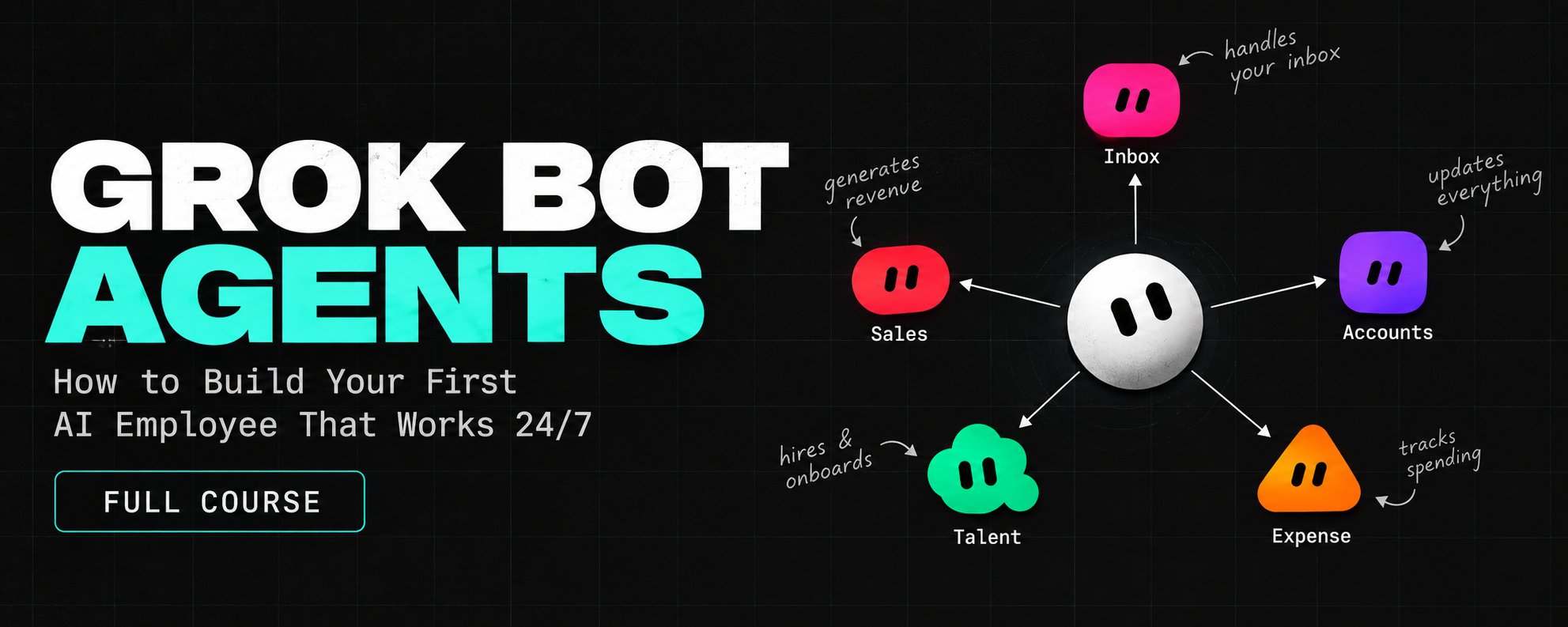
Grok Bot: How to Build Your First AI Employee That Works 24/7 (full course)
It is 7am and your inbox is already sorted Ten client replies are drafted, yesterday's receipts are filed, and three new prospects are researched with links Nobody on your team did it. A Bot did, on
Article
Job breakdowns
It is 7am and your inbox is already sorted
Ten client replies are drafted, yesterday's receipts are filed, and three new prospects are researched with links
Nobody on your team did it. A Bot did, on its own computer, while you were asleep
That is what Grok Bot is built for
And most people will still open it, type one vague request and wait for magic
This course shows how to hire a Bot the way you would hire a person: one job, clear rules, the right tools, and a line it never crosses without you
By the end you will have an AI employee that keeps working while your laptop is closed, and a second one it can hand work to
I break down new AI agents the week they ship,
so follow me @hanakoxbt if you want the next one before everyone else
What Grok Bot actually is
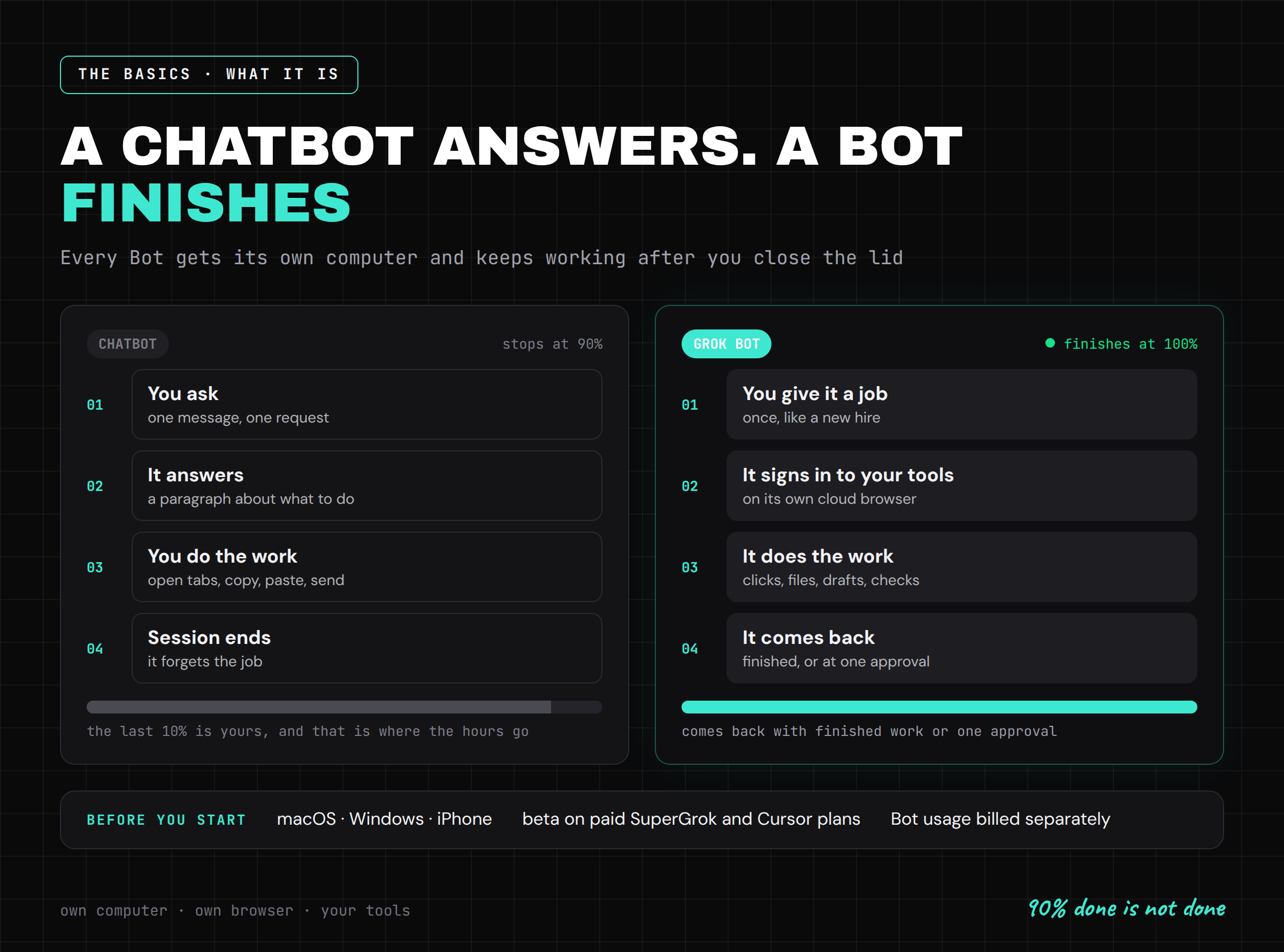
A chatbot gives you an answer
A Bot gives you finished work
That is the whole difference, and it changes how you should use it
Every Bot runs on its own computer in the cloud. It opens a browser, signs in to the tools you already use, clicks through them the way you would, and keeps going after you close the lid
It works on websites and apps with no API at all, because it uses them through the screen, like a person
You message it from your desktop or your phone, like a colleague. It comes back when the work is done, or when it needs your approval
The launch post puts the point in one line: there is a huge difference between 90% done and 100% done
Chat tools stop at 90%. You do the last 10% yourself, and the last 10% is where the hours go
A Bot is built to close that gap
Before you start:
• Grok Bot is a desktop app for macOS and Windows, plus an iPhone app to message your Bots on the go
• it is in beta on paid SuperGrok and Cursor plans, and Bot usage is billed separately from your plan
• check that Bot access is enabled on your account before you plan your week around it
Step 1: Hire for one job, not for everything
The fastest way to waste Grok Bot is to hand it your whole life on day one
"Run my business" is not a job. Nobody could do it, human or Bot
Pick one task you already do every week, that touches two or more tools, and where you can check the result in under a minute
Good first jobs:
-
triage the inbox every morning and draft replies to clients
-
turn sales call notes into clean CRM updates
-
collect the week's receipts and match them to invoices
-
reproduce a reported bug and file a proper ticket
-
research 20 prospects and draft the first message for each
This list is not random. It is close to how the team behind Grok Bot uses it internally: sales outreach, CRM cleanup, invoices, expenses, onboarding new hires and bug triage
Start small on purpose
Trust should grow in the same order as evidence: one task, then one routine, then a schedule, then a second Bot
Step 2: Write the job description before the first task
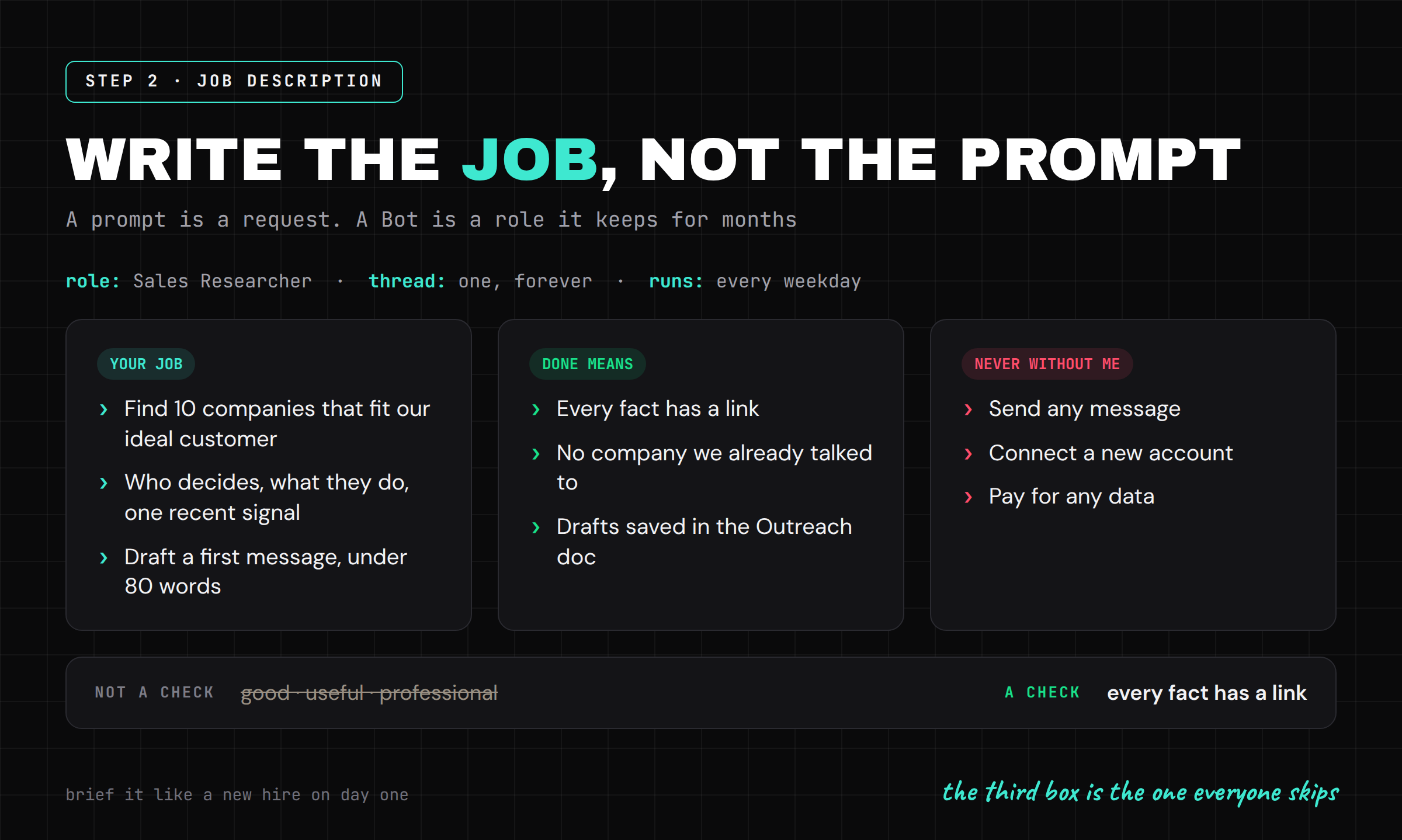
A prompt is a request. A Bot is a role
It keeps one thread, remembers how you like things done and gets better at that one domain because you keep coming back to the same conversation
So name it after a job a real person could hold: Inbox Manager, Expense Manager, Sales Researcher
Then brief it like a new hire on day one. Three parts, and almost everyone skips the third:
You are my Sales Researcher.
Your job:
Every weekday, find 10 companies that fit our ideal customer.
For each one: what they do, who decides, one recent signal (funding, hiring, a launch).
Draft a first message for each, under 80 words.
Done means:
Every fact has a link. No company we already talked to.
Drafts are saved in the Outreach doc.
Never without me:
Send any message. Connect a new account. Pay for any data.
If a source looks wrong, mark it and move on.
Write "done means" as checks, not adjectives
"Good", "useful" and "professional" are not checks. "Every fact has a link" is
If you cannot check the finish line, the Bot cannot reach it either
Step 3: Connect your tools once, hand over the login, never the password
Grok Bot connects to the usual stack through plugins, and for everything else it simply uses the website
Two details matter more than the plugin list
First, connections live at the account level. Connect Gmail or Slack once and your other Bots can work through it too
That makes your second hire productive in seconds. It also means one careless connection is shared by every Bot you will ever create
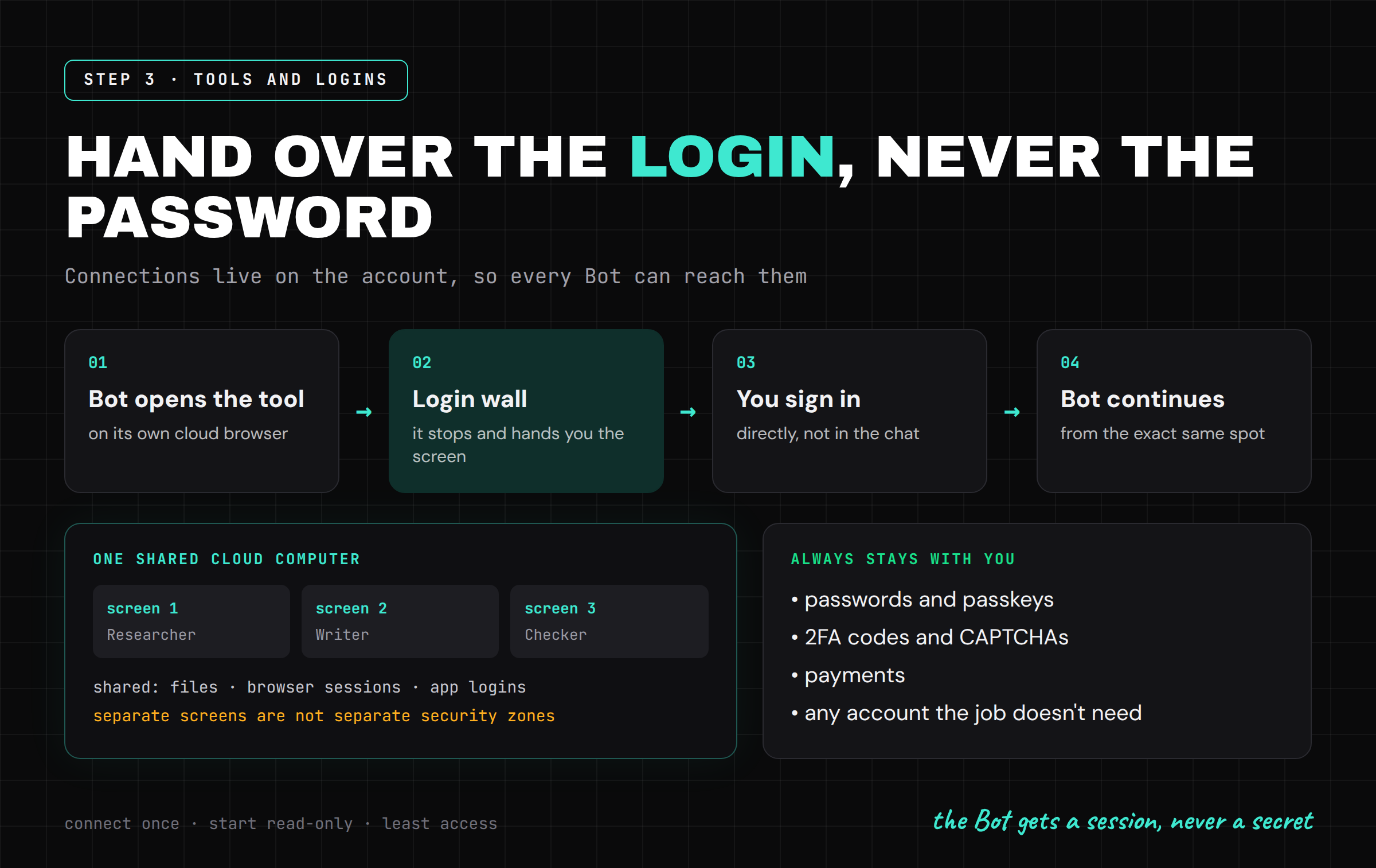
Second, all your Bots share one persistent cloud computer. Each Bot gets its own screen, but the files, browser sessions and logins on that computer are shared
The docs say it directly: do not use separate Bots as a security boundary
So connect only what the job needs, and start read-only wherever you can
When the Bot hits a login wall, it stops and hands you the screen
You sign in yourself, click done, and it continues from the exact same spot
Passwords, passkeys, 2FA codes, CAPTCHAs and payments stay with you
If any flow ever asks you to paste a password into a chat, that is the wrong path. The Bot gets a session, never a secret
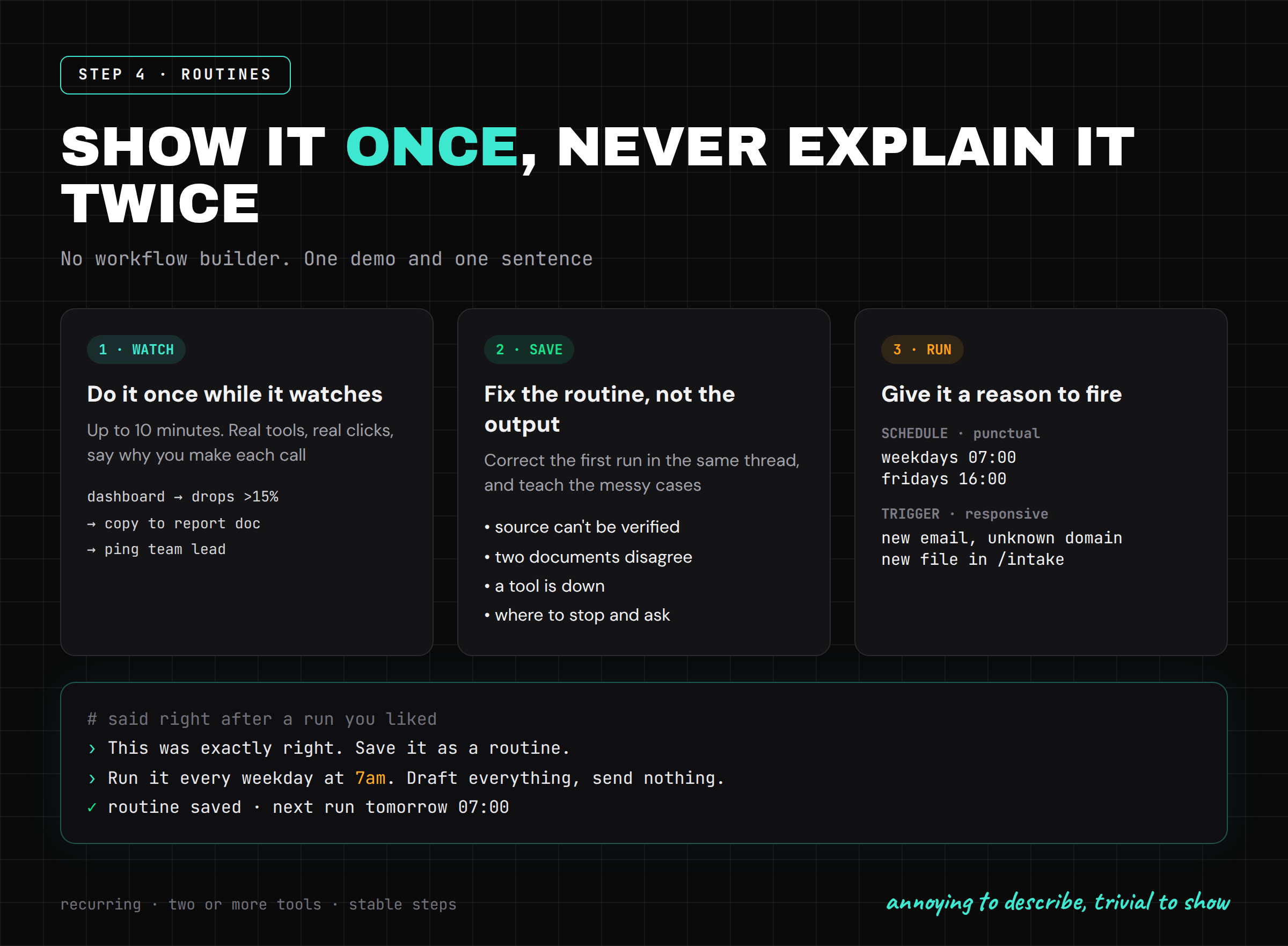
Step 4: Show it once instead of explaining it twice
This is the feature that makes Grok Bot feel different from every assistant before it
Most tasks that eat your week are annoying to describe and trivial to show
"Take the numbers from this dashboard, find the ones that dropped more than 15%, paste them into the report under the right heading and ping the team lead" is a paragraph to write and a minute to show
So show it
Do the task once while the Bot watches (a demo can run up to 10 minutes) and it saves what it saw as a routine
Then correct the first run in the same thread
Fix the routine, not just the output. If you only repair the result, the same mistake is back tomorrow
Teach the messy cases too, because that is where real work breaks:
what to do when a source cannot be verified
what to do when two documents disagree
what to do when a tool is down
where exactly to stop and ask you
Then give the routine a reason to run
A schedule makes it punctual: every weekday at 7am, every Friday at 4pm
A trigger makes it responsive: a new email from an unknown domain, a new file in a folder, a new message in a channel
You do not build any of this in a workflow editor. You say it in one sentence, right after a run you liked:
This was exactly right. Save it as a routine.
Run it every weekday at 7am.
Draft everything, send nothing, and leave me one summary in this thread.
One rule before you schedule anything: three clean runs in a row, not one
The first good run proves it can work. Three prove it will
Step 5: Draw the approval line at what can't be undone
A Bot that asks about everything is useless
A Bot that asks about nothing is dangerous
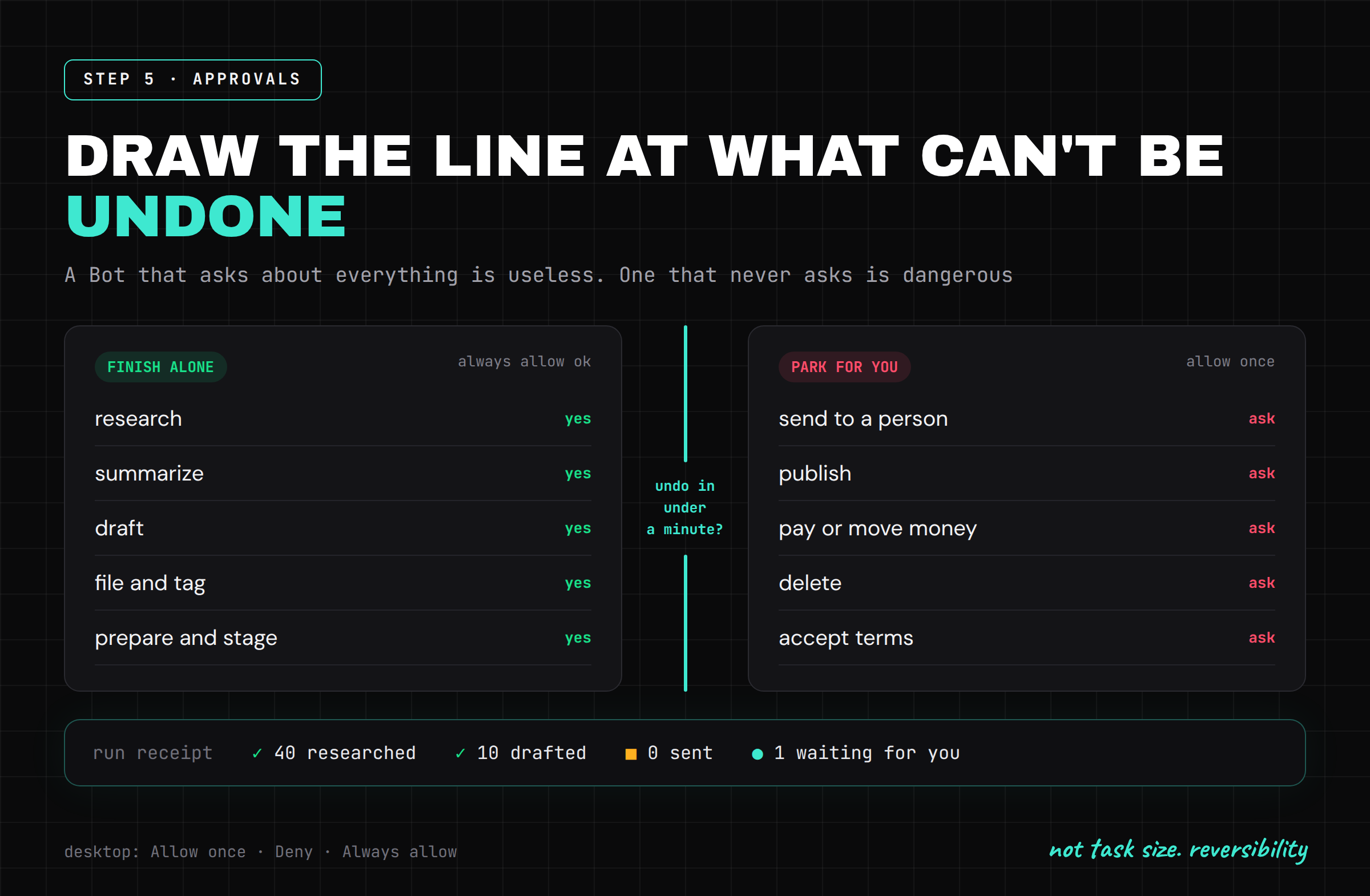
The line is not task size. It is reversibility
Grok Bot asks before consequential actions, and on desktop you get three answers: Allow once, Deny, Always allow
Use "Always allow" only for actions you could undo in under a minute
• finish alone: research, summarize, draft, file, tag, organize, prepare, stage
• always park for you: send to a person, publish, pay or move money, delete, change permissions, accept terms
The best run you will see looks like this: 40 accounts researched, 10 drafts written, 0 sent, 1 approval waiting
It did every reversible step on its own and stopped exactly at the irreversible one
It did not come back at 10% to ask a question. It came back at 99% with one button for you to press
That is the shape to aim for with every Bot you run
Step 6: Hire a second employee and put them in one chat
One Bot is an assistant
Two Bots that pass work to each other start to look like a team
You can run several Bots in parallel, each on its own screen, each with its own memory and its own thread
Split them by domain, not by task size
An Expense Manager that only ever thinks about receipts gets very good at your receipts. A generalist juggling receipts, hiring and outreach is worse at all three, and when something breaks you have no clean thread to look at
Then put them in a group chat
Bots can message each other, share context and hand over ownership without you copying notes between windows
The example from the launch: one Bot reproduces a bug, files the ticket and hands it to a second Bot to debug
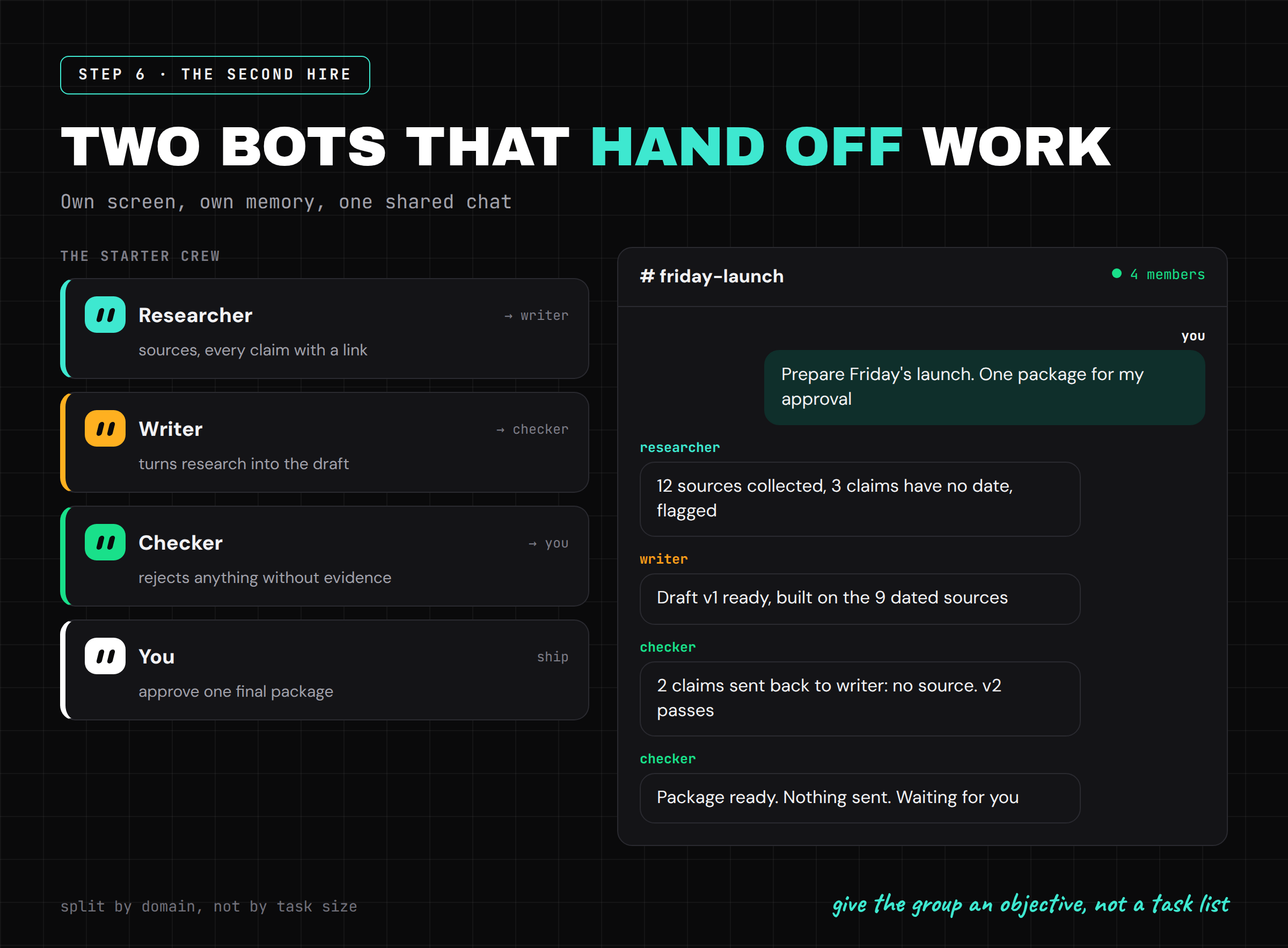
Give the group an objective, not a task list
"Prepare Friday's launch: research, draft, check every claim, leave one package for my approval"
If you split the work yourself, you are still the manager doing all the routing, just with more windows open
A starter crew that covers most knowledge work:
-
Researcher: finds sources, every claim with a link
-
Writer: turns the research into the draft
-
Checker: rejects anything without evidence and sends it back to whoever made it
-
You: approve one final package
The Checker is the hire people skip, and it is the one that lets you stop reading every draft yourself
Add a fourth Bot only when one of these three becomes a real bottleneck, not because a bigger team looks more impressive
Step 7: Bring your AI employee to the whole team
At the end of September Grok Bot launched Team Bots in public beta for Teams and Enterprise plans
One Bot with shared files, skills, plugins and memory, published for everyone in the app or in Slack
A shared Bot is powerful, and it is also where most teams will make their first real mistake
Four rules decide whether a Team Bot is still useful after the first week:
• team memory is shared, private notes are not. Ask the Bot to save something for the whole team only when it is an actual team rule. Your favorite report format stays yours
• a plugin connected through a person's own account acts as the person who asked, not as the creator. A plugin set up with one shared key acts the same for everyone, so give that key the smallest access possible
• a Slack thread is a shared room. Anything sensitive goes to a 1:1 chat, the channel only gets the safe conclusion
• facts that change, like prices, owners, statuses and plans, belong in the tool where they live, not in memory. The Bot should reopen the source before it acts on them
Get these right and one person's correction makes the next person's answer better
Get them wrong and the Bot repeats one mistake to the whole company
Step 8: Review it every Friday, or it rots
Always-on work fails quietly
A site changes its layout, a login expires, a routine starts producing garbage, and because it runs while you sleep, nobody notices for weeks
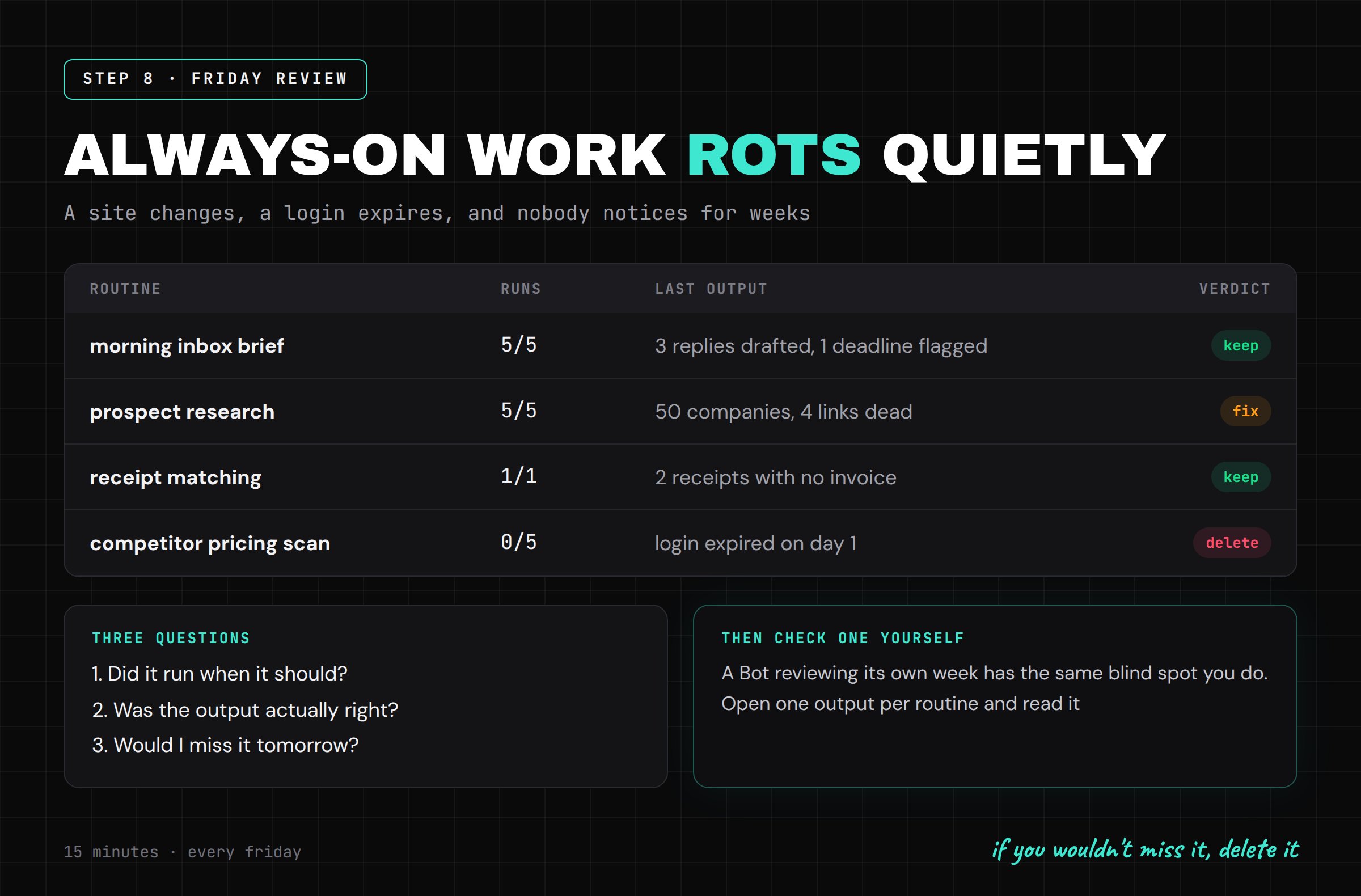
Put 15 minutes on the calendar every Friday and ask each Bot for a receipt:
List every routine you ran this week. For each one:
how many times it ran, what it produced,
what it skipped or had to guess,
and anything you parked for me that I never answered.
Then tell me which routine is least useful and why.
Then open one output per routine and check it yourself
A Bot reviewing its own week has the same blind spot you do
For every routine ask three questions:
-
Did it run when it should have?
-
Was the output actually right?
-
Would I miss it if it disappeared tomorrow?
If the answer to the third one is no, delete it
The goal is not to collect automations. The goal is to remove work without collecting invisible failures
The mistakes that will cost you the most
-
one Bot for everything, with every account connected
-
a job with no definition of done
-
treating separate Bots as separate security zones
-
pasting a password into a chat
-
"Always allow" on anything that sends, pays or deletes
-
scheduling a routine after one good run instead of three
-
never deleting routines that stopped being useful
What actually changes
Every AI tool until now put a model in a window and left the work in your hands
Grok Bot moves the work. The Bot has the computer, the logins, the memory and the time. You keep the decisions
The skill stops being "how do I phrase this" and becomes "what exactly am I delegating, and where does its authority end"
That is a management question, not a prompting one
The people who learn it this month will have a small team working for them by the end of the year
Everyone else will still be typing into a chat box and doing the last 10% by hand
If you read this far:
-> Follow @hanakoxbt, I post the next AI agent breakdown before it trends
-> Bookmark this so you have the steps when you hire your second Bot
-> And subscribe to my Telegram channel:
Published on grokbot.sh. Cite the public log, not a prompt pack.