
Everything Grok Bot Actually Does The Guide xAI Didn't Write
Your Chatbot Just Got Hands, a Desk, and a Shift Schedule There's a specific kind of tired that comes from being the only person who can move your own to-do list forward. The email that needs an
Article
Job breakdowns
Your Chatbot Just Got Hands, a Desk, and a Shift Schedule
There's a specific kind of tired that comes from being the only person who can move your own to-do list forward. The email that needs an answer today. The report nobody will actually read but someone still has to write. The three people you have to nudge before Friday or the whole project stalls. None of it is difficult work. It's just work that only happens because you personally sat down and did it because for the entire history of AI chat tools, the assistant on the other side of the screen stopped existing the moment you closed the tab.
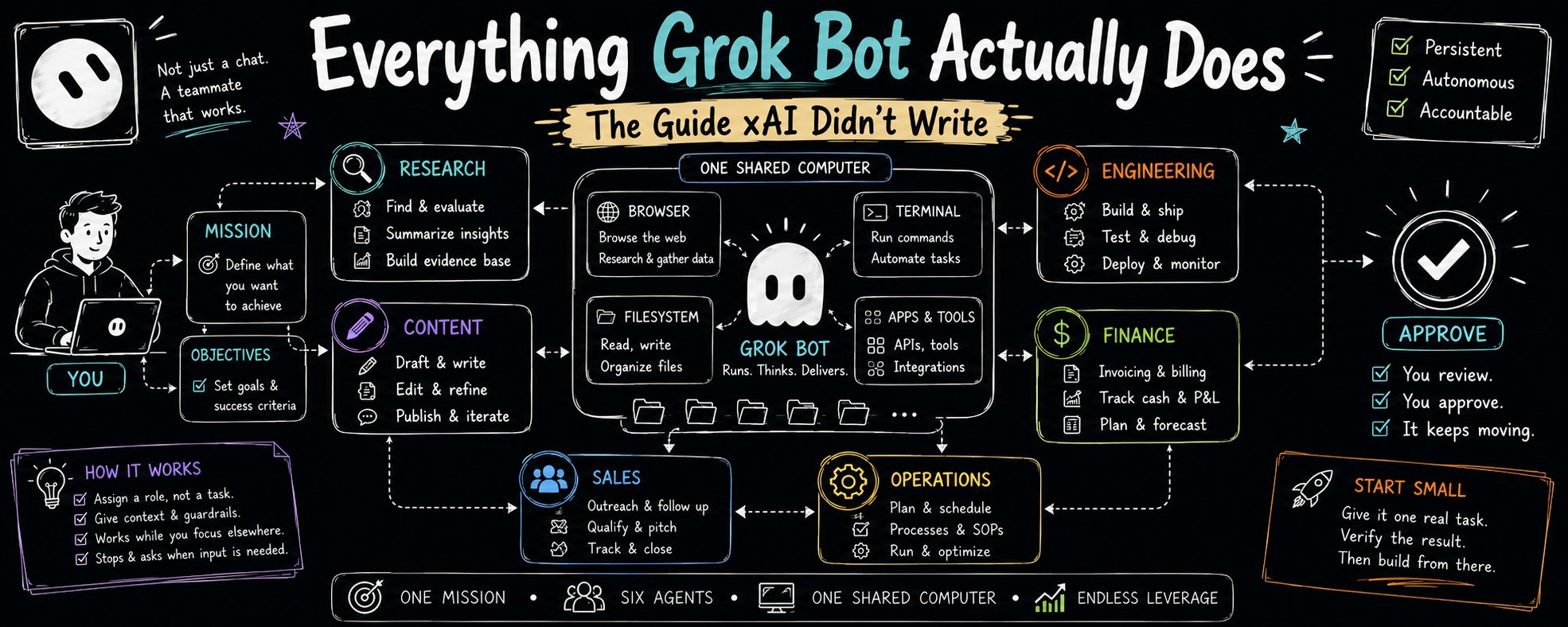
That stopped being universally true on August 11, 2026, when xAI shipped a product called Grok Bot. It's easy to read past the announcement as just another AI feature drop, but there's one architectural detail buried in it that actually changes what the category of tool can do: each agent internally just called a "Bot" gets assigned its own persistent machine running in the cloud. Not a simulated environment. A real computer, with a browser, a filesystem, and a terminal, sitting in a data center that has no reason to ever turn off.
Why "it kept working while I was at dinner" is the actual headline
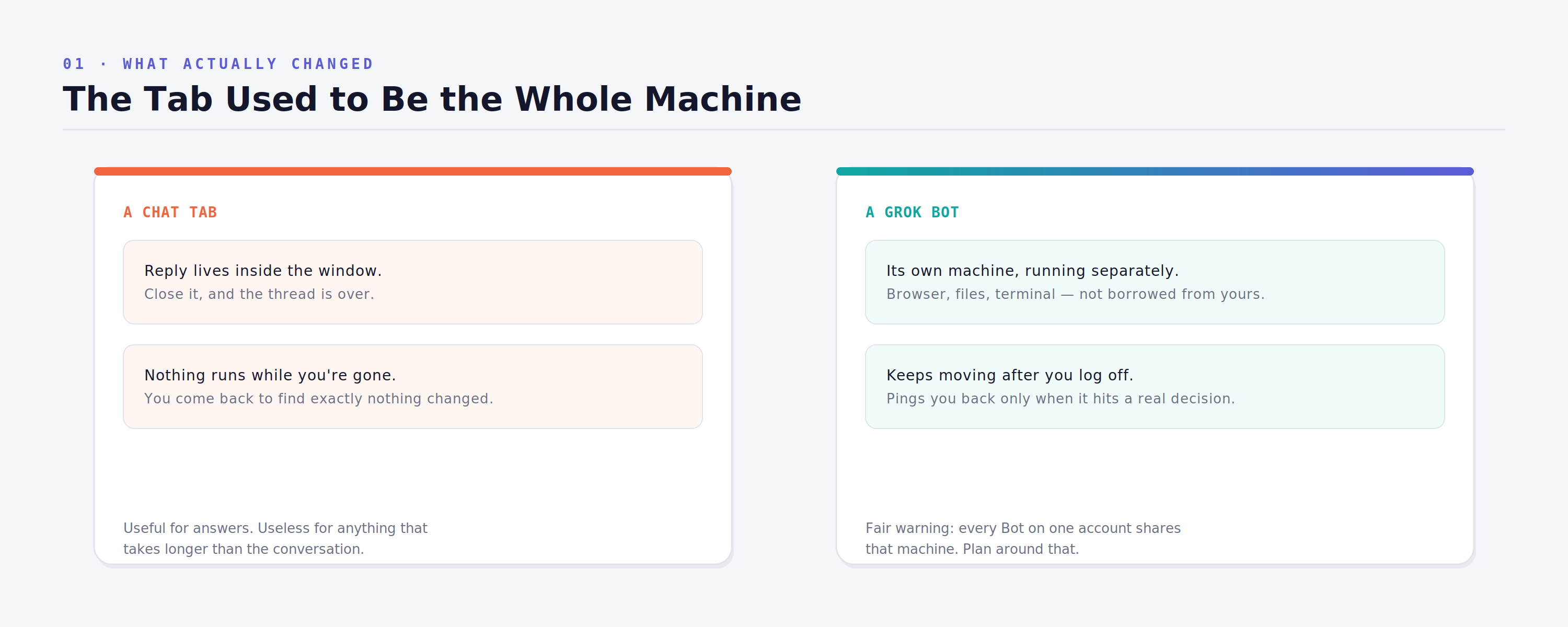
Every AI chat interface you've used before this shares the same fundamental limitation, no matter how good the underlying model is. You type something, it replies, and the entire interaction lives inside that conversation window. Ask it to draft a follow-up email, and it drafts the email — but nothing happens in the actual world until you personally copy that text somewhere and hit send. The tool is smart. It just isn't present when you're not.
A Grok Bot breaks that link on purpose. Because the computer it's running on belongs to the Bot rather than to the conversation, closing your laptop doesn't pause anything. The task keeps moving on its own machine, clicking through whatever multi-step process you assigned, right up until it hits a decision it isn't allowed to make without you — at which point it stops, waits, and pings you. You're not babysitting a chat anymore. You're checking in on a shift that ran while you were somewhere else entirely.
The easiest way to feel the difference is to hand it something small and genuinely low-stakes first not because the tool can't handle more, but because trusting a new coworker starts with a task you can verify in under a minute:
That last instruction about citing the source is what makes the exercise worth doing at all. It means every claim in the summary can be checked against the original in seconds, instead of you having to reread the whole thing anyway just to confirm the AI didn't quietly get something wrong.
The mistake almost everyone makes in week one
Watch how people actually use these Bots in their first few days, and a pattern shows up immediately: they ask it a question, read the answer, and close the app. That's not wrong, exactly, but it's a waste it's using a standing employee to do the job of a search bar. The entire value of a persistent agent is that it can hold context and responsibility across many tasks, not just answer the one in front of it.
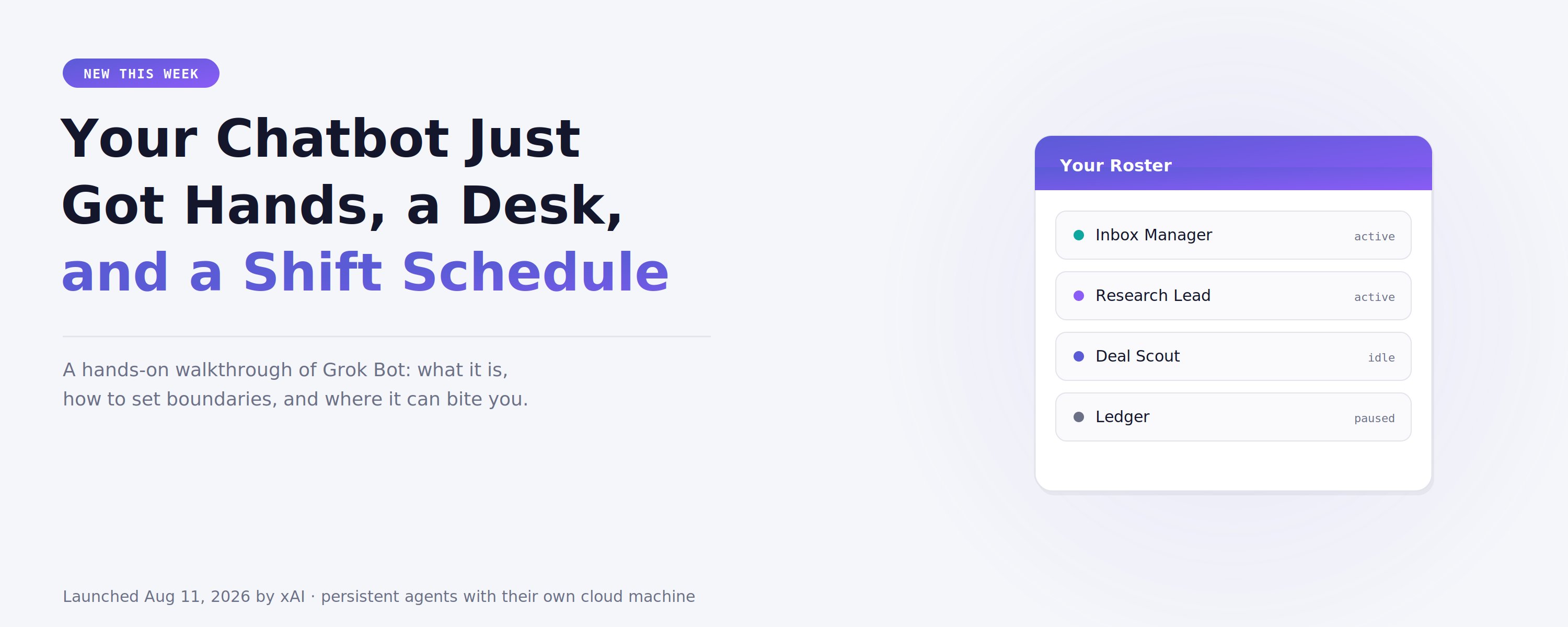
The fix is smaller than it sounds. Instead of assigning a task, assign a role. Don't ask it to reply to one email. Give it ownership of your inbox, with a name a real hire could have Inbox Manager, Research Lead, Deal Scout, whatever fits the actual job. The name isn't cosmetic. It's the shorthand that tells the Bot what it's responsible for beyond the single message currently sitting in front of it, the same way a job title tells a new employee what falls inside their lane without you having to re-explain it every morning.
Two documents, and confusing them is where things go wrong
This is the part that decides whether the "coworker" framing actually holds up over time, or quietly collapses back into a slightly fancier to-do list app.
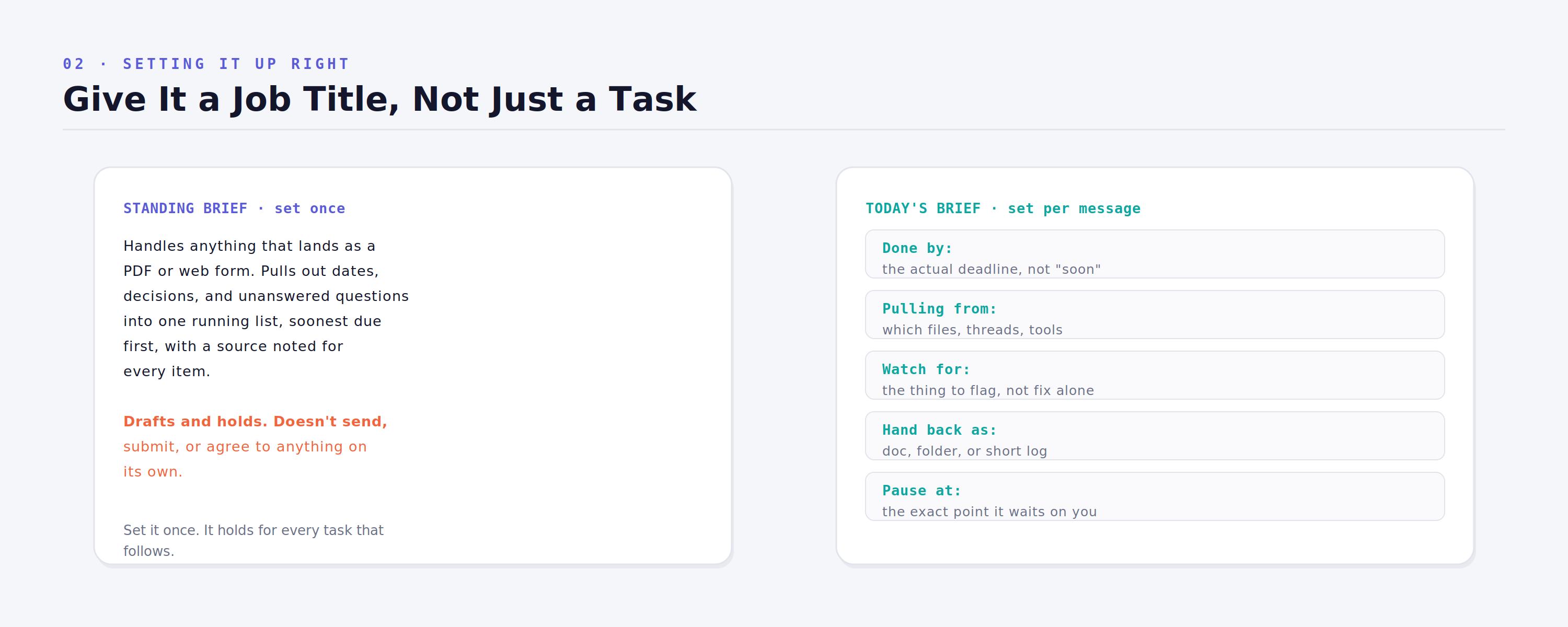
There are two separate kinds of instructions you'll be writing, and they're not interchangeable. The first is a standing brief something you write once, the way you'd brief a new hire on their first day, covering what they own, what a finished result is supposed to look like, and the specific line they should never cross without checking with you first. It's meant to survive weeks of use without being rewritten. If you find yourself editing it every morning, it was never actually a standing brief it was a to-do list wearing a job title.
The second kind is the actual task for today, and it works best when it answers a handful of specific questions in the same message rather than being left vague and open-ended. What's genuinely due, and when. Which files or threads or tools it should be pulling from. What's worth flagging rather than quietly fixing on its own. What shape the final answer should come back in. And exactly where it should stop and wait rather than plow ahead on assumption.
Put together, a reasonable pairing looks something like this a standing brief that holds for weeks, followed by a specific task that only applies today:
Leave one of those specifics out of the daily message and the Bot will typically come back and ask before it starts which, ironically, costs you the exact chunk of time you were trying to save by delegating the task in the first place.
The line that has to exist before anything real gets connected
Here's the part that's easy to skip in the excitement of the first working demo, and the part that matters most the moment you connect anything with real consequences attached a live inbox, a shared calendar, an account with actual money in it.
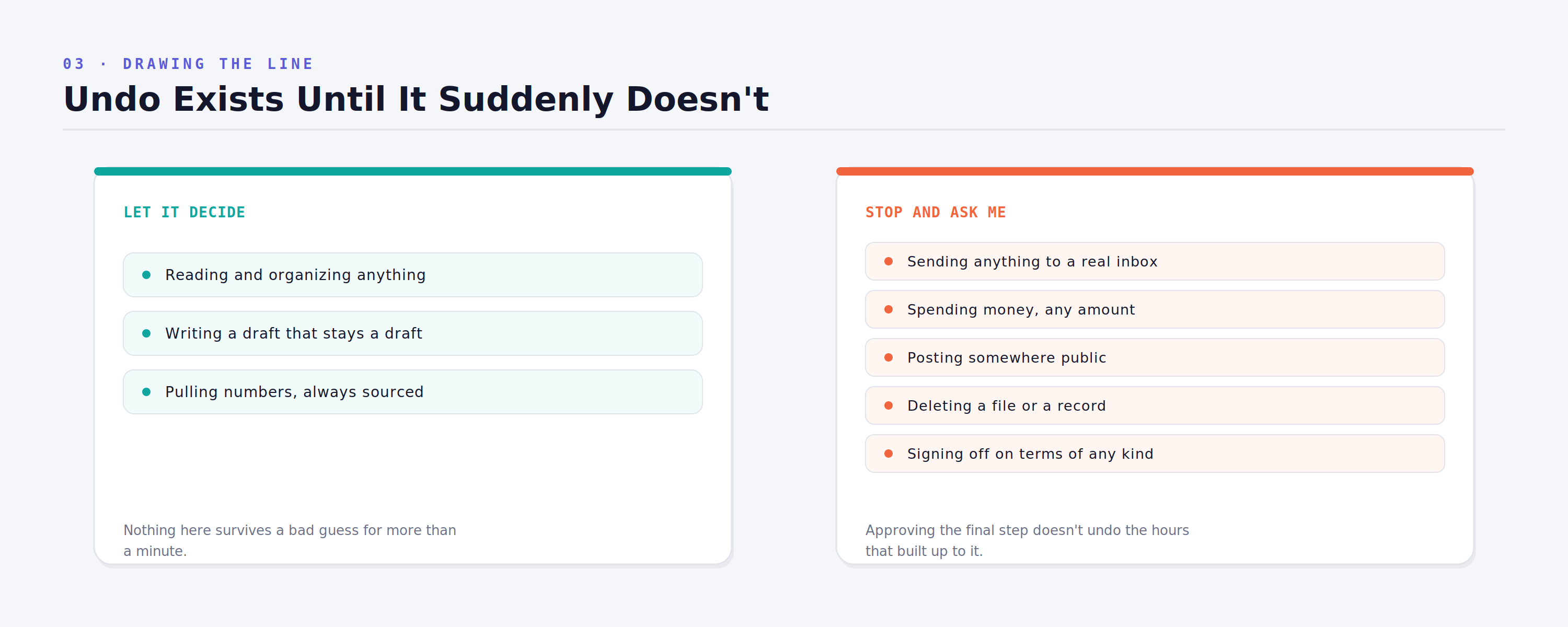
An agent that's never explicitly told where its authority ends will make that call itself, and it tends to be more generous about what counts as "reversible" than a cautious person would be. So the boundary gets drawn once, deliberately, before the Bot ever touches anything that matters. Some categories of action are safe to leave entirely to its judgment reading, sorting, tagging, and summarizing information, or drafting something that stays a draft until a human looks at it. Other categories should always stop and wait for an explicit yes, no matter how routine they start to feel after the tenth successful run: sending anything to an actual person, spending any amount of money, publishing something publicly, deleting a file or a record, or agreeing to terms on your behalf.
Worth sitting with honestly: approving the final step in a chain doesn't retroactively approve everything that led up to it. Saying yes to "send this" doesn't undo three hours of research built on a bad assumption. The boundary isn't paperwork you write once and forget about for something running unsupervised on its own machine, it's the entire safety model the rest of the setup depends on.
Where a handful of these actually start acting like a team
The most genuinely interesting behavior shows up once you stop running Bots one at a time and start putting several of them in the same conversation with a shared outcome instead of a step-by-step checklist. According to xAI's own working examples including an outbound-sales Bot that researches accounts overnight and leaves a queue of personalized, pre-drafted messages waiting for a human to approve in the morning a small group of Bots given a single goal will split the work between themselves and hand pieces back and forth without you personally routing every step.
The one thing that has to be explicit for this to work cleanly is ownership. Leave it ambiguous, and you don't get smooth collaboration you get two Bots independently doing the same piece of work, and two versions of the same finished report landing in your inbox by Friday morning.
The honest limits, before you connect anything that actually matters
None of this is finished software, and it's worth treating it that way rather than assuming it behaves like a mature product. Access at launch isn't cheap or standalone it's bundled into existing subscription tiers running from roughly $120 to $300 a month, with no free option available. There's no independently verified audit trail yet covering exactly what an approved action actually did once you said yes to it. And the detail most worth taking seriously, because it's easy to miss under the marketing language: xAI's own technical documentation states more than once that every Bot on a single account shares one underlying machine, not a separate computer each, and explicitly warns against treating one Bot as isolated from another on the same account. Keep banking credentials and your most sensitive logins off it entirely, regardless of how confident the interface starts to feel after a good week.
What actually changes, underneath the branding
For years, AI could tell you exactly what to do next while every real step the sending, the following up, the filling in, the double-checking still waited on you personally sitting down and doing it yourself. That's the part genuinely shifting here, rough edges and all, not the raw intelligence of the underlying model.
Pick the single most repetitive, least interesting task currently sitting on your list the one no ordinary app was ever going to automate for you. Write it an actual standing brief instead of a one-line prompt. Show it exactly where the line sits before you hand it anything sensitive. Then let it run overnight, and see what's genuinely waiting for you when you sit back down in the morning.
Published on grokbot.sh. Cite the public log, not a prompt pack.