
claude-mem: Give Your AI Coding Agent a Real Long-Term Memory (Hands-On Tutorial)
This tutorial is for you if you live inside Claude Code or another AI coding agent every day and you are tired of re-explaining your project every single morning. If you have ever opened a new session
Article
Job breakdowns
This tutorial is for you if you live inside Claude Code or another AI coding agent every day and you are tired of re-explaining your project every single morning. If you have ever opened a new session and felt like your agent has amnesia, keep reading, because this one fixes that.
You know the pain. Yesterday your agent helped you refactor the payment module, settled on a new folder structure, and agreed with you on the naming convention for the new API. Today you open a fresh session, ask it to add one small endpoint, and it does everything the old way. You burn twenty minutes pasting context, summarizing decisions, re-explaining why you rejected that library last week. Every session starts from zero. It is like working with a brilliant colleague who gets a concussion every night.
🧠 What Is claude-mem
claude-mem gives your agent persistent context across sessions. The idea is simple: it captures everything your agent does during sessions, compresses it with AI, and injects the relevant context back into future sessions. That description comes straight from the project's own README, and the supported-tools line reads, word for word: Works with Claude Code, OpenClaw, Codex, Gemini, Hermes, Copilot, OpenCode + More.
The repository is
https://github.com/thedotmack/claude-mem
and the author is Alex Newman, known as thedotmack on GitHub. As of October 4, 2026, it has 95,813 stars. It is licensed under Apache-2.0, and it was created on August 31, 2025. Reaching nearly one hundred thousand stars in about a year puts it in rare company for a developer tool.
🔧 How It Works, In Plain Words
Everything starts with hooks. claude-mem registers six life cycle hooks inside your agent. The named ones are SessionStart, UserPromptSubmit, PostToolUse, Stop, and SessionEnd, with the full six-hook life cycle set documented in the project. Think of them as ears that listen at every important moment. When a session starts, when you submit a prompt, when a tool runs, when the agent stops working, and when the session ends, the hooks quietly record what happened.
All of that flows into a local worker service managed by Bun. It exposes an HTTP API and a web viewer, so you can browse your agent's memories in a browser instead of trusting a black box. The raw material lands in SQLite, which stores sessions, observations, and summaries. When you want something back, the mem-search skill takes your natural-language query, and a Chroma vector database handles hybrid semantic plus keyword retrieval.
Retrieval works in three layers: search, then timeline, then get_observations. In human terms, the system first finds candidate memories, then rebuilds the order in which things happened, then pulls the detailed observations. That layering is the difference between trivia and real memory. You do not just learn that a decision was made; you learn when it was made and what came before it.
One more claim worth knowing, with a caveat. The project advertises roughly 10x token savings. That number is the project's own claim, not an independently verified result. The logic behind it is easy to follow: if your agent can pull compressed summaries instead of you pasting entire files and old chat histories by hand, fewer tokens go in. Whether you personally see anything close to 10x depends on how much context you were re-feeding manually before.
🧪 What I Actually Did: A Real Hands-On Run
I am not going to pretend I read the README and called it a review. On October 4, 2026, I set up a sandbox at ~/workspace/x-ops/claudemem-sandbox on my own machine and ran the real commands. Here is exactly what happened, step by step, including the parts that did not work.
🔧 Step 1: Install the Package in One Minute
The first command I ran was the plain package install:
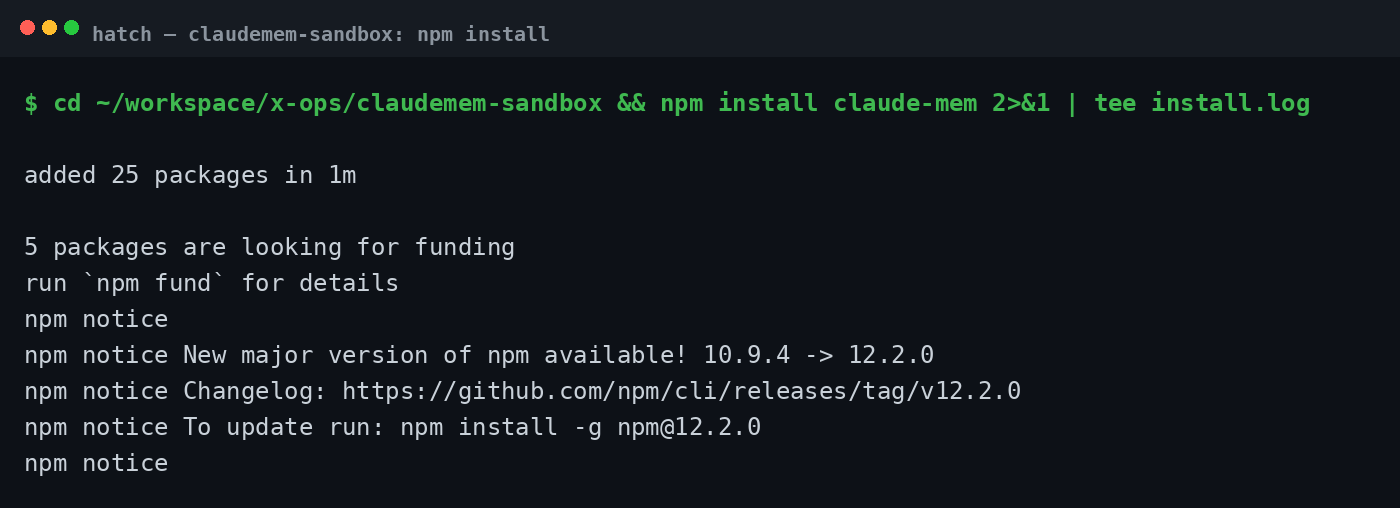
npm install claude-mem
One minute later, the terminal reported added 25 packages in 1m. My machine runs Node v24.20.0, and the installed claude-mem version turned out to be 13.29.0. Clean, fast, zero errors.
Then I confirmed the binary actually runs:
./node_modules/.bin/claude-mem --version
It printed 13.29.0 back at me. So far, so good.
🔧 Step 2: Meet the CLI
Next I asked the CLI to introduce itself:
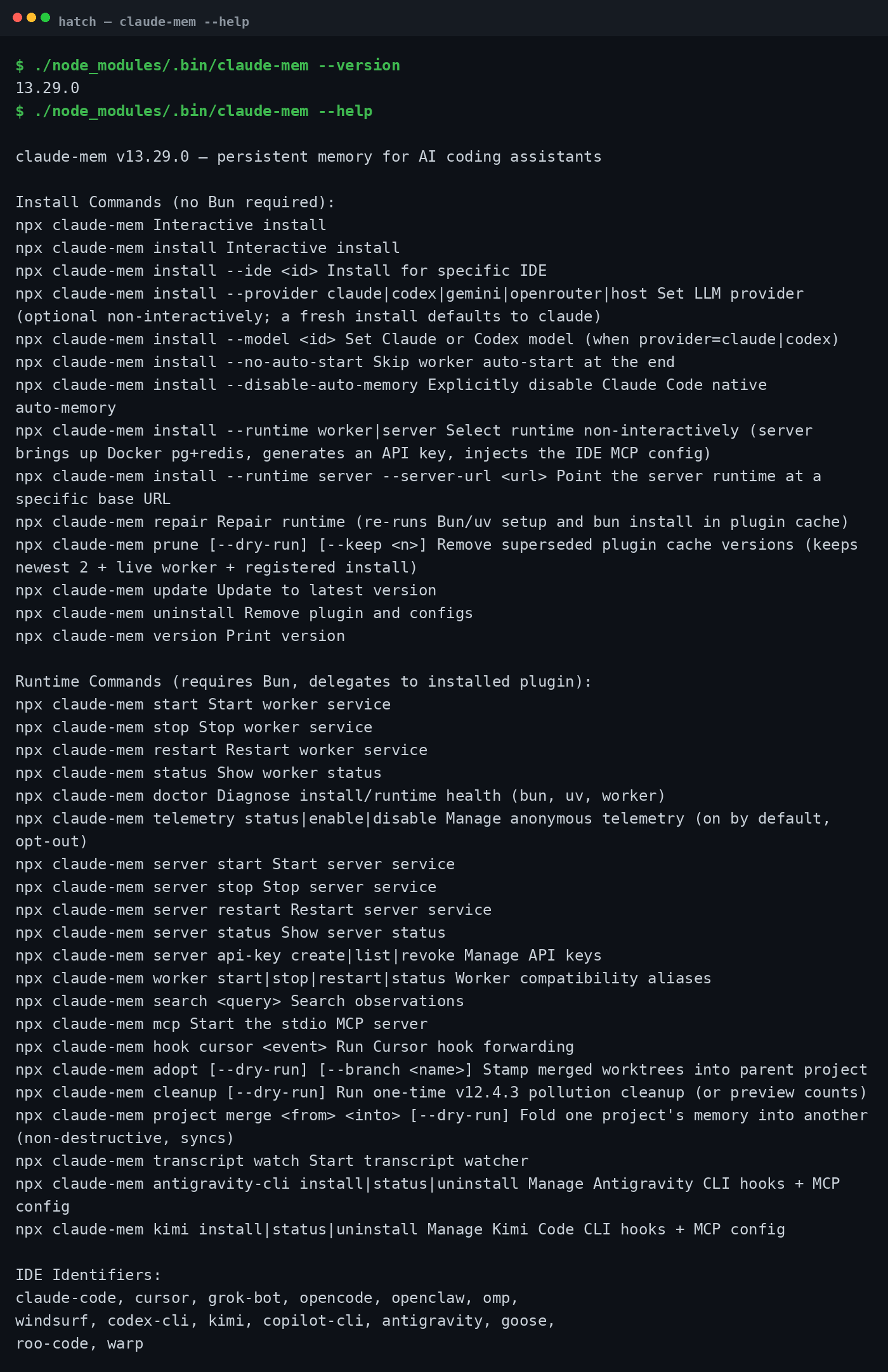
./node_modules/.bin/claude-mem --help
The help output is well organized. It splits everything into two groups. Install Commands cover install, repair, prune, update, uninstall, and version. Runtime Commands cover start, stop, restart, status, doctor, telemetry, search, and mcp. The help also lists 14 IDE identifiers, which tells you how many editors and agent CLIs this project wants to support.
🔧 Step 3: Run the Health Check
Before installing anything for real, I ran the built-in doctor:
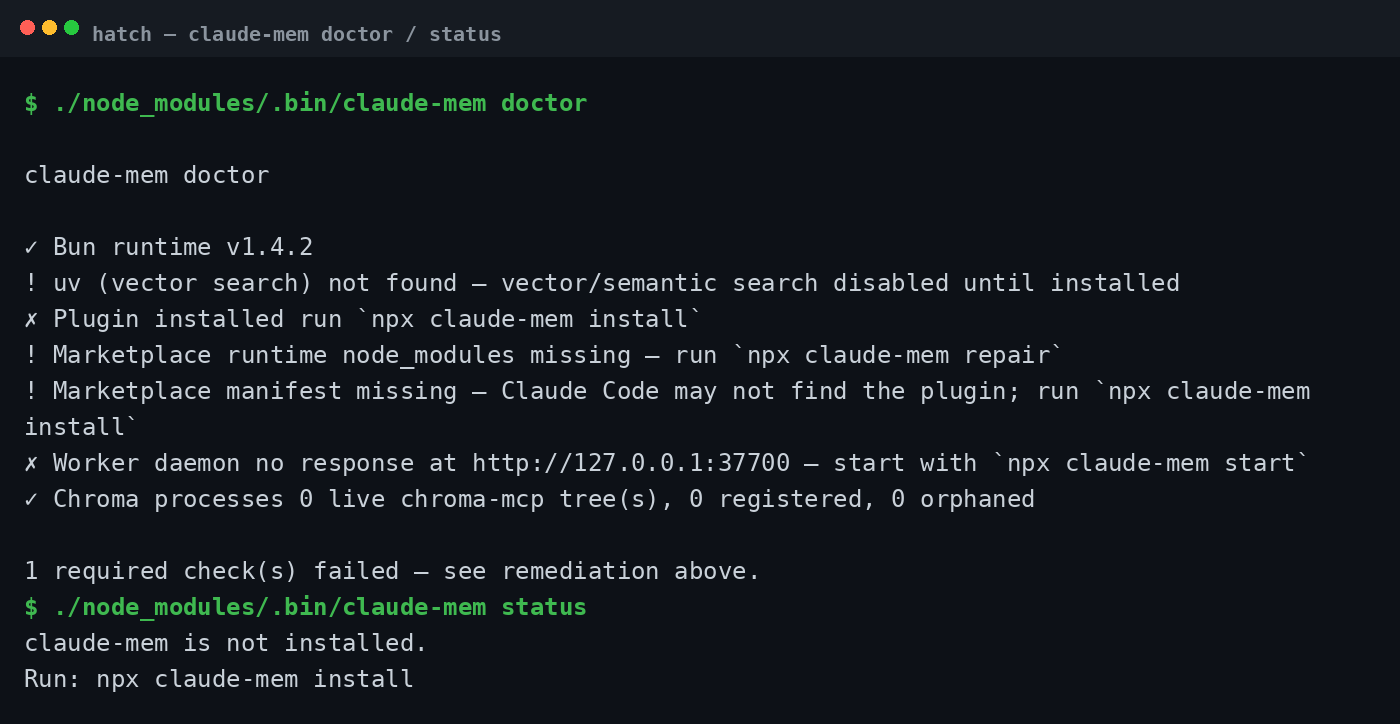
./node_modules/.bin/claude-mem doctor
Here is what it told me, translated into plain language. Bun v1.4.2 passed, so the worker runtime requirement is satisfied. uv is missing, and the doctor says vector search is disabled because of it. That is a real feature loss, not a warning you can shrug off, because without uv there is no Chroma-backed semantic retrieval. The plugin was not installed, and the worker daemon was not responding, which is exactly what you would expect before the real install.
Then I checked the current state:
./node_modules/.bin/claude-mem status
It answered honestly: claude-mem is not installed. Run: npx claude-mem install. At least the tool tells you exactly what to do next.
🔧 Step 4: The Real One-Click Install, Straight From the Official README
Now I owe you honesty. I did not run the interactive installer in my sandbox, and I am not going to pretend I did. The command that does the real work is:
npx claude-mem install
That command registers the life cycle hooks, installs the worker, and wires everything into your agent. I stopped here on purpose, because it writes to your real agent configuration, asks you to choose a memory provider, can ask for an API key, and starts a background daemon. That goes beyond the safe, read-only scope of a sandbox test. So what follows is the official README path, which I read carefully and cross-checked against the CLI, not something I clicked through myself.
First, the prerequisites from the README: Node.js 20 or newer, the latest Claude Code with plugin support, Bun (auto-installed if missing), uv (auto-installed if missing), and SQLite3, which is built in.
Now the biggest trap in the whole setup. This command:
npm install -g claude-mem
only installs the SDK and library. It does NOT register hooks and it does NOT install the worker. If you run it and expect memory, nothing will happen. You must use npx claude-mem install or the plugin commands instead. This is stated clearly in the README, and it is the mistake almost everyone will make first.
The README gives you several doors. The one-click installer is:
npx claude-mem install
If you prefer the Claude Code plugin route, add the marketplace and then install the plugin, each on its own line inside Claude Code:
/plugin marketplace add thedotmack/claude-mem
/plugin install claude-mem
For OpenCode users, there is a dedicated flag:
npx claude-mem install --ide opencode
For OpenClaw, there is a standalone script:
curl -fsSL https://install.cmem.ai/openclaw.sh | bash
After installing, the README asks you to log in through your browser with an email magic link. No card required. You then receive a memory key, and you pick a memory provider: the claude-mem observer, which includes a free trial period, your own OpenRouter key, a Gemini key, or an Anthropic plan. If you would rather skip the login, you can pass a provider flag, set CLAUDE_MEM_ONLINE_OPTIN to false, or run in a CI environment.
Configuration lives in a settings file at ~/.claude-mem/settings.json. There is also a simplified Chinese mode you can enable with a mode value of code--zh. And for privacy, you can wrap sensitive content in
🛠️ Who It Works With
The README lists the supported tools in one line, quoted here word for word: Works with Claude Code, OpenClaw, Codex, Gemini, Hermes, Copilot, OpenCode + More. The installer goes further and can auto-detect Claude Code, Cursor, Windsurf, OpenCode, Codex CLI, Antigravity CLI, and Grok Bot on your machine. That auto-detection is a nice touch, because it removes the manual wiring that usually makes these setups painful.
⚠️ The Honest Limitations
No tool is free of tradeoffs, and you should know these before you install. First, it requires a login. You sign in with an email magic link in the browser and pick a memory provider, so this is not a fully offline, zero-account tool. Second, as my own doctor run showed, a missing uv means no vector search, and without the Chroma-backed retrieval you lose the semantic half of the memory engine. Third, the design depends on a background daemon managed by Bun, plus a local web viewer, so there is a resident service on your machine. A competitor's README notes the stack needs Bun, Python, SQLite, and Chroma, with the background service listening on port 37777, which gives you a sense of the moving parts. Fourth, the free trial of the hosted observer is limited, so plan on bringing your own key or plan eventually. And fifth, as I said before, the 10x token savings figure is the project's own claim. Treat it as a ceiling to test, not a promise.
🎯 Verdict: Who Should Install It
If you are a heavy Claude Code or AI agent user who works on the same projects across days and weeks, this is for you. The pain it solves is real, the install path is well documented, and the architecture is sound: hooks for capture, SQLite for storage, Chroma for retrieval, and a real web viewer instead of a black box. If you only open an agent once in a while for throwaway questions, skip it. The login step, the daemon, and the provider choice are overhead you do not need for casual use. And if your workflow is extremely privacy sensitive, read the private tag docs carefully and decide whether a cloud observer fits your threat model.
That is the full picture. claude-mem takes the oldest complaint about AI coding agents, the daily amnesia, and attacks it with a clean, local-first architecture. The install took me one minute to the package stage, the CLI is honest about what is missing, and the official one-click path is documented end to end. I stopped short of the interactive install because it writes real configuration and asks for real credentials, which is exactly the kind of line a hands-on review should not cross silently. Everything up to that line, I ran myself.
📚 References
The three sources I used for this tutorial, each on its own line:
https://github.com/thedotmack/claude-mem
https://github.com/Vvkmnn/claude-historian-mcp
The Medium piece is Samuel Lehtonen's hands-on review from March 27, 2026, and the third link is the claude-historian-mcp project, whose README has a competitor comparison I found useful.
If you found this useful, follow @FucaiX62810. I post practical AI content every day: deep dives into open source tools, free resources worth grabbing, and skills you can actually use.
Published on grokbot.sh. Cite the public log, not a prompt pack.