
agent-notify: Let Your AI Agents Email You When It Matters, for free. Thanks Cloudflare
I've got agents running everywhere now. Claude Code in a few terminals, scheduled jobs, things checking things for me while I sleep. And with always-on agents like OpenAI Dots and Grok Bot landing in
Article
Job breakdowns
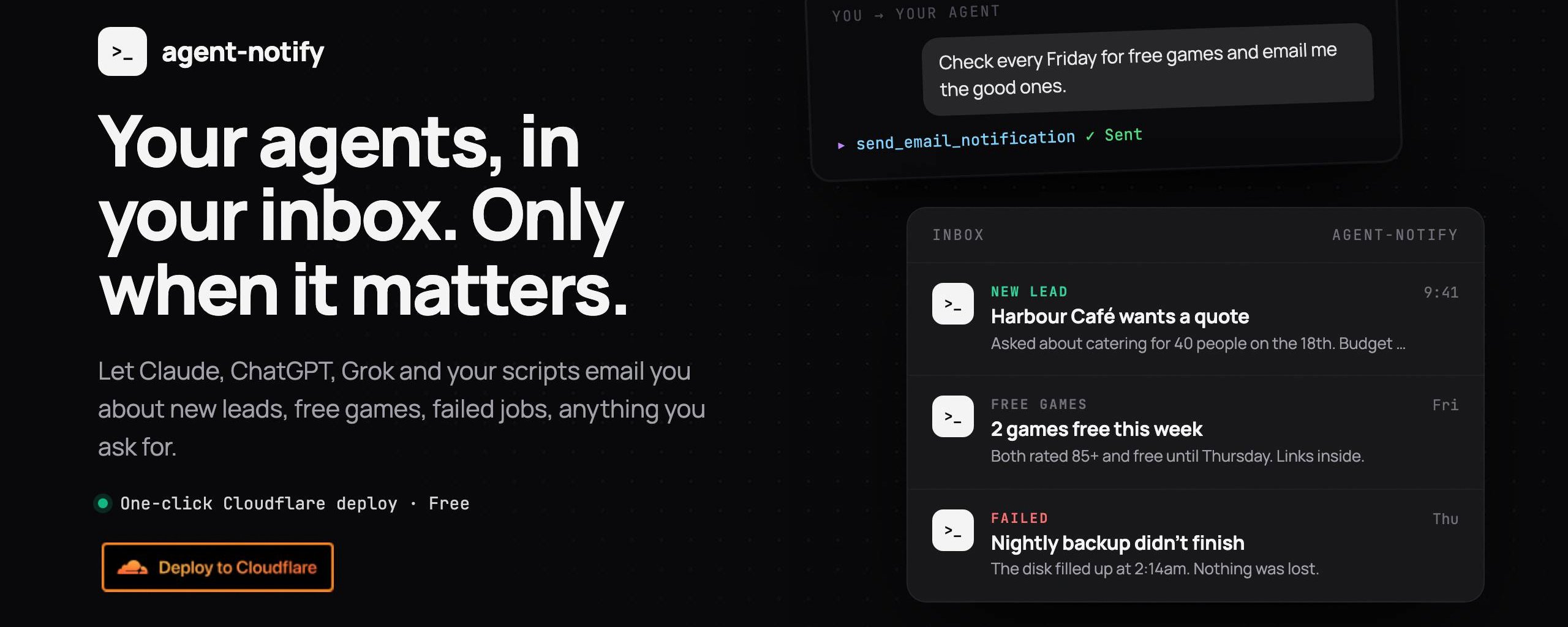
I've got agents running everywhere now. Claude Code in a few terminals, scheduled jobs, things checking things for me while I sleep. And with always-on agents like OpenAI Dots and Grok Bot landing in the last couple of months, they don't even stop when I close the app anymore.
The problem is they all want my attention in different places. Slack pings, desktop notifications, chat threads I forget to check. Most of it is noise. The few things that actually matter, like a new lead coming in or a backup that didn't finish, get buried with everything else.
What I wanted was simple: let my agents email me, but only when it matters. My inbox is the one place I reliably check, and it works on every device.
So I built agent-notify, a small Cloudflare Worker that gives any agent a way to reach you by email.
So I built agent-notify, a small Cloudflare Worker that gives any agent a way to reach you by email.
What it does
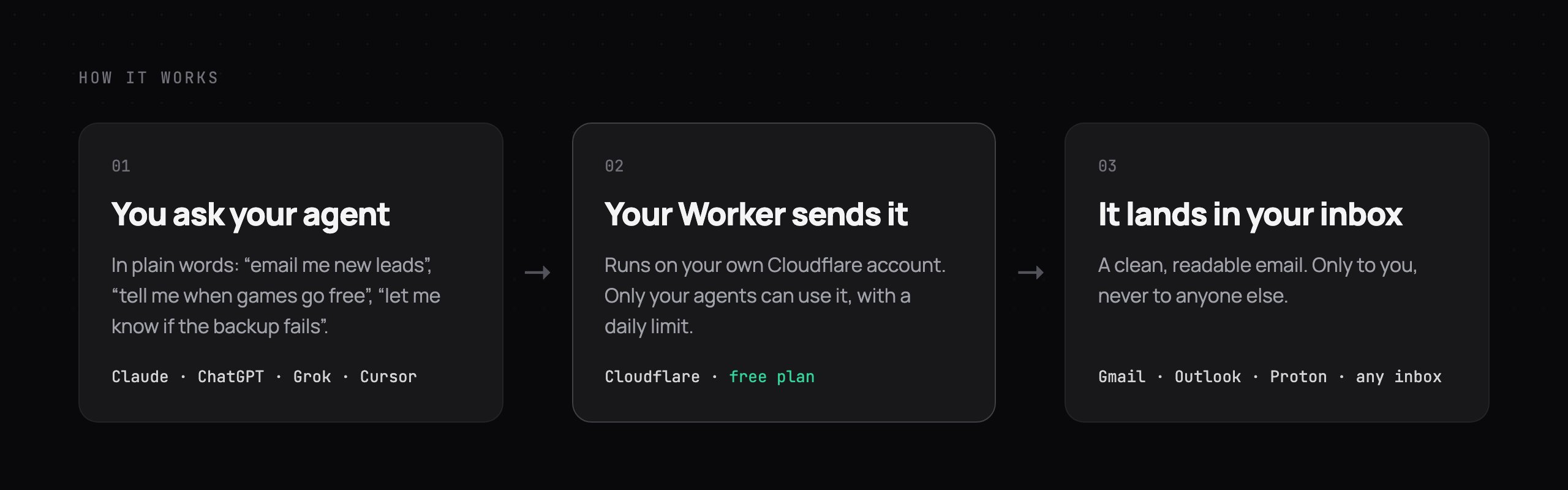
You deploy it to your own Cloudflare account, connect it to your agent, and then just ask in plain words:
Check the free games on Epic every Friday and email me the good ones.
Watch my inbox for new leads and email me a one-line summary of each.
Your agent calls a single tool, send_email_notification, and the email lands in your inbox. That's it.
It works with anything that can use an MCP server or make a web request:
-
Claude Code and Cursor, via MCP with a header token
-
Grok Bot, ChatGPT and OpenAI Dots (wherever custom connectors are available), via a secret MCP URL
-
Scripts, cron jobs and CI, via a plain curl
Setup is one click (plus two)
I wanted this to be as close to zero effort as possible. No servers, nothing to install locally.
-
Prepare Cloudflare once. Onboard your domain for Email Sending, and verify the inbox you want alerts sent to. Both are a couple of clicks in the dashboard, and the README links straight to them.
-
Click Deploy to Cloudflare. Fill in two fields: where to send alerts and which address to send from.
-
Check your email. The first deploy automatically emails you a one-time setup link.
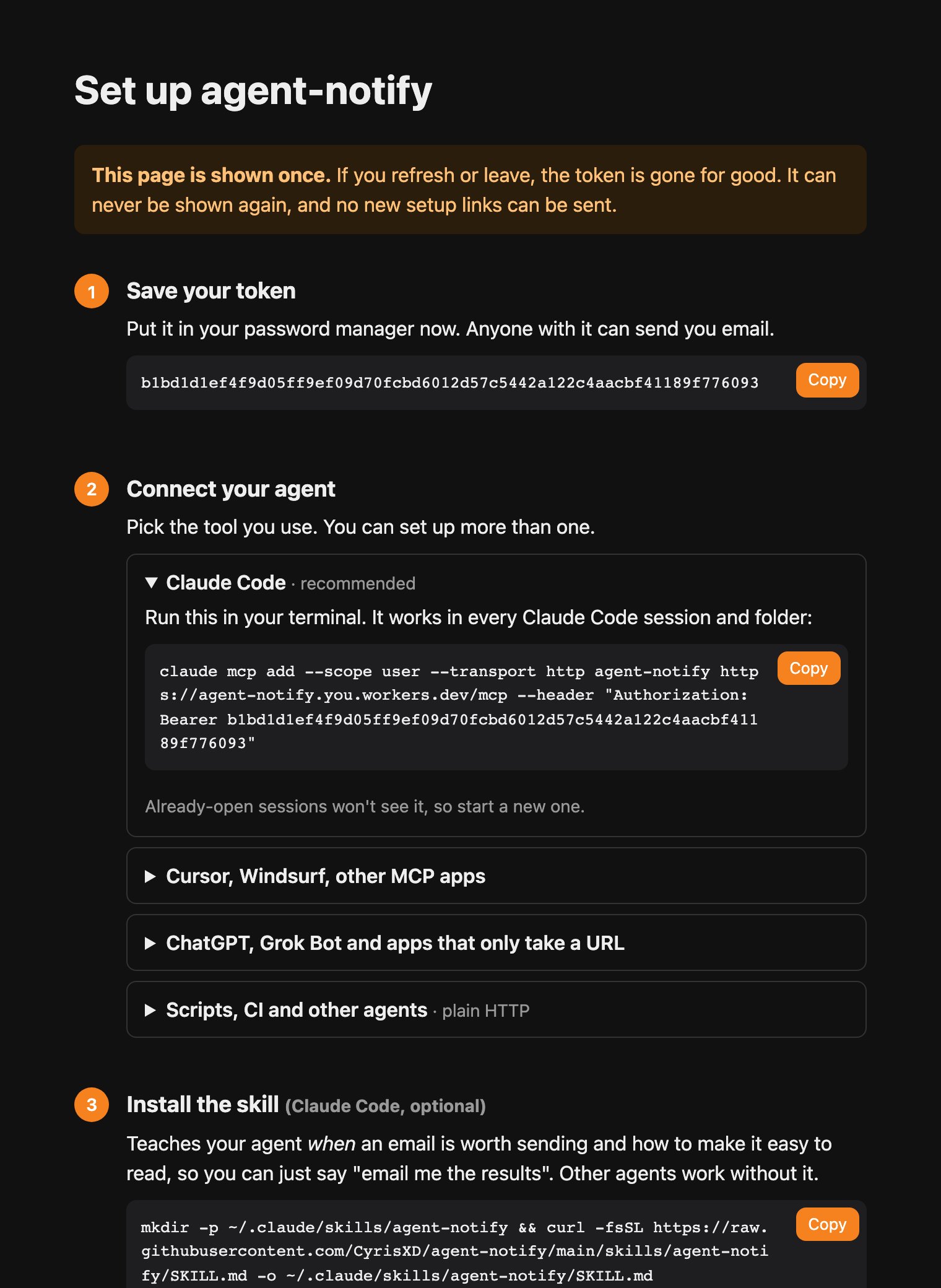
That link opens a page with everything you need: your token, the exact command for Claude Code, a config block for Cursor and other MCP apps, a secret URL for ChatGPT and Grok Bot, and a one-line install for the skill.
The skill
Giving an agent the ability to send email is only half of it. The other half is teaching it when to. So agent-notify ships with a Claude Code skill that handles that:
-
It always sends when you ask, and otherwise only for things you'd want to know about now: something you asked it to watch for, a failure, a decision waiting on you.
-
Alerts stay short. Digests you ask for, like this week's free games or a list of new leads, can be as long as they need, laid out item by item so they're easy to skim on your phone.
-
It never puts passwords or tokens in an email.
You can also call it directly:
/agent-notify find this week's free games and email me the best three
Private and free by design
This is the part I spent the most time on. Anything that can email you is something you want locked down, and I didn't want anyone getting a surprise bill.
-
It only ever emails you. The recipient is fixed when you deploy, so whoever holds the token can't choose who gets the email.
-
The token is shown once and never stored in readable form. It isn't emailed either. The setup email contains a one-time link, and the token only appears after you press Reveal on that page. Only a hash of it is kept.
-
Email scanners can't burn your link. Some providers open links in emails to scan them, so opening the link only shows a confirm page. Nothing happens until you press the button.
-
Setup happens once. After the token is revealed, no new setup links can be sent and any unused ones stop working. If you lose it, delete the Worker and deploy again.
-
It can't cost you money. On Cloudflare's free plan, going over a limit just pauses sending until the next day. Sending to your own verified inbox is free on every plan, and a daily cap (100 by default) keeps you inside Cloudflare's included quota even on the paid plan.
-
No middleman. It runs entirely on your own Cloudflare account, using @Cloudflare Workers and Email Service.
Grab it now
Repo: github.com/CyrisXD/agent-notify
Repo: github.com/CyrisXD/agent-notify
If you set it up and it works, let me know. If something's unclear in the setup, open an issue and I'll fix the docs.
Your agents are only going to get busier. They might as well only bother you when it counts.
Published on grokbot.sh. Cite the public log, not a prompt pack.