
What OpenAI's Dots actually are, and how to set one up (Beginner's guide)
On September 29, OpenAI walked onto the DevDay stage in San Francisco, said 1.2 billion people use ChatGPT every week, and then launched something that isn't a chatbot. It's called Dots. Within an
Article
Job breakdowns
On September 29, OpenAI walked onto the DevDay stage in San Francisco, said 1.2 billion people use ChatGPT every week, and then launched something that isn't a chatbot.
It's called Dots. Within an hour my whole timeline had a blue blob in a beret on it. Some people called it the future of work. Others called it Meta Muse with a $100 door.
Both camps are half right. This guide walks through the 10 posts and pieces that explain what a Dot is, how it differs from the ChatGPT you already use, how to set one up (with code if you build things), and where it stands against Muse, Grok Bot and OpenClaw.
- Part 1 · What just launched
01. Launch - an agent with a job, not a chat window
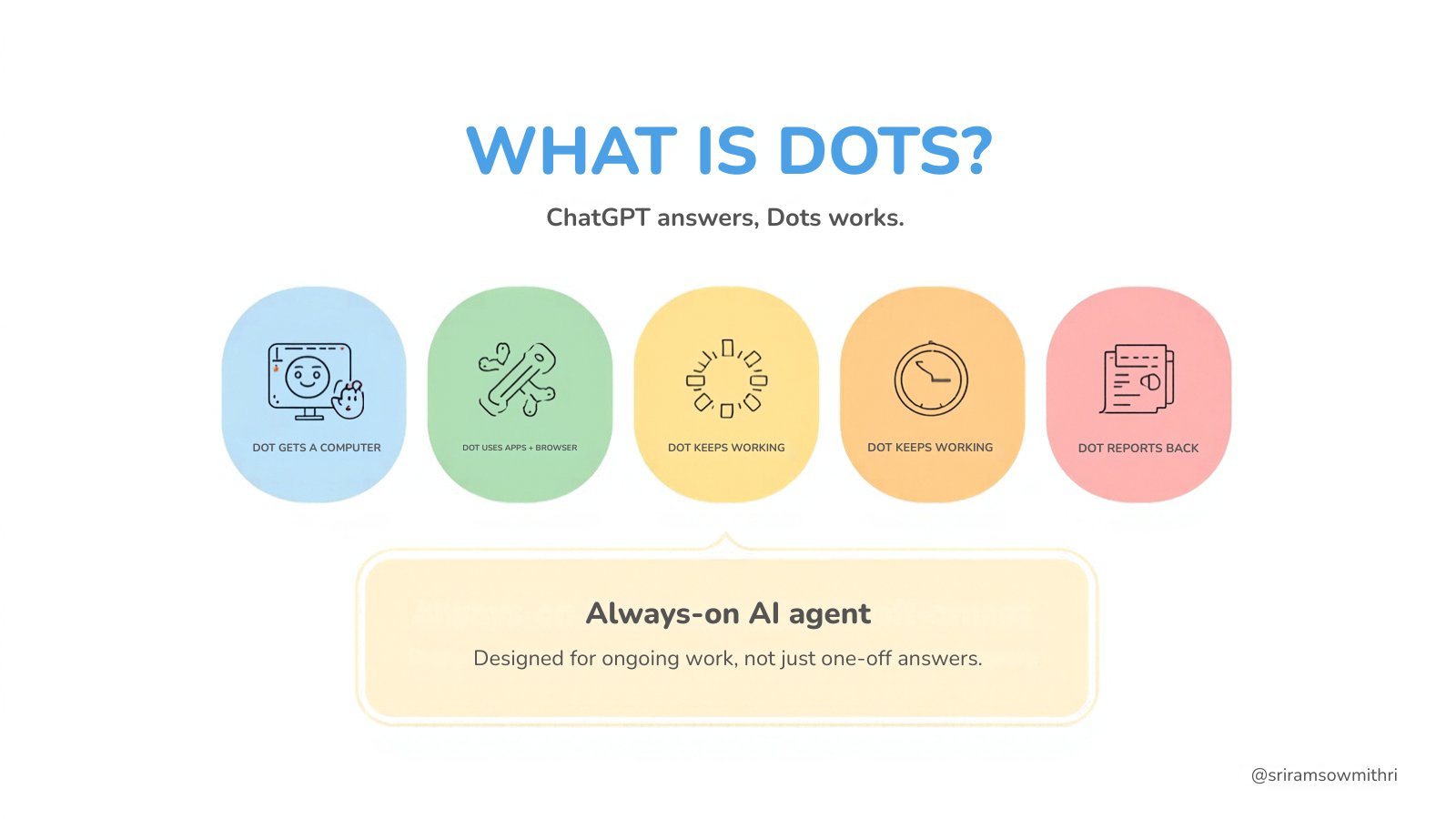
Here's the one-line version for beginners. ChatGPT answers you. A Dot works for you.
A Dot is an always-on AI agent running on GPT-6 Astra, OpenAI's most capable model. Each Dot gets its own computer in the cloud with a browser, can plug into more than 4,000 apps, learns your standards from feedback, and keeps working on your goals after you close the laptop.
You talk to it where you already work: ChatGPT (web, desktop, phone), Slack, and Microsoft Teams. Texting through iMessage/RCS is on a waitlist.
OpenAI @OpenAI · Sep 29Introducing dots, powered by GPT-6 Astra.Remarkably capable, always-on agents built to handle everything.
-
Shows: the official launch video, around 10M views in its first day.
-
Why here: start with the source. OpenAI's own line is "built to handle everything," and the rest of this guide checks how much of that holds up.
On stage, Sam Altman called it "the real deal version of AI that we've always imagined for ourselves," and pitched it as a chief of staff, a coworker with initiative, not another chatbot.
02. Leak - the name was out before the keynote
The name wasn't really a surprise. Reports that OpenAI's agents would be called "Dots" were going around before the keynote.
cedric @cedric_chee · Sep 29OpenAI's upcoming agents are reportedly called "Dots".
- Why here: it explains why the reaction was so fast. By the time the video dropped, people already had takes ready.
03. Difference - Dot vs regular ChatGPT
This is the part a beginner needs most, so here it is in plain terms.
Regular ChatGPT waits for you. You type, it answers, and when you close the tab it stops. It can't go anywhere or do anything on its own.
A Dot has an ongoing job. You give it a goal once, and it keeps working on it. These are OpenAI's own examples (I didn't make any of them up):
-
Dev Dot watches customer feedback, scopes a fix, builds and tests it, and hands back a pull request with a video.
-
Product Dot revises launch materials when the scope changes.
-
Scientist Dot reruns an analysis whenever new data arrives and flags any figure that changed.
-
Sales Dot updates a proposal when a client's requirements shift.
-
Creator Dot finds clip-worthy moments, drafts posts, and learns what your audience responds to.
Inside OpenAI, they say Dots have hunted bugs in Slack, turned a design into a working app, and prepared invoices once someone approved them.
Three more differences:
-
It has its own computer. You can open it whenever you want and watch what the Dot is doing.
-
It learns your standards. Say "too formal" once and it remembers.
-
Chatting with it doesn't use your ChatGPT limits. Heavier Codex or ChatGPT Work tasks it starts do count.
Here's an example of that difference from a real user. A Pro subscriber named their Dot "豆哥" and asked it to track rare US coffee beans. It pulled context from their old ChatGPT chats, set up a check twice a day, and came back with Gesha options priced per cup. A chatbot would have answered once and forgotten about it.
- Part 2 · Setting one up
04. Access - check if you can get it before you get excited
This is where a lot of people on X hit a wall.
Dots are rolling out now to ChatGPT Pro, Business Premium and Enterprise (Edu and Healthcare need an admin to turn them on) in eligible markets. According to community posts and OpenAI's replies, that currently excludes the EEA, Switzerland and the UK. Plus and Free users don't get it.
Your first Dot comes with the plan. OpenAI says more Dots and more monthly work capacity will be paid add-ons.
Cute agent, paid tier, geo-blocked: that combination is behind one of the loudest threads of the week.
05. Setup - name it, connect it, fence it in
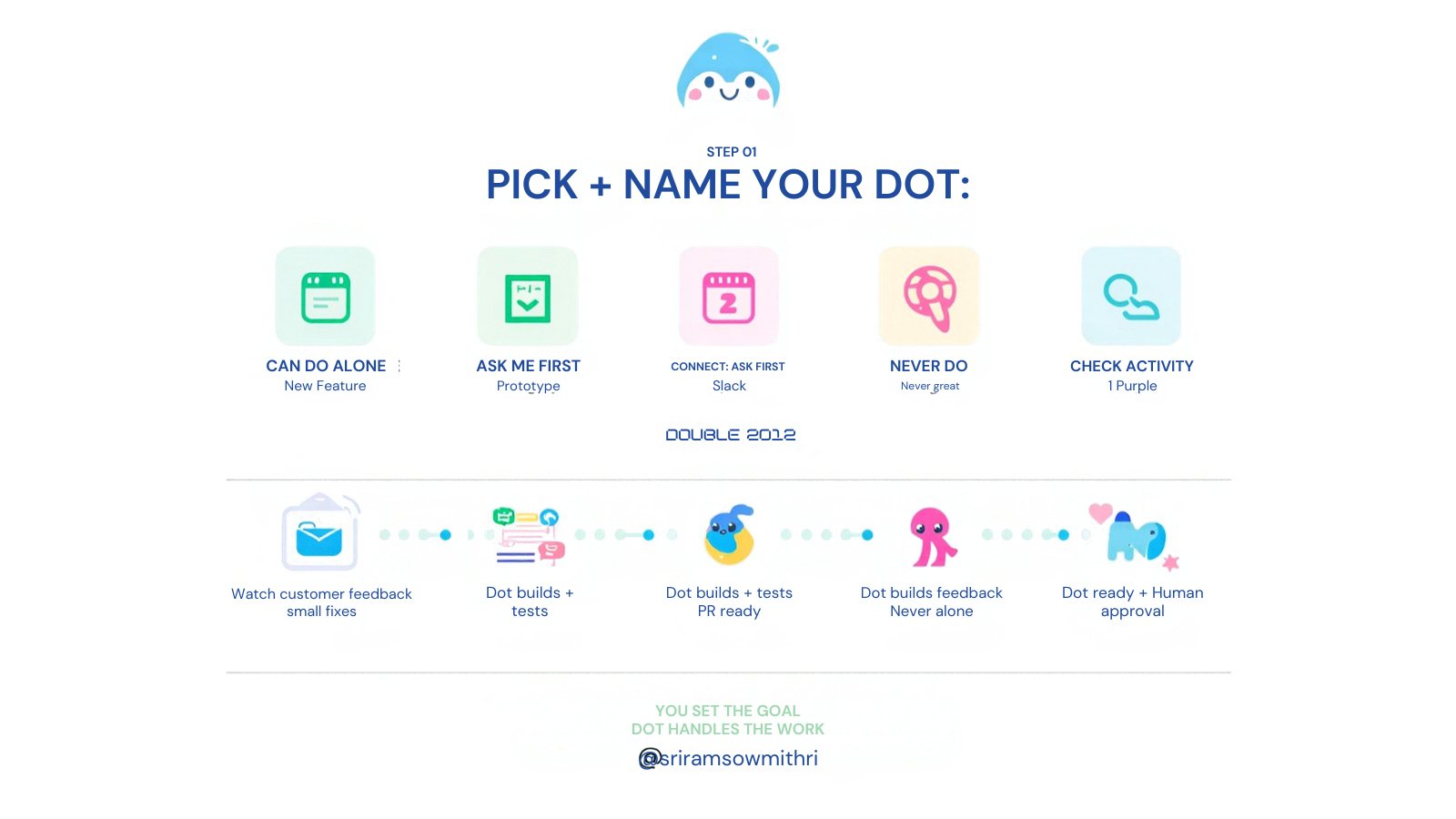
You don't write any code to use a Dot. There are four steps:
-
Start with your primary Dot. Give it a name and a look (blue beret cloud, green frog, "Alfred" the yellow triangle with a bowtie, pink heart in sunglasses). You can launch it from ChatGPT or Codex.
-
Connect the apps it needs through plugins: email, calendar, Slack, docs, whatever the job involves.
-
Write its Custom Rules (next section). This is the step that decides whether a Dot is useful or a liability.
-
Check the Activity View. It shows what your Dot is working on, and you can redirect it from there.
These safety defaults are on without you doing anything:
-
In background mode it's read-only until you approve writes, messages or account changes.
-
Passwords it uses to log into sites are never shown to the model.
-
Sensitive steps (password changes, anything that moves money) always come back to you.
-
It uses its own cloud computer. It only touches your laptop if you give it permission.
06. Rules - write the permission list, not the vibe
Most bad agent experiences start with "just handle my inbox." The fix is the same one people found for prompting in general: be specific about what the agent may do alone, what needs a yes from you, and what it must never touch.
Custom Rules have exactly those three buckets. Here's a starter set I'd paste in for a first-week Dot (my example, not OpenAI's text):
Can do alone:- Read my inbox, calendar and shared docs- Research, summarize, draft replies and documents- Watch [TOPIC / PRICE / PAGE] and report changes twice a dayNeeds my approval:- Sending any email or message- Booking, ordering or buying anything- Editing a shared doc other people useNever:- Change passwords or account settings- Delete files or emails- Message [BOSS / CLIENT] directly
Start strict. Move things from "needs approval" to "can do alone" once the Dot has earned it. The Activity View is how you decide.
07. Code - the developer version of a Dot
You can't script Dots themselves. What developers got at DevDay is the Agents API (public beta), which provides the same core pieces: a hosted computer, a browser, memory, tools and multi-agent support. There's no extra fee beyond the tokens and tools you use.
OpenAI Developers @OpenAIDevs · Sep 29dots. An always-on agent with its own computer…
- Why here: the developer account presents Dots as an agent with its own computer. The Agents API is how you give your own agent one.
Setup takes two commands:
Then this script, adapted from OpenAI's computer-use guide. It gives an agent its own cloud browser and a task, and makes it ask you before it opens any new website, which is the same approval idea as a Dot's Custom Rules.
f
In plain English: rent the AI a computer, give it a task, and make it ask permission for every new website. A Dot does the same thing, with a friendly blob on top and Slack in front of it.
Security notes from the same guide worth copying: screenshots can contain private data, so only show them to people who should see it. Never put credentials in a normal message; they go through the dedicated sign-in event. Save the session ID so you can reconnect if the connection drops.
- Part 3 · How it stacks up
08. Rivals - Muse, Grok Bot and OpenClaw
Dots didn't launch into an empty market. Meta Muse came out free on September 8, xAI has Grok Bot, and OpenClaw has a loyal following among builders.
What OpenAI has that the others don't is the whole package: its top model, a hosted computer, the largest plugin library, and a Dot that keeps the same context across Slack, Teams and ChatGPT.
And then xAI got the joke of the day:
sui @birdabo · Sep 29OpenAI just announced Dots. SpaceXAI bought dot.com—it redirects straight to the Grok Bot download page.
Shows: the post that started the "xAI trolled OpenAI" story, later covered by TechCrunch.
-
Shows: the post that started the "xAI trolled OpenAI" story, later covered by TechCrunch.
-
Why here: it's funny, but read the fine print. Whois records show the domain changed hands in July, two months before the launch. It looks like a planned troll, but the timeline doesn't prove one.
09. Reality - what the first 24 hours of tests showed
The demos looked smooth. The real tests were mixed, and that's useful to know before you pay.
-
Jane Manchun Wong ordered desserts through a Dot. The cannoli arrived, but she said it took about 30 minutes of hand-holding, much like Instinct and Grok Bot, and she'd have been faster ordering it herself.
-
The "豆哥" coffee tracker from section 03 worked well: it reused old context, scheduled its own checks and did the math per cup.
-
A builder posted a Dot reviewing Ring footage from a jobsite successfully.
-
Reuters noted the live keynote demos still ran into voice problems.
The counter-thread from people staying with OpenClaw came down to one line that got passed around all day: "Delegation is now a pricing tier. Who holds the off switch?"
That's the real argument, and it isn't about mascots. A Dot runs on a computer OpenAI owns. OpenClaw runs on one you own. You're trading control for convenience, and it's worth deciding which one you care about more before handing either of them your inbox.
10. Everything else - DevDay wasn't only Dots
Dots got the attention, but three other launches change what you'll pay and what you'll build.
GPT-6.1 Sol. Close to Astra on agentic coding and computer use at 1/5 of Astra's price: $2 / $10 per million tokens in and out, $0.10 cached input. It's live now in ChatGPT Work, Codex and the API as gpt-6.1-sol, with a 1.05M-token context. OpenAI claims about 32% fewer factual errors than GPT-6 Sol (11.4% → 7.7% at low reasoning).
GPT-6.1 Astra didn't ship. Several recaps say the next flagship was held back for security reasons. This DevDay was about products and cost, not a new level of intelligence.
Plans got more expensive at the top.
OpenAI @OpenAI · Sep 29(plan announcement: new Pro 500, Pro 200 reopened)
-
Shows: Pro 500 at $500/month with 25× Plus usage plus Ultrafast (up to 8× faster in Codex, priced at 6× standard tokens). Pro 200 reopened with a promise not to bring back the 5-hour cap.
-
Why here: new Pro 200 subscribers don't get the same deal as grandfathered ones, and that's another angry thread under this post.
Codex moved to the cloud and runs with the laptop closed. There's two-way voice in the CLI, an /agents view, and Codex Security scanning repos while you're offline.
OpenAI @OpenAI · Sep 29(Codex announcements)
- Why here: Dots can launch Codex tasks, so cloud Codex is the part of the stack that does the Dev Dot's actual work.
The piece I'd watch most is ChatGPT Space, a shared workspace for people, Dots and Codex, with Pages (documents agents can edit). That's what turns a cute blob into something closer to an office, and it means OpenAI is competing with Microsoft 365 and Google Workspace, not only with Anthropic and Google.
Links to bookmark
Official Dots post: https://openai.com/index/introducing-dots/
- Official Dots post: https://openai.com/index/introducing-dots/
DevDay recap: https://openai.com/index/devday-2026-recap/
- DevDay recap: https://openai.com/index/devday-2026-recap/
GPT-6.1 Sol: https://openai.com/index/introducing-gpt-6-1-sol
- GPT-6.1 Sol: https://openai.com/index/introducing-gpt-6-1-sol
Agents API: https://openai.com/index/introducing-the-agents-api/
Computer use guide: https://developers.openai.com/api/docs/guides/agents-api/tools/computer-use
- Computer use guide: https://developers.openai.com/api/docs/guides/agents-api/tools/computer-use
- Community resource thread: https://community.openai.com/t/devday-2026-announcements-and-developer-resources/1402006
Conclusion:
A chatbot answers a question. A Dot takes a job and keeps it.
If you can get it, start with one narrow task, strict Custom Rules and a daily look at the Activity View. If you can't (Plus plan, EU, UK), the Agents API gives you the same building blocks for the cost of tokens, and OpenClaw gives you the version you fully control.
Either way, the question for this year isn't which blob is cutest. It's who owns the computer your agent works on.
Published on grokbot.sh. Cite the public log, not a prompt pack.